
Official statement
Other statements from this video 8 ▾
- □ La vitesse de page est-elle vraiment un facteur de classement déterminant ?
- □ Les images sont-elles vraiment le principal frein aux performances de votre site ?
- □ Faut-il vraiment migrer toutes vos images vers WebP pour améliorer votre SEO ?
- □ L'attribut srcset sur les images est-il vraiment pris en compte par Google pour le SEO ?
- □ Les scripts tiers sabotent-ils réellement vos Core Web Vitals même quand ils ne s'affichent pas ?
- □ Lighthouse et DevTools suffisent-ils vraiment pour diagnostiquer le JavaScript inutilisé ?
- □ L'attribut loading=lazy suffit-il vraiment pour optimiser le chargement des images en SEO ?
- □ Faut-il vraiment précharger les vidéos avec une image d'affiche pour le SEO ?
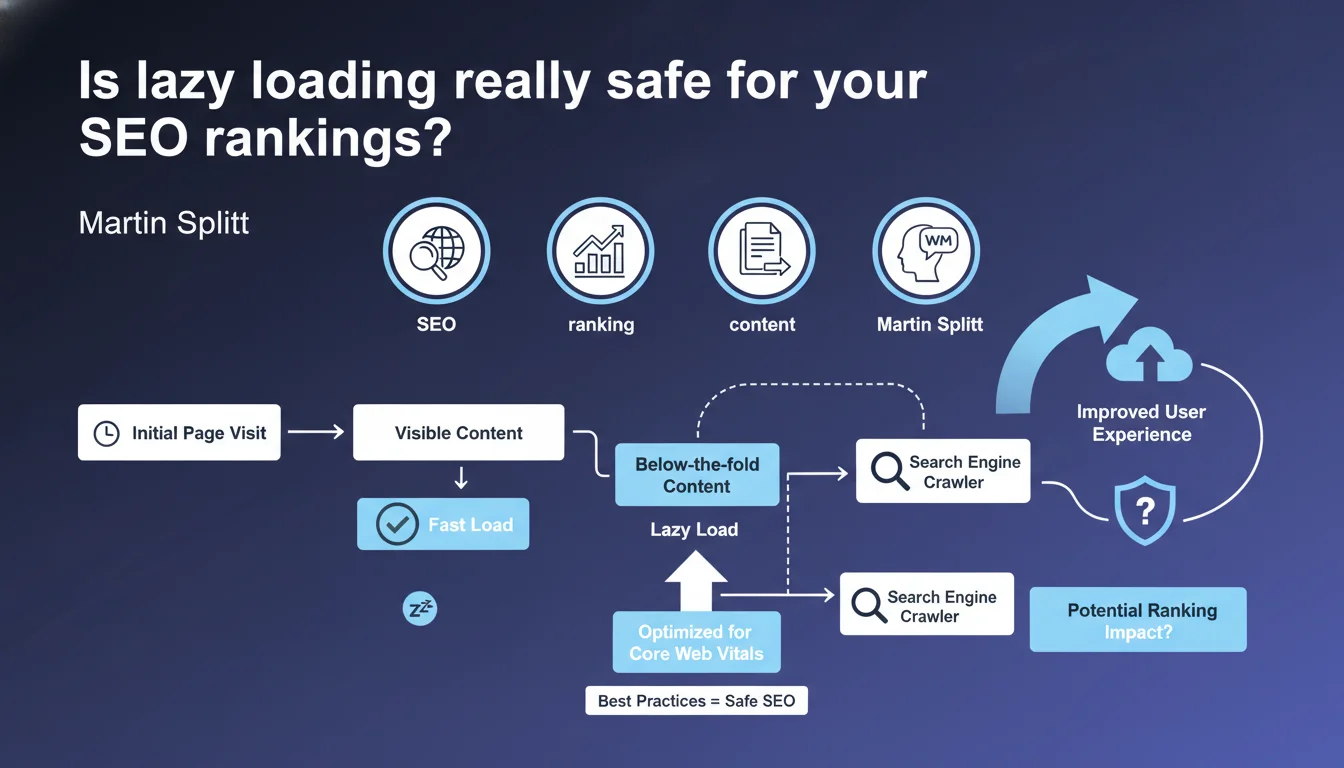
Google officially endorses lazy loading (deferred loading) for content that isn't immediately visible, with the goal of improving initial page load performance. The key challenge: understanding what "not immediately visible" actually means in practice to avoid hiding strategic content from crawlers.
What you need to understand
What exactly does Google mean by "content not immediately visible"?
Martin Splitt is referring to content located below the fold, meaning everything that requires scrolling to view. Images, videos, iframes, text sections — anything that doesn't appear in the initial viewport can technically benefit from lazy loading.
The principle is straightforward: delay the loading of these resources until the user is about to see them. Expected result: optimized First Contentful Paint (FCP) and Largest Contentful Paint (LCP), two Core Web Vitals metrics that Google closely monitors.
Why does Google encourage this practice?
Because loading performance is an official ranking factor since the introduction of Page Experience. A site that loads its visible content instantly improves user experience, reduces bounce rate, and consumes less bandwidth.
Google has even integrated native lazy loading into Chrome via the loading="lazy" attribute for images and iframes. That's a clear signal: not only is implementation tolerated, it's recommended when done correctly.
What's the difference between native lazy loading and JavaScript?
The HTML attribute loading="lazy" works natively in modern browsers without JavaScript dependency. Googlebot understands this attribute and triggers the loading of the relevant resources during rendering.
JavaScript solutions (Intersection Observer API, third-party libraries) offer more control but introduce risks: if the script doesn't execute properly with Googlebot, content can remain invisible. Native lazy loading eliminates this variable.
- Native lazy loading: directly supported by Googlebot, zero indexation risk
- JavaScript solutions: require server-side rendering or flawless JS execution
- Above-the-fold content: should NEVER be lazy loaded, risking LCP degradation
- Strategic images: hero images, conversion visuals — always load immediately
- Main text: never defer loading indexable text content
SEO Expert opinion
Is this statement aligned with real-world observations?
Yes, but with a critical nuance: Google says it "can be used," not "should be used everywhere." Real-world practice shows that some sites have lost traffic after lazy loading elements that Googlebot considered strategic.
Problematic cases? Product images on e-commerce pages lazy loaded too aggressively, text sections loaded via JavaScript without fallback, enriched content (FAQs, customer reviews) invisible on first render. If Googlebot doesn't see these elements on initial crawl, they may never get indexed — especially on sites with limited crawl budget.
What gray areas remain in this recommendation?
Martin Splitt remains intentionally vague about the exact definition of "content not immediately visible." [To verify]: how far can you defer loading without SEO impact? The third image in a gallery? The fifth paragraph in a long-form article? The footer with its internal linking?
Another unclear point: no mention of JavaScript rendering budget. If a page contains 200 lazy-loaded images via JS, will Googlebot trigger all of them during rendering? Or will it stop after a certain threshold? Google provides no metrics on this topic.
src attribute be present in the initial DOM or that Googlebot executes the script completely. When in doubt, prefer the native loading="lazy" attribute, which guarantees indexation.When does this technique become counterproductive?
The moment it touches content critical for SEO. A blog that lazy loads the first 300 words of an article risks losing rankings if Googlebot doesn't render the page correctly. An e-commerce site that defers image loading for product grids can see its Google Images traffic collapse.
Let's be honest: lazy loading is a delicate technical optimization. Misconfigured, it can create more problems than it solves — layout shift (CLS), content invisible to crawlers, semantic context loss for the algorithm.
Practical impact and recommendations
What should you concretely implement on your site?
Start by auditing your above-the-fold content. Everything appearing in the first 800-1000 pixels of height (desktop and mobile) must load immediately, without lazy loading. This includes the logo, main title, first visual, first 2-3 paragraphs.
For images further down, use the loading="lazy" attribute directly in the <img> tag. Simple, native, no risk. For iframes (YouTube videos, Google Maps), same logic: <iframe loading="lazy">.
If you use a JavaScript solution (Intersection Observer, LazyLoad.js), ensure that content is present in the initial DOM with a data-src attribute and that the script triggers correctly during Googlebot rendering. Test with the URL Inspection tool in Search Console.
What errors should you absolutely avoid?
Never lazy load the LCP image — the one representing the largest visible element in the initial viewport. That's the fastest way to destroy your Core Web Vitals score and lose rankings.
Also avoid deferring SEO-critical elements: breadcrumbs, schema.org tags, key internal navigation links. If these elements aren't in the initial DOM, Googlebot may miss them.
Beware of "automatic" solutions that lazy load indiscriminately. Some WordPress plugins or page builders apply lazy loading to all images, including header images. Result: performance regression instead of improvement.
How do you verify the implementation is correct?
Use Google Search Console and the "URL Inspection" tool to see how Googlebot renders the page. Compare the initial DOM and DOM after JavaScript: your lazy-loaded elements should appear in the final render.
Also test with PageSpeed Insights and Lighthouse: if lazy loading is properly configured, you should see FCP and LCP improvements without CLS degradation (no layout shift caused by late-loading images without defined dimensions).
Monitor your server logs and crawl budget. If Googlebot loads fewer resources than before, that's good — provided indexable content remains accessible. Verify in Google Images that your strategic visuals continue to be indexed.
- Identify above-the-fold content and load it as priority (no lazy loading)
- Apply
loading="lazy"to images and iframes below the fold - Define width and height on all images to prevent CLS
- Test Googlebot rendering via Search Console (URL Inspection)
- Check Core Web Vitals with PageSpeed Insights before/after
- Monitor image indexation in Google Images
- Preserve internal linking and critical navigation elements
❓ Frequently Asked Questions
Le lazy loading natif (loading="lazy") est-il bien compris par Googlebot ?
Peut-on lazy loader du texte ou seulement des images ?
Le lazy loading améliore-t-il toujours les Core Web Vitals ?
Faut-il lazy loader les images dans le footer ou le maillage interne ?
Les solutions JavaScript de lazy loading sont-elles risquées pour le SEO ?
🎥 From the same video 8
Other SEO insights extracted from this same Google Search Central video · published on 29/11/2023
🎥 Watch the full video on YouTube →
💬 Comments (0)
Be the first to comment.