
Official statement
Other statements from this video 12 ▾
- □ Should you really duplicate product data between your website and Merchant Center?
- □ Why does Google trust Merchant Center feeds over regular crawling for your product data?
- □ Can Merchant Center really boost the crawl of your product listings?
- □ Does Googlebot actually crawl your site's internal search engine to discover content?
- □ Should you use Google's URL inspection tool or the site: operator to verify indexation?
- □ Does Google really require both structured data AND Merchant Center feeds to display product prices correctly?
- □ Could price discrepancies between your website and Merchant Center really be killing your product visibility?
- □ Should you increase Google Merchant Center feed processing frequency to boost your e-commerce visibility?
- □ Can automatic updates in Merchant Center fix your product data without manual intervention?
- □ Do you really need both structured data AND Merchant Center feed to unlock rich product results?
- □ Does Google really have total control over when rich results appear in search?
- □ Are Search Console and Merchant Center errors quietly killing your shopping visibility?
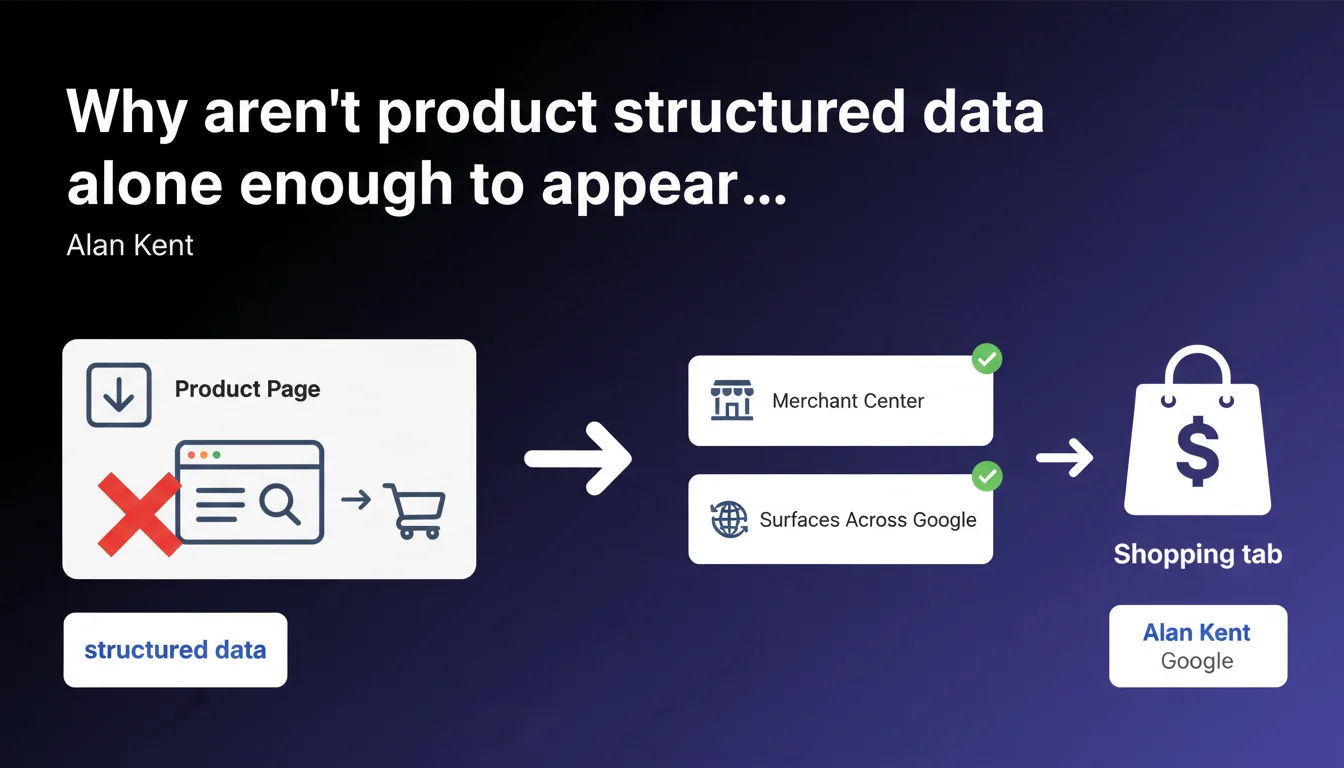
Google mandates two cumulative prerequisites for the Shopping tab: a product feed via Merchant Center AND Surfaces Across Google activation. Product structured data alone on your pages triggers no eligibility, contrary to what many believe.
What you need to understand
What's the difference between structured data and Merchant Center feeds?
Product structured data (Schema.org) integrates directly into your page HTML code. It serves to enhance display in standard search results — stars, price, availability.
A Merchant Center feed is an XML or CSV file you upload regularly to Google. It contains your entire catalog with standardized attributes: GTIN, MPN, Google product categories, shipping conditions.
Alan Kent is clear-cut: structured data doesn't replace the feed. The Shopping tab relies exclusively on Merchant Center — microdata is merely a complementary signal for standard Search.
What exactly is Surfaces Across Google?
Surfaces Across Google is an option within Merchant Center that authorizes Google to distribute your products for free across different surfaces: Shopping tab, Google Images, Lens, YouTube. Without this activation, your products remain invisible even if the feed is validated.
This feature has existed for years but remains underutilized. Many merchants think submitting a feed is enough — spoiler: it isn't.
- Merchant Center: mandatory to provide structured product catalog
- Surfaces Across Google: manual activation required in account settings
- Structured data: useful for rich snippets, pointless for Shopping tab
- Combination of the first two = actual eligibility, no shortcuts possible
Why does Google impose this double constraint?
The Merchant Center feed offers granular control: Google verifies GTIN compliance, applies moderation rules, validates commercial policies. Structured data, on the other hand, can be incomplete, poorly formatted, non-standardized.
By requiring Merchant Center, Google centralizes product data quality. Surfaces Across Google activation functions as explicit consent — you agree that your products appear beyond simple paid advertising.
SEO Expert opinion
Is this statement consistent with real-world practices?
Absolutely. I've audited dozens of e-commerce sites with flawless structured data that never appeared in the Shopping tab. Systematic diagnosis: no active Merchant Center account or Surfaces Across Google disabled.
What's surprising is the persistence of the opposite myth. Many developers think adding Schema.org Product is enough — classic junior mistake confusing signals for standard SERP and eligibility criteria for Shopping.
Alan Kent breaks through an open door for seasoned practitioners, but this clarification was necessary. Too much third-party documentation perpetuates the confusion.
What nuances should be added to this rule?
Alan Kent's statement doesn't mention regional variations. Merchant Center isn't available everywhere with the same features — some countries have limited access to Surfaces Across Google. [To verify] according to your target market.
Another point: digital products or services. Google Shopping remains focused on physical goods with SKUs. If you sell online courses or SaaS, Merchant Center isn't the right tool — Service or Course structured data remains relevant for other display formats.
In what cases doesn't this rule apply?
If your goal is to appear in standard organic search results with product rich snippets (stars, price), structured data is sufficient. Merchant Center is not required for that.
However, as soon as you target the Shopping tab, Google Images with product badge, or ancillary surfaces like Lens, Alan Kent's rule applies without exception. No negotiation possible.
Practical impact and recommendations
What do you need to do concretely to be eligible?
First, create or verify your Google Merchant Center account. Claim your site, validate the URL via DNS or HTML tag. Configure tax and shipping settings — even basic ones must be present.
Next, generate a compliant product feed. XML or CSV, either works, but mandatory fields are non-negotiable: id, title, description, link, image_link, price, availability, condition. Add GTINs if you have them — it's a strong quality signal.
Upload this feed via the Merchant Center interface or configure an automatic retrieval URL. Google will crawl your feed regularly — check for errors in the Diagnostics tab.
Final step: activate Surfaces Across Google in Settings > Programs. Without this click, nothing happens. It's silly, but it's a blocker.
What errors should you avoid during setup?
Classic error: a feed pointing to pages in noindex or blocked by robots.txt. Google can't validate the product if the landing page is inaccessible. Check consistency between your feed and your crawl.
Another trap: invalid GTINs. If you invent fictitious barcodes, Google rejects the products. Better to omit the GTIN field than fill it with made-up data — except without GTIN, your visibility drops.
Be careful of duplicates too. If multiple product variants (colors, sizes) share the same ID or URL, Merchant Center generates warnings. Structure your variants correctly with item_group_id.
- Create a Merchant Center account and verify site ownership
- Configure minimum tax and shipping settings
- Generate an XML/CSV feed with mandatory fields (id, title, price, availability, link, image_link)
- Add GTINs when available to maximize quality
- Upload the feed or configure an automatic retrieval URL
- Manually activate Surfaces Across Google option in settings
- Monitor the Diagnostics tab to correct feed errors
- Verify that product landing pages are crawlable and indexable
How do you verify that your site is compliant and optimized?
First check: search your products on google.com/shopping. If they don't appear within 48 hours of feed validation, dig into Merchant Center logs. Errors are detailed there — missing price, non-compliant image, 404 page.
Second control: inspect your pages with the Rich Results test tool. Verify that Product structured data is present and valid — even if it's not enough for Shopping, it remains essential for organic rich snippets.
Finally, test your feed URLs in an XML/CSV validator. Format errors often go unnoticed until Google rejects your entire catalog at once.
❓ Frequently Asked Questions
Les données structurées Product remplacent-elles un flux Merchant Center ?
Peut-on apparaître dans l'onglet Shopping sans activer Surfaces Across Google ?
Faut-il maintenir des données structurées Product si on utilise Merchant Center ?
Combien de temps faut-il pour apparaître dans Shopping après configuration ?
Peut-on utiliser Merchant Center pour des services ou produits numériques ?
🎥 From the same video 12
Other SEO insights extracted from this same Google Search Central video · published on 29/08/2022
🎥 Watch the full video on YouTube →
💬 Comments (0)
Be the first to comment.