
Official statement
Other statements from this video 9 ▾
- □ Do CSS class names really affect your search engine rankings?
- □ Why does Google require your CSS files to be crawlable?
- □ Is CSS ::before and ::after content really invisible to Google?
- □ Why does Google fail to recognize hashtags generated through CSS ::before?
- □ Why aren't your CSS background images ever showing up in Google Images?
- □ Could strict HTML and CSS separation be the missing piece in your indexation strategy?
- □ Why can Google Search Console screenshots mislead you about your site's indexation?
- □ Why does Google require <img> tags for stock images instead of CSS?
- □ Can CSS Harm Your SEO Just Like JavaScript Does?
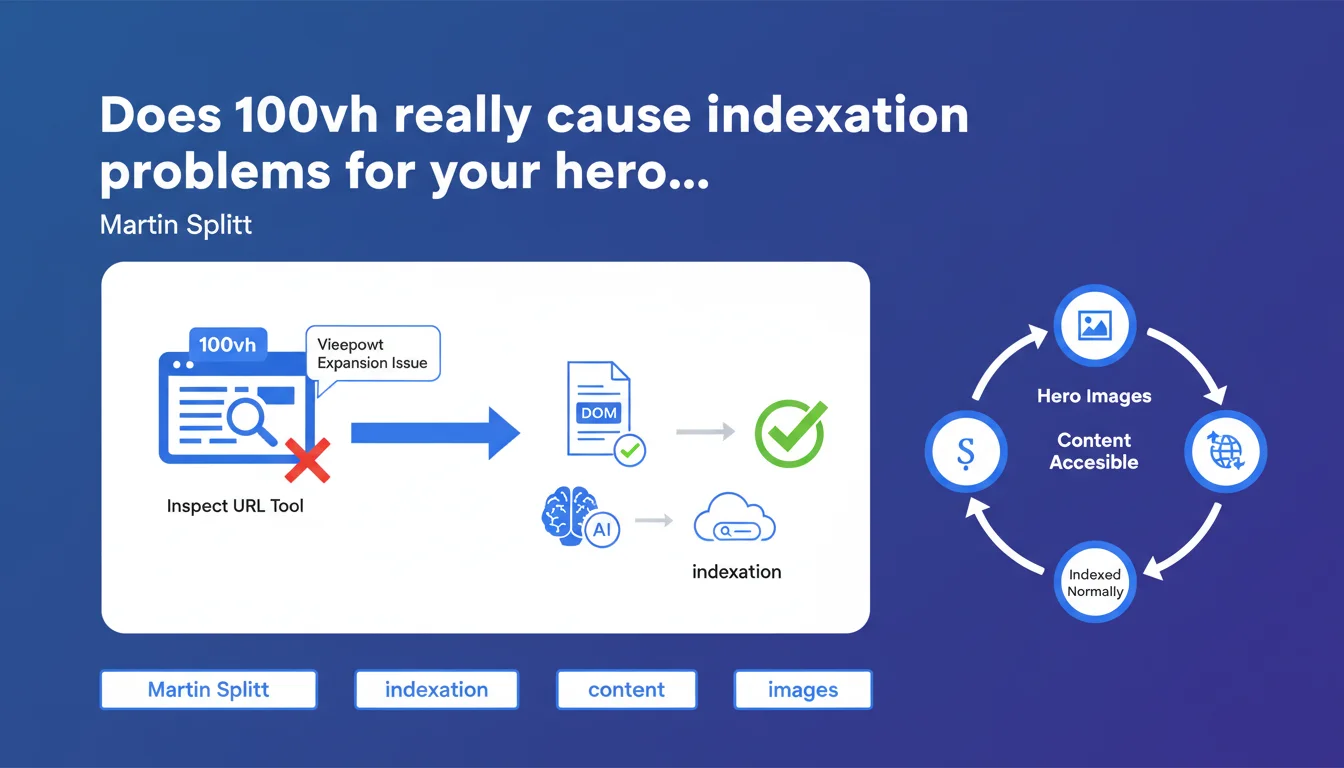
Google confirms that using 100vh for hero images can cause malfunctions in the Inspect URL tool due to viewport expansion during rendering. Despite these display issues in the tool, the content remains technically accessible in the DOM and should be indexed normally — but this nuance deserves deeper investigation.
What you need to understand
Why does 100vh create issues with the Inspect URL tool?
The viewport expansion used by Googlebot during rendering simulates different screen sizes. When a hero image is defined with 100vh, its height adapts to the initial viewport — but during expansion, the calculation becomes unreliable.
The Inspect URL tool, which uses the same rendering engine as Googlebot, can therefore display broken or incomplete rendering. In practical terms: your beautiful hero image risks appearing truncated, misaligned, or even invisible in the tool's preview.
Does this really impact the indexing of my content?
Google says no — the content remains accessible in the DOM. If your hero image contains overlay text or critical SEO elements, they should be crawled and indexed normally.
But here's the thing: a display problem in Inspect URL often signals a deeper issue. If the tool doesn't render correctly, what guarantees that Googlebot sees everything perfectly? [To verify] — Martin Splitt remains evasive on this point.
Which elements are really affected?
Mainly hero sections at the top of the page that use height: 100vh or its variants. Background images, hero videos, full-screen banners — anything that relies on viewport height.
- Hero images with 100vh can display poorly in Inspect URL
- Content remains theoretically accessible in the DOM
- Googlebot's viewport expansion creates rendering variations
- No concrete data on actual indexation impact provided by Google
SEO Expert opinion
Is this statement reassuring or concerning?
Both. On one hand, Google says: "Don't panic, we'll index it anyway." On the other, it admits a visible malfunction in its own diagnostic tool. That's problematic.
When Inspect URL doesn't render correctly, it becomes difficult to validate what Googlebot actually perceives. You lose a reliable verification tool — and that's frustrating for auditing a site. If Google admits its tool has limitations, it's hard to blindly trust it on "should be indexed normally."
What are the concrete implications they're not telling us?
Martin Splitt doesn't clarify whether this problem concerns only mobile rendering or also desktop. Viewport expansion is mainly relevant for mobile-first indexing, but nothing is said clearly. [To verify]
Another point: if your critical content (H1 title, main CTA, anchor text) is located in this 100vh zone, you're playing with fire. Even if the DOM is accessible, a rendering problem can affect Google's assessment of user experience — and thus indirectly impact rankings.
In what cases does this rule not apply?
If your hero is purely decorative — no text, no links, just an ambiance image — then it doesn't matter. The rendering problem has no SEO impact.
However, if you have a main title, a CTA button, or internal links in this zone, the risk becomes real. Google could technically see the DOM, but might poorly evaluate the visual hierarchy or the importance of the content.
Practical impact and recommendations
What should you actually do to secure your hero sections?
First step: systematically test your pages with the Inspect URL tool. If the rendering is broken, it's a warning sign — even if Google says it won't impact indexation.
Consider alternatives to pure 100vh. Use min-height rather than fixed height, or adjust with specific media queries. The idea: guarantee stable rendering regardless of viewport.
What errors should you absolutely avoid?
Never hide critical SEO content in a 100vh section. If your main H1 or introduction text is located there, move it or duplicate it in an accessible way outside this zone.
Also avoid image text not accompanied by descriptive alt tags or equivalent HTML text. If rendering fails, Google will have nothing to work with.
- Test each critical page with Inspect URL and verify mobile rendering
- Replace height: 100vh with min-height: 100vh if possible
- Ensure that essential text content is accessible in the DOM without depending on CSS
- Add complete alt tags for any hero image containing text
- Verify with a Screaming Frog or Oncrawl crawl that content is properly detected
- Implement regular monitoring to detect any rendering regression
❓ Frequently Asked Questions
Est-ce que je dois arrêter d'utiliser 100vh sur toutes mes pages ?
Le contenu dans une section 100vh est-il vraiment indexé par Google ?
L'outil Inspect URL est-il fiable si Google avoue qu'il a des problèmes avec 100vh ?
Ce problème concerne-t-il uniquement le mobile ou aussi le desktop ?
Quelles alternatives CSS à 100vh pour éviter ces problèmes ?
🎥 From the same video 9
Other SEO insights extracted from this same Google Search Central video · published on 24/07/2025
🎥 Watch the full video on YouTube →
💬 Comments (0)
Be the first to comment.