
Official statement
Other statements from this video 9 ▾
- □ Les noms de classes CSS ont-ils un impact sur votre référencement naturel ?
- □ Pourquoi Google exige-t-il que vos fichiers CSS soient crawlables ?
- □ Le contenu CSS ::before et ::after est-il vraiment invisible pour Google ?
- □ Pourquoi Google ignore-t-il les hashtags ajoutés en CSS ::before ?
- □ Pourquoi vos images en background CSS ne sont-elles jamais indexées par Google Images ?
- □ Pourquoi séparer strictement HTML et CSS peut-il sauver votre indexation ?
- □ Le 100vh pose-t-il vraiment un problème d'indexation pour vos images hero ?
- □ Pourquoi la capture d'écran de Google Search Console peut-elle vous induire en erreur ?
- □ Le CSS peut-il nuire au SEO comme JavaScript ?
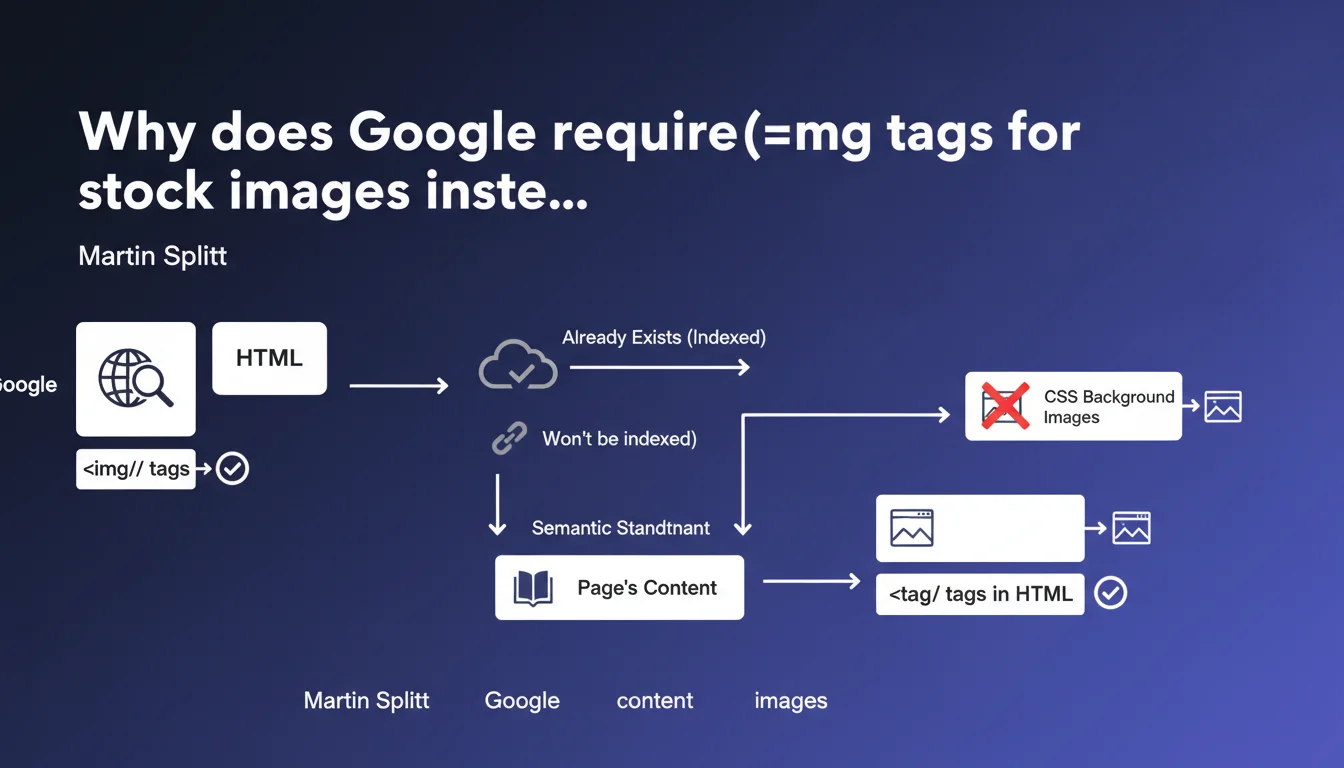
Google confirms that stock images should be embedded via HTML <img> tags, even if they likely won't be indexed. The reason? Page semantics. If an image is part of the content, it should be treated as such in the code, not relegated to CSS. It's a matter of structural consistency, not indexation.
What you need to understand
What's the difference between an HTML image and a CSS image?
An tag in HTML signals to the search engine that the image is an integral part of the editorial content. It can receive an alt attribute, be associated with textual context, and participate in the semantic understanding of the page.
An image in CSS (background-image, for example) is considered a decorative or layout element. It has no semantic value for the engine. Google doesn't expect to find editorial information there.
Why does Google insist on this point for stock images?
Martin Splitt clarifies that Google already recognizes the existence of these images elsewhere — so they won't be indexed. But that doesn't diminish their role on the page.
If a stock image illustrates a concept, reinforces an argument, or accompanies text, it participates in semantic coherence. Putting it in CSS amounts to saying "this image doesn't matter," which creates an inconsistency between user perception and code structure.
Does this mean all decorative images must be in HTML?
No. The key distinction is: is the image part of the content or decoration?
A purely visual icon, a section background, a graphic pattern — all of that can stay in CSS. But a photo that illustrates a product, a concept, a testimonial? That's content. It should be in HTML.
- Stock images are part of the editorial content — they must be in HTML with an
tag
- Google probably won't index them, but their position in the code matters for semantics
- An image in CSS is considered decorative, not content
- The rule: if the image illustrates or reinforces the page's message, it goes in HTML
SEO Expert opinion
Is this statement consistent with observed practices?
Yes. For years, Google has favored images present in the DOM with tags for indexation and content understanding. Images in CSS are ignored in Google Images, and their context isn't analyzed.
What's interesting here is that Splitt goes further: even if the image won't be indexed, its position in the code remains relevant. This confirms that Google evaluates the structural coherence of a page, not just its indexation potential.
Why specify that stock images will "probably not be indexed"?
Google knows that a stock image already exists on thousands of sites. Statistically, it's already been crawled, analyzed, and associated with other pages. It brings no unique value.
But be careful — [To verify] — we sometimes observe stock images indexed in Google Images when well contextualized (relevant alt text, quality adjacent text, high-authority page). Google isn't saying it's impossible, just that it's unlikely.
In what cases can this rule be relaxed?
If you're using a stock image that's purely decorative — for example, a hero section background with no informational value — it can stay in CSS. No one will fault you for not putting an abstract texture in HTML.
But as soon as it accompanies text, illustrates a concept, or reinforces a message, it becomes semantically relevant. And there, it must be in HTML.
Practical impact and recommendations
What should you do concretely on your site?
Start with an audit of images present in CSS. Identify those playing an editorial role — article illustrations, product visuals, testimonial photos — and migrate them to tags.
Next, make sure each HTML image has a descriptive alt attribute and is placed close to the text it illustrates. Semantics also means consistency between the visual and textual context.
What errors should you avoid?
Don't put all your images in HTML reflexively. Decorative elements — backgrounds, patterns, purely graphic SVG icons — legitimately stay in CSS.
Also avoid filling stock image alts with keyword stuffing. Google knows it's a generic image. An honest, descriptive alt is enough.
How do you verify that your site is compliant?
- Crawl with Screaming Frog or Oncrawl and extract images loaded in CSS
- Identify those illustrating editorial content (articles, product sheets, landing pages)
- Replace background-images with
tags with relevant alt text
- Verify that HTML images are well contextualized (adjacent text, title, caption)
- Test semantic structure with Google Search Console and URL inspection
This rule may seem minor, but it fits into a broader logic of structural coherence. Google increasingly evaluates code quality and how elements are organized.
If you manage a large or complex site, reviewing the entire image architecture can be time-consuming. In that case, working with a specialized SEO agency lets you prioritize high-impact actions and automate migrations without breaking existing elements.
❓ Frequently Asked Questions
Une image de stock en HTML sera-t-elle indexée dans Google Images ?
Est-ce que je dois mettre un alt sur toutes mes images de stock ?
Les icônes SVG doivent-elles être en HTML ou en CSS ?
Que se passe-t-il si je laisse mes images de stock en CSS ?
Est-ce que cette règle s'applique aux lazy loading et aux sliders ?
🎥 From the same video 9
Other SEO insights extracted from this same Google Search Central video · published on 24/07/2025
🎥 Watch the full video on YouTube →
💬 Comments (0)
Be the first to comment.