
Official statement
Other statements from this video 9 ▾
- □ Les noms de classes CSS ont-ils un impact sur votre référencement naturel ?
- □ Pourquoi Google exige-t-il que vos fichiers CSS soient crawlables ?
- □ Le contenu CSS ::before et ::after est-il vraiment invisible pour Google ?
- □ Pourquoi Google ignore-t-il les hashtags ajoutés en CSS ::before ?
- □ Pourquoi séparer strictement HTML et CSS peut-il sauver votre indexation ?
- □ Le 100vh pose-t-il vraiment un problème d'indexation pour vos images hero ?
- □ Pourquoi la capture d'écran de Google Search Console peut-elle vous induire en erreur ?
- □ Pourquoi Google exige-t-il des balises <img> pour les images de stock ?
- □ Le CSS peut-il nuire au SEO comme JavaScript ?
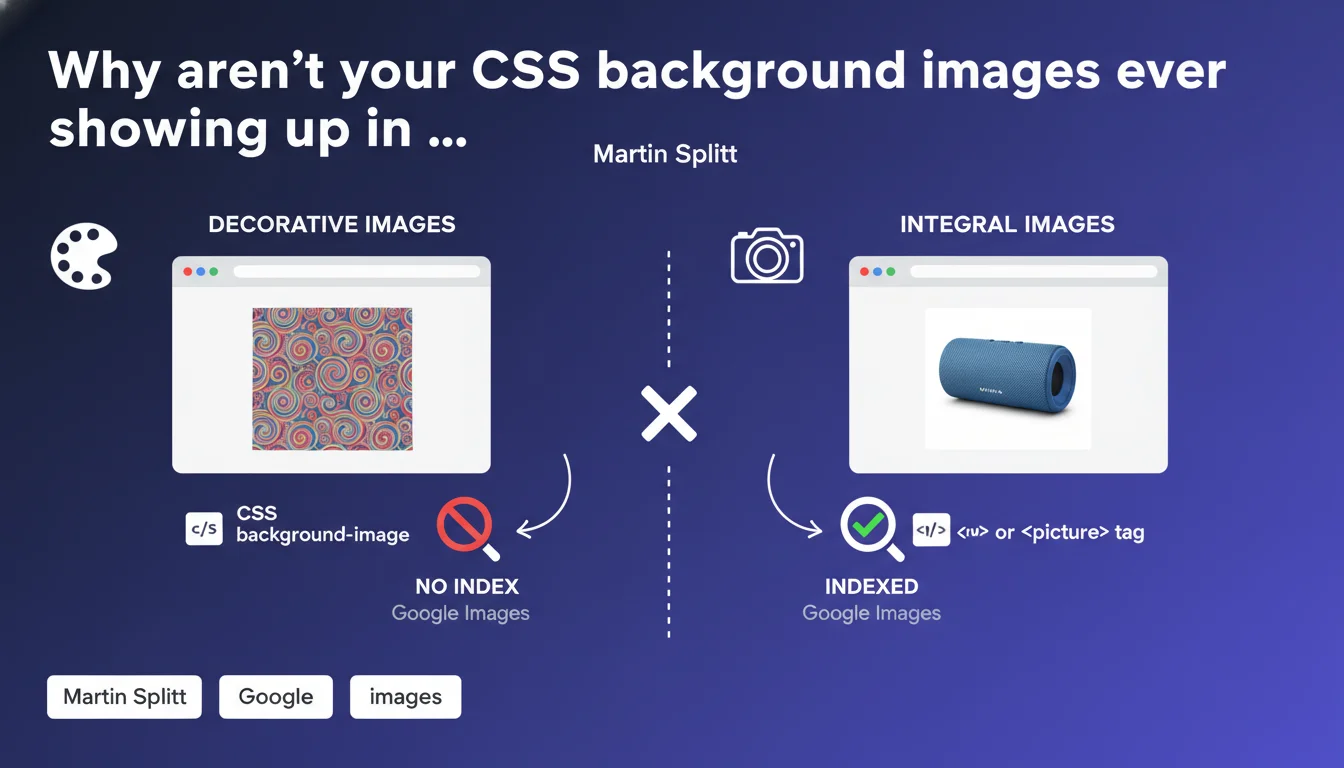
Google is crystal clear: images loaded via CSS background-image are treated as purely decorative and don't appear in Image Search. If your image carries meaning — product photo, infographic, visual referenced in your content — it absolutely must use an <img> or <picture> tag to have any chance of being indexed.
What you need to understand
Does Google really distinguish between decorative and content images?
Yes, and this distinction hinges on how the image is loaded. An image called via CSS background-image is systematically treated as a design element — a background, texture, or ornament.
In contrast, an <img> or <picture> tag signals to Google that this visual is an integral part of your content. It can then be indexed in Google Images, benefit from alt-text, and be associated with structured metadata.
Why does this rule exist from a technical standpoint?
CSS is meant to handle presentation, while HTML handles structure and content. Google respects this separation of concerns.
Crawling CSS to extract content images would be resource-intensive and create ambiguity — how would Google distinguish a decorative background from a real product photo? Rather than guess, Google enforces a clear rule: if it's content, it belongs in the HTML.
Which images are actually affected by this limitation?
All visuals loaded via background, background-image, or CSS pseudo-elements like ::before and ::after. Even if the image is central to your layout, it remains invisible to Image Search.
Typical cases: product photos as backgrounds on e-commerce cards, infographics inserted via CSS for a clean design, hero visuals loaded as background-image. All these images simply don't exist in the eyes of indexing.
- CSS images = decorative: never indexed in Google Images
- <img> or <picture> tags = recognized and indexable content
- The distinction rests on HTML/CSS separation, not on visual appearance
- Impossible to work around this with lazy-loading or JS — it's the HTML tag that matters
SEO Expert opinion
Is this statement consistent with what we see in the field?
Absolutely. Audits show that sites relying heavily on background-images for their product visuals have catastrophically low appearance rates in Google Images — often less than 10% of their visuals get indexed.
Sites that migrate these images to <img> tags see their Google Images presence explode within weeks. This isn't theory, it's measurable and reproducible.
Are there cases where this rule creates real-world problems?
Yes, especially on sites where design imposes technical constraints — for example, complex sliders or Pinterest-like grids where CSS manages aspect ratios via background-size: cover.
Let's be honest: in those cases, you're forced to choose between aesthetics and indexability. Or find a hybrid solution — an <img> tag with object-fit: cover in CSS, which preserves visual control while remaining indexable. It's doable, but requires rethinking your integration approach.
Could Google change its position on this in the future?
Technically possible, but unlikely in the short term. Google already has plenty on its plate with JavaScript rendering.
Crawling and analyzing CSS to extract content images would add an enormous layer of complexity — and for what benefit? The solution (using <img>) already exists and works perfectly. Hard to imagine Google investing resources here when developers can solve the problem on their end.
Practical impact and recommendations
What should you audit first on your site?
Start by identifying all images that carry editorial or commercial meaning: product photos, blog article visuals, infographics, team portraits, feature screenshots.
Inspect the source code (not just the visual display) to verify how these images are loaded. If you see background-image or url() in your styles, you have an indexability problem.
How do you migrate CSS images to HTML without breaking your design?
The cleanest approach: replace your background-images with <img> tags using object-fit: cover or object-fit: contain in CSS. This gives you control over ratio and cropping.
For complex cases (sliders, grids), use <picture> with multiple sources and let CSS handle only layout — not image loading. It's more verbose, but it's the price of indexability.
- List all content images currently in background CSS
- Prioritize images with high SEO potential (products, infographics, unique visuals)
- Migrate to <img> or <picture> with descriptive alt attributes
- Use object-fit in CSS to maintain visual control
- Test rendering on mobile and desktop after migration
- Check indexation in Google Search Console > Performance > Images after a few weeks
- Add structured data ImageObject if relevant (products, recipes, articles)
What mistakes should you avoid during this migration?
Don't fall into the poorly configured lazy-loading trap that trades one problem for another. If your <img> tags use loading="lazy" without proper fallbacks, Google might miss them during crawling.
Another common pitfall: migrate the images but forget to fill in alt attributes descriptively. An <img> tag without indexable alt text wastes potential — you might as well stay in CSS at that point.
🎥 From the same video 9
Other SEO insights extracted from this same Google Search Central video · published on 24/07/2025
🎥 Watch the full video on YouTube →
💬 Comments (0)
Be the first to comment.