
Official statement
Other statements from this video 11 ▾
- □ Does broken HTML really hurt your search rankings?
- □ Are broken metadata silently sabotaging your SEO without triggering indexation failures?
- □ Should you still use the meta keywords tag for SEO in 2025?
- □ Do HTML comments really have any impact on your Google rankings?
- □ Do CSS class names really affect your search rankings?
- □ Is your WordPress theme silently destroying your SEO without you knowing it?
- □ Are Core Web Vitals Really a Ranking Factor in Google?
- □ Why does Google's Indexing API remain locked down to only two content types?
- □ Does Google really give Angular special treatment in search rankings?
- □ Are you really leaving all those Google scripts slowing down your site?
- □ Does semantic HTML structure really matter for Google's content understanding?
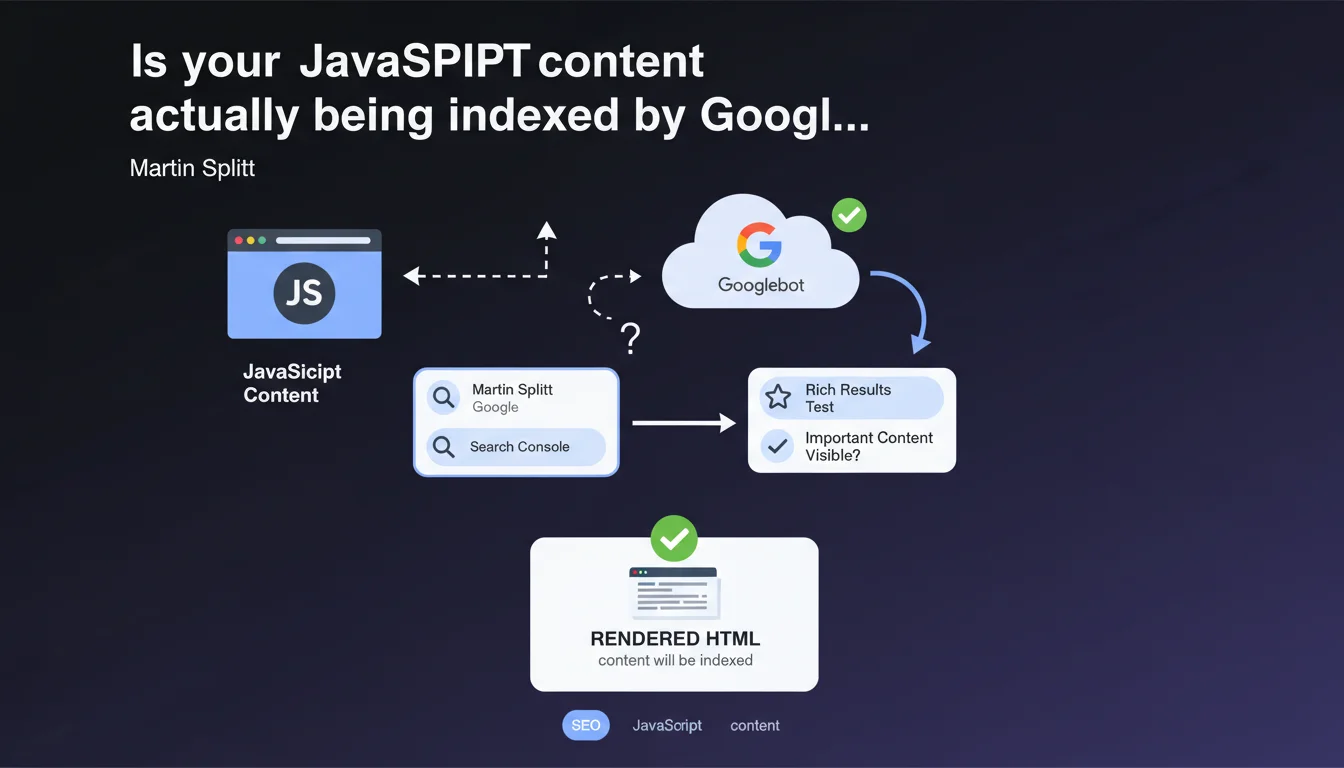
Google recommends using the URL inspection tool in Search Console or the rich results test to verify JavaScript rendering. If the content appears in the rendered HTML, it will be indexed. Simple in theory, but this statement glosses over several gray areas in how Googlebot actually works.
What you need to understand
Why does Google emphasize rendered HTML over raw HTML?
Googlebot operates in two stages: initial crawling retrieves the raw HTML, then JavaScript rendering generates the final HTML. This second pass can happen hours or even days after the initial crawl.
If your strategic content is generated by JavaScript, it only exists in the rendered HTML. Google sees nothing during the first pass — which is why it's critical to verify what Googlebot actually perceives once JS is executed.
What tools can you actually use to test this rendering?
The URL inspection tool in Search Console simulates Googlebot's behavior and displays the HTML after JavaScript execution. It's the go-to tool for diagnosing rendering issues.
The rich results test verifies whether structured data (schema.org) is correctly detected after rendering. Useful for rich snippets, less helpful for auditing overall content.
What does "important content appears" actually mean in that statement?
Google remains vague about what constitutes "important content". Title, main paragraphs, internal links? The statement assumes that if it's visible in rendered HTML, it's indexable.
But it doesn't specify rendering delays, the impact on crawl budget, or scenarios where JavaScript fails silently. These blind spots matter for JS-heavy sites.
- Rendered HTML is what Googlebot indexes, not the initial raw HTML
- URL inspection simulates Googlebot's actual behavior with JavaScript enabled
- Rich results test focuses on structured data, not overall content
- Google doesn't define what "important content" is — you have to determine that
- The statement doesn't mention rendering delays or failure scenarios
SEO Expert opinion
Does this statement reflect the real-world reality of JavaScript sites?
In principle, yes: Google does index rendered HTML. But in practice, JavaScript rendering consumes crawl budget and can be delayed by several hours. For a news site or e-commerce platform with thousands of pages, this delay can kill content freshness.
Additionally, the URL inspection tool tests one page at a time. On a site with 10,000 URLs, how do you systematically verify that JS behaves correctly everywhere? Google offers no mass-audit solution. [Needs verification]: third-party crawlers (Screaming Frog, OnCrawl) can partially fill this gap, but don't replicate Googlebot's exact behavior.
What critical limitations does Google leave unmentioned?
The statement overlooks several critical points. First, silent JavaScript errors: an exception that goes unnoticed on the client side can block rendering on Googlebot's side, without the inspection tool clearly flagging it.
Second, rendering timeouts. Google allows roughly 5 seconds for JavaScript execution. If your SPA takes 7 seconds to load main content, it will be partially or completely invisible to Googlebot. The statement ignores this time constraint.
Should you switch to server-side rendering to work around these limits?
Server-Side Rendering (SSR) or static generation (SSG) eliminate the problem: complete HTML is available from the initial crawl. No delays, no timeouts, no rendering failures.
But migrating to SSR/SSG is a major technical undertaking for existing SPA architectures. Google will never publicly say "abandon client-side rendering", but the signals converge: the less you depend on client-side JavaScript, the more control you have over your indexation.
Practical impact and recommendations
How do you effectively audit JavaScript rendering across an entire site?
The URL inspection tool works for diagnosing a specific issue, not auditing 1,000 pages. You need to combine multiple approaches.
Use a crawler capable of rendering JavaScript (Screaming Frog in JavaScript mode, OnCrawl, Sitebulb) and compare raw vs. rendered HTML. Identify URLs where critical content appears only after JS execution.
Then check Search Console > Coverage for JS-heavy pages indexed but marked "Discovered, currently not indexed". That's often a sign Googlebot crawled the raw HTML but couldn't or hasn't rendered the JavaScript yet.
Which JavaScript errors silently block indexation?
Non-blocking console errors that don't affect users can kill rendering on Googlebot's side. A failed fetch() request, a missing module, an unavailable external dependency — all scenarios where content never displays.
Test your site with JavaScript disabled in Chrome DevTools. If the page is empty, you're 100% dependent on JS. Then test with slow 3G throttling: if content takes more than 5 seconds to appear, Googlebot risks timing out.
Should you abandon client-side rendering for strategic content?
For strategic pages — product sheets, blog articles, category pages — SSR or SSG remains the most reliable solution. You guarantee content is visible from the initial HTML, without depending on JavaScript rendering.
If refactoring the architecture isn't feasible short-term, implement progressive hydration: baseline HTML is server-side, JavaScript enhances the experience afterward. Googlebot sees content immediately, users get interactivity.
- Crawl the site with a tool capable of rendering JavaScript and compare raw vs. rendered HTML
- Check Search Console to see if JS-heavy pages are "Discovered, currently not indexed"
- Test the site with JavaScript disabled to identify critical dependencies
- Simulate slow 3G network throttling and verify content displays within 5 seconds
- Audit JavaScript console errors and fix those blocking rendering
- Prioritize SSR/SSG for high-stakes SEO pages
- Implement progressive hydration if a full architectural overhaul isn't possible
❓ Frequently Asked Questions
L'outil d'inspection d'URL suffit-il pour auditer le rendu JavaScript d'un site entier ?
Combien de temps Googlebot attend-il pour exécuter le JavaScript avant de timeout ?
Le test des résultats enrichis remplace-t-il l'inspection d'URL pour vérifier le rendu ?
Une page explorée mais non indexée peut-elle être due à un problème de rendu JavaScript ?
Faut-il migrer vers du Server-Side Rendering pour garantir l'indexation ?
🎥 From the same video 11
Other SEO insights extracted from this same Google Search Central video · published on 26/06/2025
🎥 Watch the full video on YouTube →
💬 Comments (0)
Be the first to comment.