
Official statement
Other statements from this video 9 ▾
- □ Does Google really fail to index most of your website pages—and is that actually a problem?
- □ Why are your pages stuck in 'Discovered - currently not indexed' status?
- □ Should you really wait for Google to index your pages, or is there a smarter way?
- □ Does Googlebot really slow down when your server struggles, and what does that mean for your indexation?
- □ How can you spot the server problems that are slowing down Google's crawl of your site?
- □ Is Google refusing to index your 'Discovered' pages? Here's why.
- □ Is Google really ignoring entire sections of your site because of a low-quality pattern?
- □ Does internal linking alone really guarantee your undiscovered pages will get indexed?
- □ Should you really worry about pages Google refuses to index?
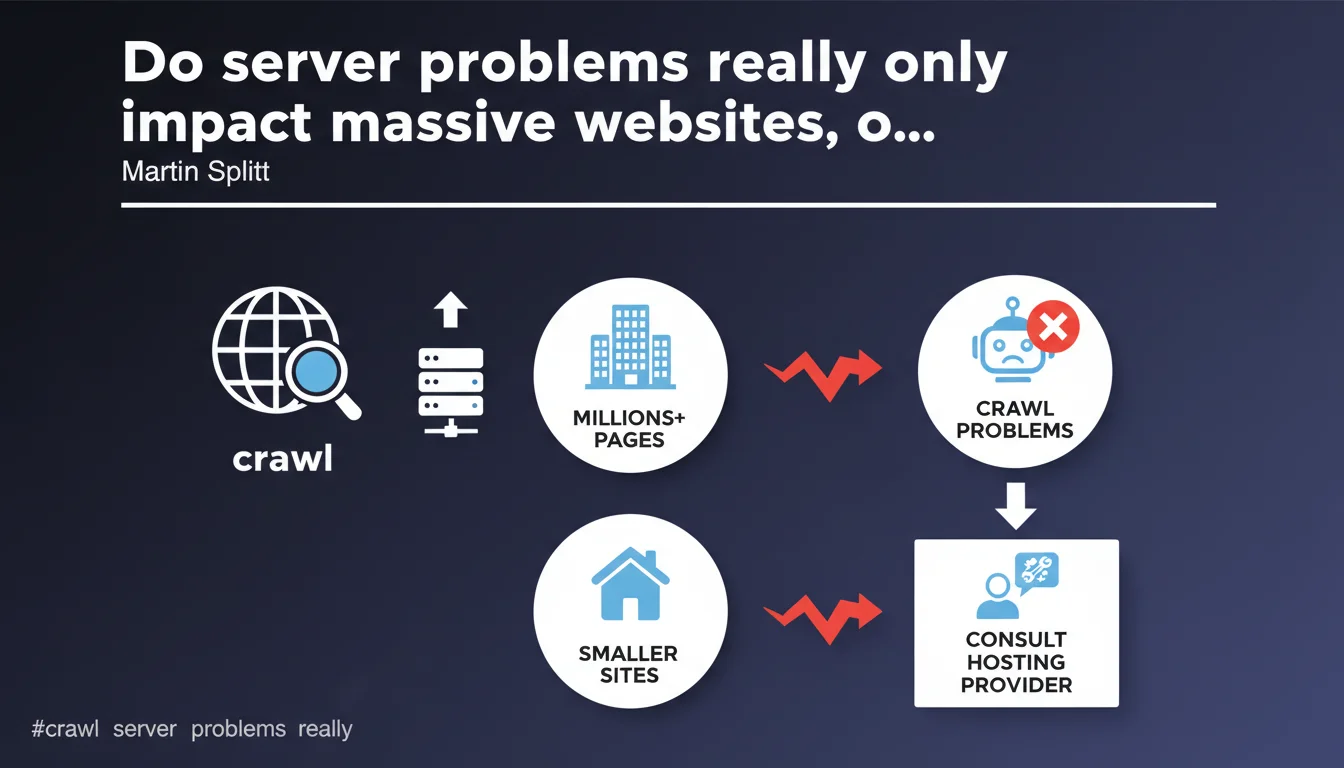
Google claims that server performance issues affecting crawling primarily concern sites with several million pages, but they can also affect smaller sites. Martin Splitt recommends consulting your hosting provider to resolve these issues — a response that leaves many gray areas regarding the exact threshold and triggering criteria.
What you need to understand
What does Google mean by "server performance issues"?
We're talking about anything that slows down or blocks Googlebot's access to your pages: high server response times, timeouts, repeated 5xx errors, bandwidth limitations. These technical problems prevent Googlebot from efficiently exploring your content.
Concretely, if your server takes several seconds to respond or regularly returns temporary errors, Google can drastically reduce its crawl budget to avoid overwhelming your infrastructure — or what it perceives as fragile.
Why does Google target "very large websites" in this statement?
Sites with millions of pages mechanically generate a significant volume of crawl requests. A poorly sized server or inefficiently architected infrastructure quickly reveals itself under the pressure of the bot.
But — and this is where it gets interesting — Google specifies that smaller sites can also be affected. In other words: size is not the only criterion. A site with 50,000 pages on a low-cost server can suffer just as much as a site with 5 million pages on proper infrastructure.
What does "consulting your hosting provider" mean in practice?
This is the most evasive part of the statement. Google shifts the ball to the host without providing precise thresholds: how many milliseconds of TTFB is acceptable? What rate of 5xx errors triggers a crawl reduction?
In reality, this recommendation is a band-aid solution. If your hosting provider has no SEO expertise (which is often the case), they won't necessarily understand the urgency or business implications. You'll get a technical answer — "everything is running normally" — without resolving the crawl problem.
- Server issues slow down crawling, thus impacting indexation and freshness of your pages in Google
- Site size is not the only criterion: architecture and hosting quality matter just as much
- Google provides no quantitative thresholds: neither number of pages nor precise performance metrics
- The recommendation to "consult your hosting provider" assumes they understand SEO stakes — which is rarely the case
SEO Expert opinion
Is this statement really useful for an SEO practitioner?
Let's be honest: it's stating the obvious. Every technical SEO professional knows that a sluggish server impacts crawling. What's missing here is granularity: at what exact threshold does Google consider a site to have a problem? 500ms TTFB? 1 second? 3 seconds?
Without this data, it's impossible to properly calibrate your infrastructure. We remain in artistic ambiguity — and Google loves this ambiguity because it allows it to avoid committing to figures that could be disputed or used against it.
What nuances should be added to "very large quantities of pages"?
The term "millions of pages" is misleading. [To verify] A site with 500,000 pages with chaotic architecture and mediocre response times can suffer more than a site with 2 million pages that is well-architected on solid infrastructure.
What really matters: the ratio between page volume and server capacity, code quality, presence or absence of effective caches (Varnish, CDN), geographic distribution of servers. An average poorly optimized site triggers the same symptoms as a very large well-managed site — but Google doesn't say this explicitly.
In what cases does this rule not apply?
If your site suffers from a crawl problem but your server responds quickly and without errors, the problem lies elsewhere: crawl budget wasted on low-value pages, poorly managed pagination, massive duplicate content, overly restrictive robots.txt.
Google tends to attribute everything to server technology to avoid admitting that its own crawl prioritization algorithms are sometimes flawed. If you've eliminated all server issues and crawling remains insufficient, it's probably a problem of perceived relevance or site structure.
Practical impact and recommendations
What should you check first on your infrastructure?
Start by extracting your server logs and cross-referencing with Search Console data (Crawl Statistics report). Identify 5xx error spikes, timeouts, unusual slowdowns. Compare Googlebot behavior with that of human visitors.
Measure your Time To First Byte (TTFB): if you regularly exceed 600-800 ms, that's a warning sign. Test from multiple geographic locations — a fast server in Europe can be slow from the United States.
How do you concretely optimize server response for crawling?
Implement a CDN to distribute load and reduce latency. Enable Gzip or Brotli compression. Optimize your database queries — a poorly configured ORM can generate hundreds of unnecessary queries per page.
If you're on WordPress or a similar CMS, use a server caching plugin (WP Rocket, W3 Total Cache) and configure object caching (Redis, Memcached). Disable superfluous plugins that add unnecessary load.
- Analyze server logs and cross-reference with Search Console to identify error patterns
- Measure TTFB from multiple locations and correct if >600-800 ms
- Implement a CDN and enable compression (Gzip/Brotli)
- Optimize database queries and enable object caching
- Continuously monitor 5xx errors and timeouts with tools like Pingdom or UptimeRobot
- Test server capacity with load testing tools (Apache Bench, Loader.io) to anticipate crawl spikes
Should you change hosting providers if problems persist?
If your hosting provider refuses or cannot improve performance despite repeated requests, then yes — migrate. A low-end shared hosting plan will never withstand intensive Google crawling on a medium to large-sized site.
Prioritize a dedicated VPS or scalable cloud (AWS, Google Cloud, OVH) where you control resources. WordPress-specialized managed hosting (Kinsta, WP Engine) often offers pre-configured server optimizations for SEO.
❓ Frequently Asked Questions
À partir de combien de pages un site est-il considéré comme "très gros" par Google ?
Un TTFB élevé impacte-t-il forcément le crawl ?
Mon hébergeur dit que tout va bien, mais Search Console signale des problèmes de crawl. Qui croire ?
Un CDN suffit-il à résoudre les problèmes de crawl serveur ?
Dois-je prioriser l'optimisation serveur ou l'optimisation du crawl budget ?
🎥 From the same video 9
Other SEO insights extracted from this same Google Search Central video · published on 20/08/2024
🎥 Watch the full video on YouTube →
💬 Comments (0)
Be the first to comment.