
Official statement
Other statements from this video 9 ▾
- □ Pourquoi Google n'indexe-t-il jamais l'intégralité d'un site web ?
- □ Pourquoi vos pages restent-elles en 'Découvert - actuellement non indexé' ?
- □ Faut-il vraiment attendre que Google indexe vos pages ?
- □ Comment diagnostiquer les problèmes serveur qui freinent le crawl de Google ?
- □ Les problèmes de serveur ne touchent-ils vraiment que les très gros sites ?
- □ Pourquoi Google refuse-t-il d'indexer vos pages en statut 'Découvert' ?
- □ Google peut-il vraiment ignorer des pans entiers de votre site à cause d'un pattern de faible qualité ?
- □ Le maillage interne suffit-il vraiment à faire indexer vos pages découvertes ?
- □ Faut-il vraiment se préoccuper des pages non indexées par Google ?
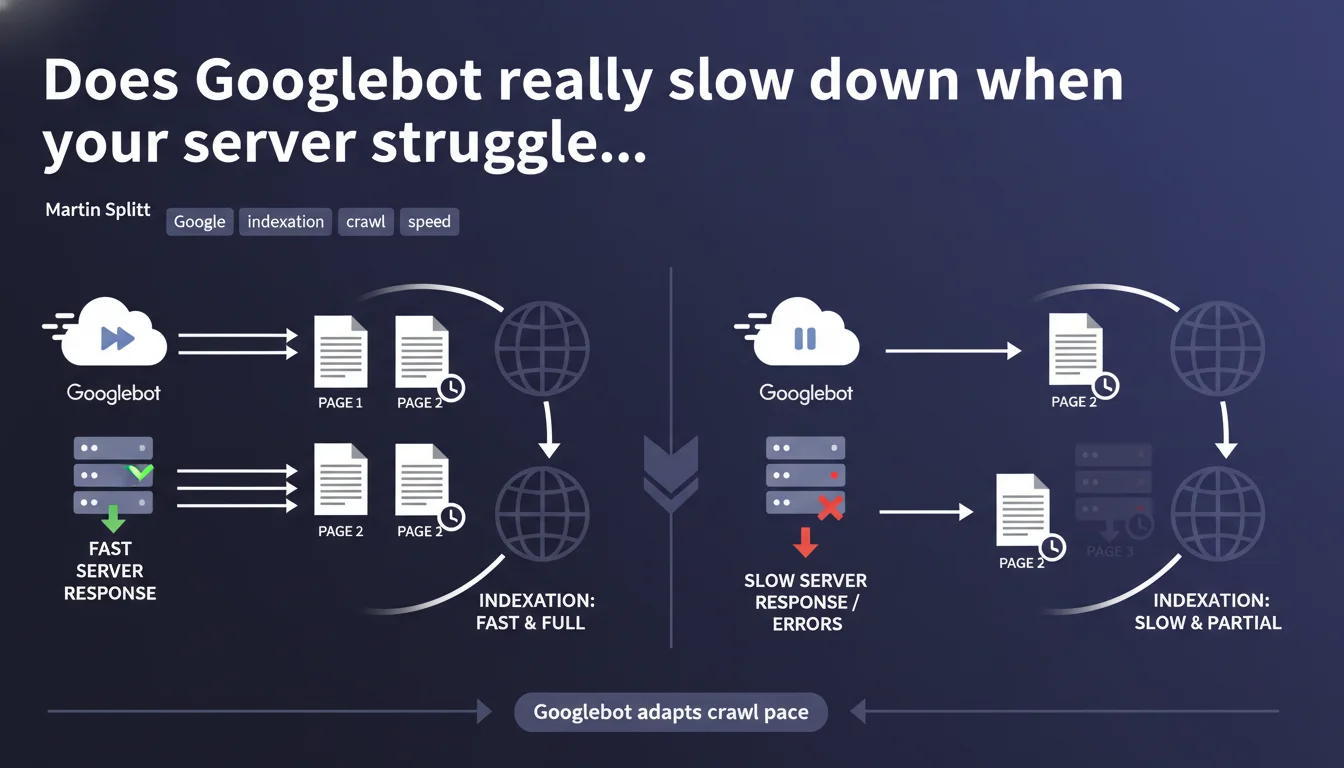
Googlebot automatically slows its crawl pace if your server shows signs of weakness — slowness or errors. This adaptation is designed to avoid overloading your infrastructure, but it also means your pages will be crawled less frequently if your hosting falters.
What you need to understand
Why does Googlebot adjust its crawl speed?
Google doesn't want to crash your servers. If Googlebot detects that your server is slow to respond or returns 5xx errors, it automatically reduces the number of simultaneous requests.
In practical terms, this means the bot spreads its work over a longer period. Fewer pages crawled per minute, more time needed to traverse your entire site.
How does Googlebot measure your server health?
Google monitors several indicators: response time, server error rate, timeouts. As soon as a critical threshold is reached, the crawl pace is adjusted downward.
This logic is meant to protect your infrastructure, but it can also penalize your crawl budget if your hosting is chronically undersized.
What does this change for your indexation?
If Googlebot slows down, your new pages take longer to be discovered and indexed. Content updates are also detected less quickly.
For a site that publishes frequently, this is a direct bottleneck. Less crawl = less freshness in Google's eyes.
- Googlebot adjusts its speed to avoid saturating slow or unstable servers
- A server that responds poorly = fewer pages crawled per unit of time
- This limitation directly impacts your ability to index new content quickly
- 5xx errors and timeouts are the primary triggers for these adjustments
SEO Expert opinion
Is this statement consistent with real-world observations?
Yes, it's a widely confirmed mechanism. Server logs clearly show that crawl pace collapses after a series of 500 or 503 errors.
However, Google never specifies the exact thresholds or how long it takes to recover normal crawl rates after the problem is resolved. [To verify]: How long does it take for Googlebot to return to its initial pace? Field reports vary between a few days and several weeks.
What nuances should be added to this statement?
Google talks about adaptation, but this "protection" can become a trap. If your shared hosting is on the edge, Googlebot will naturally crawl less — and you lose visibility without necessarily knowing it.
Additionally, some sites find that even after fixing server issues, crawl remains throttled for weeks. In other words, there's a form of inertia in Google's reaction.
In what cases does this rule not apply fully?
Very large sites (millions of pages) sometimes have specific arrangements or higher crawl quotas. But for the majority of sites, this logic applies uniformly.
Another case: if your server is ultra-fast and ultra-stable, Googlebot may increase its pace — but again, Google doesn't publicly guarantee anything about upper limits.
Practical impact and recommendations
What should you concretely do to optimize crawl?
First, ensure your hosting can handle the load. Monitor server response time (TTFB) and track 5xx errors in your logs.
Next, verify you're not wasting crawl budget on unnecessary URLs. Filter facets, infinite pagination, session parameters — all potential black holes.
What mistakes should you absolutely avoid?
Never leave 503 or 500 errors unaddressed. Google sees this as a signal of structural weakness.
Also avoid blocking Googlebot via robots.txt or overly aggressive rate limiting rules — you could inadvertently give the impression that your server is struggling.
How can you verify your site is running smoothly?
Analyze your server logs to spot crawl spikes and errors. Cross-reference this data with the "Crawl statistics" reports in Search Console.
If you see a collapse in the number of pages crawled per day without editorial reason, that's a red flag.
- Audit your server performance (TTFB, 5xx error rates)
- Clean up your site of unnecessary URLs that consume crawl budget
- Continuously monitor server logs and Search Console reports
- Test your hosting's capacity under load with tools like Load Impact
- Document server incidents to correlate with crawl drops
❓ Frequently Asked Questions
Googlebot prévient-il avant de ralentir son crawl ?
Combien de temps faut-il pour que Googlebot reprenne un rythme normal après correction d'un problème serveur ?
Un CDN peut-il aider à améliorer le crawl budget ?
Les erreurs 429 (Too Many Requests) déclenchent-elles le même mécanisme ?
Peut-on forcer Google à crawler plus vite via la Search Console ?
🎥 From the same video 9
Other SEO insights extracted from this same Google Search Central video · published on 20/08/2024
🎥 Watch the full video on YouTube →
💬 Comments (0)
Be the first to comment.