
Official statement
Other statements from this video 9 ▾
- □ Search Console est-elle vraiment LA référence pour mesurer le trafic organique Google ?
- □ Search Console ne mesure-t-elle vraiment que les données avant l'arrivée sur le site ?
- □ Pourquoi les clics Search Console et les sessions Analytics ne correspondent-ils jamais ?
- □ Search Console traite-t-il vraiment les données de la même façon pour tous les sites ?
- □ Pourquoi Search Console et Google Analytics affichent-ils des données contradictoires ?
- □ Pourquoi les données de trafic diffèrent-elles entre Search Console et Analytics ?
- □ Pourquoi Search Console et Google Analytics affichent-ils des chiffres de trafic différents ?
- □ Faut-il s'inquiéter des écarts entre Search Console et Google Analytics ?
- □ Faut-il vraiment croiser les données de Search Console et Google Analytics pour optimiser son SEO ?
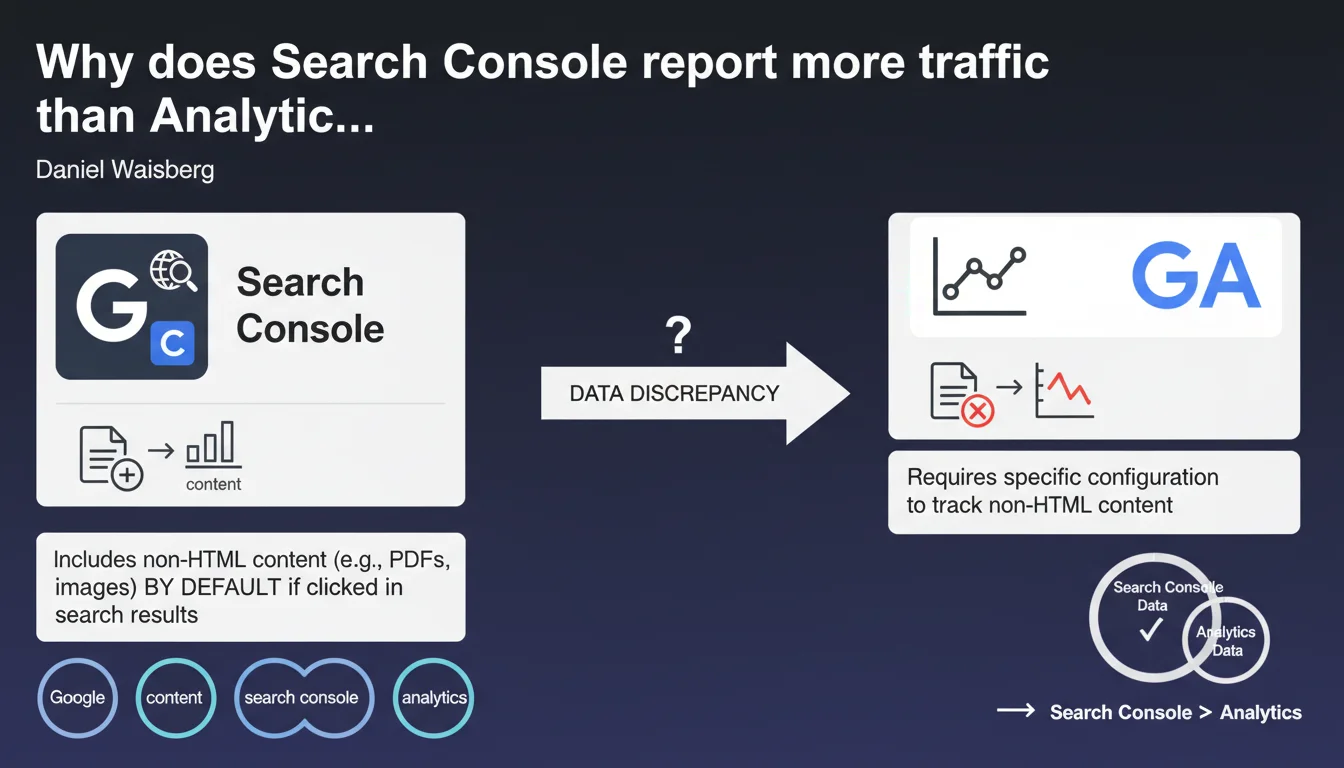
Search Console automatically includes non-HTML pages (PDFs, Excel files, text documents) in its reports if they generate impressions or clicks in Google Search. Analytics, however, only measures these files if you've explicitly configured tracking for these content types. This structural gap explains why your traffic data never matches between the two tools.
What you need to understand
What types of non-HTML files does Search Console actually count?
Google indexes and displays far more than standard HTML pages in its search results. PDF files, Word documents, Excel spreadsheets, plain text files, and even certain image formats can appear directly in SERPs and generate traffic.
Search Console automatically counts all these resources as soon as they register an impression or click. You don't have a choice — it's automatic once a file is crawled, indexed, and displayed.
Why doesn't Analytics capture these interactions by default?
Google Analytics works with a JavaScript tag embedded in your pages. This code only executes in a standard HTML context with a browser that interprets the script.
A downloaded PDF, an Excel file opened in a third-party application, or a Word document doesn't trigger any Analytics tag — unless you've configured specific server-side event tracking or via GTM. Most sites have never set this up, so these files remain invisible in Analytics.
How does this gap manifest itself in your reports?
You notice that Search Console shows more pages and more clicks than Analytics. This delta often corresponds to interactions with your non-HTML content.
If you regularly publish PDFs, downloadable guides, or fact sheets, the gap could represent 10 to 30% of your Search Console traffic — sometimes more depending on your industry.
- Search Console counts all indexed resources generating impressions or clicks, regardless of format
- Analytics only measures what executes its JavaScript tag, so primarily HTML pages
- This gap is normal and structural, not a bug or configuration error
- PDF files and Office documents are particularly affected, especially in B2B, institutional, or educational sectors
- To reconcile your data, you need to configure event tracking on file downloads and opens
SEO Expert opinion
Does this official explanation really solve the inconsistencies observed?
Yes and no. Google is right: non-HTML content explains part of the gaps between Search Console and Analytics. On sites that publish a lot of PDFs — case studies, whitepapers, technical documentation — this gap is indeed significant.
But let's be honest: it's not the only cause. Server-side redirects, clicks without page load (immediate back button, abandonment before full load), misconfigured Analytics filters, and ad blockers that prevent the tag from executing also create differences. [To verify]: Google downplays these other factors in this statement.
Should you systematically track non-HTML files?
It depends on your model. If your PDFs or Office documents are strategic resources — product catalogs, technical guides, industry reports — then yes, configuring event tracking via GTM is essential to measure their real performance.
On the other hand, if you occasionally publish a few secondary PDFs, the implementation effort isn't always justified. The risk? You overestimate the impact of your HTML content and underestimate your downloadable content.
Does Google communicate sufficiently about this mechanism?
No. This explanation should have been in Search Console's official documentation for years, not in a one-off statement. Many SEO professionals discover this subtlety after months of looking for non-existent bugs in their Analytics installations.
The problem is that Google presents Search Console and Analytics as complementary tools but never clearly documents their fundamental methodological differences. Result: teams spend time reconciling data that, by nature, can never be identical.
Practical impact and recommendations
How do you identify if your non-HTML content is creating a significant gap?
First step: filter your pages in Search Console by adding a URL rule containing .pdf, .doc, .xls, or any other non-HTML format you publish. Compare the click volume generated by these files to your total traffic.
If these formats represent more than 5% of your Search Console clicks but you see no trace of this traffic in Analytics, you've identified the gap. The higher this percentage, the more strategic it becomes to implement dedicated tracking.
What's the best method to track file downloads?
Via Google Tag Manager, configure an event that triggers when users click a link pointing to a non-HTML file. Create a trigger based on file extension (Click URL contains .pdf for example) and send an Analytics event with the file name and path.
You can also use server-side tracking if you have the technical resources. It works better for files hosted on your own infrastructure and allows you to capture direct downloads (not just clicks).
What errors should you avoid when configuring tracking?
Don't count multiple downloads of the same file by the same user as distinct conversions — it skews your data. Use a session identifier or cookie to deduplicate if necessary.
Also avoid tracking clicks on external files (hosted on other domains) as internal traffic — that's a false signal. And don't forget to properly categorize your events in Analytics: create distinct categories for each file type (product PDF, research PDF, Excel file, etc.).
- Audit your non-HTML content indexed via Search Console to quantify the gap
- Configure GTM event tracking for strategic formats (PDF, Excel, Word)
- Create clear event categories to segment interactions by file type
- Test your events in GTM debug mode before publishing to production
- Compare Search Console clicks post-configuration with Analytics events to validate consistency
- Document your configuration so your team understands the methodological differences between the two tools
- Regularly review residual gaps — if the delta persists after tracking, look for other causes (redirects, Analytics filters, ad blockers)
❓ Frequently Asked Questions
Est-ce que tous les fichiers PDF sont automatiquement indexés par Google ?
Peut-on empêcher l'indexation des fichiers non-HTML tout en les laissant accessibles aux utilisateurs ?
Les écarts entre Search Console et Analytics peuvent-ils dépasser 50 % à cause des fichiers non-HTML ?
Le tracking événementiel des PDF impacte-t-il les performances du site ?
Google Analytics 4 gère-t-il mieux les contenus non-HTML que Universal Analytics ?
🎥 From the same video 9
Other SEO insights extracted from this same Google Search Central video · published on 29/01/2025
🎥 Watch the full video on YouTube →
💬 Comments (0)
Be the first to comment.