
Official statement
Other statements from this video 9 ▾
- □ Search Console est-elle vraiment LA référence pour mesurer le trafic organique Google ?
- □ Search Console ne mesure-t-elle vraiment que les données avant l'arrivée sur le site ?
- □ Pourquoi les clics Search Console et les sessions Analytics ne correspondent-ils jamais ?
- □ Search Console traite-t-il vraiment les données de la même façon pour tous les sites ?
- □ Pourquoi Search Console et Google Analytics affichent-ils des données contradictoires ?
- □ Pourquoi Search Console et Analytics affichent-ils des écarts de trafic sur vos contenus non-HTML ?
- □ Pourquoi les données de trafic diffèrent-elles entre Search Console et Analytics ?
- □ Pourquoi Search Console et Google Analytics affichent-ils des chiffres de trafic différents ?
- □ Faut-il s'inquiéter des écarts entre Search Console et Google Analytics ?
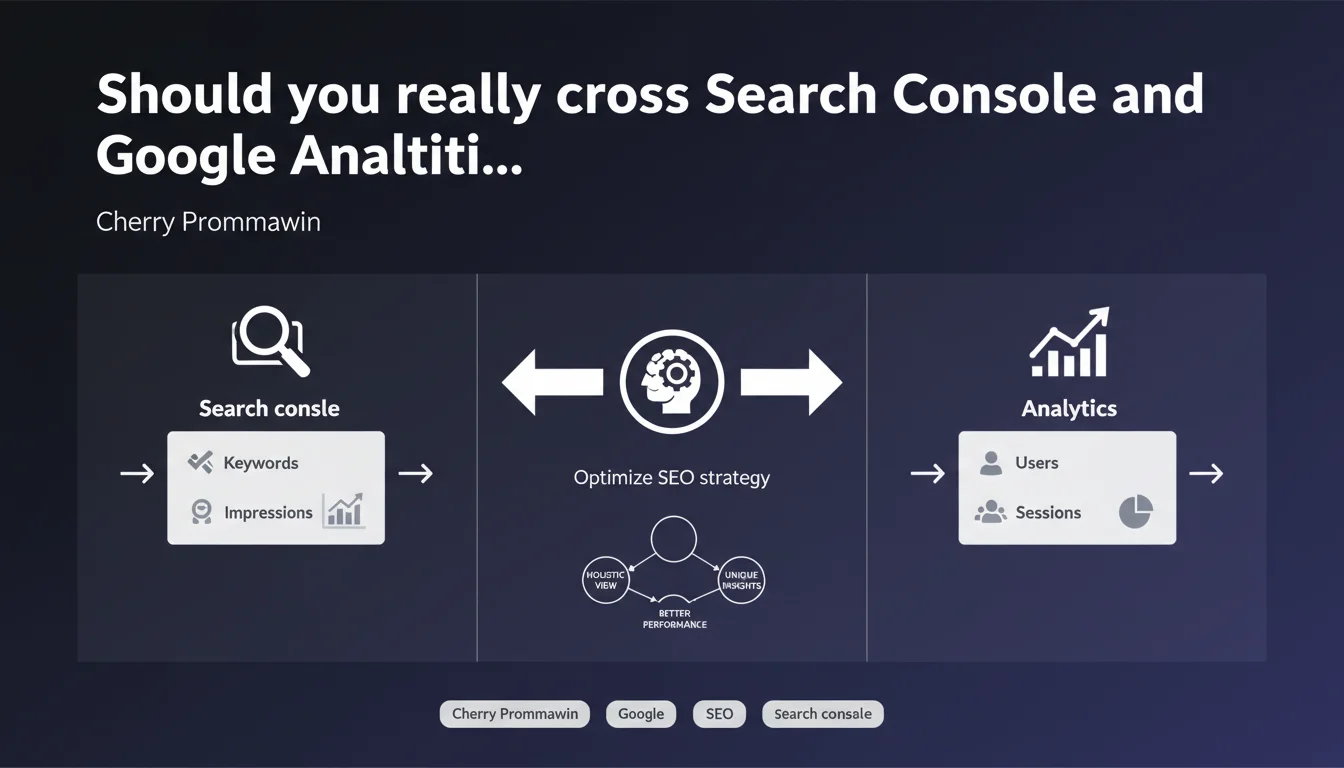
Google confirms that Search Console and Analytics offer complementary views of performance, each providing data that the other doesn't supply. Using both tools in combination is recommended to gain a holistic perspective, despite measurement discrepancies between the platforms.
What you need to understand
Why don't these two tools show the same numbers?
The data differences between Search Console and Analytics are explained by distinct measurement methodologies. Search Console records impressions and clicks on Google's servers, before the user even arrives at your site.
Analytics measures via JavaScript once the page loads in the browser. Tracking blockers, sessions that expire before full page load, or users who leave immediately create natural discrepancies. This isn't a bug — it's structural.
What does "complementary view" really mean in practice?
Search Console excels at analyzing SERP performance: average positions, CTR by query, lost impressions. It's the pure SEO visibility tool.
Analytics takes over for post-click behavior: bounce rate, session duration, conversions, user journey. One tells you if you're visible, the other tells you if your content works once the visitor arrives.
What unique information does each tool really hold?
Search Console gives you access to non-brand queries with their exact positions, crawl data, indexation errors, and Google-side Core Web Vitals. Impossible to get these metrics elsewhere.
Analytics lets you cross-reference traffic sources, segment by user behavior, track goals and conversion funnels. The business and behavioral context that Search Console doesn't have.
- Search Console = Google's view of search performance
- Analytics = user's view of on-site behavior
- Data discrepancies between the two are normal and expected
- Each tool brings exclusive metrics to its scope
- Combined analysis allows you to precisely diagnose SEO issues
SEO Expert opinion
Does this recommendation actually reflect real-world practices?
Let's be honest: every competent SEO practitioner already uses both tools. This Google statement is stating the obvious. No one has limited themselves to a single tool for years.
What's missing here is acknowledgment that data discrepancies sometimes pose real interpretation problems. When Search Console shows 10,000 clicks and Analytics shows 7,500 organic sessions, explaining the gap to a client becomes a diplomatic exercise. [To verify]: Google provides no clear methodology for reconciling these figures.
What limitations does this "holistic" vision ignore?
The official narrative glosses over the blind spots of both tools. Search Console only shows part of long-tail queries, aggregates certain data under "other queries," and filters low-volume results. Analytics, meanwhile, loses an increasing share of traffic due to ad blockers and widespread incognito mode.
The "holistic view" remains therefore incomplete by nature. Serious professionals supplement with third-party tools (crawlers, third-party rank tracking) precisely because the GSC/GA duo isn't enough for advanced SEO technical strategy.
In what cases does this combined approach reach its limits?
On large e-commerce sites with millions of pages, Search Console samples and aggregates data. Granularity disappears. Impossible to analyze each page template or product category in detail.
Same problem for sites with client-side generated dynamic content: Analytics can see phantom pages that Search Console doesn't index, or vice versa. The crossover then becomes a source of confusion rather than clarity.
Practical impact and recommendations
How can you practically leverage this complementarity?
Cross-reference high-traffic GSC pages with low engagement in Analytics. If a page generates 5,000 impressions with 8% CTR but 85% bounce rate and 12 seconds average time, you have a content or intent problem.
Reverse the logic: identify pages with excellent Analytics engagement but low GSC visibility. That's where SEO optimization (internal linking, heading structure, meta tags) will have the best ROI — the content already works, it just needs more traffic.
What interpretation mistakes must you absolutely avoid?
Never directly compare absolute numbers between the two tools as if they should match. Instead, look for relative trends and anomalies that point to structural problems.
Avoid focusing solely on visible queries in GSC. The hidden long tail under "other queries" often represents 30-50% of actual traffic — Analytics gives you a better overall view of total organic volume.
How should you structure reporting that leverages both sources?
Build your dashboards in three distinct layers: pure visibility (GSC), acquisition (Analytics organic source), conversion (Analytics goals). Never mix metrics in the same chart.
For technical audits, always start with GSC (crawl, indexation, Core Web Vitals). For content and UX audits, Analytics takes over. The two complement each other but never replace one another.
- Identify pages with high GSC CTR but high Analytics bounce rate
- Spot performing Analytics content that's under-visible in GSC
- Cross-reference GSC query data with Analytics landing pages
- Monitor abnormal discrepancies that signal technical issues
- Segment analyses: GSC for visibility, Analytics for behavior
- Never compare absolute volumes, observe relative trends
- Supplement with third-party tools to fill blind spots
❓ Frequently Asked Questions
Pourquoi les chiffres de clics dans Search Console ne correspondent-ils jamais exactement aux sessions organiques dans Analytics ?
Quel outil privilégier pour analyser les performances SEO de pages spécifiques ?
Comment expliquer qu'une page apparaisse dans Search Console mais pas dans Analytics ?
Les données « autres requêtes » dans Search Console représentent quel volume réel ?
Faut-il réconcilier les données GSC et Analytics dans un seul dashboard ?
🎥 From the same video 9
Other SEO insights extracted from this same Google Search Central video · published on 29/01/2025
🎥 Watch the full video on YouTube →
💬 Comments (0)
Be the first to comment.