
Official statement
Other statements from this video 5 ▾
- □ Faut-il vraiment optimiser les Core Web Vitals pour ranker sur Google ?
- □ Faut-il vraiment arrêter de sur-optimiser les Core Web Vitals ?
- □ Faut-il vraiment supprimer toutes les redirections de votre site ?
- □ Comment optimiser vos images pour améliorer votre SEO technique ?
- □ La vitesse du site est-elle vraiment un facteur de classement Google ?
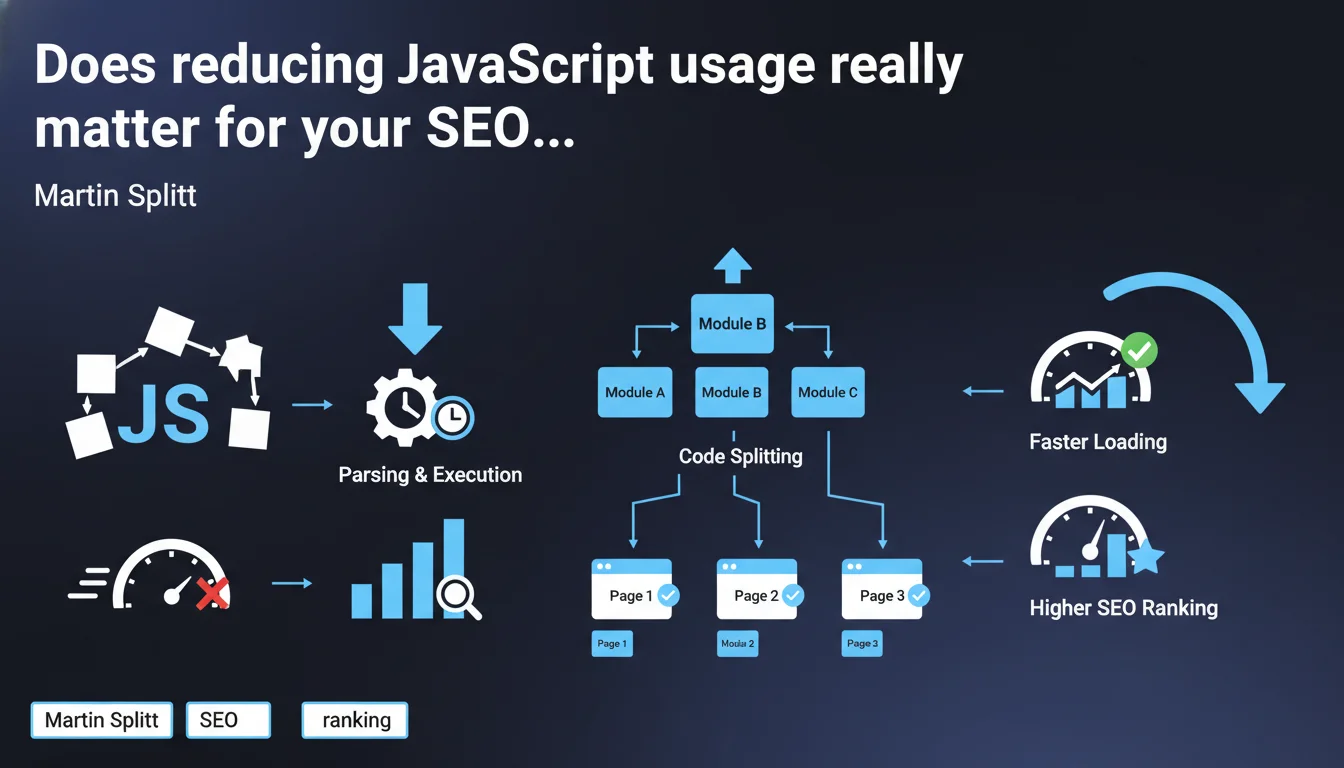
Google officially recommends limiting JavaScript usage because large files slow down loading and require additional parsing and execution time. The recommended solution: code splitting to load only what's strictly necessary per page. A statement that confirms what field audits have been showing for years.
What you need to understand
Why does Google insist so much on reducing JavaScript?
The reason is twofold. First, JavaScript files are often disproportionately heavy relative to their actual utility for the user. Second, unlike HTML or CSS, JavaScript requires a phase of parsing and then execution by the browser engine — two steps that are costly in processor time.
For Googlebot, it's the same story. The bot must wait for JavaScript to execute to access the final content of the page. The heavier the processing, the more crawl budget is wasted, and the greater the risk of partial indexation.
What exactly is code splitting?
Code splitting consists of breaking your JavaScript application into independent pieces (chunks) that only load when necessary. Instead of sending 500 KB of JS from the homepage, you only send the 80 KB required for that specific page.
Modern frameworks (React, Vue, Angular) all offer native code splitting mechanisms. The principle: lazy loading of components, dynamic routes, and conditional imports. In practice? You reduce Time to Interactive and Total Blocking Time — two metrics monitored by Google.
Does this recommendation apply to all websites?
No. A brochure site with minimal interactions doesn't face the same challenges as a complex web application (SaaS, marketplace, advanced e-commerce platform). For a typical WordPress blog, the problem often comes from plugins injecting unnecessary JavaScript, not from application architecture.
However, for sites that generate their HTML on the client side (Single Page Applications), this statement is a harsh reminder: server-side rendering (SSR) or static generation (SSG) remain more SEO-friendly solutions than pure client-side rendering.
- JavaScript slows down loading because it requires parsing and execution, not just download
- Code splitting allows you to load only the code necessary per page
- Googlebot is impacted: the heavier the JS, the less efficient the crawl
- Brochure sites and SPAs don't have the same JavaScript issues
- SSR and SSG remain the most favorable architectures for SEO
SEO Expert opinion
Is this statement consistent with what we observe in the field?
Absolutely. Technical audits systematically reveal that sites with high Total Blocking Time (> 600 ms) have lower crawl rates and indexation issues. Tests with Chrome DevTools show that some sites load 2 to 3 MB of JavaScript of which less than 30% is actually used.
What's striking is that Google gives no quantitative threshold. How many KB maximum? What TBT limit? What acceptable execution budget? Nothing. We're left in the dark — and that's probably intentional to prevent sites from optimizing solely for an arbitrary number.
What nuances should we add?
Reducing JavaScript, yes, but not at the expense of user experience. A site that loads instantly but whose interactions are broken or slow serves no purpose. Poorly implemented code splitting can introduce stuttering, latency on clicks, or worse: execution errors.
Another point: this recommendation is mainly aimed at new projects. Refactoring a legacy SPA to SSR represents weeks of development. You need to evaluate the ROI. Sometimes quick wins like lazy loading images or Brotli compression deliver more gains for less effort.
[To verify]: Google doesn't specify how it weights JavaScript performance in its ranking algorithm. We know Core Web Vitals count, but their exact weight remains unknown. A/B tests show ranking gains after optimization, but correlations are never linear.
In what cases does this rule not apply strictly?
Business applications (dashboards, CRMs, internal tools) have no SEO interest. Their optimization should aim for user productivity, not Googlebot. Similarly, some advanced features (real-time data visualization, WYSIWYG editors) inevitably require heavy JavaScript.
For e-commerce sites with complex dynamic filters, a smart compromise involves implementing hybrid rendering: static HTML for crawlable content, progressive JavaScript for interactions. It's more complex, but it avoids sacrificing UX or SEO.
Practical impact and recommendations
What should you concretely do to reduce JavaScript impact?
First step: audit what's actually being loaded. Chrome DevTools > Coverage shows you the percentage of unused code. WebPageTest details the weight of each script and its impact on TBT. Identify third-party libraries (analytics, chat, advertising) that are heavy without delivering SEO value.
Next, implement code splitting if you use a modern bundler (Webpack, Vite, Rollup). Configure lazy loading of non-critical components. For third-party libraries, defer their loading with the defer or async attribute, or even load them only after user interaction.
Finally, if your site is a pure SPA, consider migrating to a framework with native SSR (Next.js, Nuxt, SvelteKit). The SEO gain is immediate: HTML exploitable from the first byte received, without waiting for JavaScript execution.
What mistakes should you absolutely avoid?
Don't break progressive rendering. Some sites load all JavaScript asynchronously, which creates a flash of unstyled content (FOUC) or layouts that jump. Google penalizes Cumulative Layout Shift — poorly thought-out optimization can make the problem worse.
Also avoid believing that a good Lighthouse score fixes everything. Lighthouse tests run in a controlled environment. In real conditions (mobile 3G, low-end devices), your site can remain catastrophic. Test with WebPageTest on different profiles.
How do you verify that your site meets Google's expectations?
Use Google Search Console to monitor Core Web Vitals in real field data (CrUX). If more than 25% of your URLs are "poor" on mobile, that's an alarm signal. Cross-reference with a Screaming Frog audit + Chrome DevTools to identify the most problematic pages.
Also test actual indexation with the URL inspection tool. Compare raw HTML and final rendering. If Googlebot sees a blank page or incomplete content, your JavaScript is blocking indexation. In that case, SSR or static pre-rendering become essential.
- Audit unused JavaScript code with Chrome DevTools Coverage
- Implement code splitting via your bundler (Webpack, Vite, Rollup)
- Defer non-critical third-party scripts with
deferorasync - Consider migrating to SSR for Single Page Applications
- Monitor Core Web Vitals in Search Console (CrUX data)
- Test Googlebot rendering with the URL inspection tool
- Check TBT and CLS in real conditions with WebPageTest
Reducing JavaScript isn't a Google whim, it's a technical necessity to improve both user experience and crawl efficiency. Code splitting, lazy loading, and SSR are immediately actionable levers.
However, these optimizations require pointed technical expertise and clear architectural vision. Between refactoring, dependency management, and regression testing, the pitfalls are numerous. If your team lacks resources or time, engaging an SEO agency specialized in JavaScript performance issues can significantly accelerate the project and avoid costly mistakes.
❓ Frequently Asked Questions
Le code splitting est-il compatible avec tous les frameworks JavaScript ?
Googlebot exécute-t-il tout le JavaScript de ma page ?
Un site rapide en Lighthouse peut-il être lent pour Googlebot ?
Faut-il privilégier SSR ou SSG pour le SEO ?
Les scripts tiers (analytics, chat) impactent-ils vraiment le SEO ?
🎥 From the same video 5
Other SEO insights extracted from this same Google Search Central video · published on 18/09/2024
🎥 Watch the full video on YouTube →
💬 Comments (0)
Be the first to comment.