
Official statement
Other statements from this video 5 ▾
- □ Faut-il vraiment optimiser les Core Web Vitals pour ranker sur Google ?
- □ Faut-il vraiment arrêter de sur-optimiser les Core Web Vitals ?
- □ Faut-il vraiment réduire l'usage de JavaScript pour améliorer votre SEO ?
- □ Comment optimiser vos images pour améliorer votre SEO technique ?
- □ La vitesse du site est-elle vraiment un facteur de classement Google ?
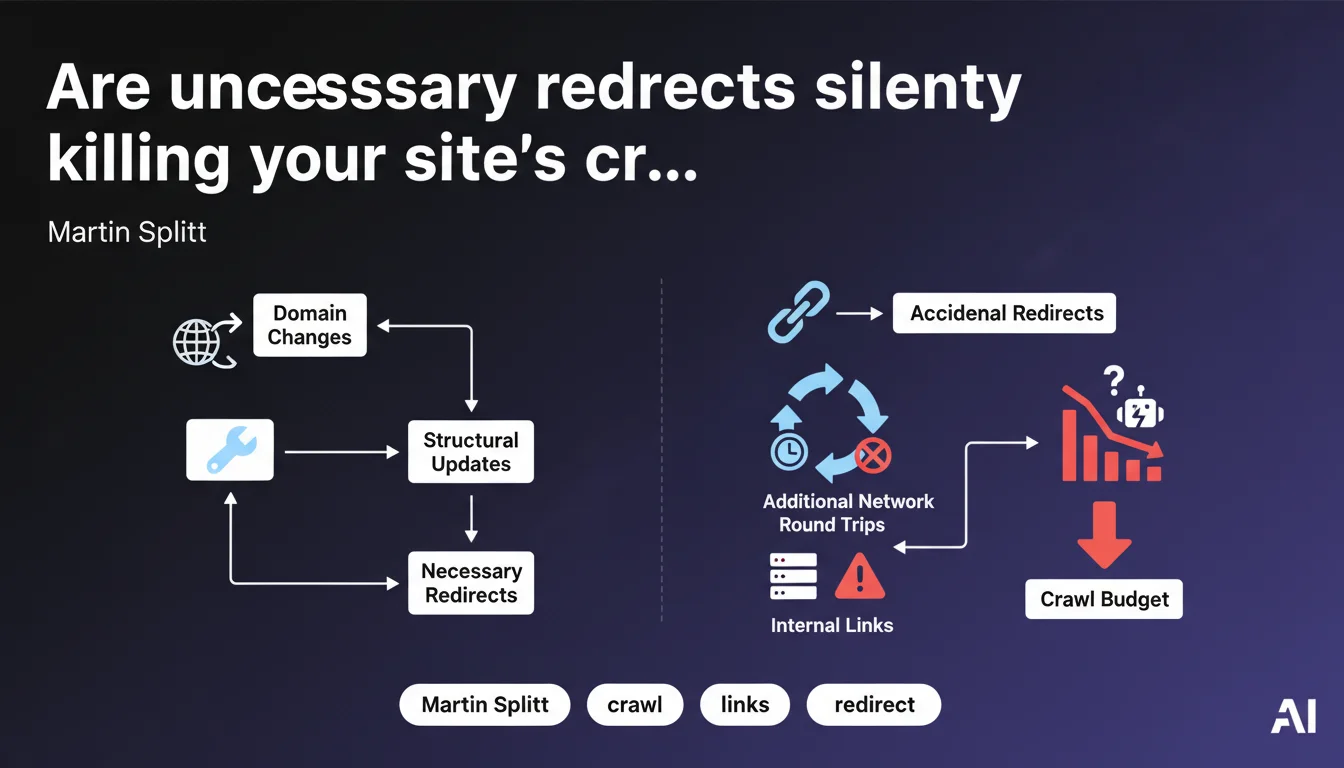
Martin Splitt reminds us that accidental redirects slow down crawling and indexation. Internal links should point directly to final URLs, not to redirects. Only redirects related to migrations or restructuring are justified — everything else is wasted crawl budget.
What you need to understand
Why does Google insist on eliminating "unnecessary" redirects?
Every redirect requires an additional network round trip. The bot must query the server, receive a 301 or 302 code, then request the destination URL. This cycle consumes crawl budget, the limited resource Google allocates to each site.
On a small 50-page site, the impact is negligible. But once you exceed a few thousand URLs — or operate in a competitive sector where every millisecond counts — these round trips accumulate and slow down the discovery of new content.
What exactly is an "accidental" redirect?
Splitt is targeting unintentional redirects: an internal link pointing to an old URL when the new one exists, a misconfigured canonical that forces a redirect pathway, a content management system that generates temporary URLs automatically redirected.
Typically, it's the CMS adding a trailing slash by default, or the developer forgetting to update links after a redesign. Result: chains of unnecessary redirects that no one intended to create but no one detects.
Do necessary redirects remain acceptable?
Yes. A domain migration, a URL structure change, content consolidation — all of that justifies 301 redirects. Google isn't saying "zero redirects," it's saying "zero accidental redirects."
The distinction matters. If you restructure your site and properly map your old URLs to new ones, that's legitimate. But once the migration is complete, your internal links should point directly to the new URLs, not the old ones that redirect.
- Redirects consume crawl budget and slow down indexation
- An "accidental" redirect is an unintentional redirect created by technical error or oversight
- Migrations and restructuring justify redirects, but internal links must be updated afterward
- Redirect chains (A → B → C) are particularly expensive and must be avoided
SEO Expert opinion
Is this directive consistent with real-world observations?
Absolutely. SEO audits regularly uncover ridiculous redirect chains: A redirects to B which redirects to C, when a simple A → C would suffice. Or worse, internal links pointing to URLs that have been redirected for years.
What's tricky is that Google never quantifies the actual impact. "Avoid unnecessary network round trips," OK — but how many redirects before it becomes critical? 10? 100? 1,000? [Needs verification] depending on site authority and crawl frequency.
What nuances should be added to this statement?
First nuance: not all redirects are equal. A redirect served via CDN edge with 5ms latency doesn't have the same cost as a dynamic redirect generated by an overloaded origin server taking 300ms to respond.
Second nuance: JavaScript or meta-refresh redirects are even more toxic than standard 301/302 codes. They force Google to execute JavaScript or wait for a delay before discovering the true destination. When Splitt mentions "redirects," understand all forms of redirects, not just HTTP codes.
In what cases doesn't this rule apply strictly?
On very large e-commerce sites with millions of dynamically generated URLs, it's sometimes technically impossible to update all internal links in real time. Filter facets, session URLs, tracking parameters — all of this can create "accidental" redirects at scale.
In that context, the real priority is cleaning redirects on strategic pages: main categories, flagship products, SEO landing pages. The rest can wait for a larger technical initiative — but you must prioritize, not ignore.
Practical impact and recommendations
How do you detect accidental redirects on your site?
Start with a complete crawl using Screaming Frog, Oncrawl, or Botify. Configure the crawler to follow redirects and identify chains (A → B → C). Then export the list of URLs with 301/302 codes and cross-reference with your internal links.
Next, check for JavaScript and meta-refresh redirects with a crawler capable of rendering JavaScript. Chrome DevTools + Network tab also lets you manually detect hidden redirects on strategic pages.
What concrete steps should you take to fix the problem?
Once redirects are identified, update internal links to point directly to the final URL. If you use a CMS, verify templates and widgets that automatically generate links — that's often where the problem hides.
For redirect chains, simplify them by redirecting directly A → C. And if a redirect no longer has a reason to exist (migration completed 2 years ago, for example), consider removing it — provided the old URL no longer receives traffic or active backlinks.
- Crawl your site to identify all 301/302 redirects and multiple chains
- Check for JavaScript and meta-refresh redirects using a tool that renders JavaScript
- Update internal links to point directly to final URLs
- Simplify redirect chains (A → B → C becomes A → C)
- Audit CMS templates that automatically generate links
- Regularly monitor new redirects introduced during deployments
❓ Frequently Asked Questions
Les redirections 301 consomment-elles autant de crawl budget que les 302 ?
Faut-il supprimer les redirections après une migration si elles reçoivent encore du trafic ?
Les redirections JavaScript sont-elles aussi problématiques que les redirections HTTP ?
Combien de temps après une migration peut-on retirer les redirections 301 ?
Comment savoir si mes redirections impactent réellement mon crawl budget ?
🎥 From the same video 5
Other SEO insights extracted from this same Google Search Central video · published on 18/09/2024
🎥 Watch the full video on YouTube →
💬 Comments (0)
Be the first to comment.