
Official statement
Other statements from this video 11 ▾
- □ Le contenu ancien pénalise-t-il vraiment votre référencement ?
- □ Le contenu ancien peut-il encore se classer malgré son âge ?
- □ Faut-il vraiment corriger les liens cassés dans vos contenus anciens ?
- □ Faut-il vraiment ajouter des bannières d'avertissement sur vos contenus anciens ?
- □ Faut-il vraiment mettre à jour tous vos anciens contenus pour le SEO ?
- □ Faut-il vraiment laisser vos vieux articles avec leurs erreurs d'origine ?
- □ Pourquoi utiliser la balise canonical comme redirection est-il une erreur SEO majeure ?
- □ Pourquoi Google déconseille-t-il les crypto-redirects pour vos migrations de sites ?
- □ Faut-il vraiment arrêter d'ajouter des dates dans les titres pour paraître frais ?
- □ Faut-il rediriger ou créer une page explicative quand on supprime un outil ?
- □ Faut-il vraiment auditer régulièrement sa documentation pour rester performant en SEO ?
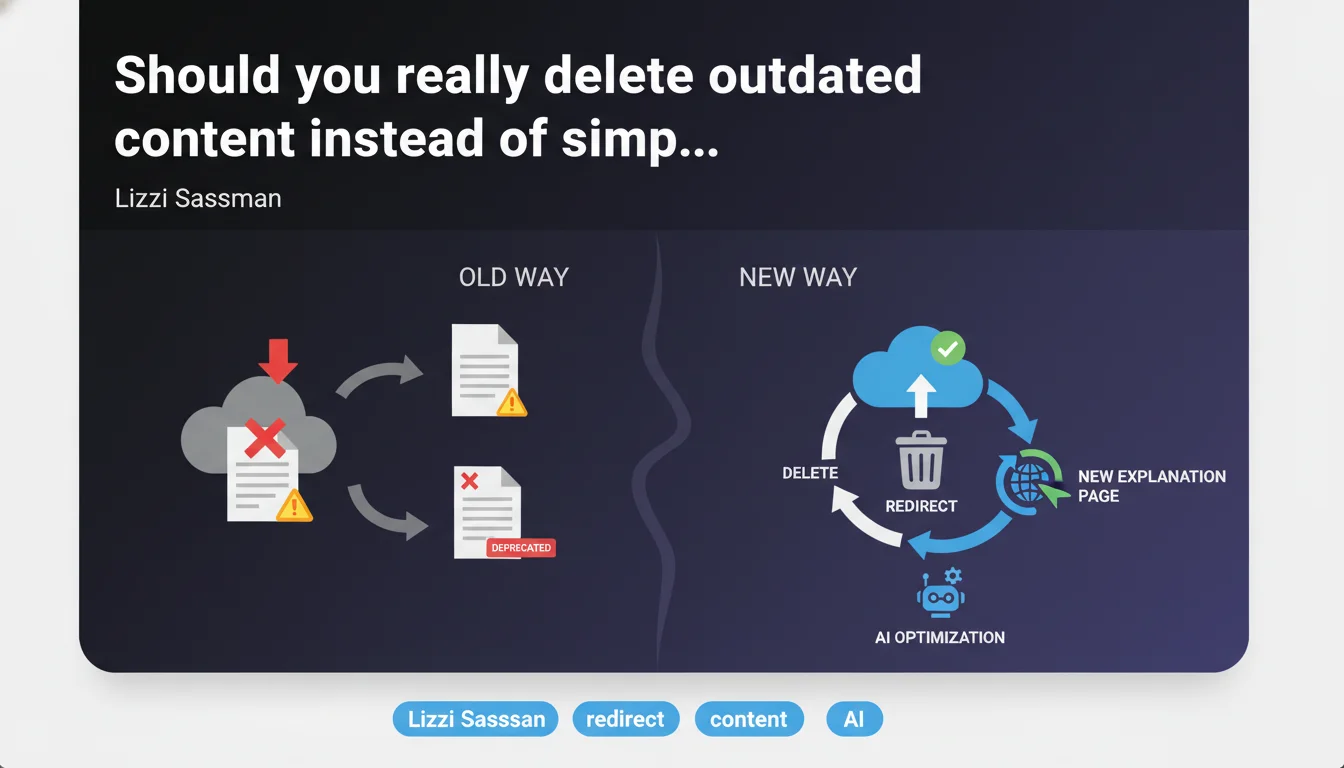
Google recommends removing content that documents deprecated features and redirecting to an explanatory page rather than keeping old pages with a simple warning banner. This approach avoids maintaining obsolete indexed content that could mislead users and dilute your site's perceived quality.
What you need to understand
Why does Google prefer deletion over keeping content with a warning?
The logic is straightforward: obsolete content remains indexable content. Even with a banner stating "This feature no longer exists," the page can continue to attract organic traffic, create user confusion, and generate negative signals (high bounce rate, low time on page).
Google believes a 301 redirect to an explanatory page offers better user experience: visitors immediately understand what happened and can find up-to-date information. The redirect also consolidates PageRank rather than dispersing it across pages with no value.
Does this recommendation apply only to technical documentation?
Lizzi Sassman explicitly discusses feature documentation, but the principle extends to all content related to products, services, or practices that no longer exist. Think old product pages, tutorials for discontinued tools, guides for obsolete procedures.
The nuance: if the content still has historical or informational value (e.g., retrospective analysis), preserving it can be justified. But for pure how-to content about a disappeared feature, removal remains the best option.
What should ideally be included on the redirect landing page?
An effective explanatory page must clarify three key points: why the feature was removed, what replaced it (if applicable), and where users should turn next. This transparency prevents frustration and maintains user trust.
- Remove obsolete content rather than marking it as deprecated
- Use a 301 redirect to a dedicated explanatory page
- The landing page must explain the context and suggest alternatives
- Principle applicable beyond pure technical documentation
- Avoid letting content with no value dilute your site's quality
SEO Expert opinion
Is this statement consistent with what we observe in the field?
Yes, and it's actually one of the rare positions where Google's theory perfectly aligns with real-world practice. We regularly observe that sites accumulating zombie pages — indexed but with no traffic or value — see their overall performance stagnate. Massive removal of this type of content often generates a positive bounce in the following weeks.
The trap: many SEOs hesitate to delete because they fear losing backlinks. Let's be honest — if these links point to dead content, their value is already compromised. The 301 redirect preserves them while cleaning up the index.
In what cases does this rule not apply?
Two situations where keeping content can be justified. First case: obsolete content still attracts qualified traffic (brand searches, specific long-tail queries) and can be easily updated or transformed into comparative content ("Old version vs. new"). Second case: archive value for legal, contractual, or historical reference reasons.
In these scenarios, a hybrid approach works better: noindex with online preservation, or access through a non-crawlable "Archives" section. But this is the exception — [To verify] on a case-by-case basis according to your analytics.
Does Google really measure "quality" through this type of cleanup?
That's where it gets tricky. Google claims that content freshness and index relevance play a role in rankings, but it has never published precise data on the direct impact of removing obsolete content. Field observations suggest a positive effect, but [To verify] it's impossible to isolate it from other factors (algorithm updates, seasonality, competitor actions).
What we know: Google values sites that demonstrate active maintenance. Removing dead content sends this signal. Is this a direct ranking factor? Probably not. An indicator of overall quality? Likely.
Practical impact and recommendations
What should you concretely do with your obsolete content?
First step: inventory. Extract from Search Console and your analytics all URLs with fewer than 10 organic sessions over 12 months. Cross-reference with your CMS to identify content marked "deprecated," "archived," or related to disappeared products/features.
Second step: classify. Separate what can be updated (partially obsolete content), what should be merged (multiple pages on the same outdated topic), and what must be purely deleted (zero residual value). For this last category, create a single explanatory page or redirect to the parent category page.
What mistakes should you avoid when deleting?
Classic mistake: redirecting to the homepage. This is a disguised soft 404. Google detects that the destination page has no thematic relation to the source URL and may ignore the redirect. Always prioritize a contextually relevant destination.
Another trap: deleting without monitoring. Set up Search Console alerts to detect 404 spikes post-deletion. Some URLs may be linked internally in places you forgot. Clean up your internal linking and XML sitemap before launching deletions.
How do you verify the operation doesn't break anything?
Before: export your positions and organic traffic by landing page over 3 months. Particularly note pages that, though obsolete, still rank on unexpected queries. After: monitor for 4 to 6 weeks. A temporary dip is normal (Google recrawls and reevaluates), but if a drop persists, you may have deleted content that served as an internal thematic bridge.
- Audit URLs with fewer than 10 annual organic sessions
- Create a dedicated explanatory page for grouped redirects
- Use 301 redirects to contextually relevant destinations, never to the homepage
- Clean up internal linking and XML sitemap before deletion
- Set up Search Console alerts to monitor 404s
- Monitor positions and traffic for 6 weeks post-operation
❓ Frequently Asked Questions
Dois-je supprimer immédiatement tout contenu obsolète ou puis-je le faire progressivement ?
Une redirection 301 transmet-elle 100% du PageRank vers la page de destination ?
Combien de temps faut-il maintenir une redirection 301 ?
Que faire si une page obsolète a encore beaucoup de backlinks de qualité ?
Peut-on noindex une page obsolète plutôt que de la supprimer ?
🎥 From the same video 11
Other SEO insights extracted from this same Google Search Central video · published on 09/05/2024
🎥 Watch the full video on YouTube →
💬 Comments (0)
Be the first to comment.