
Official statement
Other statements from this video 5 ▾
- □ Do redirects really transfer all SEO signals to your new site?
- □ How long should you really keep 301 redirects active after a site migration?
- □ What should you do when redirects are technically impossible during a domain change?
- □ Should you really delete an old website when redirects aren't an option?
- □ Can you migrate a website without redirects without risking a Google penalty?
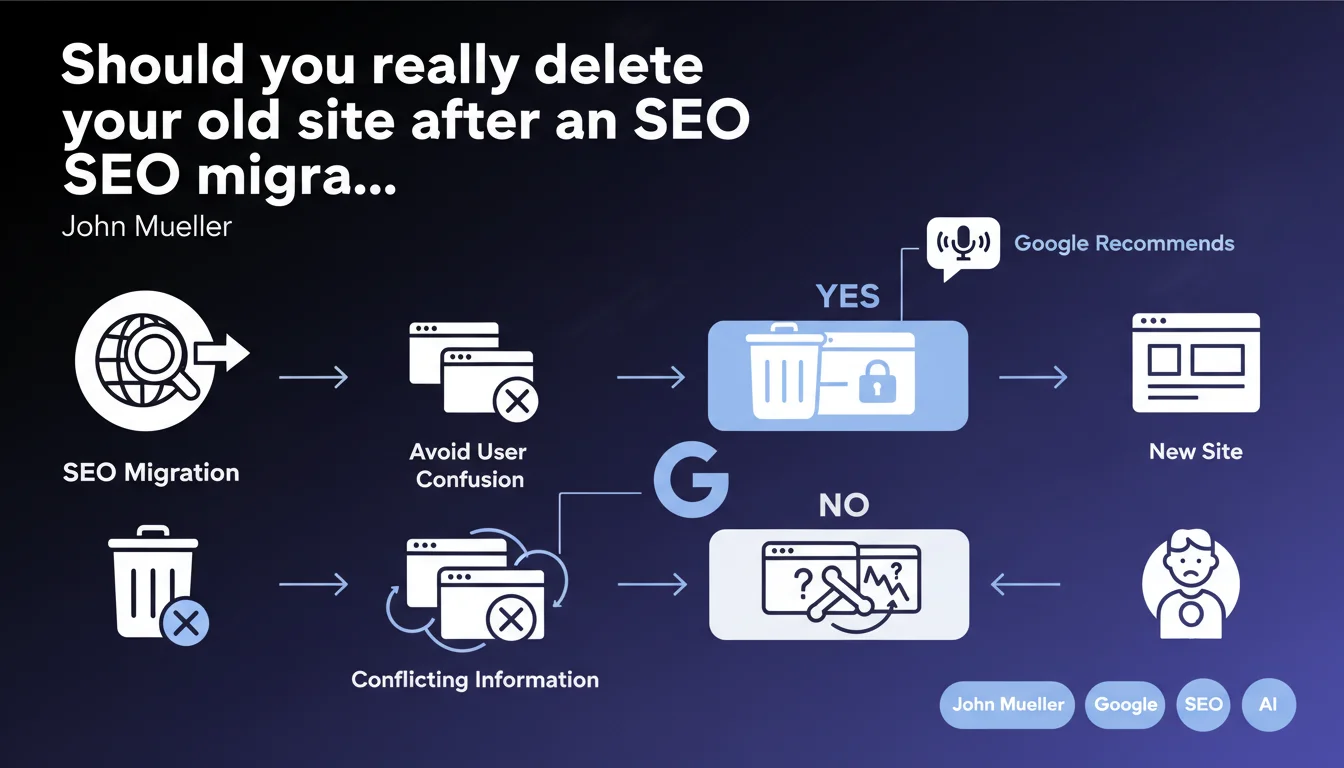
Google recommends deleting or thoroughly cleaning up the old site after migration to avoid user confusion. The main risk: contradictory information between both versions that harms user experience and potentially your rankings. A clarification that emphasizes UX but has direct implications for managing migration technicalities.
What you need to understand
Why does Google insist on removing the old site?
Google's position is crystal clear: the old site must disappear once the migration is complete. The reasoning? Prevent users from landing on different content depending on which version they access.
This recommendation primarily targets cases where the old domain remains accessible with active content that hasn't been properly redirected. The risk: a user lands on the old version through an outdated link, finds outdated information, then discovers a contradictory version on the new site. Poor experience guaranteed.
What does "cleaning up" the old site actually mean in practice?
Cleaning up doesn't necessarily mean brutally deleting all pages. In reality, it involves setting up 301 redirects to the corresponding new URLs, then progressively disabling the old environment.
If certain pages from the old site have no equivalent on the new one — which happens frequently during redesigns with content rationalization — you must decide: redirect to the semantically closest page, or return a 410 Gone to signal permanent deletion.
What are the essential takeaways?
- The old site should not permanently coexist with the new one
- 301 redirects must cover all strategic URLs
- Contradictory information between versions harms user experience
- Google can get confused if both versions remain indexed simultaneously
- Cleanup is an integral part of the migration process, not an optional step
SEO Expert opinion
Is this recommendation really new?
No. Every SEO professional has known for years that a clean migration involves disabling the old site after transfer. What's interesting here is the angle Mueller chose: the emphasis is on user confusion, not the typical SEO technical issues.
We might have expected a justification centered on duplicate content, PageRank dilution, or mixed signals sent to crawlers. Instead, Google frames the recommendation from a UX angle. Pragmatic, but it leaves some gray areas about the actual algorithmic implications.
In which cases doesn't this rule strictly apply?
There are scenarios where temporarily maintaining the old site makes sense. For example, during a progressive migration where only certain sections switch over first — a common approach for complex sites with millions of pages.
In these cases, the old site remains partially active during a transition phase, with selective redirects. What matters: prevent both versions of the same page from remaining accessible and indexed simultaneously. If you must keep the old site temporarily, use canonicals, strategic noindex tags, or block indexing outright via robots.txt. [To verify]: Google doesn't specify how long this coexistence can last without negative impact.
What nuances should we add for real-world cases?
Field reality is more complex than "delete the old site." Large migrations often involve staging environments accidentally accessible, forgotten subdomains, historically separate mobile versions, or multi-country sites with staggered migrations.
The real risk isn't so much the temporary existence of the old environment, but rather broken internal links, unmaintained sitemaps, hreflang tags pointing to old URLs, or ad campaigns still directing to the old version. That's where "confusion" becomes genuinely problematic — for Google and for users.
Practical impact and recommendations
What should you do concretely during migration?
First step: exhaustively map all URLs from the old site and their equivalents on the new one. Not just main pages — all URLs with traffic or backlinks. Use your server logs and Search Console history to identify genuinely visited pages.
Then set up 301 permanent redirects. Test them before switchover with tools like Screaming Frog or OnCrawl to verify no redirect chains form (A→B→C) and no loops exist.
Once migration is live and redirects are validated in production, progressively disable the old environment. Keep redirects active — they should remain in place for at least one year, ideally indefinitely for strategic URLs.
What mistakes must you avoid absolutely?
- Leaving the old site active without redirects — Google indexes both versions and dilutes your signals
- Redirecting all pages to the new site's homepage — each URL must point to its semantic equivalent
- Deleting the old site before verifying redirects work
- Forgetting to update internal links in your content
- Failing to monitor Search Console for 404 errors post-migration
- Neglecting to update the XML sitemap, which should only point to new URLs
How do you verify the migration is clean?
Check that the old domain no longer generates organic traffic in Analytics after a few weeks. If you see significant visits still coming through, there are still active entry points — unupdated external links, old campaigns, or poorly redirected pages.
Use Search Console to monitor crawl errors. A spike in 404s post-migration is normal, but should decrease rapidly. If errors persist, identify sources (broken backlinks, obsolete sitemaps) and fix them.
Run a complete crawl of the new site to verify no internal links point to the old domain. This is an often-overlooked detail that creates unnecessary redirects and slows crawling.
❓ Frequently Asked Questions
Combien de temps faut-il garder les redirections 301 après une migration ?
Que faire si certaines pages de l'ancien site n'ont pas d'équivalent sur le nouveau ?
L'ancien site peut-il rester en ligne pour archivage interne ?
Faut-il supprimer l'ancien domaine de la Search Console après migration ?
Les redirections 301 transmettent-elles 100% du PageRank ?
🎥 From the same video 5
Other SEO insights extracted from this same Google Search Central video · published on 16/01/2024
🎥 Watch the full video on YouTube →
💬 Comments (0)
Be the first to comment.