
Official statement
Other statements from this video 12 ▾
- □ Should you really be concerned about crawl budget for your website?
- □ What's Google's real definition of crawl budget—and which levers can actually move the needle?
- □ Is crawl budget a concept invented by Google or by SEO professionals?
- □ Does Google really index only a fraction of the web because of storage costs?
- □ Are POST requests really eating up your crawl budget?
- □ Does a new section inherit its crawl budget from your main site's quality?
- □ Are HTTP 503 and 429 status codes really killing your crawl budget?
- □ Can you really manage your crawl budget from Google Search Console?
- □ Does HTTP/2 really boost your crawl budget?
- □ What does your "discovered but not crawled" URL status really reveal about your site?
- □ Are you wasting your crawl budget on JavaScript files that add no value?
- □ Are 404s and robots.txt Really Wasting Your Crawl Budget?
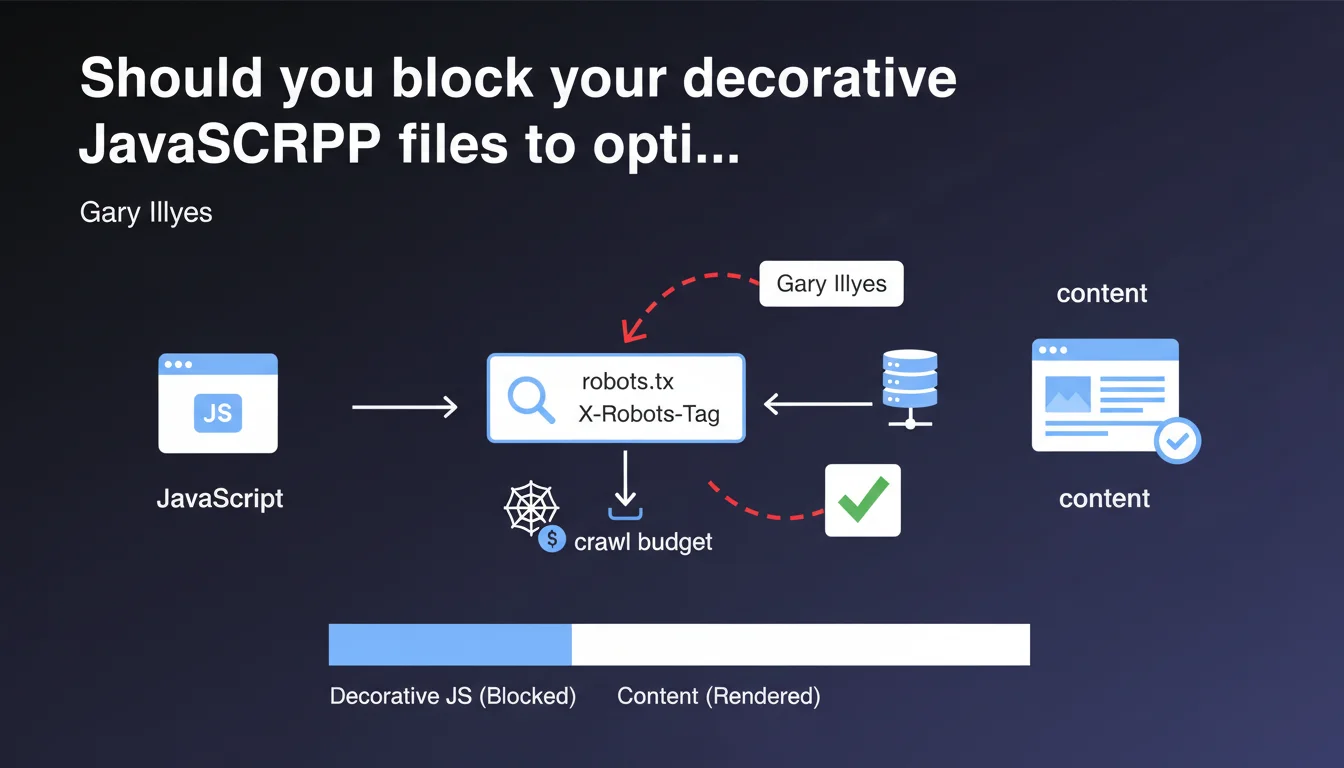
Google confirms that purely decorative JavaScript files can be safely blocked via robots.txt or X-Robots-Tag. Rendering will fail for these resources, but the page content remains intact — an opportunity to optimize your crawl budget by preventing Googlebot from wasting time on non-essential resources.
What you need to understand
What does Google mean by "purely decorative JavaScript"?
Google is making a distinction here between scripts that generate indexable content and those that only serve visual animation or user experience without impact on the semantic rendering of the page. An image carousel with CSS transitions, a parallax effect, scroll animations — all of this can be considered decorative.
The problem: the boundary isn't always clear. Is a script that manages the appearance of a CTA button decorative? What about image lazy-loading? You need to decide on a case-by-case basis.
Why can blocking these resources optimize your crawl budget?
Every time Googlebot renders a page, it must download and execute the scripts it references. On a site with thousands of pages, that represents millions of requests for files that bring no value to indexable rendering.
By blocking these resources via robots.txt or X-Robots-Tag, you reduce the volume of data Googlebot must process, which can speed up crawling of strategic pages. This is particularly relevant for large sites — e-commerce, media, directories — where every crawl second counts.
Rendering fails, but that's not a problem?
Google clearly states that rendering will fail for these blocked resources, but that the page content will not be affected. In other words: if your content is properly present in the initial HTML (server-side rendering or pre-rendered), blocking decorative scripts won't prevent indexation.
This is important confirmation — but it assumes you control your rendering strategy. If your content depends on a blocked script, you have a problem.
- Decorative scripts (animations, visual effects) can be blocked with no impact on indexation
- Blocking is done via robots.txt or X-Robots-Tag
- It allows you to optimize crawl budget by reducing the volume of resources to download
- Rendering fails for these resources, but content remains accessible if initial HTML is correct
- The distinction between decorative and functional is not always obvious
SEO Expert opinion
Is this statement really applicable in practice?
On paper, it's appealing. But concretely, how many sites have clean enough architecture to precisely identify which scripts are purely decorative? Most modern JavaScript frameworks (React, Vue, Next.js) mix business logic and visual rendering in the same bundles.
Let's be honest: unless you have a rigorously architected tech stack with separate bundles (vendor, core, decorative), this recommendation remains theoretical. And even then, blocking a script can have side effects on other dependencies — particularly if event handlers fail silently.
What are the risks if you block a "nearly" decorative script?
The real danger is the false negative. You block a script you think is purely cosmetic, but which actually injects Schema.org tags, manages critical image lazy-loading, or conditions the display of a content module. Googlebot won't see anything, and you might not know for weeks.
Gary Illyes says "rendering will fail but it won't affect the content" — but [To verify] how Google determines what is content and what isn't. If a decorative script loads a widget containing indexable text, is that content or decoration? The statement lacks precision on this point.
Is this optimization really worth it for all sites?
No. If you have a 50-page site with comfortable crawl budget, you have no interest in taking risks. This optimization is for large-scale sites — thousands of pages, regular crawling, tight budgets — where every millisecond and kilobyte matters.
For a medium-sized site, the marginal gain doesn't justify the risk of error. Focus first on the fundamentals: server response time, clean pagination, coherent internal linking. Blocking decorative scripts is advanced tuning, not basic optimization.
Practical impact and recommendations
How do you identify purely decorative JavaScript files?
Start with a comprehensive audit of all JS resources loaded on your strategic pages. Use Chrome DevTools (Coverage tab) to see which scripts are actually executed and what proportion of their code is used. A script with 5% code usage is a good candidate for analysis.
Then classify your scripts into three categories: critical (content generation, SEO), functional (user interaction, tracking), decorative (animations, visual effects). Only the latter can be blocked without risk.
Which blocking method to choose: robots.txt or X-Robots-Tag?
robots.txt is simpler to implement if you're blocking entire files (e.g., all resources in /assets/animations/). But it's rigid — a blocked file is blocked for all pages.
X-Robots-Tag offers more granularity: you can block a script only for certain site sections, or condition blocking on server response. It's more complex to configure, but more powerful for advanced strategies.
How do you verify that blocking didn't break indexation?
Systematically test with the URL inspection tool in Search Console. Request live rendering, compare the obtained DOM with that without blocking. Verify that all critical elements (titles, text, images, internal links) are present.
Put regular monitoring in place: if strategic pages suddenly lose organic traffic after implementing blocking, that's a warning signal. Cross-reference with server logs to see if Googlebot is encountering unusual errors.
- Audit all JS resources with Chrome DevTools (Coverage)
- Classify scripts into critical, functional, decorative
- Test blocking on a sample of pages before global rollout
- Use URL inspection tool to validate rendering
- Monitor organic traffic and Googlebot logs post-implementation
- Document all blocked files to facilitate future maintenance
❓ Frequently Asked Questions
Bloquer un script décoratif peut-il affecter mon Core Web Vitals ?
Dois-je bloquer les bibliothèques d'animations comme GSAP ou Lottie ?
Le blocage via robots.txt empêche-t-il l'indexation du fichier JS lui-même ?
Comment savoir si mon site a vraiment un problème de crawl budget ?
Cette optimisation fonctionne-t-elle aussi pour Bing et les autres moteurs ?
🎥 From the same video 12
Other SEO insights extracted from this same Google Search Central video · published on 25/08/2022
🎥 Watch the full video on YouTube →
💬 Comments (0)
Be the first to comment.