
Official statement
Other statements from this video 12 ▾
- □ Should you really be concerned about crawl budget for your website?
- □ What's Google's real definition of crawl budget—and which levers can actually move the needle?
- □ Is crawl budget a concept invented by Google or by SEO professionals?
- □ Does Google really index only a fraction of the web because of storage costs?
- □ Are POST requests really eating up your crawl budget?
- □ Does a new section inherit its crawl budget from your main site's quality?
- □ Are HTTP 503 and 429 status codes really killing your crawl budget?
- □ Can you really manage your crawl budget from Google Search Console?
- □ Does HTTP/2 really boost your crawl budget?
- □ What does your "discovered but not crawled" URL status really reveal about your site?
- □ Are 404s and robots.txt Really Wasting Your Crawl Budget?
- □ Should you block your decorative JavaScript files to optimize your crawl budget?
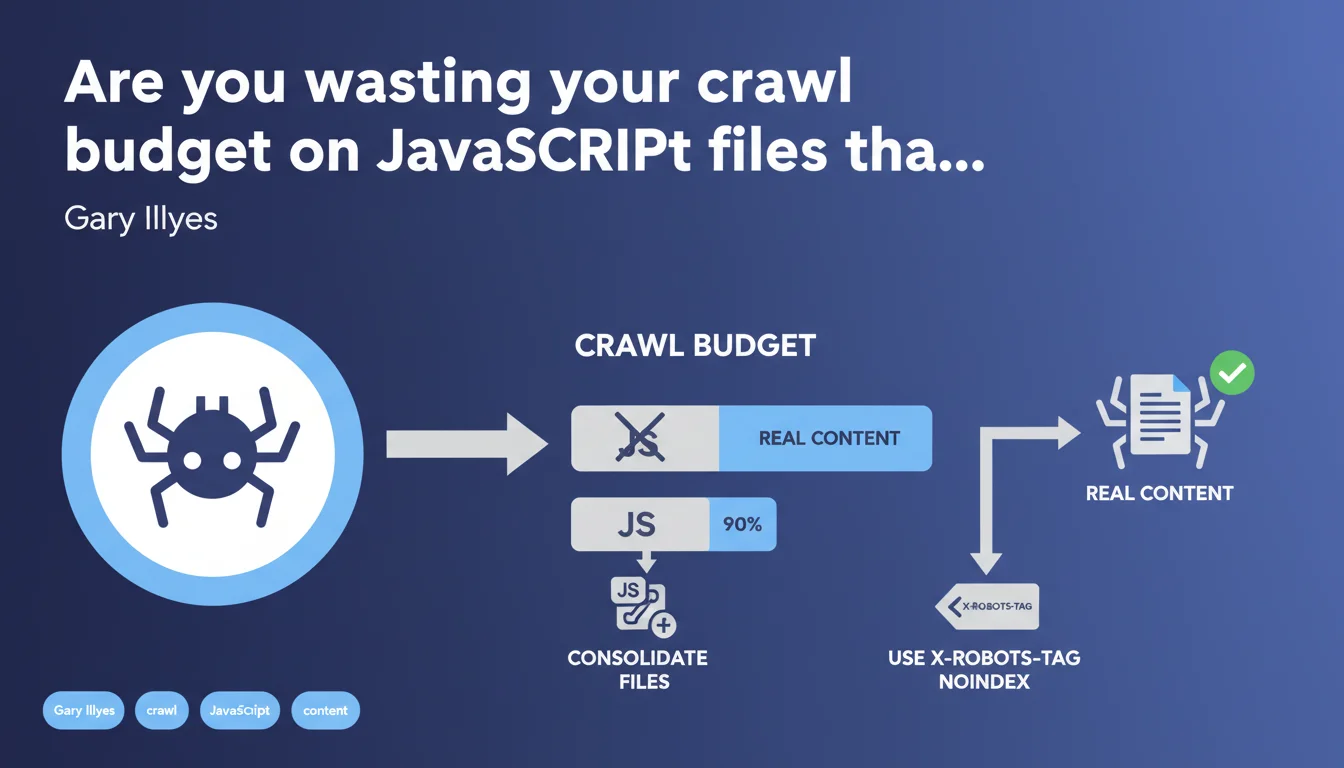
Google confirms that a significant portion of crawl budget — sometimes 35% to 90% — can be wasted on JavaScript files that add no content. Gary Illyes recommends consolidating these files or using X-Robots-Tag headers to prevent their indexing. The goal: free up budget for truly strategic resources.
What you need to understand
Why does Google crawl so many JavaScript files?
JS files often represent a massive portion of a modern website's resources. Front-end frameworks, third-party libraries, analytics scripts, social widgets — all of it consumes crawl budget, even if the generated content is null or already indexed elsewhere.
The problem emerges when Googlebot allocates 35% to 90% of its budget to these files, at the expense of actual pages that deserve to be explored and indexed. Result: entire sections of your site can remain invisible, simply because the bot exhausted its quota on useless dependencies.
What is a JavaScript file that "adds no content"?
Typically, these are scripts that don't meaningfully modify the DOM on the client side, or whose generated content is already present in the initial HTML. Polyfills, certain animation libraries, advertising trackers — all candidates.
Google highlights here an often-overlooked angle: even if a JS file is technically useful for UX, if it produces no indexable content, it becomes dead weight in the crawl budget.
How do you free up crawl budget in practice?
Two main levers emerge from this official statement:
- Consolidate files: bundling, minification, tree-shaking — standard stuff, but still underutilized. One file instead of 15 drastically reduces the number of crawled requests.
- Block indexing via X-Robots-Tag: prevents Googlebot from attempting to index these resources, saving crawl cycles for real content.
- Lazy-load non-critical scripts, deferred after initial render — Google won't crawl what doesn't load on first pass.
- Regular audit of third-party scripts: how many trackers, widgets, chatbots are truly essential?
SEO Expert opinion
Is this recommendation consistent with real-world observations?
Yes, and it's even a timely reminder. Crawl budget audits consistently show over-representation of JS/CSS assets in server logs — sometimes up to overwhelming the crawl of categories or product pages on large e-commerce sites.
However, Gary Illyes remains vague on thresholds. "35% or 90%" — the range is huge. Concretely, at what percentage should you be concerned? [To verify] because no clear metric is given for diagnosing your own site.
What nuances should be added?
Blocking indexing via X-Robots-Tag doesn't mean Googlebot stops downloading the file. It still crawls it to execute the JS and understand the page. The savings apply to indexing, not bandwidth or processing time.
Next, consolidating files can create a monolithic bundle that loads unnecessary code on certain pages. The ideal compromise depends on site structure: one global bundle for a 10-page brochure site, code-splitting for a 10,000-URL webapp.
In what cases does this rule not apply?
On a site with a few hundred pages and more than sufficient crawl budget, optimizing JS files becomes secondary. The impact will be negligible if Googlebot already crawls all your pages multiple times per day.
Conversely, high-volume sites — marketplaces, media outlets, directories — must treat this as a priority. A 20% crawl budget savings can mean thousands of additional pages indexed per month.
Practical impact and recommendations
What should you concretely do to audit your site?
First step: analyze server logs to identify the proportion of Googlebot requests consumed by JS files. Tools like Oncrawl, Botify, or a custom script on your Apache/Nginx logs.
Next, cross-reference with coverage reports in Search Console. If strategic sections appear as "Discovered — not indexed" while crawl budget goes massively toward assets, you have a clear diagnosis.
What errors must you absolutely avoid?
Don't blindly block all JS files via robots.txt — that prevents full rendering and Google won't see client-side generated content. X-Robots-Tag is preferable: it allows downloading/execution but deindexes the file itself.
Another trap: forgetting to test after consolidation. A poorly configured bundle can introduce JS errors that break rendering, making your pages invisible to Google.
- Analyze server logs to quantify the share of crawl budget consumed by JS/CSS files
- Identify scripts that generate no indexable content (trackers, analytics, decorative widgets)
- Consolidate and minify critical files; lazy-load the rest
- Add X-Robots-Tag: noindex to non-essential JS files
- Test rendering in the Search Console URL inspection tool before and after changes
- Monitor crawl budget evolution and indexed coverage over 4-6 weeks
How do you verify that optimizations are paying off?
Track two key metrics: the crawl rate of strategic pages (expected increase) and the number of indexed pages in Search Console (same). A 2 to 4 week delay is normal before seeing stabilized impact.
If you observe increased crawl on categories/products and decreased crawl on JS assets, you're on the right track. Regular monitoring via automated dashboards allows you to anticipate regressions.
❓ Frequently Asked Questions
Le X-Robots-Tag empêche-t-il Googlebot de télécharger les fichiers JavaScript ?
Faut-il bloquer les fichiers JavaScript via robots.txt ?
À partir de quel seuil dois-je m'inquiéter de la consommation de crawl budget par les fichiers JS ?
Le bundling des fichiers JavaScript peut-il nuire aux performances ?
Comment mesurer l'impact de ces optimisations sur le crawl budget ?
🎥 From the same video 12
Other SEO insights extracted from this same Google Search Central video · published on 25/08/2022
🎥 Watch the full video on YouTube →
💬 Comments (0)
Be the first to comment.