
Official statement
Other statements from this video 7 ▾
- □ Pourquoi Google a-t-il voulu faire des XML Sitemaps un standard web partagé entre moteurs ?
- □ Pourquoi Google a-t-il vraiment lancé Search Console à l'origine ?
- □ Comment réduire de 80% vos emails de support grâce à une documentation SEO-friendly ?
- □ Pourquoi Google cache-t-il certaines informations SEO aux webmasters ?
- □ Pourquoi Google a-t-il ciblé les SEO en priorité avec ses premiers outils pour webmasters ?
- □ Les tirets dans les URLs sont-ils vraiment un critère de ranking essentiel ?
- □ Sous-domaines vs sous-répertoires : pourquoi Google refuse-t-il de trancher ?
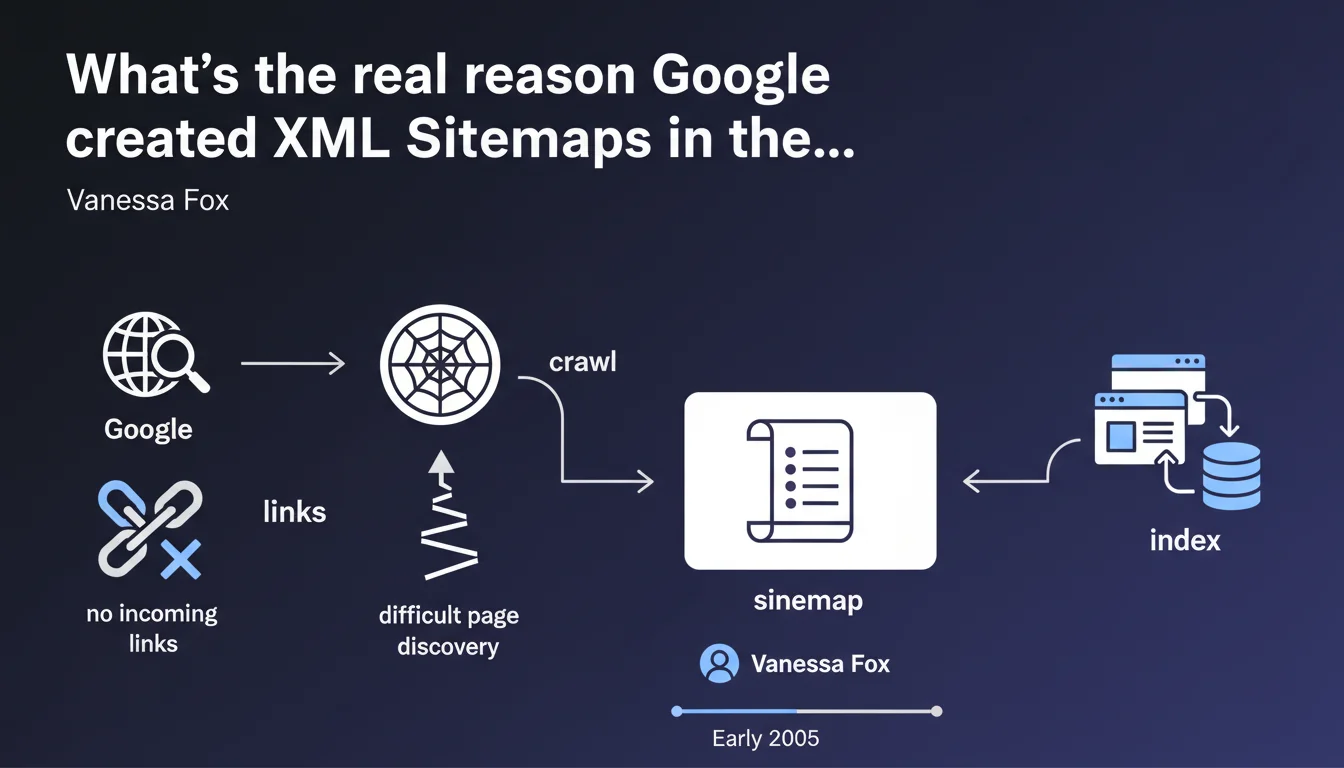
Google launched XML Sitemaps to solve a critical problem: countless websites had no incoming links, making them virtually impossible for the crawler to discover. The sitemap was born as a lifeline for indexation, not as an advanced optimization tool.
What you need to understand
What problem was Google trying to solve with Sitemaps?
In the early 2000s, the absence of backlinks condemned thousands of websites to complete invisibility. Google could only discover what it found by following links — no links, no crawl, no indexation.
The XML Sitemap arrived as a pragmatic solution: giving webmasters a way to explicitly tell Google "Here are my URLs, please come and index them." It was a necessary crutch at a time when external linking was the only reliable discovery vector.
Is the Sitemap still essential today?
Technically, no — if your site has solid internal linking and quality backlinks, Googlebot will find your pages. But in practice, the Sitemap remains a valuable safety net, especially for sites with thousands of URLs or complex architectures.
It accelerates the discovery of new pages and allows you to transmit useful metadata (modification date, update frequency). In other words: not mandatory, but strongly recommended.
- Origins: compensating for the absence of backlinks to facilitate discovery
- Initial function: providing a list of URLs to crawl
- Current relevance: still useful for large sites or complex architectures
- Limitations: does not replace good internal linking or solid backlinks
SEO Expert opinion
Is this statement still relevant today?
Yes and no. The context has changed radically — the web is much more interconnected than in 2005, and Google's discovery tools have become sharper. But the underlying problem persists for certain types of sites: e-commerce with complex pagination, UGC platforms, high-volume sites.
On the ground, we observe that sites without XML Sitemaps are not penalized if their architecture is flawless. But as soon as there's a gap in internal linking or an orphaned section, the Sitemap becomes a critical safety net. [To verify]: Google claims that the Sitemap is merely a suggestion, not a guarantee of indexation — which is theoretically true, but in practice, we see glaring differences in indexation between sites with and without Sitemaps.
What are the limitations of this approach?
Google does not systematically crawl all URLs in a Sitemap. Crawl budget remains the limiting factor. If your site has 500,000 URLs and a low crawl budget, the Sitemap won't work miracles.
Worse: some webmasters overload their Sitemap with low-quality or duplicate URLs, which can dilute the signal and slow down the indexation of strategic pages. A poorly designed Sitemap is sometimes worse than no Sitemap at all.
In which cases is the Sitemap insufficient?
If your pages are blocked by the robots.txt file, protected by a noindex tag, or inaccessible without heavy JavaScript, the Sitemap will be useless. It's a tool for communication, not technical correction.
Similarly, on sites with very low authority (new domains, no backlinks), Google may choose to crawl the Sitemap at a ridiculous frequency — sometimes once a month. In that case, you wait for your indexation the way you wait for a bus on Sunday evening.
Practical impact and recommendations
What should you actually do with your XML Sitemap?
First, clean it ruthlessly. Remove all URLs that return 4xx or 5xx errors, those that redirect, and those that are canonicalized to another page. Your Sitemap should be a list of indexable URLs, period.
Next, segment if your site exceeds 10,000 URLs. Create Sitemaps by content type (products, categories, blog posts) and use a Sitemap index to group them together. This facilitates diagnosis and optimizes crawl.
How do you verify that your Sitemap is being properly picked up?
Declare it in Google Search Console and monitor coverage reports. If Google reports errors or warnings, fix them immediately — each problematic URL pollutes the overall signal.
Also check crawl frequency via server logs. If Google crawls your Sitemap only once a week while you publish daily, that's a prioritization problem: your site may lack authority or perceived freshness.
- Submit the XML Sitemap via Google Search Console and Bing Webmaster Tools
- Exclude all non-indexable URLs (404s, redirects, canonicalized, noindex)
- Segment by content type if the site exceeds 10,000 URLs
- Regularly check for errors in coverage reports
- Analyze server logs to measure Sitemap crawl frequency
- Update the Sitemap in real time (or at least daily) for dynamic sites
❓ Frequently Asked Questions
Un site sans Sitemap XML peut-il être correctement indexé par Google ?
Combien d'URLs peut contenir un Sitemap XML ?
Faut-il inclure les URLs canonicalisées dans le Sitemap ?
À quelle fréquence Google crawle-t-il un Sitemap XML ?
Le Sitemap améliore-t-il le positionnement des pages ?
🎥 From the same video 7
Other SEO insights extracted from this same Google Search Central video · published on 22/09/2022
🎥 Watch the full video on YouTube →
💬 Comments (0)
Be the first to comment.