
Official statement
Other statements from this video 13 ▾
- □ Does robots.txt really prevent your pages from being indexed by Google?
- □ Is the meta tag 'none' really the same as using noindex + nofollow together?
- □ Is robots.txt really ineffective at preventing your pages from being indexed by Google?
- □ Can you block indexation of entire directories using server modules instead of robots.txt?
- □ Should you really use rel=canonical over noindex for aging content?
- □ Does the noarchive meta tag really prevent Google from caching your pages?
- □ Should you block snippets with nosnippet to protect your sensitive content?
- □ Should you really use max-snippet and max-image-preview to control how your content appears in search results?
- □ Should you use individual nofollow attributes or a meta robots nofollow tag to control PageRank distribution?
- □ Why Is Google So Reluctant to Develop New Meta Robots Directives?
- □ Is the X-Robots-Tag header really the only way to keep PDFs out of Google's index?
- □ Why does robots.txt actually block images and videos but not web pages?
- □ How does Google really transform your PDFs into searchable content?
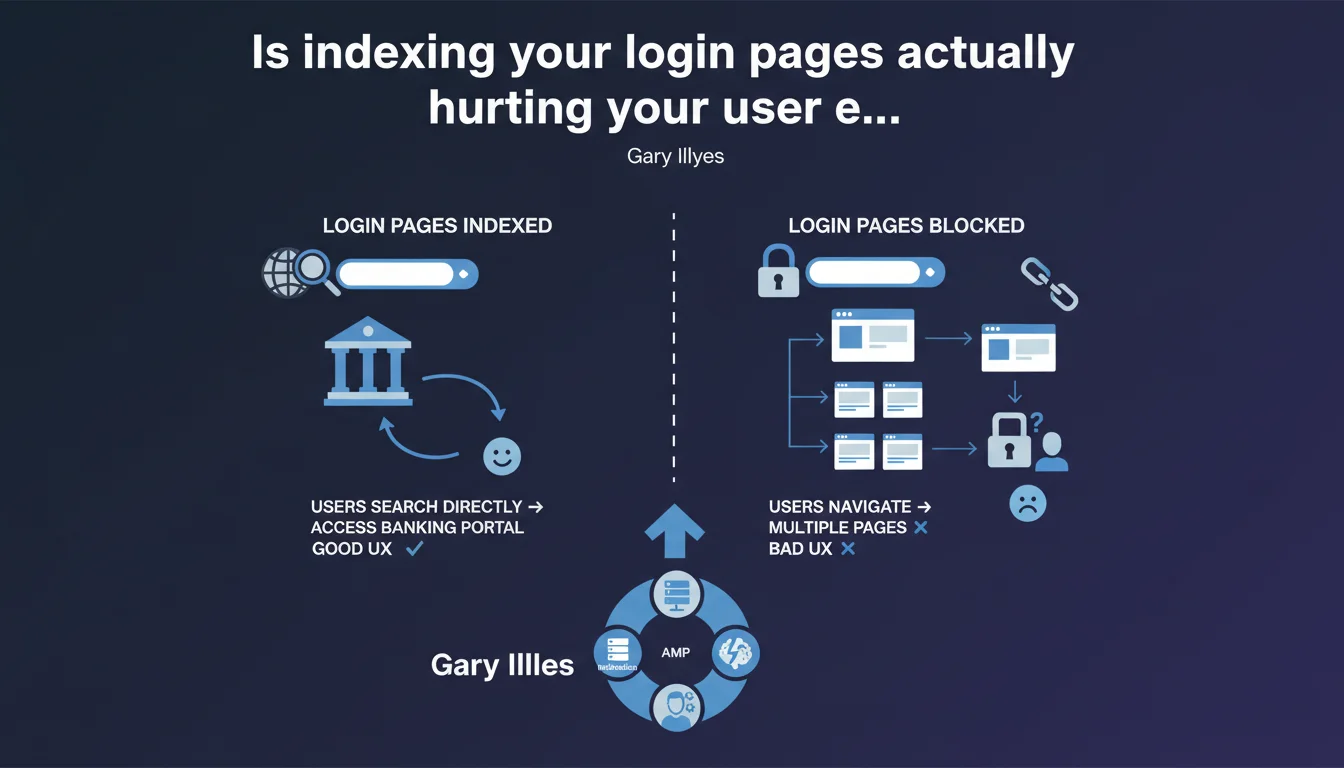
Google recommends indexing login pages because users search for them directly — typical for banking portals, webmail services, or client dashboards. Blocking their indexation forces unnecessary navigation and degrades user experience. This guidance contradicts the widespread practice of noindexing these pages.
What you need to understand
Why does Google insist on indexing login pages?
The logic is straightforward: users actively search for these pages. Type "my bank login" into Google — you want to land directly on the login page, not on the corporate homepage.
Blocking indexation forces the user to navigate manually from the homepage, sometimes through multiple clicks. That's unnecessary friction that degrades experience and potentially your conversion rate.
Does this recommendation apply to all types of websites?
Google explicitly mentions banking portals, but the principle extends to any authentication-gated space that users search for directly: webmail services, online CRMs, SaaS platforms, telecom or insurance client portals.
The key question: do your users specifically search for your login page? If yes, it should be indexable. If your login page has no inherent search value (obscure admin backend), the directive becomes less relevant.
What's the difference between the login page itself and content behind login?
You need to distinguish two things: the login page itself (the form with username/password fields) and the protected content behind authentication. Google is talking only about the first.
Content requiring authentication will never be indexed if properly protected server-side. We're talking about making the front door visible, not opening the entire house.
- Login pages with strong direct search intent should be indexed
- Blocking indexation creates unnecessary user friction and measurable impact
- The recommendation applies mainly to services where users return regularly (banks, SaaS, webmail)
- Protected content stays protected — we're only talking about the login form
- A good signal: analyze your internal search queries and logs to see if users search for "login" or "signin"
SEO Expert opinion
Is this statement consistent with real-world practices?
Let's be honest: most sites block their login pages via noindex or robots.txt. This is a historical practice stemming from when people feared phantom duplicate content and crawl budget issues.
But in reality? Major services (Gmail, LinkedIn, banking apps) all index their login pages. Type "gmail login" — you land directly on accounts.google.com/signin. Same logic for "linkedin login" or "bnp paribas connexion". Major players have been following this directive for years already.
What nuances should we add to this recommendation?
Gary Illyes's advice assumes your login page has identifiable search value. For a confidential B2B SaaS with 200 clients, nobody searches "[yourproduct] login" on Google — they have the URL bookmarked.
Another critical point: the page quality itself. A bare login page with no context, no clear branding, can be perceived as thin content. If you index it, ensure it contains identifiable elements (logo, explicit H1 title, description).
[To verify] Google doesn't specify how to handle multiple login page variants (with UTM parameters, redirects, etc.). Should you canonicalize? Consolidate? The statement remains vague on these technical aspects.
In what cases does this rule not apply?
If your login page is purely functional with no search value (admin backend, internal tool, closed beta), blocking indexation still makes sense. Same if it generates duplicate via uncontrollable dynamic URLs.
Practical impact and recommendations
What should you concretely do if you currently block your login pages?
First step: analyze your search data. Check Google Search Console, your server logs, your internal search — do users actively search for "[your brand] login" or "[your brand] signin"? If yes, you're losing qualified traffic.
If the answer is yes, remove the noindex and/or the Disallow directive in robots.txt. Test indexation via the URL inspection tool in GSC. Make sure the page contains an explicit title ("Sign in to [YourService]"), clear meta description, and minimal text content to avoid thin content issues.
What mistakes should you avoid when indexing a login page?
Don't leave a bare page with just a form. Add an H1, a context paragraph ("Access your [Brand] client dashboard"), a link to account creation if relevant. Google needs to understand what it's looking at.
Avoid chaotic dynamic URLs (/login?redirect=xyz&session=abc). Use a clean URL (/login or /signin) and consolidate variants via canonical. If you have multiple entry points (client login vs pro login), create distinct pages with differentiated content.
Don't neglect internal linking. If the page is indexed but orphaned (no links from the site), Google may deindex it over time. Make sure it's accessible from the header or footer.
How do you verify your implementation is correct?
- Verify the absence of noindex tag in the page source code
- Check that robots.txt doesn't include Disallow: /login or equivalent
- Test the URL via the GSC inspection tool and request indexation
- Validate that the page contains H1 title, meta description, minimal contextual text
- Ensure an internal link points to /login from an indexed page (header, footer)
- Monitor GSC to see if the page appears in impressions/clicks after a few weeks
- Analyze GSC search queries to identify if "[brand] login" drives traffic
❓ Frequently Asked Questions
Est-ce que l'indexation d'une page de login pose un risque de sécurité ?
Dois-je créer du contenu spécifique sur ma page de connexion pour éviter le thin content ?
Que faire si j'ai plusieurs pages de login (client, partenaire, admin) ?
Comment savoir si mes utilisateurs cherchent activement ma page de login ?
Faut-il canonicaliser les variantes de pages de login avec paramètres ?
🎥 From the same video 13
Other SEO insights extracted from this same Google Search Central video · published on 30/06/2022
🎥 Watch the full video on YouTube →
💬 Comments (0)
Be the first to comment.