
Official statement
Other statements from this video 9 ▾
- □ Is Googlebot really flagging soft 404s on your empty geolocalized pages?
- □ Is geolocation-based cloaking really acceptable to Google?
- □ Does Google really consider showing default national content as cloaking?
- □ Is cloaking really a problem if the user isn't being deceived?
- □ Is Googlebot really crawling your website from multiple countries?
- □ Should you wait before assessing the real impact of a Google algorithm update?
- □ Is an empty page destroying your user experience and SEO potential?
- □ How can you guarantee a user experience that matches expectations without risking a cloaking penalty?
- □ Should you really compare the actual state of your pages before and after a traffic drop?
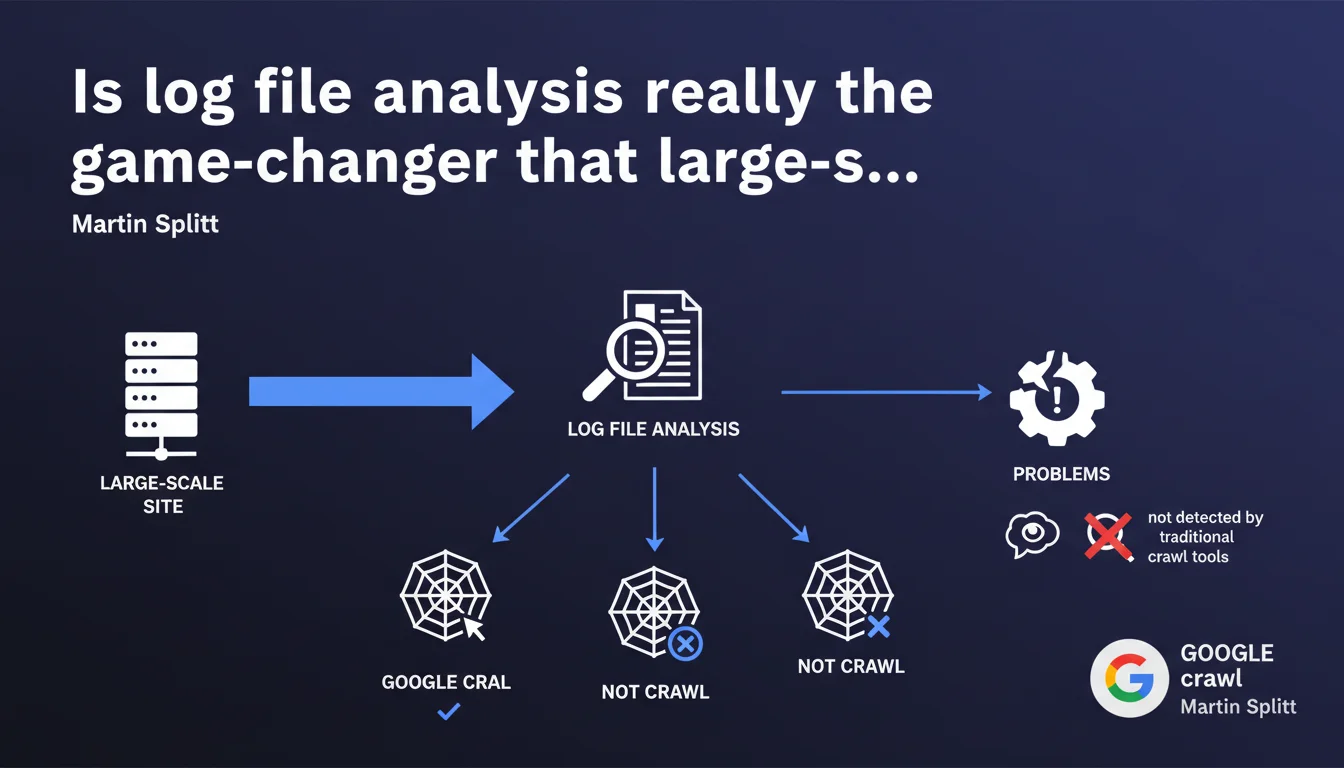
Martin Splitt argues that log file analysis is extremely valuable, especially for sites with millions of pages. It reveals what Google actually crawls, what it ignores, and detects problems invisible to standard crawl tools. A strategic lever that's far too often underutilized.
What you need to understand
What do log files reveal that standard crawlers don't show?
Traditional crawl tools (Screaming Frog, Oncrawl, Sitebulb) simulate bot behavior. They explore your site according to rules you define, follow internal links, analyze structure. But they don't tell you what Googlebot actually does on your infrastructure.
Server log files, on the other hand, record every HTTP request actually made by Googlebot: URLs visited, frequency, response codes, user-agents. Concretely? You discover that Google wastes time on obsolete pages, ignores strategic sections, or encounters 500 errors that your monitoring doesn't always catch.
Why does this analysis become critical beyond several million pages?
On a site with 5 million pages or more, crawl budget becomes a major concern. Google doesn't explore everything all the time. It prioritizes according to criteria it only partially discloses: popularity, freshness, depth, perceived quality.
Without log analysis, you're flying blind. You publish 10,000 new URLs, but how many are actually crawled within 48 hours? You deleted a zombie section of 200,000 pages, but does Googlebot still visit it? The logs answer these questions factually. Theoretical crawlers don't.
What types of problems slip under the radar without this analysis?
First classic case: intermittent redirect loops. Your crawl tool doesn't catch them because it tests once, under ideal conditions. Googlebot, however, hits your server 10,000 times a day — and stumbles on temporary 302 errors you didn't suspect.
Second scenario: massively crawled orphan pages. You have content without internal links, but Google finds it through external backlinks or an old sitemap. Result: it wastes crawl budget on URLs you thought were invisible. The logs reveal this silent hemorrhage.
- Log files capture crawl reality, not theoretical simulation
- Essential for sites with millions of pages where crawl budget is constrained
- Detect intermittent errors, redirect loops, ignored sections that standard crawlers don't see
- Enable prioritizing technical optimizations based on Googlebot's actual behavior
SEO Expert opinion
Is this statement consistent with practices observed in the field?
Yes, entirely. In audits of e-commerce or media sites exceeding one million pages, log analysis systematically reveals dysfunctions invisible elsewhere. Google massively crawls poorly managed faceted filter pages, ignores strategic categories buried 6 clicks deep, or loops on non-canonicalized URL parameters.
But — and this is where Splitt's discourse remains cautious — this analysis is complex to scale. Raw log files are heavy, unstructured, and require serious processing infrastructure (Elasticsearch, BigQuery, specialized tools like Oncrawl or Botify). For a 10,000-page site, the ROI is debatable. Below 500,000 URLs, a good Screaming Frog crawl + Search Console often suffices.
What nuances should be applied to this claim?
Splitt says "extremely valuable" without specifying for whom or above what threshold. A 200-page brochure site has no interest in configuring an Apache log parser. The advice clearly targets high-volume sites: e-commerce, directories, aggregators, media outlets.
Another point: he mentions "what Google doesn't crawl." True, but you must cross-reference logs with a complete crawl of your own site to identify existing URLs never visited by Googlebot. Logs alone only show what's requested — not what's available and ignored. [To verify]: how many SEO professionals actually have the infrastructure to cross-reference these two data sources at scale?
In what cases does this analysis change nothing?
If your site has fewer than 100,000 crawlable pages, your crawl budget is more than sufficient, and Google crawls the bulk of your content daily, log analysis adds little strategic value. Search Console and a monthly crawl suffice.
Same if your main problem is content quality or domain authority. Logs don't fix a site stuffed with duplicate content or lacking backlinks — they optimize how Googlebot explores already-healthy infrastructure.
Practical impact and recommendations
What specifically should you do to implement this analysis?
First, enable complete logging on your web server (Apache, Nginx, IIS). By default, logs record every HTTP request with URL, response code, user-agent, timestamp. Verify logs aren't sampled or truncated — you need raw, exhaustive data.
Next, filter requests by Googlebot. User-agents to monitor: Googlebot Desktop, Googlebot Smartphone, Googlebot Image, AdsBot. Beware of fake Googlebots: validate IPs via reverse DNS lookup against Google's official IP ranges. A tool like GoAccess or AWStats can do initial filtering, but for serious volume, you need a dedicated pipeline.
Finally, cross-reference logs with your crawl and indexation data. Which URLs does Google request that aren't in your sitemap? Which are in the sitemap but never crawled? Which sections generate intermittent 500 errors? This correlation phase requires the most technical skill — and this is where real expertise matters.
What mistakes should you avoid when analyzing log files?
Mistake #1: analyzing logs without segmenting by bot type. Googlebot Desktop, Smartphone, Image, AdSense don't have the same priorities. If you aggregate everything, you drown the signal in noise. Segment by user-agent, response code, site section.
Mistake #2: focusing solely on crawl volume. What matters is crawl relevance. Google may visit 50,000 pages daily — if 40,000 are obsolete pagination pages, you have a strategic problem, not an operational victory.
Mistake #3: ignoring non-200 response codes. The 301s, 302s, 404s, 500s, 503s in logs reveal configuration problems, server performance issues, redirect management issues. A spike in 503s at 3am when Googlebot crawls heavily? Your server can't handle the load — and Google reduces its crawl rate accordingly.
How do you integrate this practice into effective SEO routine?
For a site with several million pages, log analysis should be monthly minimum, weekly ideally. Automate log imports into a centralized tool (Oncrawl, Botify, or a custom stack like ELK). Create dashboards tracking key KPIs: crawl rate by section, crawl budget evolution, HTTP code distribution.
Integrate this data into your editorial and technical decisions. If Google systematically ignores a strategic category, strengthen its internal linking, add it to priority sitemap, increase its update frequency. If a zombie section consumes 30% of crawl budget, de-index it via robots.txt or noindex.
- Enable exhaustive logging on your web server (Apache, Nginx, IIS)
- Filter requests by Googlebot user-agent and validate IPs via reverse DNS
- Cross-reference logs with crawl and indexation data (sitemap, Search Console)
- Segment analysis by bot type, HTTP code, site section
- Identify URLs heavily crawled but non-strategic (orphan pages, facets, pagination)
- Detect intermittent errors (500, 503) invisible to standard crawl tools
- Automate import and monitoring via a centralized dashboard
- Adjust internal linking and sitemap based on Googlebot's actual priorities
❓ Frequently Asked Questions
L'analyse de logs est-elle utile pour un site de moins de 100 000 pages ?
Quels outils permettent d'analyser les fichiers logs à grande échelle ?
Comment distinguer le vrai Googlebot des faux bots qui usurpent son user-agent ?
Les logs révèlent-ils pourquoi Google ne crawle pas certaines pages ?
À quelle fréquence faut-il analyser les fichiers logs pour un site e-commerce de 5 millions de produits ?
🎥 From the same video 9
Other SEO insights extracted from this same Google Search Central video · published on 13/12/2022
🎥 Watch the full video on YouTube →
💬 Comments (0)
Be the first to comment.