
Official statement
Other statements from this video 9 ▾
- □ Google favorisait-il vraiment le HTML au détriment du JavaScript pour l'indexation ?
- □ Pourquoi l'indexation JavaScript prend-elle 3 à 6 mois après le crawl ?
- □ Pourquoi vos liens JavaScript ralentissent-ils la découverte de vos pages par Google ?
- □ Le JavaScript peut-il vraiment être indexé plus vite que l'HTML ?
- □ Comment vérifier si Google rend vraiment votre JavaScript avec la méthode du honeypot ?
- □ Tous les frameworks JavaScript sont-ils vraiment égaux face au crawl de Google ?
- □ Google ment-il sur le rendu JavaScript ou simplifie-t-il juste la vérité ?
- □ Faut-il vraiment corriger la technique avant de miser sur le contenu et les backlinks ?
- □ Pourquoi Google recommande-t-il de tester en conditions réelles plutôt que de croire la documentation ?
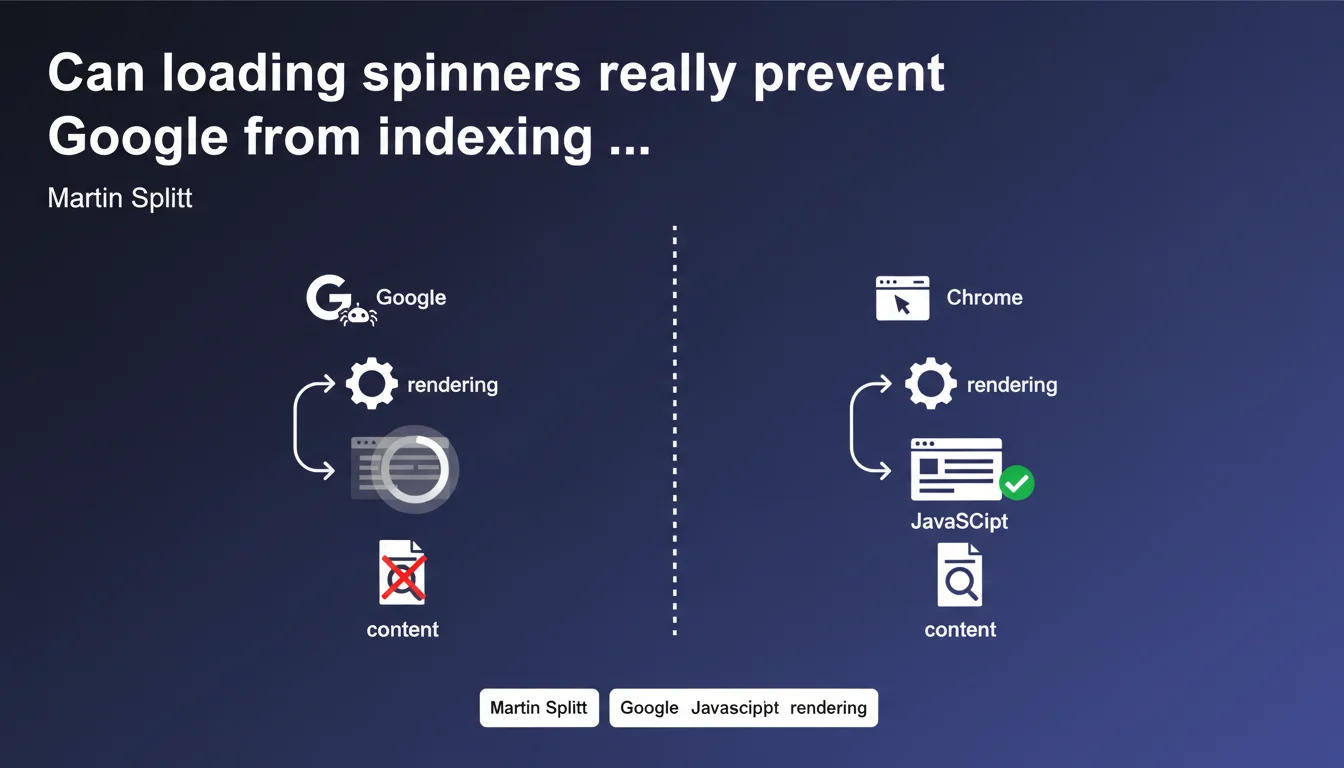
Loading spinners that hide content during JavaScript rendering can prevent Googlebot from indexing your pages, even if everything displays correctly in Chrome or through the Fetch as Google tool. The bot doesn't wait indefinitely for a spinner to disappear — if content remains hidden too long, it considers the page empty or incomplete.
What you need to understand
Why would a spinner show content in Chrome but not for Googlebot?
The human browser waits patiently for JavaScript to finish its work. Googlebot, on the other hand, operates with strict timeouts — if your spinner is still spinning a few seconds later, the bot captures what it sees at that precise moment.
Concretely? If your main content only appears after the spinner disappears, and that spinner takes too long to vanish, Googlebot indexes an empty page. The Fetch as Google tool can show correct rendering because it waits longer or captures a different state — that's the whole trap.
What triggers this timing problem?
Several classic scenarios: slow API calls, JavaScript resources blocked or slowed down by the server, conditionally rendered logic that's poorly calibrated. The spinner stays displayed as long as the fetch() hasn't completed, and if that fetch takes 8 seconds, you lose Googlebot along the way.
Modern frameworks (React, Vue, Next.js) often handle server-side rendering (SSR) to avoid this problem. But as soon as you switch to pure client-side rendering with loading spinners, you become vulnerable again.
- Googlebot doesn't wait indefinitely — it has a time budget per page
- Testing tools (Fetch as Google, Chrome DevTools) can give a false sense of security
- Content hidden by a spinner remains invisible to the bot if timing exceeds its thresholds
- This isn't a bug — it's a structural limitation of large-scale JavaScript crawling
Which types of spinners pose the most risk?
Spinners that completely hide HTML content via CSS (display:none, opacity:0, negative z-index) are the most problematic. If the DOM already contains the text but it's visually hidden waiting for JavaScript, Googlebot might sometimes see it — but it's unpredictable.
Full-screen overlay spinners, very common on SPAs, are particularly dangerous. They literally block everything until the application is "ready". If this initialization phase drags on, indexation is compromised.
SEO Expert opinion
Is this statement consistent with what we observe in the field?
Absolutely. I've seen dozens of cases where Google Search Console showed indexed pages with empty or partial content, while the site worked perfectly for users. The pattern is always the same: a spinner or skeleton screen that persists too long, and Googlebot moving on.
What still surprises some practitioners is the variance in behavior. A page can be correctly indexed one day and empty the next, simply because the API server was slower or because Googlebot crawled during a time of high load. This instability makes diagnosis difficult without continuous monitoring.
In what cases does this rule not apply?
If you're doing Server-Side Rendering (SSR) or Static Site Generation (SSG), you're already sending complete HTML to Googlebot — no spinner, no problem. Next.js, Nuxt, SvelteKit in SSR mode circumvent this limitation by design.
Even in pure CSR, if your spinner appears after the main content is already in the DOM (for example to load a secondary module), the impact remains marginal. It's when the spinner blocks critical content that we enter the red zone.
What nuances should be added to this statement?
Martin Splitt talks about "hiding content", but we need to be precise: the problem isn't the spinner itself, it's the timing. If your content displays in 500ms and the spinner disappears immediately, you'll never have an issue.
The real issue is the lack of fallback. If JavaScript fails or takes too long, what does Googlebot see? An eternal spinner and nothing else. Robust sites display at minimum an H1 title and meta description in the initial HTML, before JS loads anything at all. [To verify]: Google has never published an official timeout for JavaScript rendering — we're talking about 5 seconds in practice, but it's empirical.
Practical impact and recommendations
What should you do concretely to avoid this problem?
Absolute priority: reduce the display time of main content. If your application depends on an API call to display text, switch to SSR or use pre-rendering for critical pages (categories, product sheets, articles).
If CSR is unavoidable, display a semantic content skeleton from the initial HTML: H1 tags, first paragraphs, section titles. The spinner can spin while the rest loads, but at least Googlebot sees something indexable.
- Measure the real spinner disappearance time with Lighthouse or WebPageTest — aim for less than 2 seconds
- Test indexation with Mobile-Friendly Test and the URL inspection tool (Search Console) — never rely solely on Chrome
- Implement SSR or SSG for strategic SEO pages (categories, landing pages, articles)
- Add HTML fallback in the initial document: title, description, first content elements
- Monitor rendering errors in Search Console (Coverage tab, filter "Indexed, not submitted in sitemap" and "Crawled, currently not indexed")
- Audit critical JavaScript dependencies — anything blocking content display must be optimized or deferred
How do you verify your site is compliant?
Use the URL Inspection tool in Google Search Console — it shows you exactly what Googlebot sees after rendering. If you see your spinner or a blank screen, the content is not accessible to the bot.
Systematically compare the raw HTML (view-source:) and the final DOM after JavaScript. If 100% of content depends on JS, you're at risk. A good ratio: at least 60-70% of indexable text should be present in the initial HTML.
What mistakes should you absolutely avoid?
Never hide main content with display:none or visibility:hidden while waiting for JavaScript. Googlebot may ignore this content even if it's in the DOM. Prefer a visible skeleton screen that displays placeholders, then dynamically replace them.
Another classic trap: trusting Fetch as Google as your sole validation. This tool can show correct rendering while actual crawling fails — conditions aren't identical (network resources, timeouts, cache).
Optimizing JavaScript rendering and managing spinners requires a sophisticated technical approach: SSR, pre-rendering, Search Console monitoring, multi-environment testing. If your stack is complex (React, Vue, Angular in SPA mode), these adjustments can quickly become time-consuming.
Partnering with a JavaScript SEO specialist agency can accelerate diagnosis and compliance — particularly for implementing SSR without refactoring your entire architecture, or for finely auditing rendering timeouts. Expert support helps you avoid back-and-forth with developers and guarantees corrections are SEO-compatible from the first iteration.
❓ Frequently Asked Questions
Googlebot attend-il vraiment moins longtemps que Chrome pour afficher une page ?
Un spinner qui tourne 3 secondes pose-t-il systématiquement problème ?
L'outil Mobile-Friendly Test suffit-il pour valider le rendu ?
Le SSR résout-il définitivement ce problème ?
Peut-on masquer un spinner avec CSS tout en gardant le contenu indexable ?
🎥 From the same video 9
Other SEO insights extracted from this same Google Search Central video · published on 01/02/2023
🎥 Watch the full video on YouTube →
💬 Comments (0)
Be the first to comment.