
Official statement
Other statements from this video 10 ▾
- □ L'accessibilité web est-elle devenue un critère SEO incontournable ?
- □ Pourquoi Google insiste-t-il autant sur le contraste des couleurs pour le SEO ?
- □ L'espacement et la structure du texte influencent-ils le classement Google ?
- □ Faut-il vraiment implémenter des skip links pour améliorer son SEO ?
- □ Pourquoi Google insiste-t-il sur l'indicateur de focus clavier visible ?
- □ Faut-il vraiment tester l'accessibilité avec les lecteurs d'écran natifs pour le SEO ?
- □ Pourquoi l'éducation en accessibilité doit-elle précéder l'audit technique ?
- □ La taille du texte est-elle vraiment un critère de classement Google ?
- □ Pourquoi l'accessibilité améliore-t-elle vraiment la localisation SEO de vos contenus ?
- □ Pourquoi 90% des sites web échouent-ils sur les critères d'accessibilité et quel impact SEO ?
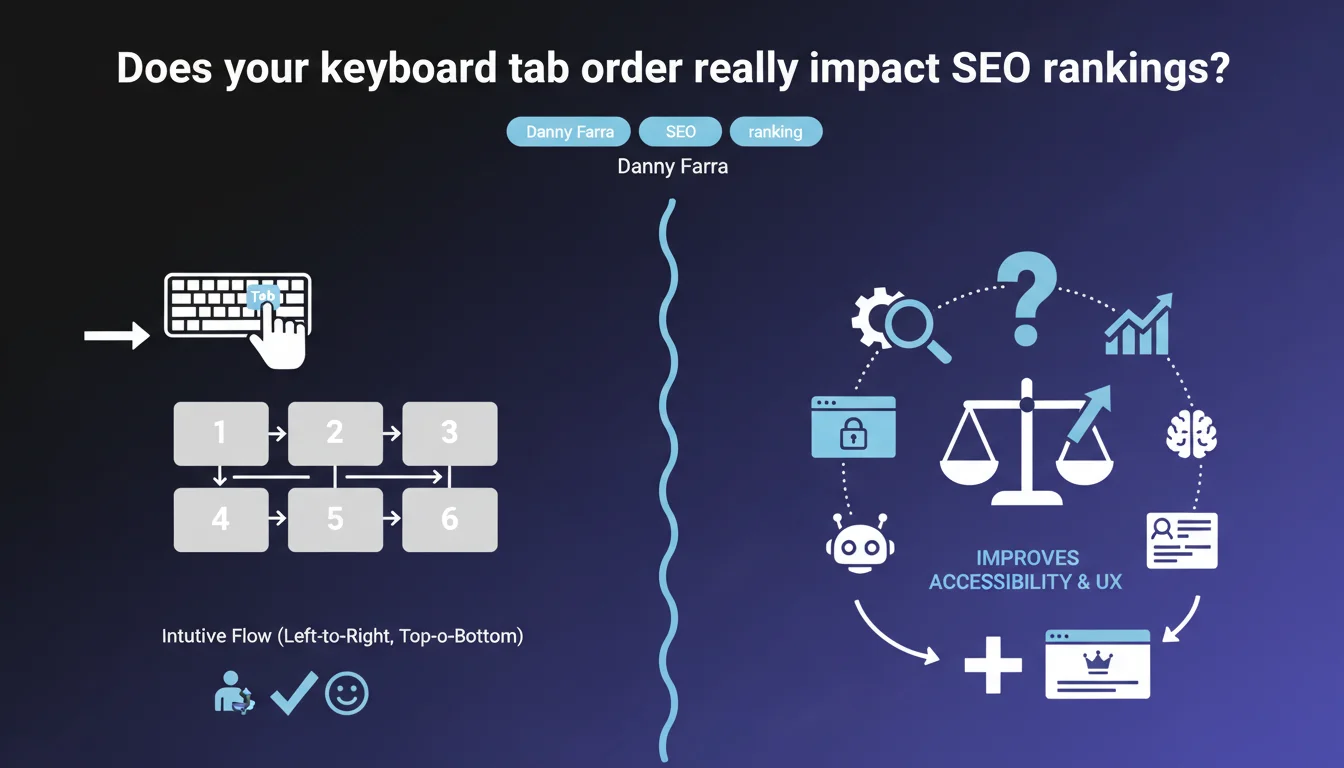
Google states that keyboard navigation via Tab must follow an intuitive flow (left to right, top to bottom). A logical tab order improves accessibility and user experience — two criteria that indirectly influence rankings. Let's be honest: it's not a direct ranking signal, but it's a prerequisite for Core Web Vitals and overall user experience.
What you need to understand
Google doesn't usually publish statements about technical details as specific as tab order. When Danny Farra mentions it, it's to remind us of a fundamental principle of web accessibility (WCAG 2.1).
Tab order is the sequence in which keyboard focus moves when a user presses Tab. If you navigate without a mouse — because you use a screen reader, have a motor disability, or simply prefer keyboard navigation — an incoherent order makes the site unusable.
Why does Google care about tab order?
Accessibility is a component of user experience. Google doesn't directly measure tab order in its algorithm, but a poorly designed site generates negative signals: high bounce rate, low time on site, limited interactions.
Since the rollout of Core Web Vitals, user experience is an acknowledged ranking criterion. Accessibility is part of it — even if Google never admits it quite so frankly.
What does an intuitive flow look like concretely?
For a Western site: left to right, top to bottom. Keyboard focus should follow natural visual reading. If your menu is at the top left, it's the first element accessible via Tab. Then the main content, then the footer.
In practice? Avoid positive tabindex values (1, 2, 3…) that break the natural DOM order. Instead use tabindex="0" to make an element focusable, or tabindex="-1" to remove it from the flow.
- Tab order follows DOM order by default — if your HTML is well structured, you don't need to do anything.
- Positive tabindex values are a trap: they create an artificial order that confuses users.
- CSS Grid and Flexbox can be misleading: visual order can differ from DOM order if you reorganize with
orderorgrid-area. - Test with the keyboard: open your site and press Tab. If focus jumps all over the place, you have a problem.
SEO Expert opinion
Is this recommendation new or just a reminder of common sense?
It's a reminder. Intuitive tab order is a WCAG 2.4.3 rule that's been around for years. Google is simply reaffirming an accessibility standard that front-end developers are supposed to know.
The problem is that many sites — including well-funded e-commerce or SaaS sites — don't follow this principle. Why? Because tab order isn't visible to the naked eye and nobody tests with the keyboard.
Does Google actually measure tab order in its algorithm?
[To be verified] — Google has never explicitly confirmed this. There's no public metric that directly penalizes incoherent tab order.
However, an inaccessible site generates negative behavioral signals: blocked users, missed interactions, abandonments. These signals are measured — via Chrome User Experience Report and engagement data.
In what cases doesn't this rule apply?
For sites in Arabic, Hebrew, or Farsi (right-to-left writing), tab order should follow the rtl logic. It's obvious, but rarely tested.
Complex web applications (like Figma, Notion, Google Sheets) can have custom tab flows for ergonomic reasons. In that case, you need to clearly document keyboard shortcuts and stay consistent.
Practical impact and recommendations
How do you verify your site's tab order?
Open your site in Chrome. Press Tab and observe where focus moves. If you see a blue outline (or colored depending on your CSS) jumping from header to footer then back to menu, you have a problem.
Use Lighthouse in DevTools: the Accessibility audit flags tabindex errors and illogical jumps. But be careful: Lighthouse doesn't catch everything — manual testing is required.
What errors should you absolutely avoid?
Never use tabindex="1", tabindex="2", etc. That creates an artificial order that conflicts with the natural DOM order.
Avoid reorganizing content visually with CSS (via order in Flexbox or grid-area) without checking that DOM order remains coherent. Otherwise, keyboard users follow a different path than visual users.
- Test your site with the keyboard only (no mouse) for 5 minutes.
- Verify that every interactive element (links, buttons, forms) is reachable via Tab.
- Remove all positive
tabindexvalues from your codebase. - Ensure visual order matches DOM order — or adjust your HTML.
- Use
tabindex="-1"only to remove elements from the flow (e.g., closed modals). - Document keyboard shortcuts if your application uses them.
What if your site is complex or built with a framework?
Modern JavaScript frameworks (React, Vue, Next.js) can introduce tab order inconsistencies, especially if you load components asynchronously or manipulate the DOM with state. In that case, manual auditing quickly becomes time-consuming.
If you manage an e-commerce site, SaaS platform, or site with critical user journeys, these optimizations require pointy-headed technical expertise. Calling in a specialized SEO agency with accessibility and front-end performance knowledge can save you precious time — and avoid costly user experience errors.
tabindex values, and ensure DOM order matches visual order. It's a technical detail, but it's also a prerequisite for making your site usable by everyone.❓ Frequently Asked Questions
L'ordre de tabulation est-il un critère de ranking direct pour Google ?
Peut-on utiliser tabindex="1" pour forcer un ordre spécifique ?
Comment tester l'ordre de tabulation sans outil payant ?
Les grids CSS peuvent-elles casser l'ordre de tabulation ?
Faut-il un ordre de tabulation différent pour les sites en arabe ou hébreu ?
🎥 From the same video 10
Other SEO insights extracted from this same Google Search Central video · published on 11/08/2022
🎥 Watch the full video on YouTube →
💬 Comments (0)
Be the first to comment.