
Official statement
Other statements from this video 10 ▾
- □ L'accessibilité web est-elle devenue un critère SEO incontournable ?
- □ Pourquoi Google insiste-t-il autant sur le contraste des couleurs pour le SEO ?
- □ L'espacement et la structure du texte influencent-ils le classement Google ?
- □ Pourquoi l'ordre de tabulation au clavier impacte-t-il votre SEO ?
- □ Pourquoi Google insiste-t-il sur l'indicateur de focus clavier visible ?
- □ Faut-il vraiment tester l'accessibilité avec les lecteurs d'écran natifs pour le SEO ?
- □ Pourquoi l'éducation en accessibilité doit-elle précéder l'audit technique ?
- □ La taille du texte est-elle vraiment un critère de classement Google ?
- □ Pourquoi l'accessibilité améliore-t-elle vraiment la localisation SEO de vos contenus ?
- □ Pourquoi 90% des sites web échouent-ils sur les critères d'accessibilité et quel impact SEO ?
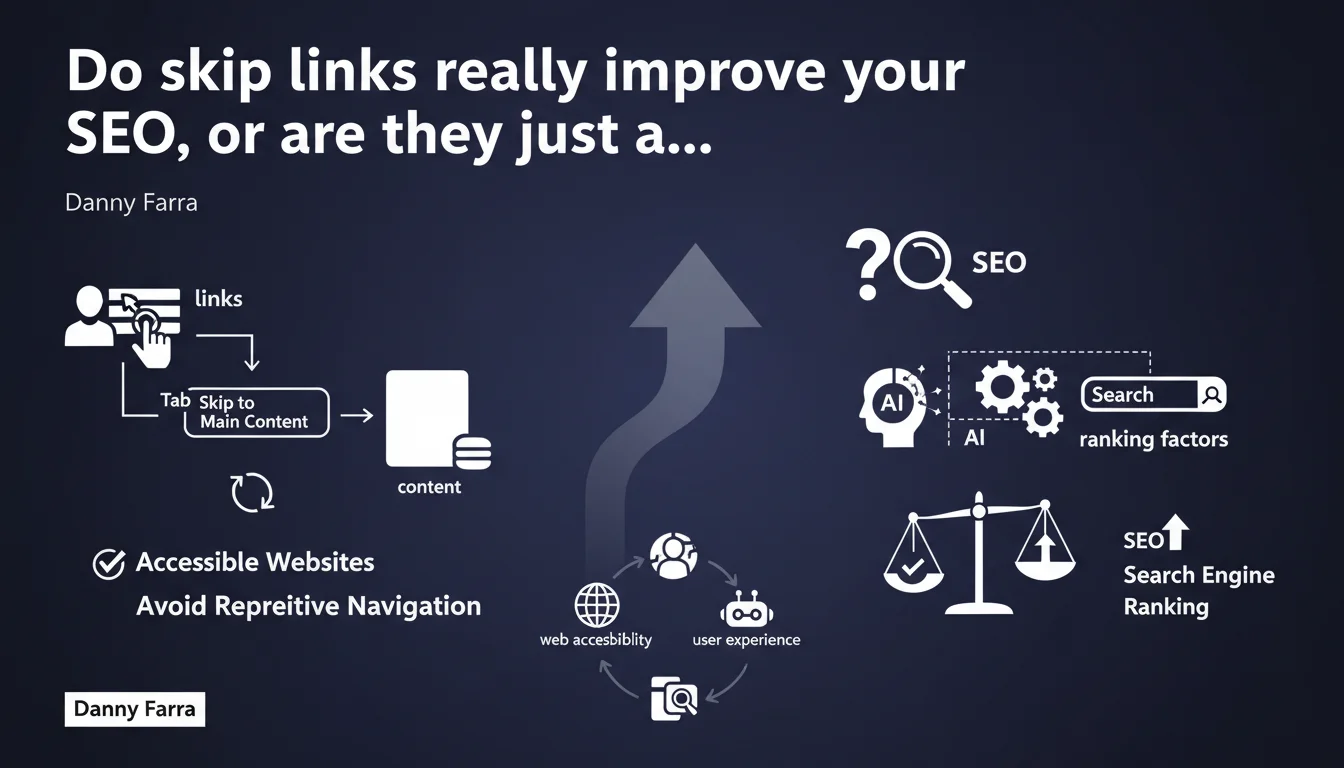
Google officially recommends implementing skip links as an accessibility best practice. These links allow keyboard users to jump directly to main content on their first Tab press. While their direct SEO impact remains debated, they contribute to improving user experience—a criterion Google values. Their implementation is straightforward and can positively influence overall site accessibility signals.
What you need to understand
What exactly is a skip link, and why does Google mention it?
A skip link is a typically invisible link that appears on the first Tab keypress. It allows users navigating via keyboard—particularly people with disabilities—to jump directly to the main content without having to traverse the entire navigation, header, and menus.
Google mentions this practice in the context of web accessibility. It's been a WCAG (Web Content Accessibility Guidelines) recommendation for years, yet it remains underimplemented in practice.
What's the connection to SEO?
Google doesn't explicitly say skip links are a ranking factor. What it does say is that accessibility improves user experience—and we know UX influences behavioral signals like bounce rate, time on site, and engagement.
In plain terms: an accessible site provides a better experience, which can indirectly affect rankings. But it's difficult to quantify this gain precisely.
How does it work technically?
The skip link is typically placed right after the <body> tag, before the header. It points to an anchor #main-content located at the beginning of the main content area.
It can be hidden by default (using position: absolute; left: -9999px;) and only appear on focus, or remain visible at all times. The former is more common for aesthetic reasons, though the latter is more explicitly accessible.
- Skip links eliminate repetitive navigation for keyboard users and assistive technologies
- They're not a direct ranking factor, but they improve user experience
- Implementation is straightforward: an HTML link pointing to an anchor in your content
- Google recommends them as an accessibility best practice, not specifically for SEO purposes
SEO Expert opinion
Is this recommendation consistent with what we observe in practice?
Honestly, skip links are nearly absent from high-ranking websites. If you do a quick analysis of the top 10 results for competitive queries, you'll rarely find them.
This doesn't mean they're useless—it simply means they're clearly not a priority lever for ranking. Google values accessibility in its guidelines, but in practice, its algorithm doesn't penalize websites lacking skip links. [Needs verification]: Are there measurable correlations between skip link presence and ranking improvements? No serious study has demonstrated this to date.
Should you implement them anyway?
Yes, but not purely for SEO. If you have a genuine audience navigating via keyboard or using assistive technologies, it's a must-have. It's also an accessibility audit point that can earn you credits during certain certifications (RGAA, etc.).
From an SEO perspective, it falls under "overall UX optimization." If your site is already well-optimized on the fundamentals (content, structure, performance, backlinks), then yes, skip links can be part of a finishing touch. But if you have crawling issues, content problems, or speed concerns, address those first.
What precautions should you take during implementation?
Don't create a skip link pointing to a non-existent or poorly positioned anchor. This would break the experience rather than improve it. Test it with a screen reader or simply by navigating your site using the keyboard.
Also avoid hiding it with display: none; or visibility: hidden;—technically, this makes it invisible to screen readers. Instead, use off-screen positioning (left: -9999px;) with visible focus return.
#main-content or #content, with honest, descriptive text.Practical impact and recommendations
How do you correctly implement a skip link?
Place an HTML link right after your <body> tag, before the header. The text should be clear: "Skip to main content" or similar.
This link must point to an anchor id="main-content" located at the beginning of your content. Make sure this anchor actually exists and is properly positioned.
Style the skip link so it only appears when it receives keyboard focus. Example CSS:
.skip-link {
  position: absolute;
  left: -9999px;
}
.skip-link:focus {
  left: 10px;
  top: 10px;
  z-index: 9999;
  background: #000;
  color: #fff;
  padding: 10px;
}
What errors should you avoid?
Don't create multiple skip links. One pointing to the main content is enough. Some sites add them to footer, sidebar, etc.—this is counterproductive and clutters the experience.
Don't completely hide it with display: none;. This makes it unusable for screen readers. Don't give it generic text like "Click here"—be explicit about where it goes.
How do you verify everything works?
- Press Tab when you first arrive on the page: the skip link must appear and be clickable
- Click it: you should be redirected to the start of your main content without unnecessary scrolling
- Test with a screen reader (NVDA, JAWS, VoiceOver) to confirm it's properly announced
- Check in the inspector that the target anchor (
#main-content) exists and is correctly placed - Verify the link isn't hidden by
display: noneorvisibility: hidden
❓ Frequently Asked Questions
Les skip links sont-ils obligatoires pour être conforme au RGAA ou aux WCAG ?
Est-ce que Google pénalise les sites sans skip links ?
Peut-on utiliser plusieurs skip links sur une même page ?
Les skip links doivent-ils être visibles en permanence ou seulement au focus ?
Quel texte utiliser pour un skip link en français ?
🎥 From the same video 10
Other SEO insights extracted from this same Google Search Central video · published on 11/08/2022
🎥 Watch the full video on YouTube →
💬 Comments (0)
Be the first to comment.