
Official statement
Other statements from this video 10 ▾
- □ Pourquoi Googlebot refuse-t-il de crawler les pages HTML de plus de 15 Mo ?
- □ La balise title reste-t-elle vraiment un pilier du SEO malgré l'évolution des CMS ?
- □ Faut-il vraiment arrêter d'optimiser pour les Core Web Vitals ?
- □ Pourquoi Google sépare-t-il Googlebot et Google-Other dans ses crawls ?
- □ Google-Extended est-il vraiment un token et non un crawler ?
- □ Google prépare-t-il vraiment un opt-out universel pour le training IA ?
- □ Pourquoi Google vérifie-t-il 4 milliards de robots.txt chaque jour ?
- □ Les principes d'IA de Google s'appliquent-ils vraiment aux résultats de recherche ?
- □ Peut-on vraiment faire confiance aux contenus générés par l'IA pour le SEO ?
- □ Comment Google veut-il encadrer l'usage de l'IA dans la création de contenu ?
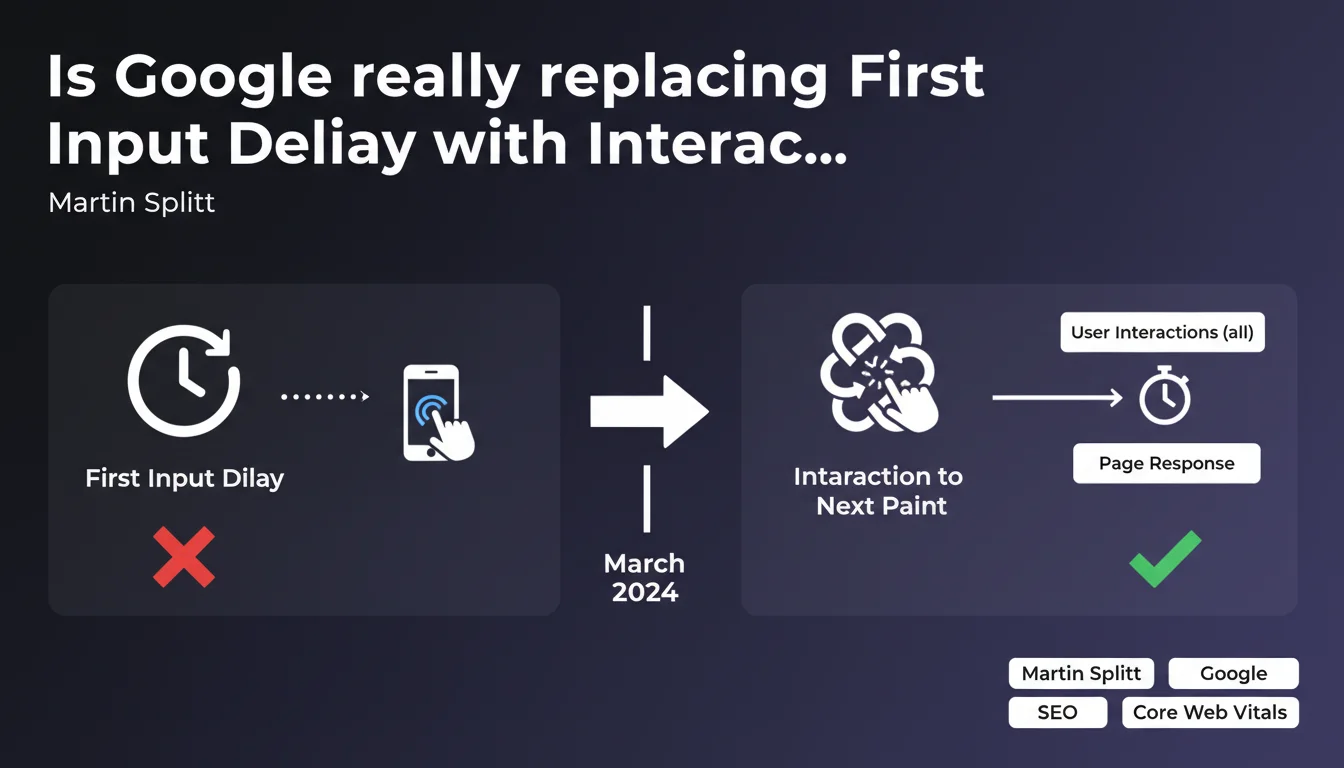
Google is replacing FID with INP in Core Web Vitals to measure all user interactions, not just the first one. This change expands the scope of responsiveness monitoring and requires more advanced JavaScript optimization throughout a page's entire lifespan.
What you need to understand
Why is this metric replacing FID?
The First Input Delay only measured the response delay to the first user interaction — a click, tap, or keyboard press. This approach left a huge blind spot: all subsequent interactions escaped monitoring.
The Interaction to Next Paint fills this gap by evaluating the response delay for each interaction throughout the entire session. Google is casting a wider net to capture slowdowns that occur after the first click, when JavaScript begins to saturate.
What does INP actually measure?
INP captures the time elapsed between a user action (click, keyboard input, tap) and the moment when the page visually displays the result of that action. Unlike FID, which was limited to initial processing delay, INP integrates three phases: input delay, processing time, and rendering delay.
The metric records the worst interaction or a value close to it (98th percentile) to reflect the most degraded experience. A stricter approach than FID, which relied on a single snapshot upon landing.
What are the thresholds to meet?
Google defines three zones: an INP below 200 ms is considered good, between 200 and 500 ms as needing improvement, and above 500 ms as problematic. These thresholds are more demanding than FID's (100 ms for a good score).
- INP evaluates all interactions during the session, not just the first one
- The metric integrates three phases: input, processing, and visual rendering
- The 200 ms threshold requires rigorous JavaScript optimization
- Google now favors a holistic view of responsiveness
SEO Expert opinion
Was this evolution predictable?
Yes, and even expected. FID suffered from a structural flaw: measuring only the first interaction was like judging a marathon based on the first 100 meters. Sites optimized landing by deferring heavy JavaScript execution after the first click — a workaround strategy that Google eventually penalized.
INP restores balance by forcing developers to maintain consistent responsiveness. This aligns with the evolution of modern web applications where interaction is no longer limited to an initial click but unfolds over long, rich sessions.
Does this metric truly reflect user experience?
More than FID, certainly. But INP remains an approximation. The metric prioritizes the slowest interactions (98th percentile), which can overweight rare events at the expense of the majority experience.
Another consideration: INP penalizes complex interactions (modal openings, dropdowns with content reloading) without distinguishing the nature of the action. A 300 ms delay to display a simple menu is problematic, but to load a complete module with asynchronous data? [To verify] — Google remains vague on contextual weighting.
Do you really need to rethink everything?
Not necessarily. If your site already displayed a correct FID and your mid-session interactions remain smooth, the impact will be marginal. The problem arises for sites that optimized the first click by deferring JavaScript execution.
Let's be honest: many sites will discover responsiveness problems they didn't know existed. INP reveals weaknesses masked by FID. But it's an opportunity — better to fix now than suffer a sharp ranking drop.
Practical impact and recommendations
What should you audit first?
Start by identifying slow interactions on your site. Chrome DevTools offers a dedicated tab (Performance Insights) to measure INP under real conditions. Focus on frequent actions: menu clicks, form submissions, modal openings.
Monitoring tools like PageSpeed Insights, Lighthouse, and Chrome User Experience Report (CrUX) now include INP. Use this real-world data to spot problematic pages — lab INP doesn't always reflect actual behavior.
How do you fix degraded INP?
Classic JavaScript optimization levers apply: code splitting, lazy loading, removing unnecessary scripts, deferring non-critical tasks with requestIdleCallback. But INP demands heightened vigilance on rich interactions.
Identify long tasks that block the main thread for more than 50 ms. Break them into microtasks to free up the browser between processes. Modern frameworks (React 18 with Concurrent Rendering) make this fragmentation easier, but they must be configured correctly.
- Audit INP on key pages with Chrome DevTools and PageSpeed Insights
- Identify slow interactions: menus, forms, modals, filters
- Fragment long tasks into microtasks to free up the main thread
- Implement aggressive code splitting and lazy loading
- Defer non-critical script execution with requestIdleCallback
- Monitor INP continuously with CrUX data
What mistakes should you avoid?
Don't just optimize landing. INP penalizes sites that defer JavaScript loading after the first click. Avoid massive hydrations mid-session — they generate sharp latency spikes.
Another trap: overestimate the impact of Core Web Vitals. INP becomes an official signal, granted, but Google stresses that content relevance remains determinant. A fast site with mediocre content won't outrank a slower competitor with better documentation.
Adopting INP requires rethinking JavaScript optimization strategies. Sites must maintain consistent responsiveness throughout the session, not just at landing. If your architecture relies on modern frameworks or rich interactions, a thorough audit is necessary.
These technical optimizations can quickly become complex, especially on advanced JavaScript architectures. Working with a specialized SEO agency provides accurate diagnosis and an action plan tailored to your context — rather than fumbling alone with fluctuating metrics.
❓ Frequently Asked Questions
L'INP remplace-t-il définitivement le FID dans les Core Web Vitals ?
Un bon score FID garantit-il un bon score INP ?
Comment mesurer l'INP sur mon site actuellement ?
L'INP pénalise-t-il les sites avec des interactions complexes ?
Quel impact sur le classement si mon INP est mauvais ?
🎥 From the same video 10
Other SEO insights extracted from this same Google Search Central video · published on 21/12/2023
🎥 Watch the full video on YouTube →
💬 Comments (0)
Be the first to comment.