
Official statement
Other statements from this video 9 ▾
- □ Are these new structured data types really opening doors for your SEO, or just adding technical overhead?
- □ Do structured data implementations really guarantee rich snippet display in Google search results?
- □ Is Google really cutting down the Page Experience Report to just Core Web Vitals and HTTPS?
- □ Did Google really move the robots.txt testing tool and why does it matter for your site?
- □ Should you still worry about crawl budget now that Google is removing the crawl frequency parameter?
- □ Should you slow down Googlebot when it's crawling your site too aggressively?
- □ What are Google's real priorities hidden behind its latest algorithmic updates?
- □ Should you block Google's generative AI in robots.txt? Here's what you need to know about Google-Extended
- □ Is Google finally giving you the structured data transparency you've been waiting for?
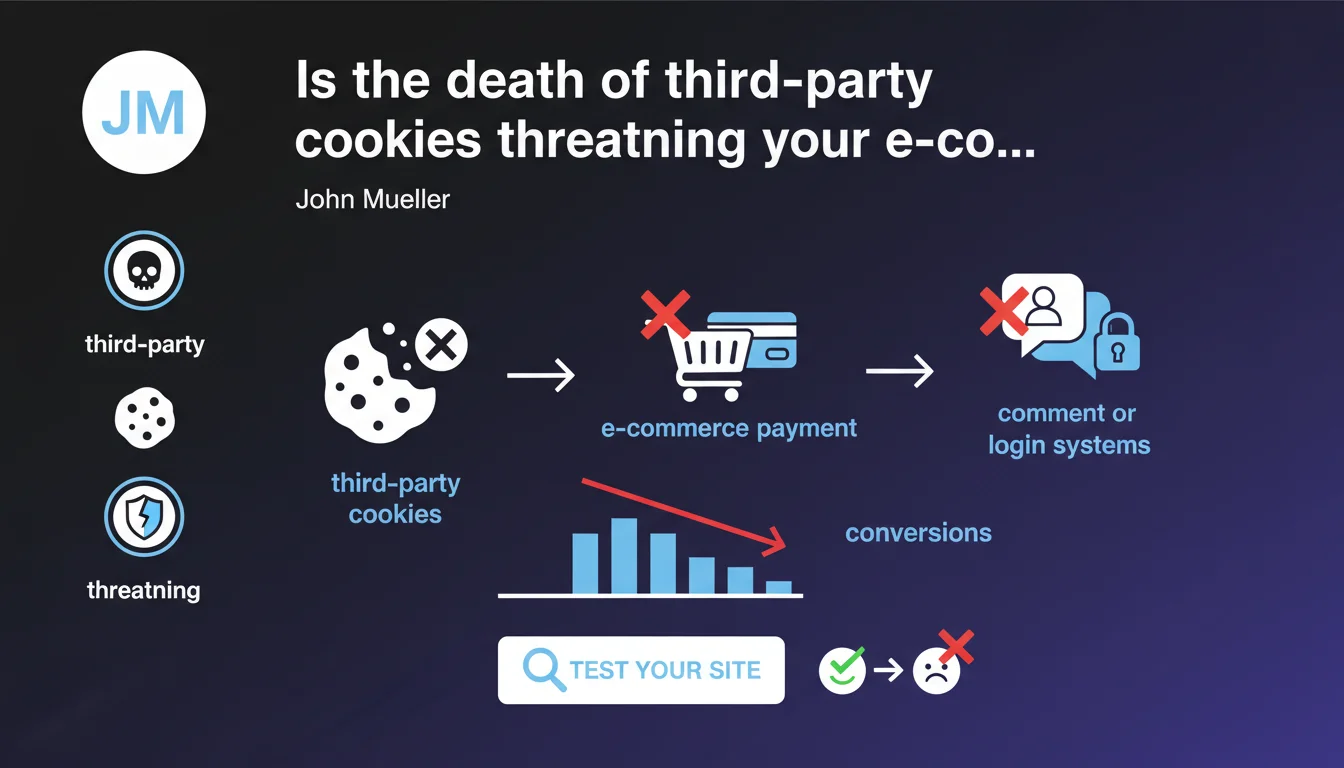
Chrome is gradually removing third-party cookies, which can break payment funnels, comment systems, and third-party logins on your sites. Google recommends urgently testing your critical functionalities to identify friction points before they impact your conversions.
What you need to understand
Why is this announcement coming now when the end of third-party cookies has been dragging on for years?
The timeline for third-party cookie removal has been postponed multiple times, but Chrome is now accelerating the rollout. What was a distant threat is becoming an operational reality — and Google is warning about concrete impacts on e-commerce functionalities.
The real issue here is that many sites rely on third-party scripts for critical functions: payment gateways, comment widgets, social login buttons. If these scripts use third-party cookies to maintain session state or user journey continuity, they risk breaking.
Which sites are actually affected by this change?
All sites that integrate external services via iframes or third-party scripts are potentially impacted. E-commerce platforms with external payments, sites with SSO authentication, comment systems like Disqus, live chat — the list is long.
The problem doesn't only affect "large" sites. Even a basic WordPress blog with a Facebook comment module or a share button can experience malfunctions.
How does the impact on user experience manifest concretely?
The user clicks "Pay", the redirect to Stripe or PayPal happens, but upon return to your site — the session is lost. The cart is empty. The user abandons.
Another scenario: a visitor wants to leave a comment via Facebook Connect, but the widget refuses to load properly or asks to log in repeatedly. Friction. Frustration. Loss of engagement.
- Payment funnels with external redirection can lose session context
- Social login systems (Google, Facebook, Twitter) risk authentication loops
- Third-party widgets (chat, comments, customer reviews) can become non-functional
- Cross-domain tracking for marketing attribution becomes nearly impossible without alternatives
- Third-party analytics scripts will lose part of their ability to track cross-domain journeys
SEO Expert opinion
Is Google's recommendation coming too late?
Let's be honest: this warning should have come 18 months ago. Technical teams following web news have known for a long time that third-party cookies are doomed — but many e-commerce sites have done nothing.
The timing is suspicious. Chrome is rolling out the removal in phases, and Google is pushing this alert now because early field reports show massive breakages. In other words: sites are already losing conversions without understanding why.
Are all payment processes really impacted?
No, and that's where Google's message lacks nuance. Modern API integrations (Stripe Elements, recent PayPal JS SDK) generally don't rely on third-party cookies to maintain session state. They use ephemeral tokens and local storage.
The real problems mainly concern old iframe integrations or redirects to third-party payment portals that relied on cookies to link back. [To verify]: Google provides no figures on the percentage of sites actually affected — hard to know if we're talking about 5% or 40% of e-commerce sites.
Is the testing recommended by Google really sufficient?
"Test your site" — thanks for the advice, but how exactly? Google provides neither precise methodology nor dedicated tool. You must manually enable third-party cookie blocking in Chrome and go through each critical funnel.
The problem is that this manual approach doesn't scale and doesn't cover all edge cases. A superficial test can miss subtle malfunctions that only appear under certain conditions (mobile connection, specific SameSite context, request timing).
Practical impact and recommendations
What concretely needs to be done to identify vulnerabilities?
First, enable third-party cookie blocking in Chrome (chrome://settings/cookies → "Block third-party cookies"). Then, methodically go through each critical user journey: payment, signup, login, comments, contact forms.
Document each malfunction: which step breaks, what error message appears, which third-party script is responsible. Use DevTools → Application → Cookies to identify which cookies are blocked and by which domain they're issued.
What technical alternatives exist to replace third-party cookies?
Modern APIs no longer rely on third-party cookies. For payments, switch to recent official SDKs (Stripe Payment Element, PayPal JavaScript SDK v2+). For authentication, adopt OAuth 2.0 with PKCE or WebAuthn credentials.
For marketing tracking, solutions are evolving toward server-side tagging via Google Tag Manager Server or first-party proxies. It's heavier to implement, but it's the only way to maintain reliable attribution.
How can I verify my site remains functional after migration?
Implement synthetic monitoring that automatically tests your critical funnels multiple times daily. Tools like Datadog Synthetics, Pingdom, or even custom Playwright scripts can simulate complete user journeys.
Also monitor your conversion metrics in Analytics. A sudden drop in completion rate on the payment funnel with no apparent site changes can signal a third-party cookie-related issue.
- Enable third-party cookie blocking in Chrome and test all critical journeys
- Precisely identify which third-party scripts are impacted via DevTools
- Audit payment integrations and verify their compatibility with modern restrictions
- Migrate to recent SDKs and API integrations rather than iframes for third-party services
- Implement server-side tagging to maintain marketing tracking
- Set up synthetic monitoring to detect regressions quickly
- Train technical teams on third-party cookie alternatives (Storage Access API, FedCM, etc.)
- Document third-party dependencies and their compatibility roadmap
❓ Frequently Asked Questions
Les cookies first-party sont-ils aussi concernés par cette suppression ?
Cette suppression affecte-t-elle uniquement Chrome ou tous les navigateurs ?
Les alternatives proposées par Google (Privacy Sandbox) sont-elles vraiment efficaces ?
Peut-on demander une exception pour continuer à utiliser les cookies tiers temporairement ?
Cette suppression impacte-t-elle le SEO directement ?
🎥 From the same video 9
Other SEO insights extracted from this same Google Search Central video · published on 19/12/2023
🎥 Watch the full video on YouTube →
💬 Comments (0)
Be the first to comment.