
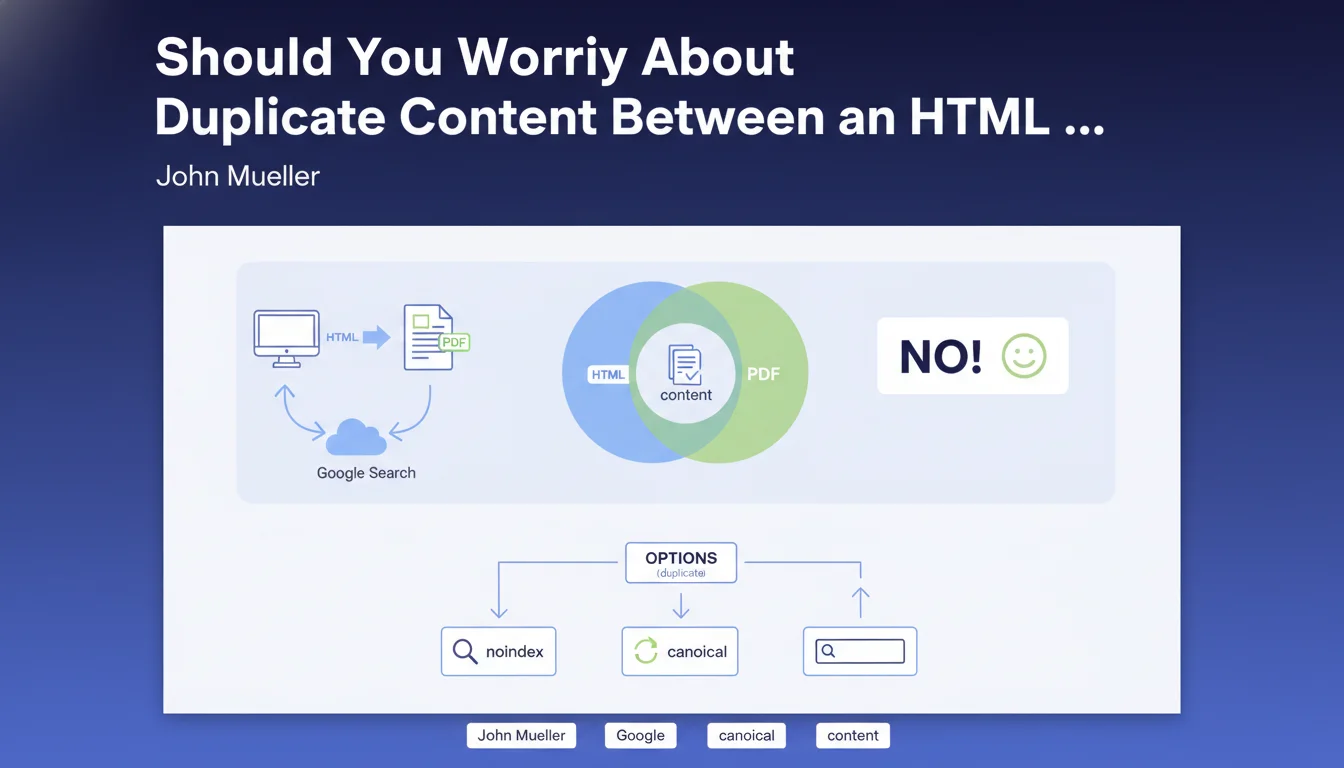
Official statement
What you need to understand
Why Does Google Tolerate the Same Content in HTML and PDF?
Google considers that HTML and PDF formats serve different user needs. PDF is often preferred for printing or offline viewing, while HTML offers a better browsing experience.
This statement from John Mueller confirms that Google's systems are capable of recognizing these two formats as complementary rather than strictly duplicate content. Both versions can therefore coexist in the index without penalty.
How Does Google Choose Which Version to Display in Results?
When Google detects both versions, it applies its deduplication algorithms to choose which URL to display in the SERPs. The HTML version is generally prioritized because it offers a better user experience on most devices.
However, both formats can appear independently in results depending on the search context and user intent. A user explicitly looking for a PDF might see this version first.
What Control Options Are Available?
Google offers several methods to manage these duplicates if you want to control which version is indexed. You can use a meta robots noindex tag, an HTTP noindex header, or a canonical tag.
- Both formats can coexist in Google's index without duplicate content issues
- Google naturally prioritizes the HTML version in most cases
- Each format can appear independently depending on the search context
- Several options exist to control indexing: noindex, canonical, robot blocking
- The decision depends on your business objectives and your audience
SEO Expert opinion
Is This Statement Consistent with Practices Observed in the Field?
After 15 years of experience, I confirm that this position from Google does indeed correspond to field observations. Sites offering PDFs in addition to their HTML pages generally do not suffer penalties for duplicate content.
However, the reality is more nuanced: I have observed that Google can sometimes preferentially index the PDF if it contains stronger optimization elements (direct backlinks, better semantic structure) or if the HTML is of poor quality. This is not systematic but it does happen.
What Nuances Should Be Added to This Recommendation?
Google's tolerance does not mean this practice is always strategically optimal. Systematically offering both formats dilutes your link equity and creates confusion in your site architecture.
Moreover, PDFs are generally less well optimized for on-page SEO: lack of smooth internal navigation, higher loading times, difficulty tracking conversions. Even if Google indexes them, the user experience remains inferior.
In What Cases Can This Approach Cause Problems?
Problems mainly arise when you do not control indexing. I have seen sites where hundreds of PDFs were indexed by mistake, creating noise in results and degrading brand experience.
Another problematic case: when the PDF and HTML are not exactly identical, but similar enough to be considered near-duplicate content. Google may then hesitate, alternate between the two versions, and ultimately not properly favor either one.
Practical impact and recommendations
What Should You Do Concretely with Your Dual-Format Content?
Start with a complete audit of your content available in dual format. Identify all indexed PDFs via a site:yourdomain.com filetype:pdf search in Google.
For each HTML/PDF pair, ask yourself the question: does the PDF bring real user value? If yes, keep it but optimize its management. If not, delete it or block its indexing.
Use the canonical tag in your PDFs pointing to the HTML version if you want to ensure that Google prioritizes the HTML. This approach is safer than letting Google decide automatically.
What Mistakes Should You Absolutely Avoid?
Never let PDFs be indexed by default without a strategy. This is the most common mistake: internal documents, drafts, or obsolete versions end up in the index.
Also avoid creating PDFs that are simple unoptimized exports of your HTML pages. If you offer a PDF, enrich it: add a table of contents, appendices, high-definition visuals that justify this format.
Do not use noindex on the HTML thinking you are favoring the PDF. This is counterproductive: you would lose the advantages of the web format (speed, navigation, tracking) for a format that performs less well in SEO.
How Can You Verify and Monitor This Configuration?
- Perform a complete crawl of your site to identify all accessible PDFs
- Check in Google Search Console which versions are indexed and their respective performance
- Implement canonical tags in PDFs to equivalent HTML versions
- Configure your robots.txt to block PDFs not intended for the public if necessary
- Add optimized metadata in your PDFs (title, description, author)
- Set up monthly monitoring of the number of indexed PDFs via Search Console
- Analyze bounce rate and engagement on PDF vs HTML pages to identify issues
- Document your editorial strategy: when to offer a PDF, when to refrain
The coexistence of content in HTML and PDF is technically accepted by Google, but requires rigorous strategic management. Always prioritize the HTML format for SEO, and only offer PDFs when they bring real added value to your users.
Implementing these recommendations requires in-depth technical expertise and a fine understanding of indexing mechanisms. Between auditing existing content, configuring canonical tags, optimizing PDF metadata, and continuous monitoring, these optimizations represent a significant investment in time and skills. For complex sites or teams without dedicated SEO resources, support from a specialized SEO agency can prove valuable to ensure optimal implementation and avoid costly visibility errors.
💬 Comments (0)
Be the first to comment.