
Official statement
Other statements from this video 7 ▾
- □ Do ccTLDs really impose automatic geographic targeting that's impossible to override?
- □ Should you use HTML or XML sitemap for hreflang? Which method truly matters for international SEO?
- □ Can you really use noscript tags in the <head> without SEO penalties?
- □ Does Google really see your website the same way browsers do?
- □ Why is cross-referencing multiple data sources critical for accurate SEO diagnostics?
- □ Does Google Search Console really show impression fluctuations in real time?
- □ Can you test the Googlebot user-agent directly in Chrome without third-party extensions?
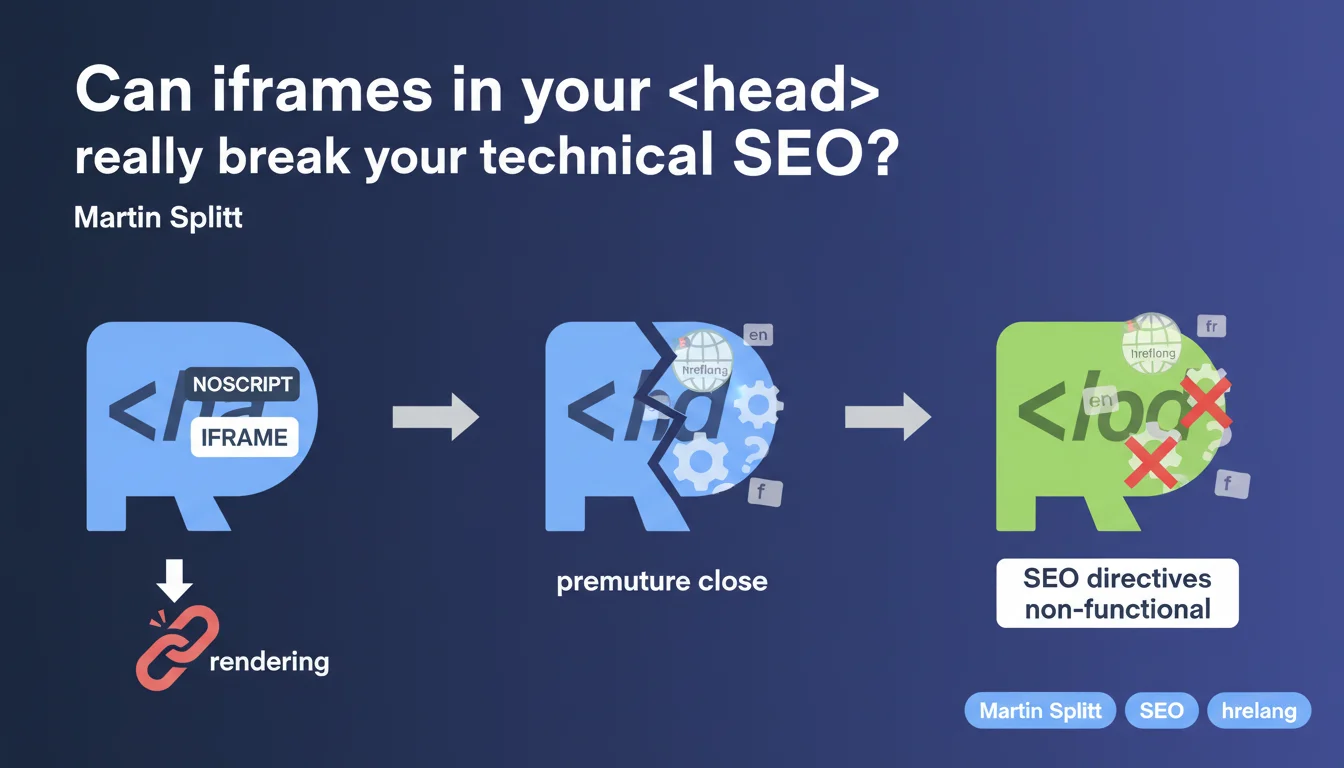
An iframe placed within a <noscript> tag located in the <head> can prematurely close that section during rendering. Result: critical SEO elements like hreflang, canonical, or structured data end up displaced into the <body>, where they lose their function. It's a parsing bug that few practitioners have on their radar.
What you need to understand
Why does an iframe in the pose a problem?
Google's rendering engine analyzes the HTML to construct the DOM. When an iframe is found within a tag that itself is located in the , the parser can interpret the closing of the iframe as an implicit closing of the .
Concretely: everything that follows — hreflang tags, canonical, meta robots, structured scripts — shifts into the . And in the , these directives are no longer interpreted as intended by crawlers.
Which SEO elements are affected?
All elements that must necessarily reside in the : hreflang (internationalization), canonical (duplicate management), meta robots (indexation directives), JSON-LD (structured data).
If these tags end up in the , Google may ignore them or treat them differently. For hreflang for example, it's a complete loss of the directive — no fallback in the .
In which cases do you encounter this scenario?
Primarily with tracking tags like Google Tag Manager or Facebook Pixel, often placed at the top of the page in a to handle users without JavaScript. Some poorly configured CMS or templates generate this pattern by default.
Multilingual e-commerce sites with GTM are particularly exposed, as they often combine hreflang and third-party tracking.
- Iframe in placed in the = risk of premature head closure
- Critical SEO elements (hreflang, canonical, meta robots) displaced into the = non-functional
- Typical case: tracking tags (GTM, Facebook Pixel) at the top of the page
- Impact: loss of internationalization directives, canonicalization, indexation
SEO Expert opinion
Is this statement consistent with field observations?
Yes, and it's even a known bug in certain HTML parsers from years back. The problem doesn't only concern Googlebot — modern browsers can also mishandle this case. But Google tends to be stricter about the positioning of SEO tags.
I've seen sites lose their hreflang associations without understanding why, until an audit revealed a GTM iframe in the . Search Console reports nothing specific, it just indicates that hreflang tags are absent — when in fact they're there, but poorly placed.
What nuances should be added?
Martin Splitt talks about "rendering," which suggests the problem appears after JavaScript execution. But in most cases, it's the raw HTML that's already broken. The HTML5 parser closes the as soon as it encounters certain elements within .
[To verify]: the statement doesn't specify whether all types of iframes are affected, or only those in . My experience shows it's mainly the iframe + noscript combo that causes trouble, but a standard iframe in the remains a structural aberration.
How can you verify if your site is affected?
Inspect the rendered DOM via the Search Console testing tool or "View Rendered Source" in Chrome DevTools. Compare it with the HTML source. If your hreflang tags appear in the when they're coded in the , bingo.
Another test: use an HTML validator. It will flag the premature closure if the problem exists. But be careful — Google may parse differently than a standard validator.
Practical impact and recommendations
What concretely should you do to fix this problem?
Move all tracking iframes out of the . Place them just after the opening tag, or even at the end of if the timing of triggering allows it. Most tracking scripts work perfectly from this position.
If you use GTM, verify the placement of the container. The official documentation recommends placing it just after , not in the . Many developers overlook this and copy-paste the code at the top of the page.
Which errors should you avoid?
Never place an iframe — even an empty one — in the . The is reserved for metadata, not content or tracking elements. An iframe is by nature a content element.
Also avoid relying solely on the HTML source to diagnose. The problem can be invisible in the code but well present in the rendered DOM. Systematically use rendering inspection tools.
How can you verify that your site is compliant after correction?
- Inspect the rendered DOM via Search Console "URL Inspection Tool"
- Compare the HTML source with the final DOM in Chrome DevTools
- Verify that hreflang, canonical, meta robots remain in the after rendering
- Use an HTML validator to detect premature closures
- Test with and without JavaScript enabled to isolate behaviors
- Audit tracking tags (GTM, Facebook, etc.) and their positioning
❓ Frequently Asked Questions
Un iframe dans le <head> casse-t-il toujours le SEO ?
Pourquoi mes balises hreflang ne sont-elles pas détectées alors qu'elles sont dans mon code ?
Où placer le code <noscript> de Google Tag Manager ?
Les outils d'audit SEO détectent-ils ce problème ?
Ce problème affecte-t-il aussi les balises canonical et meta robots ?
🎥 From the same video 7
Other SEO insights extracted from this same Google Search Central video · published on 18/10/2022
🎥 Watch the full video on YouTube →
💬 Comments (0)
Be the first to comment.