
Official statement
Other statements from this video 9 ▾
- □ Are these new structured data types really opening doors for your SEO, or just adding technical overhead?
- □ Do structured data implementations really guarantee rich snippet display in Google search results?
- □ Is Google really cutting down the Page Experience Report to just Core Web Vitals and HTTPS?
- □ Did Google really move the robots.txt testing tool and why does it matter for your site?
- □ Should you still worry about crawl budget now that Google is removing the crawl frequency parameter?
- □ What are Google's real priorities hidden behind its latest algorithmic updates?
- □ Should you block Google's generative AI in robots.txt? Here's what you need to know about Google-Extended
- □ Is the death of third-party cookies threatening your e-commerce conversions?
- □ Is Google finally giving you the structured data transparency you've been waiting for?
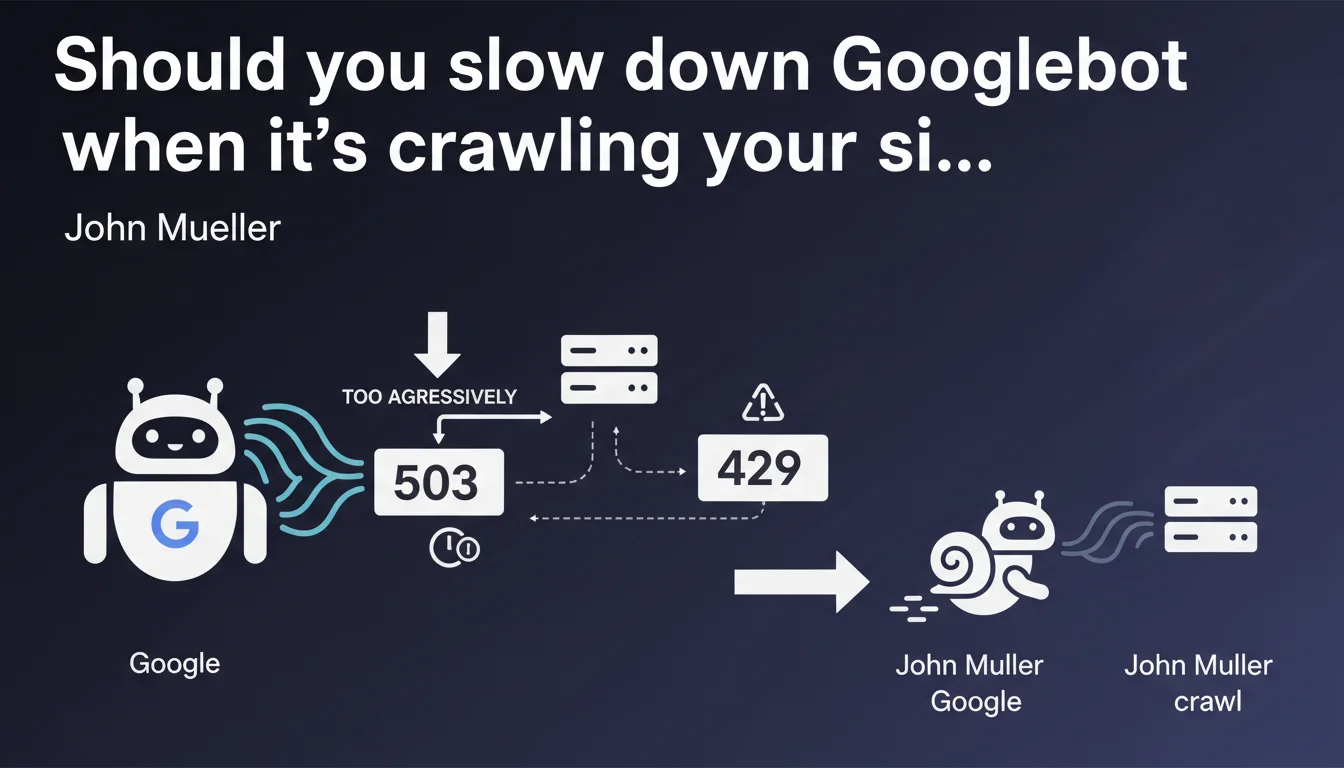
Google confirms it's possible to slow down Googlebot's crawl rate by using standard HTTP status codes 503 (Service Unavailable) or 429 (Too Many Requests). This approach allows you to control crawl budget without relying on Search Console, but requires technical implementation on your server side.
What you need to understand
Why would you want to slow down Googlebot?
Excessive crawling can overload your servers, increase your infrastructure costs, or degrade performance for your actual users. This is particularly critical for sites with limited technical resources, e-commerce platforms with thousands of pages, or services that generate dynamic content.
Googlebot isn't always aware of your infrastructure's real capacity. It can crawl aggressively after a migration, a redesign, or simply because it detects many new URLs.
What's the difference between 503 and 429?
The 503 (Service Unavailable) code signals temporary server unavailability. Googlebot interprets this as a temporary technical issue and automatically reduces its crawl rate.
The 429 (Too Many Requests) code explicitly indicates that the client (in this case, Googlebot) is sending too many requests. It's a more direct signal: you're asking it to back off.
In both cases, Google will reduce exploration frequency, but 429 is more explicit about the reason.
Do these codes impact indexation or rankings?
No, not if usage is temporary and justified. Google understands that servers have limitations. The bot will simply space out its visits.
However, if you consistently return these codes for important pages, Google may eventually consider them inaccessible. Over time, this can harm indexation.
- 503 and 429 codes slow down Googlebot without penalizing SEO if used occasionally
- 429 is more explicit: it says "you're crawling too much," while 503 says "I'm overwhelmed"
- Abusive usage can block indexation of critical pages
- This approach complements crawl rate settings in Search Console
SEO Expert opinion
Is this solution truly effective in practice?
Yes, but with important caveats. I've observed across several projects that Googlebot responds well to these codes — it genuinely slows its crawl for hours to days.
The challenge is that this approach requires clean technical implementation. You can't just throw a 503 or 429 at every request: you need to reliably detect Googlebot, measure server load in real time, and apply these codes selectively and proportionally. Otherwise, you risk blocking other useful bots (Bing, monitoring tools, third-party analytics) or degrading user experience.
Is Google transparent about how long the slowdown lasts?
No, and that's where things get tricky. Google doesn't say how long the slowdown persists or how many 503/429 responses it takes to see measurable effect. [To be verified]: field reports suggest the effect lasts between 6 and 48 hours, but nothing official.
Furthermore, Google doesn't clarify whether these codes carry the same weight depending on context — migrations, traffic spikes, massive site updates. The lack of concrete data makes fine-tuning difficult.
When should you prioritize this approach over Search Console?
Search Console lets you limit crawl rate, but the setting is manual and global. With HTTP codes, you can react in real time to unexpected crawl spikes — it's more reactive.
Concretely? If you experience an unexpected crawl spike at 3 AM that crashes your server, you can't wait to log into Search Console. An automated system that returns a 429 when CPU load exceeds 80% is far more effective.
Practical impact and recommendations
How do you implement these codes without breaking indexation?
You must first reliably identify Googlebot — check the User-Agent AND perform reverse DNS lookup to confirm the IP actually belongs to Google. Too many bots impersonate Googlebot.
Next, set up a server load monitoring system (CPU, memory, I/O). Define thresholds: for example, if load exceeds 75%, return a 429 to bots. But implement intelligent rate limiting: don't block 100% of crawl, just a portion.
Test first on non-critical pages to observe Google's reaction.
What mistakes should you absolutely avoid?
Never return 503 or 429 on your strategic pages (homepage, main categories, featured products) permanently. Google will deindex them.
Also avoid returning these codes to all bots indiscriminately — you risk blocking Bing, SEO tools (Screaming Frog, Oncrawl, etc.), or even your own monitoring scripts.
Finally, don't rely solely on this method. Combine it with crawl budget optimization: robots.txt, proper pagination, canonical URLs, up-to-date XML sitemap.
How do you verify it's working?
Check server logs to see if Googlebot actually reduces its crawl frequency after receiving 503/429 responses. Compare the number of requests per hour before and after implementation.
In Search Console, go to "Crawl Stats." If the number of pages crawled per day drops without a corresponding drop in indexed pages, that's a good sign.
- Verify User-Agent AND IP via reverse DNS to identify Googlebot
- Define clear server load thresholds (CPU, RAM, requests/sec)
- Return 429 or 503 only when these thresholds are exceeded
- Exclude critical pages from this rate-limiting system
- Log all 503/429 responses sent to analyze impact
- Compare crawl stats before/after in Search Console
- Set up alerts if crawl drops too sharply
❓ Frequently Asked Questions
Est-ce que renvoyer un 429 peut pénaliser mon site dans les résultats de recherche ?
Quelle est la différence concrète entre un 503 et un 429 pour Googlebot ?
Combien de temps dure le ralentissement après avoir envoyé ces codes ?
Peut-on combiner cette méthode avec le réglage du crawl rate dans Search Console ?
Comment savoir si mon serveur subit réellement un crawl excessif de Googlebot ?
🎥 From the same video 9
Other SEO insights extracted from this same Google Search Central video · published on 19/12/2023
🎥 Watch the full video on YouTube →
💬 Comments (0)
Be the first to comment.