
Official statement
Other statements from this video 9 ▾
- □ Are these new structured data types really opening doors for your SEO, or just adding technical overhead?
- □ Do structured data implementations really guarantee rich snippet display in Google search results?
- □ Is Google really cutting down the Page Experience Report to just Core Web Vitals and HTTPS?
- □ Should you still worry about crawl budget now that Google is removing the crawl frequency parameter?
- □ Should you slow down Googlebot when it's crawling your site too aggressively?
- □ What are Google's real priorities hidden behind its latest algorithmic updates?
- □ Should you block Google's generative AI in robots.txt? Here's what you need to know about Google-Extended
- □ Is the death of third-party cookies threatening your e-commerce conversions?
- □ Is Google finally giving you the structured data transparency you've been waiting for?
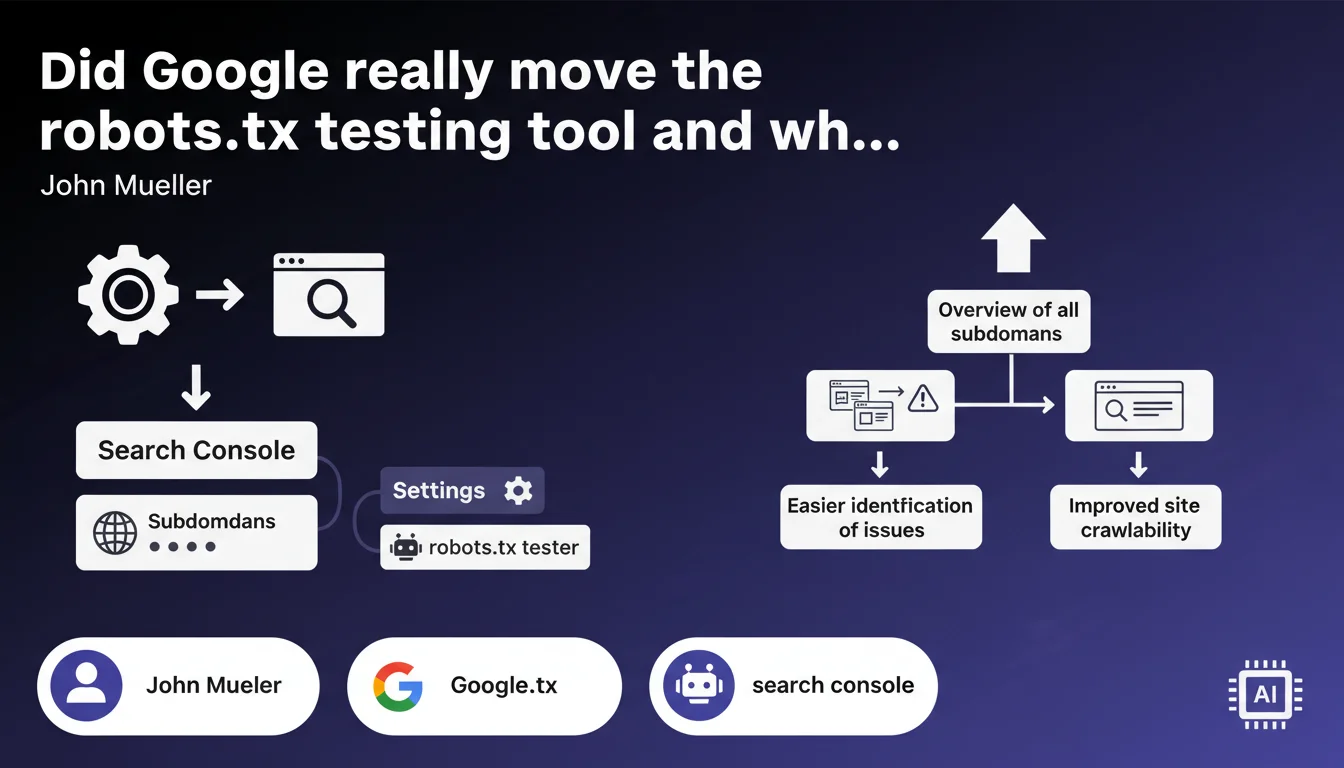
Google has relocated the robots.txt testing tool to the Settings tab in Search Console and added a consolidated view of subdomains. This change aims to centralize technical configuration tools, but raises questions about the real usefulness of this multi-subdomain view for most websites.
What you need to understand
Where is the robots.txt testing tool located now?
The tool has left its dedicated section to settle under Settings in Search Console. This move is part of a logic to group technical configuration tools, alongside property settings and domain validations.
Concretely, you will no longer find it in the classic inspection tools. You now need to go through the sidebar menu, click on Settings, then access the robots.txt section. A change in navigation structure that can disorient users accustomed to the old location.
What does the multi-subdomain view bring to the table?
The main novelty lies in the ability to view the robots.txt files of all your subdomains from a single screen. Before, you had to juggle between multiple Search Console properties to check each subdomain individually.
This feature is mainly aimed at sites with complex architecture — multi-country e-commerce, SaaS platforms with separate client zones, media outlets with thematic subdomains. For a standard site with www and perhaps a blog.example.com, the interest remains limited.
What's the difference from the old version?
The testing interface itself hasn't fundamentally changed. You can still test a URL against your robots.txt file to check if Googlebot can access it. Syntax validation works as before.
What evolves is the organization and accessibility. The grouping within Settings suggests that Google views this tool more as a configuration utility than as a daily diagnostic tool.
- The robots.txt testing tool is now located under Settings in Search Console
- A consolidated view displays the robots.txt files of all subdomains of a property
- Testing and validation features remain identical
- This change primarily targets sites with multi-subdomain architecture
- Access now requires an additional click in the navigation
SEO Expert opinion
Does this update solve a real problem?
Let's be honest: managing multiple subdomains was indeed laborious. Having to switch between 5, 10, or 20 Search Console properties to verify robots.txt directives was time-consuming. The consolidated view brings real time savings for complex structures.
But — and this is where it gets tricky — how many sites actually need this functionality? The majority of web projects manage 2-3 subdomains maximum. For them, this change translates mainly to a less intuitive location in the interface. [To verify]: Google provides no data on the usage rate of multi-subdomain properties that would justify this repositioning.
Is moving to Settings a good idea?
From an information architecture perspective, it's debatable. The robots.txt file is certainly a configuration element, but it's also a diagnostic tool frequently consulted during indexing issues. Relegating it to Settings adds cognitive friction.
SEOs consult this tool in two distinct contexts: initial configuration (where Settings makes sense) and emergency troubleshooting when a page doesn't appear in the index. In this second case, the old location was more accessible. You lose reactivity.
What does this choice reveal about Google's product strategy?
This type of repositioning reflects a vision where technical configuration tools are separated from daily inspection tools. Google seems to want to distinguish what you configure once (robots.txt, domain parameters) from what you consult regularly (coverage, performance).
The problem? This distinction doesn't always match real-world reality. A poorly configured robots.txt after a deployment isn't a configuration issue — it's an operational emergency. Relegating it to a secondary menu sends the wrong signal about its criticality.
Practical impact and recommendations
What should you do concretely following this update?
First action: memorize the new location. If you regularly work on different sites, update your internal documentation and diagnostic procedures. Settings → Robots.txt becomes the new standard access path.
If you manage a multi-subdomain infrastructure, take the opportunity to audit all your robots.txt files at once. The consolidated view makes it easier to detect contradictory directives or obsolete rules lingering on old subdomains.
What mistakes should you avoid with this new organization?
Don't assume all your collaborators will easily find the tool again. Technical teams who work sporadically on SEO risk looking in the wrong place. Communicate internally about this change.
Another pitfall: the multi-subdomain view can create a false impression of consistency. Seeing all your robots.txt files aligned doesn't guarantee they're optimal. A line-by-line audit is still necessary to identify unintended blocks or overly permissive directives.
How do you verify that your configuration remains optimal?
Systematically test critical URLs from each subdomain with the new tool. Don't just verify syntax — test real paths: product pages, categories, premium content, member zones.
Compare your robots.txt files between subdomains. If you block /admin/ on www but not on blog.example.com, you likely have a hole in your security and crawl optimization strategy.
- Locate the new location in your Search Console (Settings → Robots.txt)
- If you manage multiple subdomains, conduct a complete audit via the consolidated view
- Test strategic URLs from each subdomain to validate accessibility
- Document the location change in your internal procedures
- Verify that your SEO automation tools continue to work properly
- Identify inconsistencies between robots.txt files of different subdomains
- Plan a monthly check to detect undocumented modifications
❓ Frequently Asked Questions
L'ancien emplacement de l'outil robots.txt dans Search Console fonctionne-t-il encore ?
La vue multi-sous-domaines affiche-t-elle aussi les sous-domaines sans propriété Search Console configurée ?
Puis-je éditer directement mon fichier robots.txt depuis le nouvel outil ?
Cette mise à jour change-t-elle la façon dont Googlebot interprète mon robots.txt ?
Les propriétés de type domaine montrent-elles tous les sous-domaines automatiquement ?
🎥 From the same video 9
Other SEO insights extracted from this same Google Search Central video · published on 19/12/2023
🎥 Watch the full video on YouTube →
💬 Comments (0)
Be the first to comment.