
Official statement
Other statements from this video 5 ▾
- □ Does redirecting 404 errors to your homepage actually kill your search rankings?
- □ Does Google really rely on 404 status codes to guide its crawlers effectively?
- □ Is redirecting 404 errors to your homepage really killing your SEO?
- □ Should you really return a 404 instead of redirecting to similar content?
- □ Should you really stop redirecting 404 errors to your homepage?
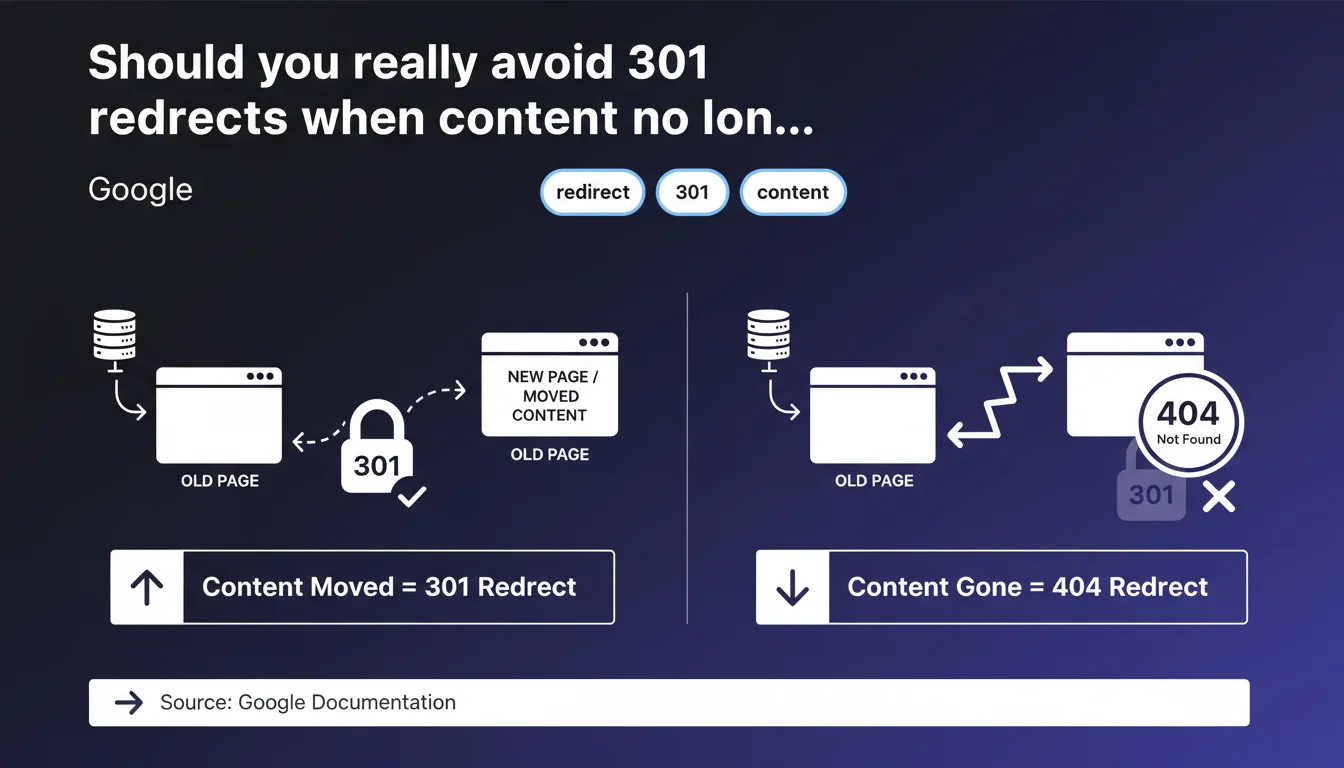
Google states that redirects should be reserved for moved content. If a page no longer exists, the correct HTTP code is 404, not a redirect to the homepage or a generic page. This position contradicts a common practice of systematically redirecting to avoid 404 errors.
What you need to understand
Google's statement seems clear: a 301 or 302 redirect should only be used if content has actually been moved to a new location. If the content has permanently disappeared, the page should return a 404 code.
This directive opposes a widespread practice among SEO professionals: automatically redirecting all deleted pages to the homepage or a parent category, with the idea of preserving link juice and avoiding mass 404 errors.
Why does Google insist on this distinction?
The search engine wants to maintain semantic consistency in its index. A 301 redirect signals that the content still exists, but elsewhere. If you redirect a discontinued product page to the homepage, Google may interpret this as manipulation or a confusing signal.
A 404 code clearly indicates that the resource no longer exists. Google can then clean up its index accordingly, without ambiguity. It's a matter of transparency with the search engine.
Are 404 errors really problematic for SEO?
No, and this is where many practitioners go wrong. Google has repeatedly stated that 404s are normal and don't impact site rankings. They're part of the natural functioning of the web.
The real problem arises when a strategic page with organic traffic and backlinks returns a 404 without valid reason. In this specific case, a redirect to equivalent content is justified — but only if that equivalent content actually exists.
- 301 redirect: only for moved or replaced content with relevant equivalent
- 404 code: for permanently deleted content with no direct equivalent
- Avoid: generic redirects to the homepage or an unrelated category
- Watch out for: a massive accumulation of redirects can slow crawl time and dilute internal PageRank
SEO Expert opinion
Is this recommendation consistent with practices observed in the field?
Yes and no. On one hand, sites that systematically redirect to the homepage don't appear to be flagged in an obvious way. We even see cases where these redirects preserve some PageRank.
On the other hand, Google is becoming increasingly strict about semantic consistency. Cases of soft 404s — pages returning a 200 code but displaying generic content — are detected and treated as errors. A redirect to an unrelated page could fall into this category.
In what cases can you justify a redirect anyway?
Let's be honest: there are situations where redirecting is smarter than leaving a 404. If you delete a product page but it generated quality backlinks, redirecting to a similar product or relevant category preserves some of that authority.
The trick? Semantic relevance. If your redirect points to content that answers the same user intent, Google will accept it without complaint. If you redirect haphazardly, you risk seeing these redirects ignored over time.
[To verify]: Google doesn't communicate a precise threshold on the number of redirects to avoid. We know that too many redirect chains slow down crawling, but how much is "too much" remains unclear.
What if you've already redirected massively to the homepage?
No need to panic immediately. If these redirects have been in place for a long time and Google has crawled them, it's probably already adjusted its index. But if you notice a crawl budget drop or internal PageRank dilution, it may be worth cleaning up.
Concretely? Analyze your redirects with Screaming Frog or Oncrawl. Identify those pointing to generic pages with no semantic relationship. Replace them with 404s or redirects to truly equivalent content. And monitor the changes in Search Console.
Practical impact and recommendations
What should you concretely do to comply with this directive?
First, audit your existing redirects. Identify those pointing to the homepage or unrelated categories. Ask yourself: does this redirect really help the user who clicks an external link?
Next, adopt a clear policy: if you permanently delete content, leave a 404. If you replace or move content, use a 301 to the closest equivalent. Avoid default redirects — each case deserves a manual decision.
What errors should you absolutely avoid?
Never redirect massively to the homepage for convenience. It's the worst practice: Google may interpret it as an attempt to hide errors or manipulate PageRank.
Also avoid redirect chains. If A redirects to B, and B to C, simplify by pointing A directly to C. Each hop consumes crawl budget and weakens the signal.
Finally, don't leave temporary redirects (302) lying around when content has been permanently moved. A 302 tells Google to come back and crawl the original URL — which makes no sense if the content will never return.
How can you verify that your site respects this best practice?
Use Search Console to monitor 404 errors. If you see many, that's normal. If some concern strategic pages with traffic or backlinks, verify if there's equivalent content to redirect to.
Run a crawl with Screaming Frog or similar tool. Filter for 301/302 redirects and analyze their destination. If you see redirects to the homepage or broad categories, dig deeper: is there a better alternative?
- Audit all 301/302 redirects on your site with an SEO crawler
- Identify those pointing to generic pages (homepage, broad categories)
- Evaluate the semantic relevance of each redirect: does the destination content answer the same intent?
- Replace non-relevant redirects with 404s or redirects to truly equivalent content
- Eliminate redirect chains by pointing directly to the final destination
- Monitor 404 errors in Search Console and prioritize those with traffic or backlinks
- Document a clear redirect policy for the editorial team
Google's directive is simple: redirect only when content exists elsewhere. For everything else, accept the 404s. This approach requires more rigor than an automatic redirect policy, but it improves index consistency and preserves your crawl budget.
Implementing a complete redirect audit and defining a tailored strategy can be complex, especially on sites with a complicated history. If you lack internal resources or want specialized technical support, engaging an SEO agency can save you valuable time and help you avoid costly mistakes.
❓ Frequently Asked Questions
Un code 404 pénalise-t-il le référencement de mon site ?
Puis-je rediriger une fiche produit épuisée vers une catégorie ?
Combien de temps Google met-il à désindexer une page en 404 ?
Les redirections 302 sont-elles traitées différemment des 301 ?
Faut-il supprimer les redirections anciennes qui fonctionnent bien ?
🎥 From the same video 5
Other SEO insights extracted from this same Google Search Central video · published on 05/03/2025
🎥 Watch the full video on YouTube →
💬 Comments (0)
Be the first to comment.