
Official statement
Other statements from this video 5 ▾
- □ Pourquoi rediriger les 404 vers la page d'accueil nuit-il au référencement ?
- □ Pourquoi Google insiste-t-il autant sur le statut 404 pour guider ses crawlers ?
- □ Faut-il vraiment éviter les redirections 301 quand le contenu n'existe plus ?
- □ Faut-il vraiment renvoyer un 404 plutôt que rediriger vers un contenu proche ?
- □ Faut-il vraiment arrêter de rediriger les erreurs 404 vers la page d'accueil ?
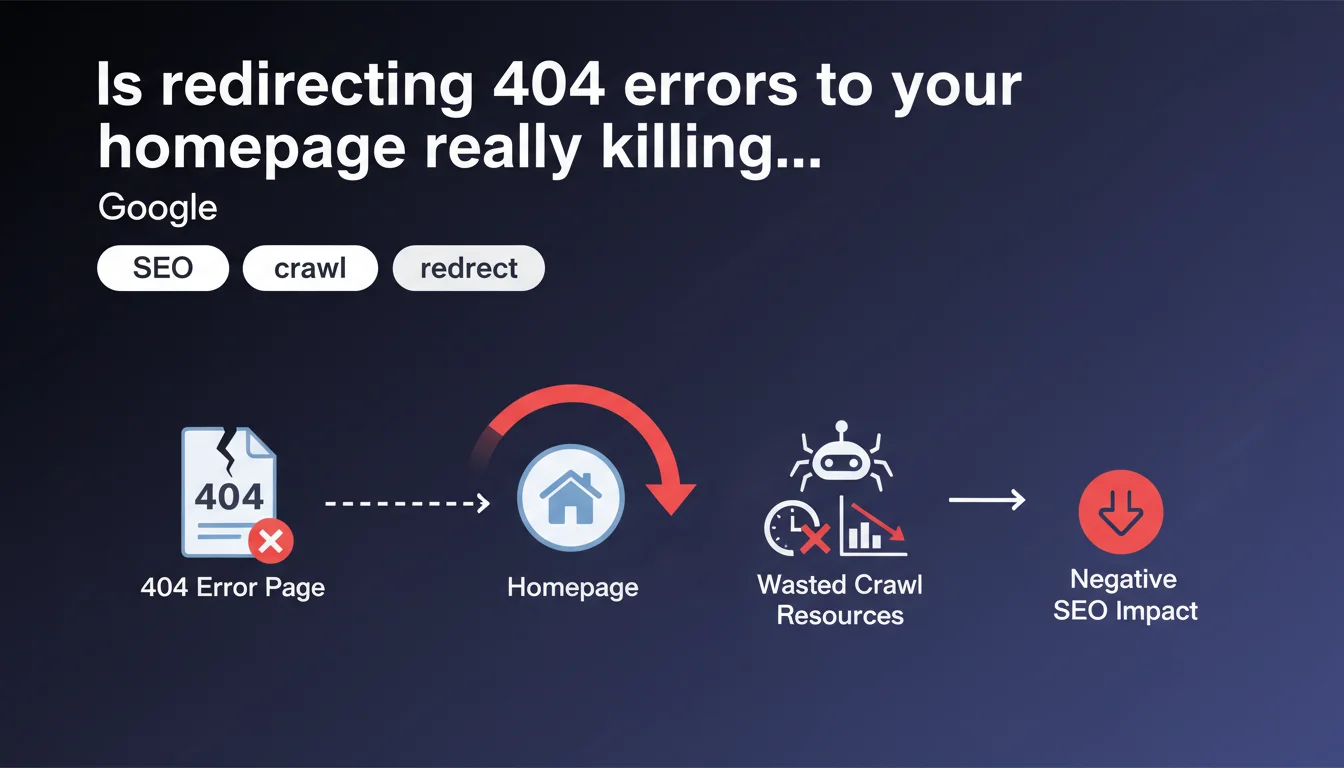
Google advises against automatically redirecting 404 pages to your homepage. This practice forces the crawler to start from scratch and wastes crawl budget unnecessarily. It's better to serve a proper 404 or offer a contextual redirect to a relevant page instead.
What you need to understand
Why does Google oppose 404 redirects to the homepage?
When a crawler lands on a URL that no longer exists and gets redirected to the homepage, it faces generic content unrelated to its initial request. The bot then has to restart its exploration process from a starting point that has nothing to do with what it was looking for.
It's pure waste. The crawler consumes resources for nothing — it doesn't find the information it expected, and you're burning crawl budget on pointless loops.
How is this different from a proper 404 page?
A standard 404 page sends a clear HTTP signal: this resource doesn't exist. The crawler records it, moves on, and everyone saves time.
A 301 or 302 redirect to the homepage, on the other hand, tells the bot: "Go look over there". The crawler obeys, lands on a page it already knows, and wonders why it was sent there. No new information, just confusion.
What are the concrete consequences for SEO?
Google won't harshly penalize a site doing this. But on a large volume of dead pages, this practice slows down the exploration of content that really matters.
- Wasted crawl budget: Googlebot loses time on pointless redirects instead of exploring your new pages.
- Unclear signal: Google doesn't know if the URL is permanently dead or temporarily moved.
- Degraded user experience: A visitor who lands on the homepage when they were looking for specific content gets frustrated and leaves.
- Polluted Analytics data: You lose traceability of actual 404 errors.
SEO Expert opinion
Is this recommendation really new?
Let's be honest: Google has been saying this for years. It's not a revelation. But many sites continue to redirect their 404s to the homepage because it's "cleaner" visually or out of habit inherited from the 2000s web.
The problem is that this habit has become embedded in certain CMSs and agencies that apply this rule by default. Google regularly clarifies its position, but the message doesn't get through everywhere.
Are there cases where redirecting to the homepage remains acceptable?
Yes, but they are extremely rare. If you've deleted an entire section of your site and no replacement page makes sense, redirecting to the homepage might be a lesser evil — as long as it's exceptional.
But in 99% of cases, you have a better option: redirect to a nearby category page, to similar content, or simply serve a well-designed 404 with navigation suggestions. [To verify]: Google has never publicly quantified the threshold at which this crawl budget waste becomes truly penalizing.
Are soft 404s also affected?
Absolutely. A soft 404 is when you serve an error page but with an HTTP 200 code. Google detects it anyway and treats it as an error — except it had to crawl the entire page to figure that out.
It's even worse than a redirect to the homepage. You're combining the disadvantages: wasted crawl budget, bot confusion, and false HTTP signal.
Practical impact and recommendations
What should you do if you're currently redirecting 404s to your homepage?
First step: identify the volume. If you have 10 affected pages on a 500-URL site, it's not critical. If you have 2000 on an e-commerce catalog, it's a major problem.
Next, decide case by case:
- Redirect to a thematically close page if one exists
- Redirect to the parent category to keep the user in the right context
- Serve a proper 404 with relevant navigation suggestions
- Only keep the homepage redirect if no logical alternative exists
How can you verify that your site isn't making this mistake?
Use Screaming Frog or an equivalent crawler. Test a few non-existent URLs on your site and check the HTTP response code.
If you see a 301 or 302 pointing to the homepage, you've found the culprit. Also check Google Search Console in the "Coverage" section to spot soft 404s.
- Crawl a sample of dead URLs with Screaming Frog
- Verify the HTTP codes returned (301, 302, 404, 200)
- Check Search Console > Coverage > Excluded
- Manually test a few non-existent URLs in your browser
- Audit redirection rules in your .htaccess or equivalent
What's the best concrete alternative?
Create a custom 404 page that returns a clean HTTP 404 code. Add an internal search engine, links to main categories, and possibly your latest articles or popular products.
If you have a history of dead pages with residual traffic, map redirects manually to the closest content. Yes, it's work. But it's the price of a well-structured site.
❓ Frequently Asked Questions
Une redirection 302 temporaire vers l'accueil est-elle moins problématique qu'une 301 ?
Si je sers une vraie 404, Google va-t-il pénaliser mon site pour trop d'erreurs ?
Combien de temps Google garde-t-il en mémoire une URL qui retourne une 404 ?
Les soft 404 détectées par Search Console nuisent-elles au classement ?
Puis-je rediriger toutes mes 404 vers une page de recherche interne ?
🎥 From the same video 5
Other SEO insights extracted from this same Google Search Central video · published on 05/03/2025
🎥 Watch the full video on YouTube →
💬 Comments (0)
Be the first to comment.