
Official statement
Other statements from this video 9 ▾
- □ Was Google really prioritizing HTML over JavaScript for crawling and indexing?
- □ Can loading spinners really prevent Google from indexing your JavaScript pages?
- □ Why does Google take 3 to 6 months to index JavaScript content after crawling your site?
- □ Is your JavaScript slowing down how fast Google discovers your pages?
- □ Can JavaScript Really Be Indexed Faster Than HTML?
- □ Is your JavaScript really being rendered by Google? Here's how to verify it with the honeypot method.
- □ Are all JavaScript frameworks really treated equally by Google's crawling system?
- □ Should you really fix your technical SEO before investing heavily in content and backlinks?
- □ Why does Google recommend testing in real conditions rather than relying solely on documentation?
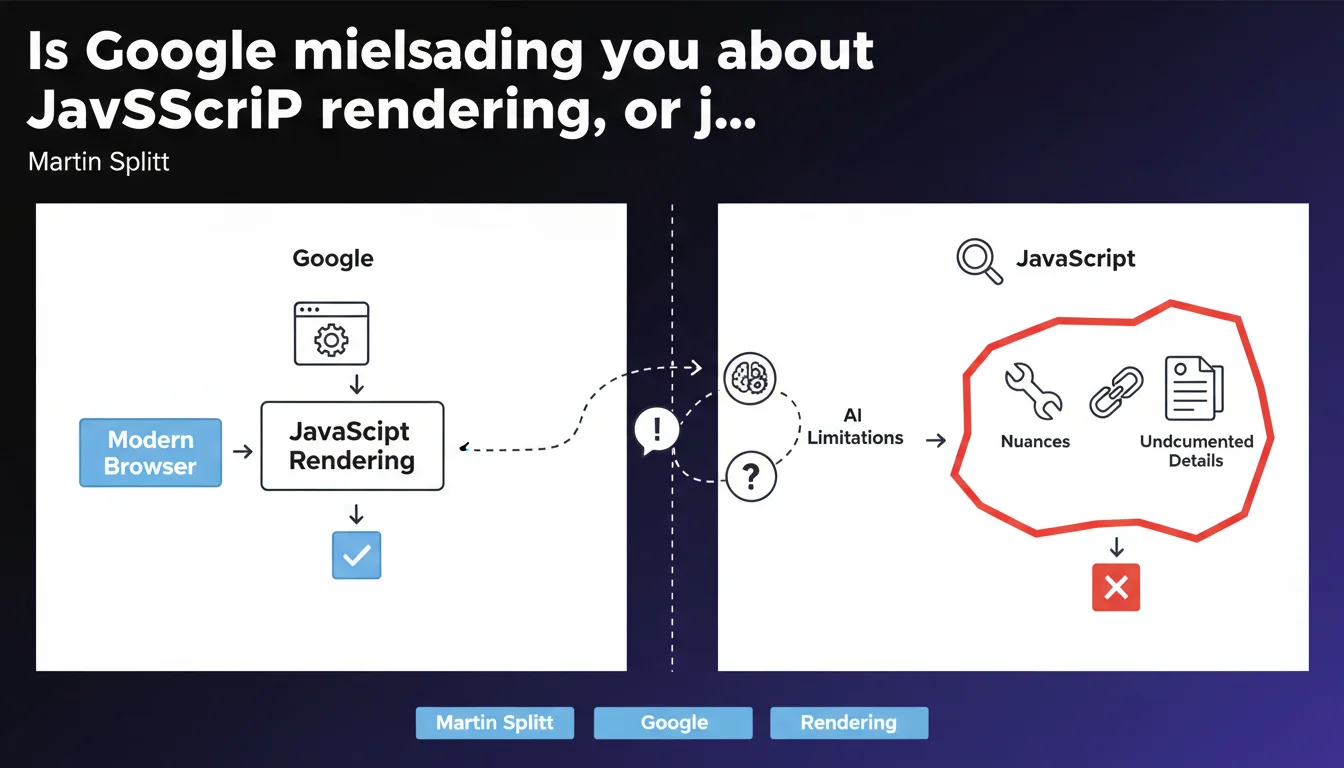
Martin Splitt admits that Google's official claims about JavaScript — particularly 'Google renders JS like a modern browser' — are intentional oversimplifications. The technical reality is more nuanced, with limitations that Google doesn't always document. For SEO practitioners, this means never taking official communications at face value.
What you need to understand
Why does Google oversimplify its public messaging?
Google communicates to a broad audience — from beginners to seasoned practitioners. Detailing every technical constraint would make documentation unwieldy and counterproductive.
The problem is that this simplification creates a gap between perception and reality. Many sites bet everything on heavy JavaScript thinking that Googlebot 'renders like Chrome'. Except that's not strictly true.
What nuances does Google leave out?
Googlebot uses a version of Chromium, but not always the latest one. Rendering timeouts differ from a standard browser. Some modern APIs aren't supported. Resources blocked by robots.txt are never loaded, even if they're critical for rendering.
Crawl budget also plays a role: if a page takes too long to render its final content, Googlebot may index a partial version. These details don't appear in official guides.
- Chromium version: not always up-to-date with the latest stable release
- Rendering timeout: Google enforces undocumented limits
- Blocked resources: even if critical, they're never loaded
- Crawl budget: a JS page that's too slow may be indexed incompletely
- Modern APIs: some simply aren't available
How does this simplification impact SEO strategies?
A site that works perfectly in Chrome may not be properly indexed by Google. Technical teams rely on official messages and neglect testing with Search Console or tools like Screaming Frog in JavaScript mode.
Result: orphaned pages in the index, missing content, untracked internal links. Blind trust in Google's docs leads to risky decisions.
SEO Expert opinion
Is this statement consistent with real-world observations?
Absolutely. For years, we've seen discrepancies between what Google claims and what it actually does. Tests with Mobile-Friendly Test, Rich Results Test, and URL Inspection regularly show rendering differences.
Some sites have their main content invisible in the indexed HTML source without issues — yet others with identical JS stacks face difficulties. Undocumented variables (server speed, domain history, crawl budget) play a role that Google never details.
Should you question all official documentation?
No, but you should interpret it with a critical eye. Google's statements are rarely wrong — they're incomplete. When Google says 'we render JavaScript,' that's true. What it doesn't say is under what conditions, with what limitations, and with what delay.
[To verify]: Google never publishes precise benchmarks on rendering timeouts, exact Chromium versions used, or crawl budget thresholds. These gray areas force SEOs to test themselves, site by site.
What are the consequences for SEO audits?
Auditing a JavaScript site now requires double verification: what the browser displays versus what Googlebot actually indexes. Standard tools (Screaming Frog, Oncrawl, Botify) must be configured to render JS, but even then, they don't exactly replicate Google's behavior.
SEO teams must cross-reference multiple sources: server logs, Search Console data, manual URL tests, JS and non-JS crawls. It's time-consuming, but it's the only way to spot blind spots created by Google's oversimplifications.
Practical impact and recommendations
What should you do concretely to secure a JavaScript site?
First, never assume 'if it works in Chrome, it works for Google.' Test each strategic page with the URL Inspection tool in Search Console and compare raw HTML rendering with the final render.
Next, verify that critical resources (CSS, JS, fonts) aren't blocked by robots.txt. Use a crawler configured in both JavaScript mode and raw HTML mode to identify content gaps.
- Test key pages with URL Inspection (Search Console)
- Compare raw HTML source and final JS rendering
- Verify that robots.txt doesn't prevent loading essential resources
- Crawl the site in both JS and non-JS modes to spot differences
- Monitor logs to detect rendering timeouts or errors
- Prefer Server-Side Rendering (SSR) or prerendering when possible
- Limit the depth of JS interactions needed to access main content
What mistakes must you absolutely avoid?
Never deploy a Single Page Application (SPA) without testing indexing under real conditions. Modern frameworks (React, Vue, Angular) are appealing for development, but they create SEO risks if misconfigured.
Also avoid trusting Google's reassuring messages without field validation. If your site loses traffic after a JS overhaul, it's not a bug — it's probably an undetected rendering issue.
How do you ensure changes stay effective over time?
Set up continuous monitoring: Search Console alerts for indexing errors, automated weekly crawls, Core Web Vitals tracking. Googlebot updates can introduce new limitations without notice.
❓ Frequently Asked Questions
Google ment-il volontairement dans sa documentation ?
Googlebot utilise-t-il vraiment la dernière version de Chrome ?
Peut-on faire confiance aux tests de Google (Mobile-Friendly Test, Rich Results Test) ?
Faut-il abandonner le JavaScript côté client pour le SEO ?
Comment savoir si mon site JavaScript est correctement indexé ?
🎥 From the same video 9
Other SEO insights extracted from this same Google Search Central video · published on 01/02/2023
🎥 Watch the full video on YouTube →
💬 Comments (0)
Be the first to comment.