
Official statement
Other statements from this video 11 ▾
- □ Is page experience really enough to guarantee good UX for Google?
- □ Should you really prioritize users over machines in SEO?
- □ Why does Google prefer hyphens over underscores in URLs—and what's the real impact on your rankings?
- □ Do accordions really hurt your SEO, or is it just an old myth?
- □ Has hidden content become just as important as visible content for Google?
- □ Is Google really unable to crawl your navigation if it doesn't use proper anchor links?
- □ Are Core Web Vitals really enough to measure user experience?
- □ Why won't Google give you precise criteria on certain UX aspects—and what should you do about it?
- □ Are human-readable and consistent URLs really a ranking factor?
- □ Does web accessibility directly impact your Google rankings?
- □ Is Lighthouse really missing poor quality anchor text on your site?
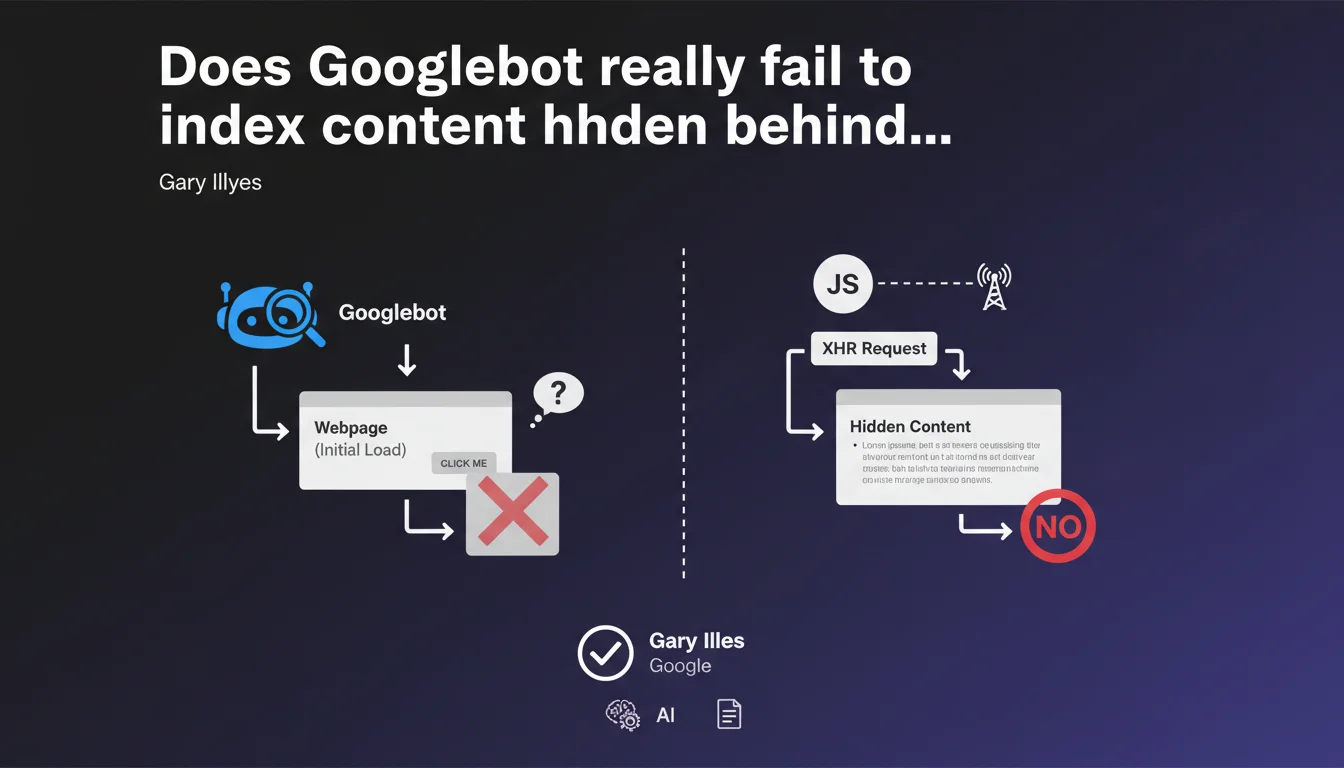
Googlebot does not trigger any user interactions like clicks. If content loads via an XHR request after a click, Google will probably not see it. This limitation directly impacts the indexation of modern JavaScript sites.
What you need to understand
Why doesn't Googlebot click on interactive elements?
Googlebot is designed to crawl and index static content, not to simulate human behavior. It executes the initial JavaScript of a page, but does not trigger user events like clicks, hovers, or scrolls.
Concretely, if your content requires a click to load — typically via an XHR or fetch request triggered by JavaScript — that content will remain invisible to Google. This statement confirms a reality that SEO practitioners have been observing for years.
What exactly is an XHR request?
XHR (XMLHttpRequest) is a JavaScript API that allows content to be loaded asynchronously without reloading the page. Fetch is its modern equivalent.
These requests are ubiquitous in modern interfaces: tabs loading content on click, "See more" buttons, modals with dynamic content, search filters. Anything that loads without a complete page navigation likely uses XHR or fetch.
Does this only affect old websites?
No, and that's the trap. Many modern frameworks (React, Vue, Angular) use these patterns extensively. A site that is technically recent can be completely invisible to Google if its architecture relies on user interactions.
E-commerce sites with dynamic filters, SaaS platforms with tabbed interfaces, news sites with scroll-based lazy-loading — all are potentially affected.
- Googlebot does not execute clicks — no user interactions are simulated
- Content loaded via XHR/fetch after a click remains invisible
- This limitation applies to modern JavaScript sites as much as older ones
- Indexation depends on the initial page render, not user behavior
- Modern frameworks sometimes aggravate the problem by masking this limitation behind fluid UX
SEO Expert opinion
Is this statement consistent with real-world observations?
Absolutely. SEOs who audit JavaScript sites observe it daily: content that appears visually disappears from URL inspection reports. The correlation with user interactions is systematic.
The problem is that Google remains deliberately vague about the depth of JavaScript execution. They say "we execute JS," but don't specify how far. This statement lifts one corner of the veil — but raises other questions.
What nuances should be considered?
First, "probably not" is not "never." Gary Illyes uses a conditional that leaves room for interpretation. In some observed cases, dynamically loaded content appears to be indexed — without anyone understanding exactly why. [To verify]
Second, this rule applies only to crawling and initial indexation. For Core Web Vitals and UX metrics, Google uses real user data (CrUX) — so post-click behavior counts for ranking, even if it's not crawled.
Finally, be careful: content invisible to Googlebot can still be discovered via internal links. If page A displays a link to page B after a click, Googlebot won't see that link — but if B is accessible elsewhere, it will be indexed normally.
In which cases does this rule not fully apply?
There are gray areas. Some of Google's crawlers (Google Images, Discover) seem to have slightly different behaviors. Images loaded via scroll-based lazy-loading are sometimes indexed — but that's probably because Google simulates a larger viewport, not because it actually scrolls.
Similarly, Progressive Web Apps (PWAs) with Service Workers can pre-render content client-side — in those cases, content is technically present on initial load, so visible to Googlebot. But that's an architectural exception, not a crawling capability.
Practical impact and recommendations
What should you do concretely on an existing site?
First step: audit all dynamically loaded content. Identify tabs, accordions, modals, filters, "See more" buttons that trigger network requests. Then verify with the URL inspection tool whether this content appears in Google's rendering.
If strategic content is invisible, there are two solutions: either pre-load it in the initial HTML (hidden with CSS, revealed on click), or implement Server-Side Rendering (SSR) or static hydration. No half measures — the content must be in the DOM on load.
What errors should be avoided absolutely?
Never trust what you see in your browser. A site can look perfect visually and be completely empty for Googlebot. Always test systematically with Google tools (Search Console, URL inspection, Mobile-Friendly Test).
Another pitfall: don't rely on "intelligent lazy-loading." Even if a framework claims to handle SEO, verify it. I've seen Next.js and Nuxt.js sites misconfigured lose 70% of their indexable content because developers disabled SSR to "improve performance."
Finally, avoid awkward hybrid solutions. A site that mixes SSR and client-side rendering without clear logic becomes impossible to maintain and generates indexation inconsistencies.
How do you verify that your site is compliant?
- Crawl your site with Screaming Frog with JavaScript mode enabled and compare with a crawl with JavaScript disabled
- Use the URL inspection tool on your key pages and examine the rendered HTML
- Verify that strategic content appears in "View Page Source" (Ctrl+U), not just in the inspector
- Test your filters, tabs, and accordions: content must be present in the initial DOM, even if hidden
- If you use a JS framework, validate that SSR or static generation is active
- Monitor your indexed URLs in Search Console — a sudden drop often signals a rendering problem
- Document the interaction patterns and their SEO impact for future developments
❓ Frequently Asked Questions
Googlebot exécute-t-il le JavaScript moderne (ES6+) ?
Le lazy-loading d'images pose-t-il le même problème ?
Un site en React ou Vue est-il forcément problématique ?
Les Single Page Applications (SPA) peuvent-elles être SEO-friendly ?
Comment tester si Googlebot voit mon contenu dynamique ?
🎥 From the same video 11
Other SEO insights extracted from this same Google Search Central video · published on 21/06/2022
🎥 Watch the full video on YouTube →
💬 Comments (0)
Be the first to comment.