
Official statement
Other statements from this video 11 ▾
- □ Is page experience really enough to guarantee good UX for Google?
- □ Should you really prioritize users over machines in SEO?
- □ Why does Google prefer hyphens over underscores in URLs—and what's the real impact on your rankings?
- □ Do accordions really hurt your SEO, or is it just an old myth?
- □ Has hidden content become just as important as visible content for Google?
- □ Does Googlebot really fail to index content hidden behind user clicks?
- □ Are Core Web Vitals really enough to measure user experience?
- □ Why won't Google give you precise criteria on certain UX aspects—and what should you do about it?
- □ Are human-readable and consistent URLs really a ranking factor?
- □ Does web accessibility directly impact your Google rankings?
- □ Is Lighthouse really missing poor quality anchor text on your site?
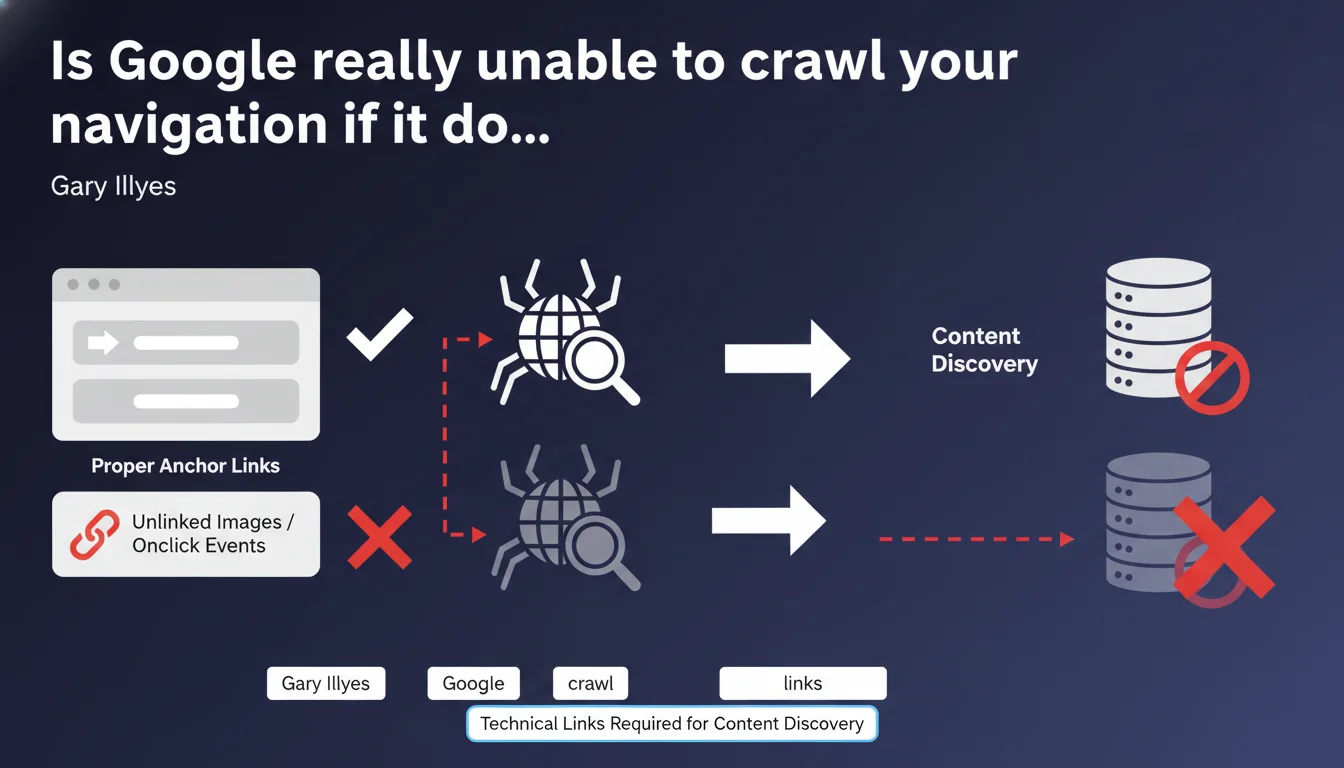
Google only efficiently crawls and indexes standard technical links: <a> tags with href attributes. Pure JavaScript navigation, clickable images without links, or onclick events provide no guarantee of content discovery by Googlebot. If your site architecture relies on these methods, you're literally making entire sections of your site invisible.
What you need to understand
Gary Illyes reminds us of a fundamental principle often overlooked: Google prioritizes native HTML links for discovering and indexing pages. No exploitable href attribute? No crawl guarantee.
This statement directly targets sites deploying modern navigation — React dropdown menus, styled buttons without anchors, clickable images via JavaScript — without caring about the technical layer invisible to search engines.
What exactly is a "technical" link according to Google?
A technical link is a classic <a href="URL"> tag. The href attribute must point to a crawlable URL. Everything else — onclick, clickable divs, images without anchors — falls under user interface, not crawl.
Google can sometimes interpret certain JavaScript elements, but it's resource-intensive and never guaranteed. The rule remains simple: if Googlebot has to execute JavaScript to discover a link, you're taking unnecessary risk.
Why do so many sites still use incompatible methods?
Because modern front-end frameworks (React, Vue, Angular) often generate interfaces where links aren't native anchors. Developers prioritize UX without thinking about crawl. Result: smooth navigation for users, invisible to Google.
And that's where it gets tricky. A site can have impeccable logical architecture from a user perspective, but if it relies on JavaScript routing without HTML fallback, Google misses it.
<a href>tags are the only reliable standard to guarantee content discovery.onclickevents, clickable images, or interactive divs don't replace a technical link.- Google can interpret JavaScript, but it's random and depends on the crawl budget allocated to your site.
- Navigation invisible to Googlebot = potential orphaned pages, even if they technically exist.
SEO Expert opinion
Is this directive consistent with real-world observations?
Absolutely. Audits regularly show sites with thousands of theoretically "discoverable" pages that are never crawled because internal links pass through JavaScript without fallback. Google Search Console then displays "discovered but not indexed" pages by the dozens.
Let's be honest: Google has improved its JavaScript rendering over the past few years, but it's neither instant nor systematic. On a site with limited crawl budget, Googlebot won't bother executing JS for every URL. It follows classic anchors, period.
In what cases doesn't this rule really apply?
There's a blind spot. Sites that generate exhaustive XML sitemaps and have excellent crawl budget can sometimes compensate for failing navigation. Google discovers URLs via sitemap, even if they're not linked in native HTML.
But be careful — [To verify] — this strategy never replaces proper internal linking. The sitemap allows discovery, not internal PageRank transmission. You therefore lose in link equity and ability to push strategic pages.
Should you completely abandon JavaScript for navigation?
No, but you need a hybrid approach. Nothing prevents enriching UX with JavaScript — animations, preloading, interactions — as long as there's a layer of standard HTML links exploitable by Googlebot.
Concretely? A React menu can display standard <a href> anchors while managing routing client-side for the logged-in user. Best of both worlds: modern UX, guaranteed crawlability.
Practical impact and recommendations
What should you do concretely to verify your navigation?
First step: disable JavaScript in Chrome DevTools and navigate your site. If entire sections disappear or you can't access certain categories anymore, that's because Google doesn't see them either.
Second verification: inspect raw source code (right-click > "View page source"). Look for your navigation links. If they don't appear as <a href="...">, you have an architecture problem.
What mistakes should you absolutely avoid?
Never rely solely on onclick events for main navigation. Even if it works for users, Google won't systematically execute this code. Clickable images without anchors are the same: zero value for crawl.
Another classic trap: CSS-only dropdown menus that hide links via display:none. Technically, anchors are present in the DOM, so Google can see them. But beware of abuse — if 90% of your links are hidden by default, it can raise red flags.
How do you fix failing navigation without breaking everything?
Complete audit of the site structure to identify orphaned or poorly linked pages. Then, progressively refactor navigation by injecting native HTML anchors, even if they're later enriched by JavaScript for UX.
If you use a framework like Next.js or Nuxt, enable server-side rendering (SSR) or static generation (SSG). This guarantees links are present in initial HTML sent to Googlebot.
- Verify that each main navigation element uses a valid
<a href>tag. - Test your site with JavaScript disabled to simulate Googlebot behavior.
- Inspect raw source code to confirm anchors are present in initial HTML.
- Avoid
onclickor clickable divs for structural navigation. - If JavaScript is essential, implement SSR or native HTML fallback.
- Complement with exhaustive XML sitemap, but never rely on it 100%.
- Monitor Google Search Console to detect "discovered but not indexed" pages linked to crawl issues.
<a href> tags to guarantee Google discovers and indexes your content. Everything else — JavaScript, clickable images, events — is optional for crawl purposes. If your technical architecture heavily relies on modern frameworks or custom solutions, the support of an SEO-specialized agency may be essential to audit, fix, and secure your indexation without compromising user experience.❓ Frequently Asked Questions
Google peut-il vraiment crawler des liens générés uniquement en JavaScript ?
Un sitemap XML peut-il compenser une navigation défaillante ?
Les images cliquables avec un lien via JavaScript posent-elles problème ?
Faut-il renoncer aux frameworks JavaScript modernes pour le SEO ?
Comment vérifier si ma navigation est compatible avec Google ?
🎥 From the same video 11
Other SEO insights extracted from this same Google Search Central video · published on 21/06/2022
🎥 Watch the full video on YouTube →
💬 Comments (0)
Be the first to comment.