
Official statement
Other statements from this video 13 ▾
- □ Does robots.txt really prevent your pages from being indexed by Google?
- □ Is the meta tag 'none' really the same as using noindex + nofollow together?
- □ Is robots.txt really ineffective at preventing your pages from being indexed by Google?
- □ Can you block indexation of entire directories using server modules instead of robots.txt?
- □ Is indexing your login pages actually hurting your user experience?
- □ Should you really use rel=canonical over noindex for aging content?
- □ Does the noarchive meta tag really prevent Google from caching your pages?
- □ Should you block snippets with nosnippet to protect your sensitive content?
- □ Should you really use max-snippet and max-image-preview to control how your content appears in search results?
- □ Should you use individual nofollow attributes or a meta robots nofollow tag to control PageRank distribution?
- □ Why Is Google So Reluctant to Develop New Meta Robots Directives?
- □ Is the X-Robots-Tag header really the only way to keep PDFs out of Google's index?
- □ Why does robots.txt actually block images and videos but not web pages?
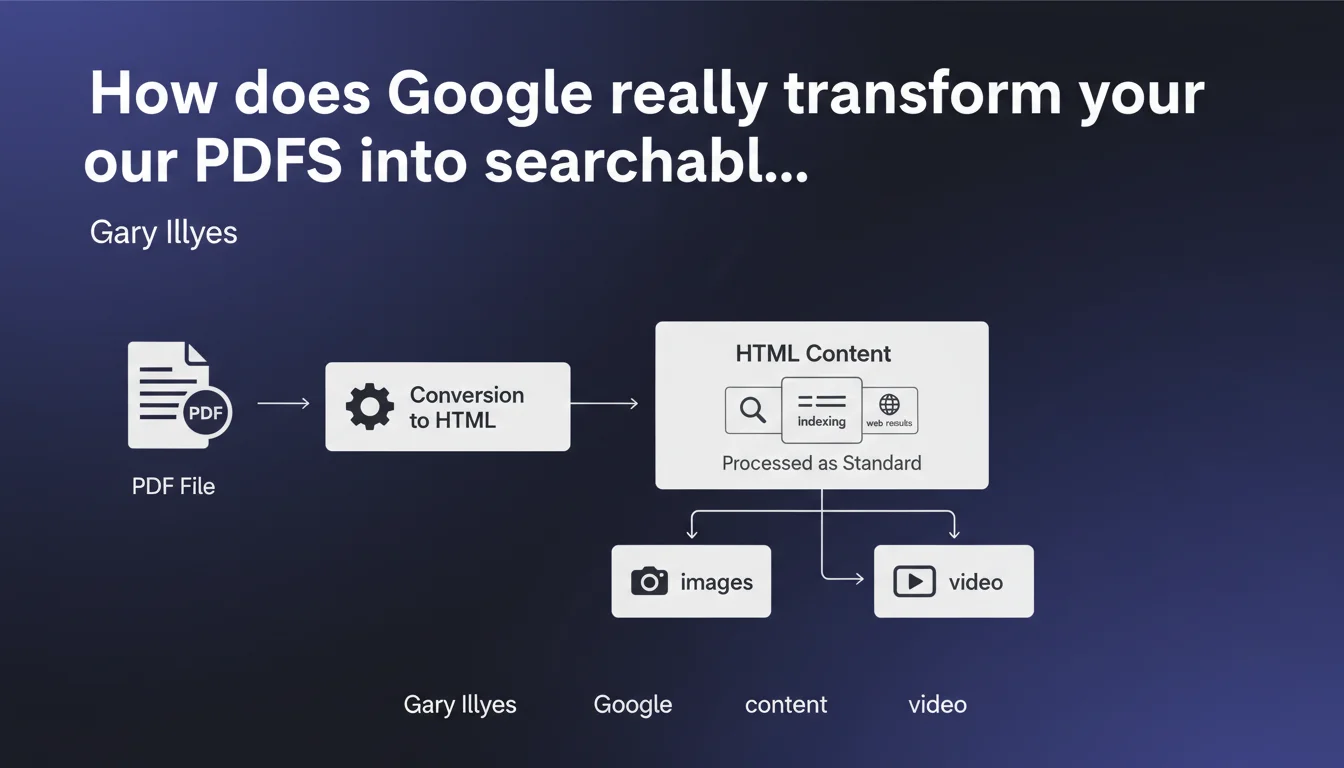
Google systematically converts every PDF to HTML before indexing it in web results. Once converted, this content is processed exactly like any standard HTML page, unlike images and videos which go through specific indexing pipelines.
What you need to understand
Why does Google convert PDFs to HTML rather than indexing them directly?
The answer lies in the search engine's architecture itself. Google's web index is optimized to analyze HTML — semantic tags, link structure, content hierarchy. A PDF, even if it contains text, remains a closed format with its own internal structure.
By going through HTML conversion, Google unifies the processing: text extraction, title analysis (detected via PDF styles), identification of internal URLs, evaluation of keyword density. Everything that works for a standard web page becomes applicable to the PDF.
Is this conversion identical for all PDFs?
Not necessarily. A native PDF (generated from Word, InDesign, or LaTeX) contains encoded text. The conversion is clean and reliable. A scanned PDF or one made up of images requires OCR — and there, the quality of recognition directly influences what Google indexes.
Gary Illyes doesn't specify whether Google applies different treatments depending on the PDF type. In practice, we observe that poorly scanned PDFs are often poorly indexed — a likely sign that OCR fails or that the extracted content is deemed too noisy.
What's the difference with image and video indexing?
Images and videos go through separate indexing pipelines: Google Images, Google Videos. Each has its own ranking criteria — EXIF metadata, alt text, transcripts, engagement signals.
A PDF, meanwhile, joins the standard web index. It therefore competes directly with your HTML pages on the same queries. This is a crucial distinction: a well-optimized PDF can cannibalize your main pages — or conversely strengthen your topical authority if used strategically.
- Systematic conversion: every PDF goes through a transformation step to HTML before indexing
- Unified processing: once converted, the PDF is analyzed as standard web content
- Distinct pipelines: images and videos follow specific indexing circuits, not PDFs
- Direct competition: your PDFs compete for the same SERP positions as your HTML pages
SEO Expert opinion
Is this statement consistent with real-world observations?
Yes, and it's even an official confirmation of a process long assumed. Crawl budget tests show that Google indeed treats PDFs as costly resources: conversion takes server time, which explains why sites with hundreds of heavy PDFs see their crawl slow down.
Log analysis also reveals that Googlebot downloads the entire PDF before indexing it — unlike HTML where it can stream content. This reinforces the hypothesis of batch conversion on Google's side.
What are the limitations of this statement?
Gary Illyes remains vague on several critical points. [To verify]: what is the maximum file size Google accepts for conversion? We observe in the field that PDFs exceeding 10-15 MB are often partially indexed or even ignored — but no official limit is documented.
Another grey area: how does Google handle protected PDFs (encrypted, with copy restrictions)? HTML conversion requires extracting text — if the PDF blocks this extraction, is it simply excluded from the index? The statement says nothing about it.
Finally, nothing about preserving formatting. A PDF can have complex structure (columns, boxes, infographics). Does HTML conversion preserve this visual hierarchy or flatten everything into linear text? Tests suggest that Google favors natural reading order, but that's not always the expected one — especially with sophisticated layouts.
Does this approach favor or penalize PDFs in results?
Neither by default. Treating PDFs like HTML means they're subject to the same quality criteria: content depth, domain authority, user signals. A hollow PDF will be ignored, a dense and well-structured PDF can rank.
The real handicap for PDFs? Mobile user experience. Google knows it: opening a PDF on a smartphone is painful. Even if the content is indexed, engagement signals (bounce rate, time on page) are often catastrophic — which tanks the ranking in the medium term.
Practical impact and recommendations
What do you need to actually optimize in your PDFs?
First, the internal structure. Use heading styles in your creation tool (Word, InDesign): Heading 1, Heading 2, etc. Google converts these styles to H1, H2 tags during HTML transformation. A PDF without a heading hierarchy becomes a flat block of text — invisible to featured snippets.
Next, internal URLs. If your PDF contains links (to other pages on your site or external resources), make sure they're clickable and absolute (https://...). Google follows them and counts them as internal linking — might as well take advantage of it.
Finally, file size. A 50 MB PDF takes 30 seconds to download — Google may give up on conversion. Always compress systematically (target: under 5 MB for a 20-30 page document). Recommended tools: Acrobat Pro, Smallpdf, or Ghostscript scripts for purists.
What mistakes should you absolutely avoid?
Never publish a scanned PDF without prior OCR. Google will try to extract the text, fail, and you'll end up with an indexed but empty file. If you must distribute a scan, run it through an OCR tool (Adobe Acrobat, ABBYY FineReader) before uploading.
Also avoid PDFs in "image only" mode generated by certain automatic exports. Even if text is present, it may be encoded as vector graphics — Google misses it entirely.
Last trap: PDF metadata. Title, author, keywords — all of this is extracted during conversion. A generic title ("Document1.pdf") or empty metadata makes you lose free optimization levers. Fill them in systematically, as you would for a title tag.
- Structure your PDFs with heading styles (H1, H2, H3) from creation
- Compress files to stay under 5 MB ideally
- Verify that text is selectable (not a flattened image)
- Fill in PDF metadata (title, description, keywords)
- Include absolute internal links to your strategic pages
- Test rendering in Google cache to validate extraction
- If the PDF is central to your strategy, also create an HTML mobile-accessible version
How do you decide between PDF and standard HTML page?
The empirical rule: if content is consulted primarily online, favor HTML. If your users download to read offline (reports, whitepapers, technical guides), PDF still makes sense.
Ideally, do both: an HTML version for SEO and mobile UX, a downloadable PDF for those who want to keep the document. Use a canonical tag on the HTML version to avoid duplicate content, and offer the PDF as a download via a visible button.
❓ Frequently Asked Questions
Google indexe-t-il toutes les pages d'un PDF ou seulement la première ?
Un PDF peut-il apparaître dans les featured snippets ?
Faut-il ajouter une balise canonical sur un PDF ?
Les PDFs pèsent-ils plus lourd sur le crawl budget ?
Comment vérifier ce que Google a extrait de mon PDF ?
🎥 From the same video 13
Other SEO insights extracted from this same Google Search Central video · published on 30/06/2022
🎥 Watch the full video on YouTube →
💬 Comments (0)
Be the first to comment.