
Official statement
Other statements from this video 6 ▾
- □ Does Google really crawl rendered HTML or only the source code?
- □ Does Google really index DOM changes made by JavaScript after the page loads?
- □ Why does Google index rendered HTML instead of source HTML?
- □ Should you really ditch source code inspection and switch to Search Console to see what Google actually indexes?
- □ Why doesn't 'View Source' show you what Google actually indexes?
- □ Why does Chrome's Elements tab reveal more than the source code for SEO?
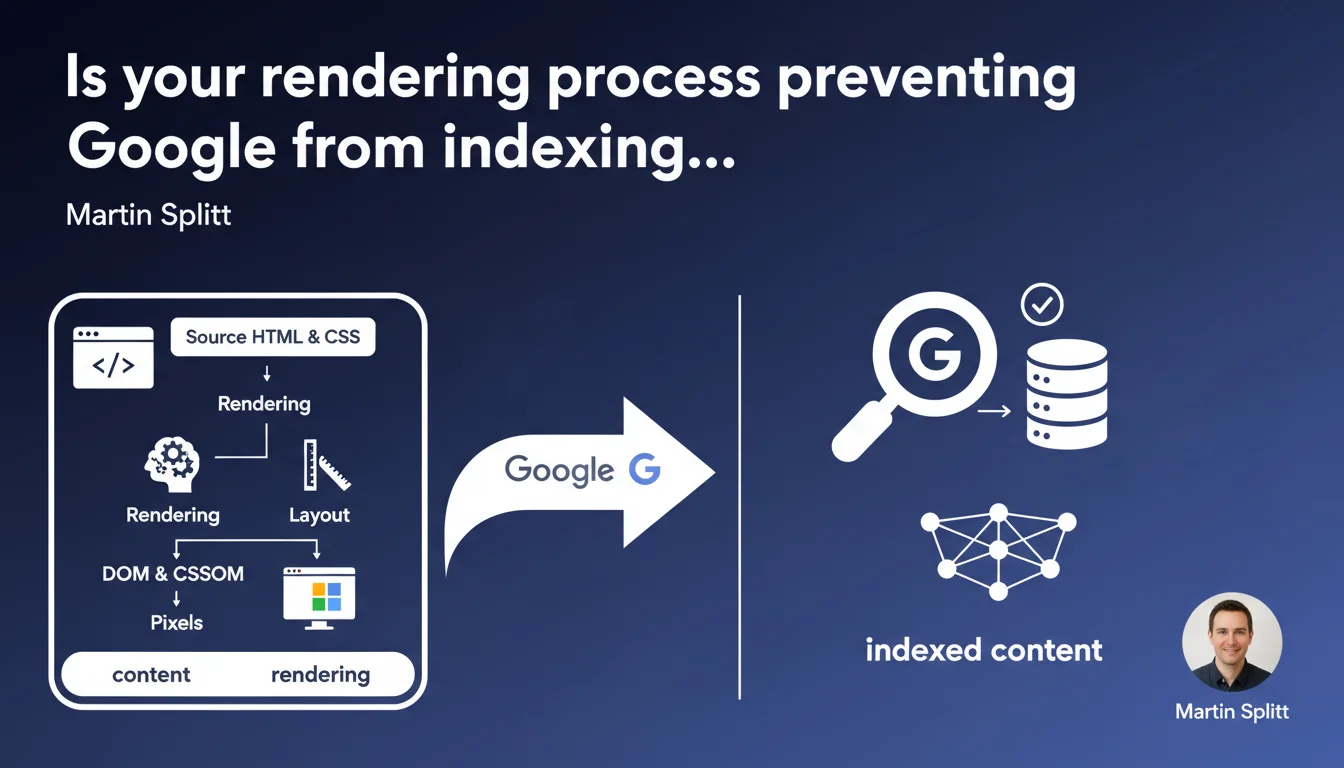
Google emphasizes that rendering transforms HTML and CSS code into visual elements through the DOM, CSSOM, then layout and final display. For SEO, this means the content visible to Googlebot depends directly on the crawler's ability to execute this rendering — a critical point for JavaScript-heavy sites.
What you need to understand
What exactly is rendering and why does Google keep hammering on this point?
Rendering refers to the series of operations through which a browser (or Googlebot) converts source HTML and CSS code into a displayable page. This process involves building the DOM (Document Object Model), the CSSOM (CSS Object Model), calculating the layout (element positioning), then final pixel rendering.
Google emphasizes this process because many modern sites generate their content via JavaScript. If Googlebot fails to execute rendering properly, it doesn't see the same content as the user — which creates obvious indexing problems.
How does rendering differ between a standard browser and Googlebot?
A Chrome or Firefox browser executes rendering in real time with every page load. Googlebot, on the other hand, works in two stages: it first crawls the raw HTML, then passes certain pages into a rendering queue to execute JavaScript.
This queue introduces a delay — sometimes several days. If your essential content only appears after JS execution, it risks not being indexed immediately, or possibly never if crawl budget is tight.
Which rendering elements directly impact SEO?
Three rendering phases deserve special attention: DOM construction (HTML must contain critical content from the start), CSSOM (blocking CSS resources slow down rendering), and layout (unexpected visual shifts degrade Core Web Vitals).
If a CSS or JS resource blocks rendering, Googlebot may give up before seeing the full content. Sites using SSR (Server-Side Rendering) or with critical content in initial HTML have a clear advantage.
- The DOM and CSSOM must be built before content becomes visible — including for Googlebot
- JavaScript delays rendering and can create a gap between what users see and what Google indexes
- Blocking resources (large CSS, JS files) slow down or prevent complete rendering
- Core Web Vitals (LCP, CLS) depend directly on rendering speed and stability
- Content generated only on the client side risks never appearing in the index if crawl budget is limited
SEO Expert opinion
Is this statement consistent with real-world practices?
Yes, completely. We regularly see sites where content isn't indexed because it only appears in the DOM after JS execution. E-commerce sites built with React or Vue without SSR are classic victims.
What's missing from Google's statement is precision about rendering delays at Google. Saying that Googlebot executes rendering is true — but how long after the initial crawl? A few hours? Several days? [Needs verification]: Google never gives exact numbers, yet in production, these delays can kill visibility for time-sensitive content (news, promotions).
What nuances should we add to this claim?
First point: rendering isn't binary. Googlebot doesn't render all pages with equal priority. Important pages (homepage, key categories) likely move through the rendering queue faster than deep pages.
Second nuance — and this is rarely stated clearly: rendering can fail silently. If a critical JS resource fails to load, Googlebot may index a partial version without you knowing. Tools like Search Console don't always report these failures explicitly.
In which cases doesn't this rule apply as expected?
Sites with heavy media or animation content can be problematic. Googlebot's rendering doesn't wait indefinitely: if your content only appears after 10 seconds of JS loading, there's a strong chance the bot will abandon.
Another case: sites that rely on cookies or localStorage to display content. Googlebot doesn't maintain state between crawls — if your content only appears after user interaction (click, scroll), it will remain invisible.
Practical impact and recommendations
What must you do concretely to guarantee optimal rendering?
First reflex: serve critical content in initial HTML. Titles, main paragraphs, internal links — all of this must exist in the DOM before any JS execution. SSR (Next.js, Nuxt) or static generation (Gatsby, Hugo) solve the problem at the source.
Next, audit your blocking resources. A single 500 KB unoptimized CSS file can delay rendering by several seconds. Use defer or async for non-critical scripts, and split your CSS by route if possible.
Which mistakes must you absolutely avoid?
Never hide essential content behind display:none or visibility:hidden that only reveals on scroll. Googlebot doesn't scroll — this content will remain invisible.
Also avoid pure SPAs (Single Page Applications) without pre-rendering. If every page loads a 2 MB JS bundle before displaying anything, you're in danger. Modern frameworks (Next, Nuxt, SvelteKit) offer hybrid solutions — use them.
How can you verify that your site meets rendering requirements?
Use the URL Inspection tool in Google Search Console to compare rendered HTML with what you see in your browser. Verify that text content appears in the "Rendered HTML" tab.
Also test with tools like Screaming Frog in "JavaScript Rendering" mode to simulate Googlebot behavior. Compare results with and without JS enabled — any significant discrepancy is a red flag.
- Serve critical content (H1, main paragraphs, links) in initial HTML, before any JS execution
- Optimize blocking resources: minify CSS/JS, use defer/async, lazy-load images
- Prioritize SSR or static generation for modern framework-based sites
- Systematically test with Search Console's URL Inspection tool
- Audit rendering with Screaming Frog or equivalent tool with JS enabled
- Avoid content hidden by CSS that only reveals on scroll or click
- Monitor Core Web Vitals (LCP, CLS) that reflect rendering quality
❓ Frequently Asked Questions
Googlebot exécute-t-il toujours le JavaScript de mes pages ?
Le contenu chargé en AJAX est-il indexé par Google ?
Comment savoir si Google voit le même contenu que mes utilisateurs ?
Le SSR est-il obligatoire pour un bon référencement en JavaScript ?
Les Core Web Vitals sont-ils liés au processus de rendu ?
🎥 From the same video 6
Other SEO insights extracted from this same Google Search Central video · published on 06/07/2022
🎥 Watch the full video on YouTube →
💬 Comments (0)
Be the first to comment.