
Official statement
Other statements from this video 6 ▾
- □ Does Google really crawl rendered HTML or only the source code?
- □ Does Google really index DOM changes made by JavaScript after the page loads?
- □ Why does Google index rendered HTML instead of source HTML?
- □ Why doesn't 'View Source' show you what Google actually indexes?
- □ Is your rendering process preventing Google from indexing your actual content?
- □ Why does Chrome's Elements tab reveal more than the source code for SEO?
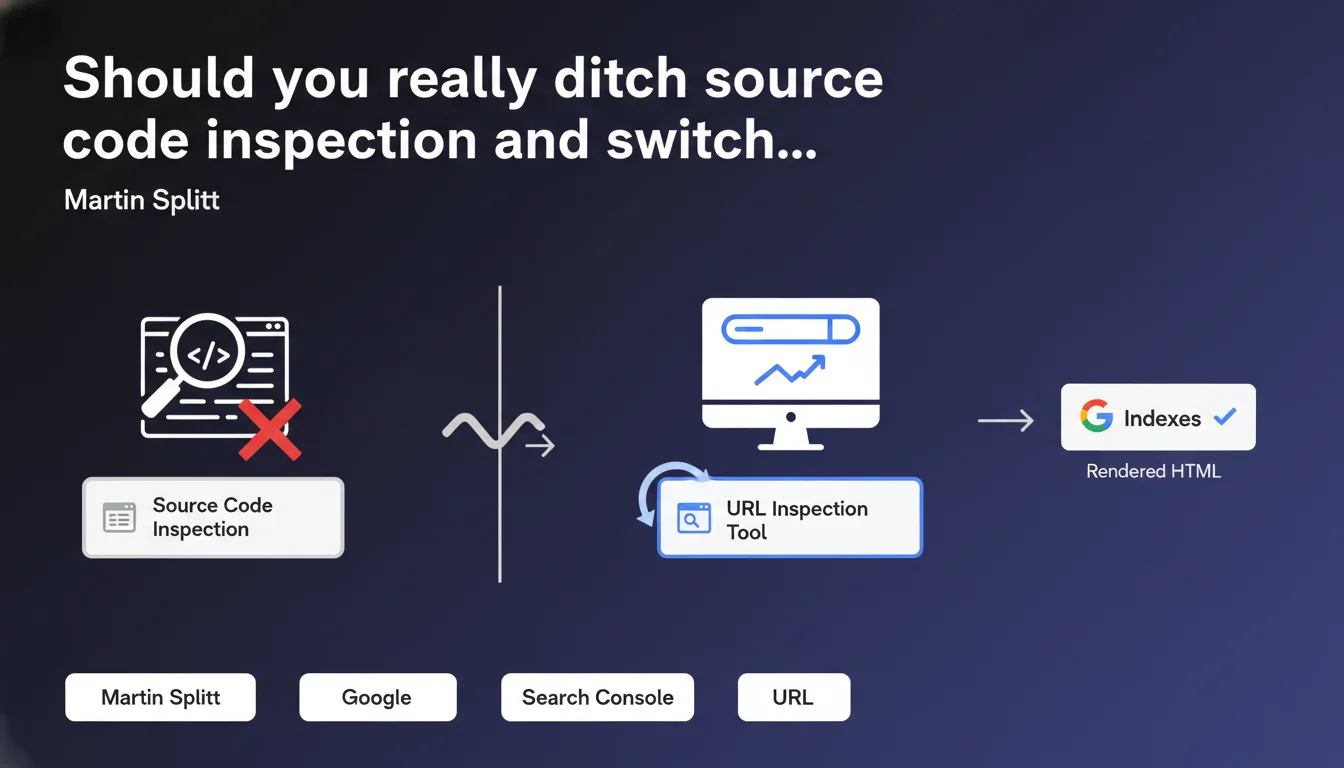
Google officially recommends using the URL inspection tool in Search Console rather than the classic HTML source view to debug indexation. The reason: what you see in "View Page Source" isn't necessarily what Googlebot sees after JavaScript rendering. The Search Console tool displays the final HTML exactly as Google interprets it for indexation.
What you need to understand
Why isn't the classic source code display sufficient anymore?
Modern websites rely heavily on JavaScript to generate content. When you hit "View Page Source" in your browser, you see the initial HTML sent by the server — before the JS executes.
Googlebot, on the other hand, performs JavaScript rendering (in most cases) before indexing the page. This JS execution process can profoundly modify the DOM: content added, tags transformed, links created dynamically. The rendered HTML that Google uses for indexation can therefore be radically different from the raw HTML.
What does the Search Console URL inspection tool actually deliver?
This tool allows you to view the HTML exactly as Googlebot sees it after rendering. It displays the final version of the DOM, the one that is actually used for indexation. You can verify that your critical elements (titles, content, internal links) are properly present in this rendered version.
The tool also provides a visual preview of the rendered page, a screenshot of what Googlebot displayed, and access to the rendered source code (via the "More info" option > "View crawled page"). It has become the reference tool for debugging indexation issues related to JavaScript.
- Initial HTML ("View Page Source") ≠ Rendered HTML (what Google indexes)
- The Search Console URL inspection tool shows the final DOM after JavaScript execution
- Essential for diagnosing indexation issues on JS-heavy sites (React, Vue, Angular…)
- Allows you to spot content or links invisible to Googlebot despite their presence on the client side
In what cases does this initial HTML/rendered HTML difference really cause problems?
Not all sites are equally affected. A predominantly static site, with HTML generated server-side, will show little discrepancy between initial source and rendered version. However, Single Page Applications (SPAs) or sites using modern JS frameworks heavily risk displaying skeletal HTML in the raw source.
Typical problems: title tags or meta descriptions missing from initial HTML but added via JS, main content loaded through AJAX invisible in the source, internal links generated dynamically absent from raw HTML. Without verification in Search Console, you risk believing everything is indexable when Googlebot only sees an empty shell — or worse, the rendering fails silently.
SEO Expert opinion
Is this Google recommendation consistent with what we observe in the field?
Absolutely. For years, we've seen blatant discrepancies between what developers see in their browser and what Googlebot actually indexes. Google's JS rendering, though improved, remains subject to resource and timing constraints. A page that works perfectly on the client side can fail silently on the bot side if the JS takes too long to execute or generates an error.
The URL inspection tool allows you to uncover these invisible failures. I've seen dozens of cases where a page's main content simply wasn't in the HTML rendered by Google, even though it displayed perfectly in Chrome. The Search Console tool therefore becomes an indispensable source of truth.
What limitations should you be aware of with this tool?
First point: the inspection tool shows a rendering at a specific moment in time, not necessarily representative of all crawls. Googlebot's behavior can vary depending on circumstances (crawl budget, server load, temporary network errors). Don't rely on a single test — verify several representative URLs, and repeat the operation if you make changes.
Second limitation: the tool doesn't replace a comprehensive technical audit. It won't tell you if your JS is too heavy, if your critical resources are blocked by robots.txt, or if your internal link architecture is optimal. It's a point-in-time diagnostic tool, not a continuous monitoring solution. [To verify]: Google never clearly specifies the exact timeouts applied to JS rendering in this tool — field observations suggest around 5 seconds, but nothing official.
Are there cases where consulting raw HTML remains relevant?
Yes, particularly to verify critical tags present from initial load: meta robots, canonical, hreflang, structured data. Even if Google performs JS rendering, certain directives should ideally be in the initial HTML to be picked up early in the crawl process.
Consulting the raw source also remains useful for diagnosing performance issues: oversized HTML, blocking resources, poorly placed scripts. But for everything related to indexable content, internal links, and semantic elements, the Search Console tool is now the definitive reference.
Practical impact and recommendations
What should you do concretely right now?
First step: audit your strategic pages with the URL inspection tool in Search Console. Select around ten representative URLs (homepage, main categories, key product pages, important blog articles). For each one, compare the raw HTML ("View Page Source") and the rendered HTML visible in the tool.
Identify critical differences: missing content, modified title/meta tags, absent internal links, missing structured data. If the gap is significant, your site depends too heavily on JS rendering from Google — introducing a risk of partial or delayed indexation.
- Test at least 10 strategic URLs in the Search Console inspection tool
- Systematically compare initial HTML and rendered HTML for each tested page
- Verify that main content, heading tags, and critical internal links are present in the render
- Identify blocked resources (CSS, JS) that could prevent complete rendering
- Document discrepancies found and prioritize corrections by SEO impact
What mistakes should you absolutely avoid?
Never assume that "it works in my browser so Google sees the same thing." Googlebot's JS rendering is not Chrome. It can fail for subtle reasons: timeouts, JS errors that aren't blocking on the client side but fatal on the bot side, unavailable external dependencies.
Another frequent mistake: modifying critical tags in JavaScript after initial load. Even if Google performs rendering, certain directives (canonical, meta robots noindex) are sometimes interpreted from the initial HTML. Always prioritize Server-Side Rendering (SSR) or static generation for critical SEO elements.
How do you integrate this practice into your SEO routine?
Make the Search Console inspection tool a systematic reflex before every production deployment involving JS. Create a post-deployment verification checklist including: URL inspection on modified pages, render verification, comparison with the previous version.
For more regular monitoring, consider automating render tests with tools like Puppeteer or Playwright, coupled with DOM comparisons. But keep the Search Console tool as your ultimate reference — it's the only one that shows you exactly what Google sees.
❓ Frequently Asked Questions
L'outil d'inspection d'URL remplace-t-il complètement l'affichage de la source HTML classique ?
Combien de temps faut-il attendre entre une modification et son test dans l'outil d'inspection ?
Si le rendu affiché par Search Console est correct, ma page sera-t-elle forcément indexée ?
Peut-on faire confiance au rendu JS de Google pour tous les frameworks JavaScript ?
Faut-il privilégier le Server-Side Rendering si on constate des écarts importants ?
🎥 From the same video 6
Other SEO insights extracted from this same Google Search Central video · published on 06/07/2022
🎥 Watch the full video on YouTube →
💬 Comments (0)
Be the first to comment.