
Official statement
Other statements from this video 6 ▾
- □ Google crawle-t-il vraiment le HTML rendu ou seulement le code source ?
- □ Pourquoi Google indexe-t-il le HTML rendu plutôt que le HTML source ?
- □ Faut-il vraiment abandonner l'inspection de code source au profit de Search Console pour voir ce que Google indexe ?
- □ Pourquoi « Afficher le code source » ne montre-t-il pas ce que Google indexe vraiment ?
- □ Pourquoi le processus de rendu est-il crucial pour le référencement de vos pages ?
- □ Pourquoi l'onglet Elements de Chrome révèle-t-il plus que le code source pour le SEO ?
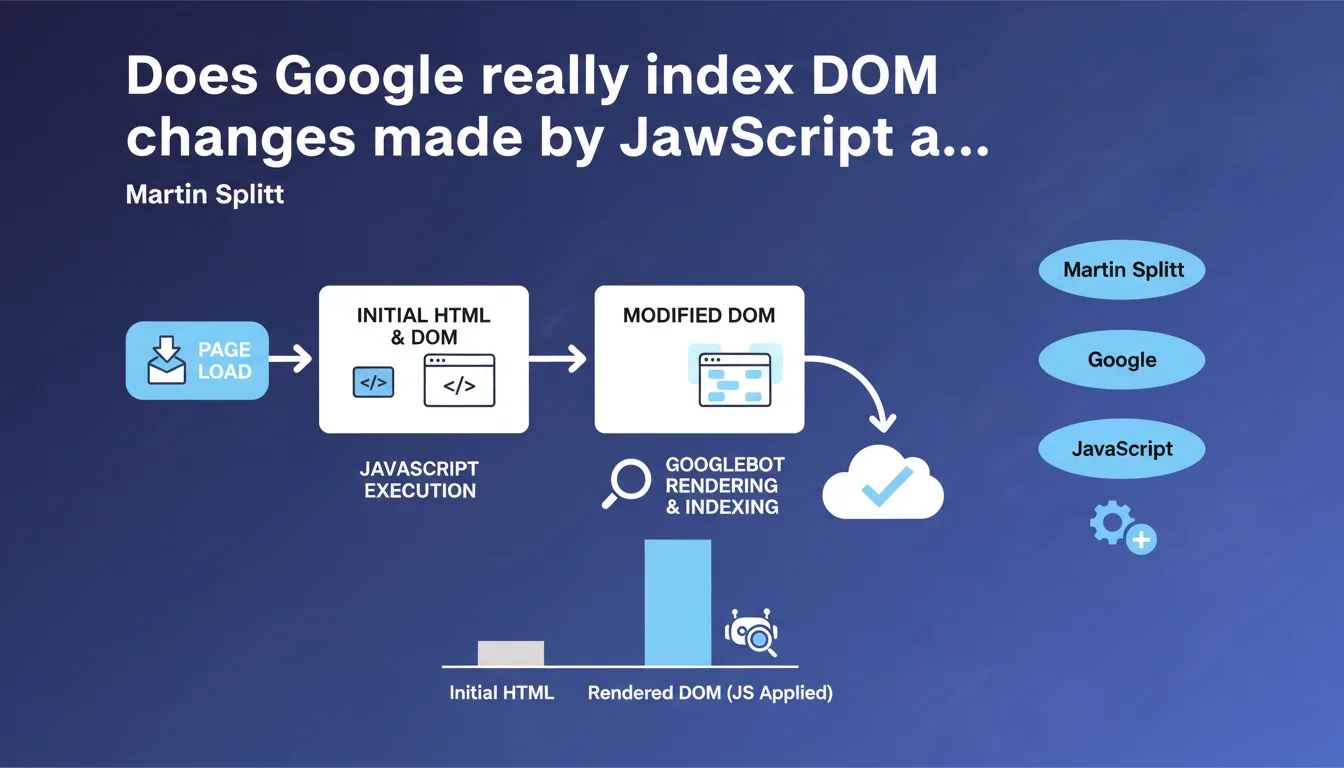
Google acknowledges that the DOM can change after initial page load via JavaScript. Dynamically added modifications — content, links, elements — are detected during rendering. But here's the catch: script timing and complexity directly influence what Google actually indexes.
What you need to understand
What is the DOM and why is Google talking about it now?
The Document Object Model is the tree structure that the browser builds from the HTML. This is the representation that JavaScript manipulates to add, modify, or remove elements.
When Martin Splitt clarifies that the DOM "can change," he's answering a recurring concern from developers: does Google see content injected after the fact? The official answer is yes — but with important nuances that this statement doesn't make explicit.
When and how is the DOM modified?
Three key moments: during page load (scripts that execute before complete rendering), during user interactions (clicks, scroll, hover), and during triggered events (timers, websockets, external APIs).
For Googlebot, only the first case is guaranteed to be crawled. The other two require the bot to simulate the interaction — something it doesn't do systematically.
What are the essential points to remember?
- Google executes JavaScript and detects DOM modifications after the initial HTML
- Dynamically added content can be indexed, but it's not automatic
- The timing of script execution is critical: too late = invisible to the bot
- Modifications triggered by user interaction (infinite scroll, lazy loading on click) are not guaranteed to be crawled
- The technical complexity of JavaScript can block complete rendering
SEO Expert opinion
Is this statement consistent with what we observe in real-world scenarios?
Yes and no. Google does crawl the DOM after JavaScript execution — we verify this with URL testing in Search Console or via the cache. But reliability isn't 100%.
Dozens of real-world cases show that some JS content is never indexed, even after months. The reasons? Limited crawl budget, overly heavy scripts, execution timeouts that are too long. [To verify]: Google has never given a clear threshold for rendering timeout or the depth of execution tolerated.
What nuances should be added to this statement?
Splitt remains deliberately vague about the practical limits. He doesn't say that all JavaScript will be executed, or that all modifications will be detected. He just says it's possible.
Concretely, if your main content requires infinite scroll or a user click to appear, you're playing roulette. Google can see it, but nothing guarantees it will systematically. Tests show random indexing in these configurations.
In what cases doesn't this rule apply?
When JavaScript is blocked by robots.txt (rare but still observed), when the execution timeout exceeds Google's limit, or when JavaScript errors block rendering. The bot doesn't wait indefinitely.
Another ignored case: modifications triggered by server-side events (websockets, Server-Sent Events). Google doesn't maintain a persistent connection to wait for these updates.
Practical impact and recommendations
What should you do concretely to ensure Google sees the modified DOM?
First, test with the URL inspection tool in Search Console. Compare the raw HTML (Ctrl+U) and the rendered DOM. If critical elements are missing from Google's rendering, your JS is problematic.
Use server-side rendering (SSR) or static generation for priority content. Reserve dynamic JS for secondary elements — filters, animations, UX features.
What mistakes should you absolutely avoid?
Don't entrust your main content solely to client-side JavaScript. An H1, a meta description, a strategic text block must be present in the initial HTML.
Avoid heavy scripts that delay First Contentful Paint. Google may abandon rendering if it takes too long. Monitor JavaScript errors in the console: a single critical error can block the entire execution chain.
How do you verify that your site complies?
- Compare source HTML and rendered DOM in Search Console ("Test live URL" tab)
- Verify that important internal links are present in the DOM rendered by Google
- Check your Core Web Vitals: a delayed LCP = potentially incomplete Google rendering
- Use a JavaScript crawler (Screaming Frog, OnCrawl) to simulate Googlebot behavior
- Analyze server logs: if Google crawls few of your JS resources, that's a bad sign
- Test with JavaScript disabled in your browser: critical content must remain accessible
❓ Frequently Asked Questions
Google indexe-t-il le contenu ajouté par JavaScript après le chargement initial ?
Les modifications du DOM déclenchées par interaction utilisateur sont-elles crawlées ?
Comment vérifier que Google voit mon contenu JavaScript ?
Faut-il abandonner le JavaScript pour le SEO ?
Quel est le délai maximum que Google tolère pour l'exécution JavaScript ?
🎥 From the same video 6
Other SEO insights extracted from this same Google Search Central video · published on 06/07/2022
🎥 Watch the full video on YouTube →
💬 Comments (0)
Be the first to comment.