
Official statement
Other statements from this video 11 ▾
- □ Can you really rely on service workers for SEO success?
- □ Can Googlebot actually index a website that relies on service workers to display its content?
- □ Does Googlebot really ignore the service workers on your site?
- □ How can you use Search Console to uncover hidden indexation problems caused by service workers?
- □ What are Google's live testing tools really showing you about your site's rendering issues?
- □ Can the JavaScript console really uncover critical rendering issues that hurt your SEO?
- □ Is developer collaboration really the breakthrough you need to unlock indexation problems?
- □ Should you really inject console.log statements to diagnose Googlebot rendering failures?
- □ Should you really verify rendered HTML in Search Console to diagnose your indexation issues?
- □ Your page is indexed but invisible: is it a technical issue or simply outranked by competitors?
- □ Is your service worker secretly sabotaging your Google rankings?
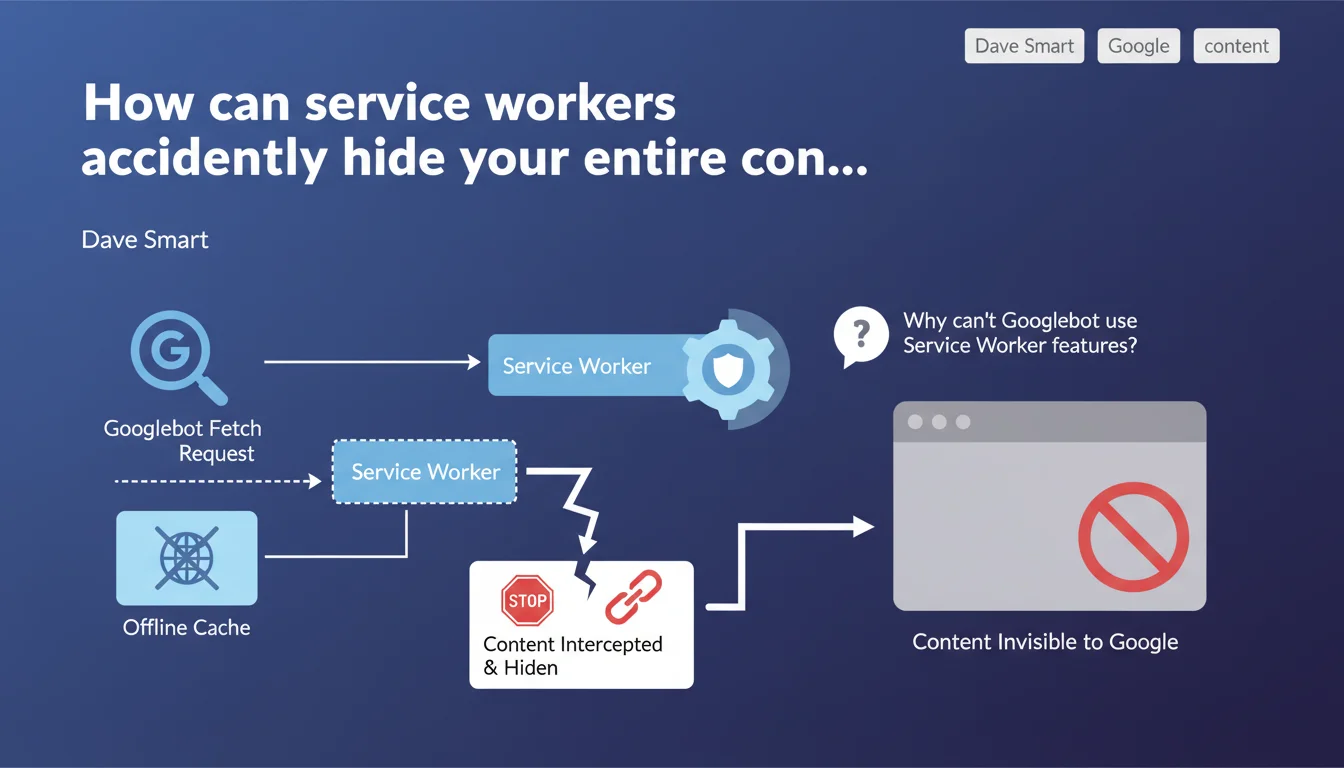
Googlebot cannot execute advanced service worker features. If you intercept content fetch requests exclusively through a service worker to manage offline mode, Google's bot won't be able to access that content. The risk: rendering entire pages non-indexable without even knowing it.
What you need to understand
What exactly is a service worker and why is it causing Googlebot headaches?
A service worker is a JavaScript script that runs in the background of the browser, separate from the web page itself. It allows you to manage network requests, cache resources, and create high-performing offline experiences.
Here's the catch: Googlebot cannot leverage these advanced features. If your content is only accessible through service worker request interception — for example, to serve a cached version or modify the response — Google simply won't see anything. The bot receives an empty or incomplete response, and your page vanishes from search results.
When exactly does this interception actually block indexation?
The problem occurs when you intercept normal requests (fetch events) exclusively for offline functionality, without providing a server-side fallback. In concrete terms: if the content exists only in the service worker cache and no standard HTTP response is available, Googlebot is blocked.
Typical scenarios: a progressive web app (PWA) serving all content from cache, a site redirecting all requests to an app shell managed by the service worker, or dynamic pages that only return HTML after client-side processing through the worker.
How does Googlebot actually handle service workers?
Google has confirmed that its bot can load and register a service worker, but it doesn't execute it like a modern browser does. It cannot wait for a fetch event to be intercepted, processed, and then returned with modified content.
In practice, Googlebot makes a standard HTTP request and expects a direct server response. If that response depends on logic managed exclusively by the service worker, it will never arrive.
- Service workers operate in the background in browsers, not in Googlebot
- Request fetch interception can block content access if no server response is available
- Google can register the service worker but cannot execute its advanced features
- The main risk: rendering pages invisible to crawl without obvious diagnostics
- A poorly designed PWA architecture can create a huge gap between user experience and SEO accessibility
SEO Expert opinion
Is this statement consistent with real-world observations?
Yes, and it's actually a recurring problem with ambitious PWAs. I've seen entire websites lose visibility after migrating to poorly calibrated service worker architecture. The classic symptom: pages that work perfectly in navigation, but indexation rates collapse without any obvious alert in Search Console.
The issue is that JavaScript debugging tools (Lighthouse, DevTools) don't detect this type of bot blocking. Everything seems perfect locally, yet Googlebot receives nothing. You need to test with a Googlebot user-agent or a headless crawler without active service worker to identify the problem.
What nuances should we add to this guideline?
Google isn't saying service workers are forbidden — it's saying that intercepting normal requests exclusively for offline poses a problem. Important distinction: you can use a service worker to preload resources, manage push notifications, or optimize caching, as long as the content remains accessible through a standard HTTP request.
The real issue is architecture. If your service worker intercepts a request but still returns the network response when connected (using Network First or Stale While Revalidate strategy), no problem. The issue arises with Cache Only or Cache First strategy without network fallback, where content exists only locally.
In which cases does this rule not apply?
If your service worker only intercepts static resources (CSS, JS, images) to cache them, or if it only manages ancillary functionality (notifications, background sync), there's no risk. The HTML content remains served normally by the server.
Similarly, if you use a progressive enhancement strategy where the service worker improves the experience without ever blocking access to raw content, you're safe. The essential point: the initial HTTP request, without the service worker, must return complete and indexable content.
Practical impact and recommendations
What should you concretely do to avoid this pitfall?
First, audit your service worker strategy. If you're intercepting content requests, verify that your chosen strategy provides a network fallback. Network First, Network Only, or Stale While Revalidate strategies are safe for SEO. Cache First or Cache Only are dangerous if they apply to page HTML.
Next, test with a Googlebot user-agent. Disable the service worker in your browser (DevTools > Application > Service Workers > Unregister) and reload the page. If the content no longer displays or if you get an error, Googlebot will face the same issue.
How do you verify that Googlebot is actually accessing my content?
Use the URL inspection tool in Search Console. Request a live test and examine the returned HTML and screenshot. If the content doesn't appear while it's visible in your browser, the service worker is probably responsible.
Another method: crawl with a tool like Screaming Frog with JavaScript disabled, or with a Googlebot user-agent configured to ignore service workers. Compare results with a standard crawl. Any major differences reveal an accessibility problem.
- Verify that your service worker caching strategy includes a network fallback for HTML
- Test your site with the service worker disabled to ensure content remains accessible
- Use the Search Console URL inspection tool on critical pages
- Compare Googlebot rendering with user rendering to detect discrepancies
- Avoid Cache Only or Cache First strategies on HTML page requests
- Favor Network First or Stale While Revalidate to guarantee content access
- Precisely document your service worker logic to facilitate future audits
❓ Frequently Asked Questions
Peut-on utiliser un service worker sans risque SEO ?
Comment savoir si mon service worker bloque Googlebot ?
Les PWA sont-elles incompatibles avec le SEO ?
Googlebot peut-il enregistrer un service worker ?
Quelle stratégie de cache privilégier pour le SEO ?
🎥 From the same video 11
Other SEO insights extracted from this same Google Search Central video · published on 01/11/2022
🎥 Watch the full video on YouTube →
💬 Comments (0)
Be the first to comment.