
Official statement
Other statements from this video 8 ▾
- □ Does Googlebot actually store cookies when crawling your website?
- □ Why do search engine crawlers systematically ignore your cookies?
- □ Is dynamic rendering with content parity really risk-free for indexation?
- □ Why isn't testing your site with a user agent emulator enough to catch crawl problems?
- □ Why is testing your site with a crawler absolutely essential for SEO success?
- □ Why does Google refuse cookie-based pagination systems?
- □ Do cookies really prevent bots from accessing your content?
- □ Are cookie-dependent websites invisible to Googlebot?
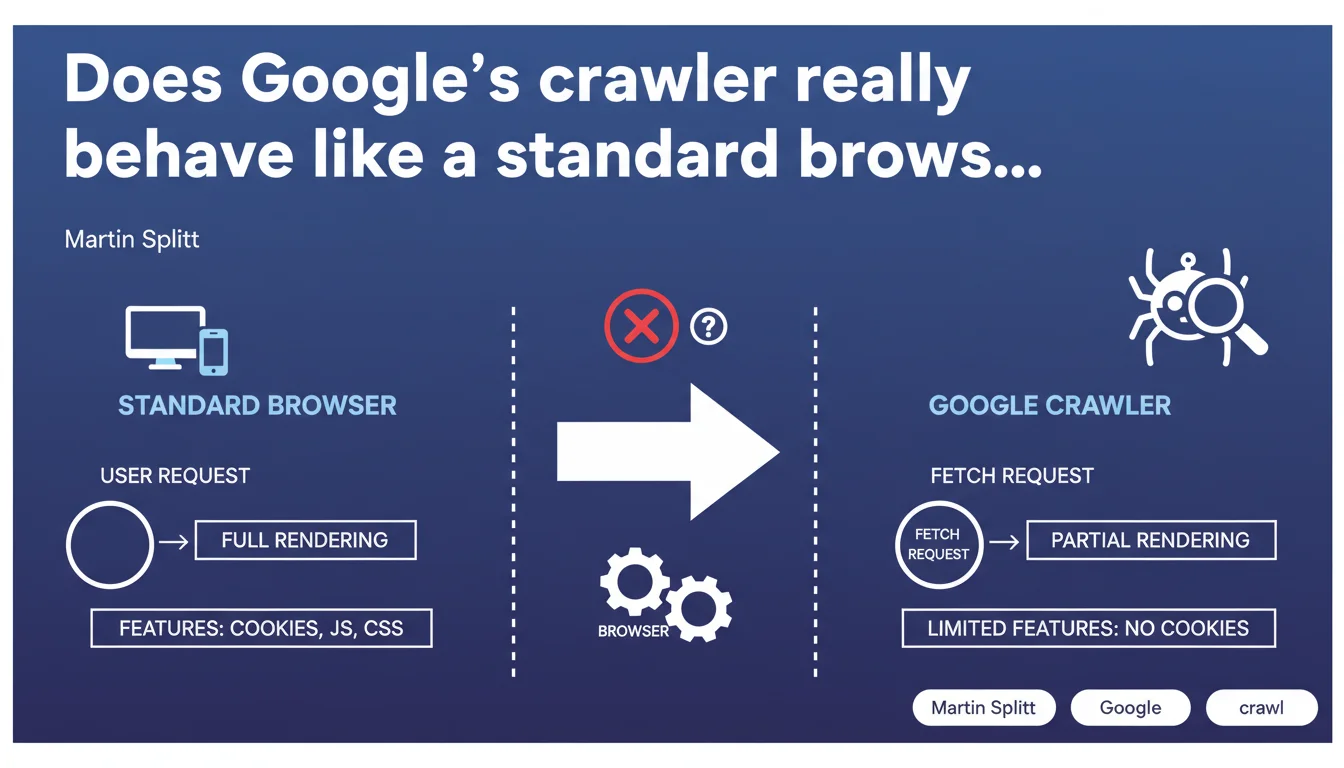
Google confirms that its crawlers do not function exactly like standard browsers, even when using the same user agent. The major difference: crawlers don't handle cookies, which can create completely different user experiences compared to server-side rendering. This technical nuance has direct implications for how your content is perceived by Googlebot.
What you need to understand
Why is Google clarifying this distinction now?
Martin Splitt emphasizes a technical point that many SEOs overlook: identical user agent does not mean identical behavior. Developers often assume that a crawler with the same user agent as Chrome will faithfully reproduce the experience of a standard browser.
The reality is more nuanced. Crawlers like Googlebot don't support certain features native to modern browsers. Cookies are the most glaring example — and potentially the most problematic for page rendering.
What specific features are affected?
Google explicitly mentions cookies, but doesn't provide an exhaustive list. This is typical of their communication: they give you a hint, and it's up to you to dig deeper to identify other potential gaps.
Beyond cookies, we can reasonably suspect other limitations: local storage management, complex JavaScript interactions that depend on persistent sessions, or even certain modern web APIs. But Google remains vague about the exact scope.
How does this affect page rendering?
A page that adapts its content based on the presence or absence of cookies can present two radically different versions: one seen by the user with cookies, another seen by Googlebot without. If your architecture relies on cookies to load critical content, you're in the danger zone.
Personalized experiences are particularly vulnerable. A homepage that displays generic content for new visitors (without cookies) and enriched content for known visitors could inadvertently hide important content from Google.
- Crawlers don't handle cookies, even with an identical Chrome user agent
- This limitation creates different experiences between real users and Googlebot
- Sites with content logic dependent on cookies must audit their crawler-side rendering
- Google doesn't provide an exhaustive list of unsupported features
SEO Expert opinion
Is this statement consistent with field observations?
Absolutely. Tests with Google Search Console and the URL inspection tool regularly show gaps between user rendering and Googlebot rendering. Cookies are often the culprit — but not always immediately identified.
What's frustrating is that Google could have documented this limitation comprehensively years ago. Instead, we discover these nuances through scattered announcements. For a SEO debugging an indexing problem, this lack of transparency costs time.
What nuances should be added to this statement?
Google talks about "certain features" without specifying which ones beyond cookies. [To verify] on your own infrastructure: are localStorage, sessionStorage, or certain JavaScript APIs also ignored by Googlebot?
The reality: you need to test. The "Test Live URL" tool in Search Console is your ally, but it doesn't capture everything. Systematically compare with tests in anonymous mode (private browsing, cookies disabled).
In what cases does this rule create real problems?
E-commerce sites with advanced personalization are on the front lines. If you display product recommendations only for visitors with history (cookies), Googlebot sees an empty or impoverished page.
Same goes for sites with paywalls: if your blocking logic relies on cookies to identify subscribers, make sure Googlebot accesses the intended public version, not an empty or broken one.
Practical impact and recommendations
What should you do concretely to avoid pitfalls?
First step: audit all parts of your site that use cookies or client-side storage to display content. Identify pages where JavaScript logic depends on these mechanisms.
Systematically test these pages in Search Console with the URL inspection tool. Compare the rendering with what you see in a browser in private mode, cookies disabled. If the gap is significant, you have a problem.
What mistakes should you absolutely avoid?
Never assume that "Chrome user agent = Chrome rendering." This mental shortcut is costly. Googlebot is not a standard browser; it's a crawler with specific constraints.
Avoid hiding critical content behind cookie logic. If you need to personalize, do it additively: display a basic version accessible without cookies, then enrich for known visitors.
How can you ensure your site is compliant?
Implement regular monitoring of Googlebot rendering via Search Console. Automate comparative screenshots between real user and crawler. If you use a modern CMS or JavaScript framework, document cookie dependencies.
On the development side, enforce a rule: all important content must be accessible without strict dependency on cookies. Cookies can enhance the experience but should never block access to main content.
- Audit pages with content logic dependent on cookies
- Test rendering in Search Console ("Test Live URL")
- Compare with a browser in private mode, cookies disabled
- Identify content gaps between user rendering and Googlebot rendering
- Refactor critical pages to display main content without cookies
- Implement regular monitoring of crawler-side rendering
- Train development teams on crawler limitations (not standard browsers)
❓ Frequently Asked Questions
Googlebot gère-t-il le localStorage et le sessionStorage ?
Comment tester si mon site affiche du contenu différent à Googlebot ?
Les sites e-commerce avec recommandations personnalisées sont-ils pénalisés ?
Faut-il désactiver toutes les fonctionnalités basées sur les cookies ?
Cette limitation concerne-t-elle aussi les autres moteurs de recherche ?
🎥 From the same video 8
Other SEO insights extracted from this same Google Search Central video · published on 15/11/2022
🎥 Watch the full video on YouTube →
💬 Comments (0)
Be the first to comment.