
Official statement
Other statements from this video 8 ▾
- □ Does Googlebot actually store cookies when crawling your website?
- □ Why do search engine crawlers systematically ignore your cookies?
- □ Is dynamic rendering with content parity really risk-free for indexation?
- □ Does Google's crawler really behave like a standard browser, even with the same user agent?
- □ Why isn't testing your site with a user agent emulator enough to catch crawl problems?
- □ Why is testing your site with a crawler absolutely essential for SEO success?
- □ Do cookies really prevent bots from accessing your content?
- □ Are cookie-dependent websites invisible to Googlebot?
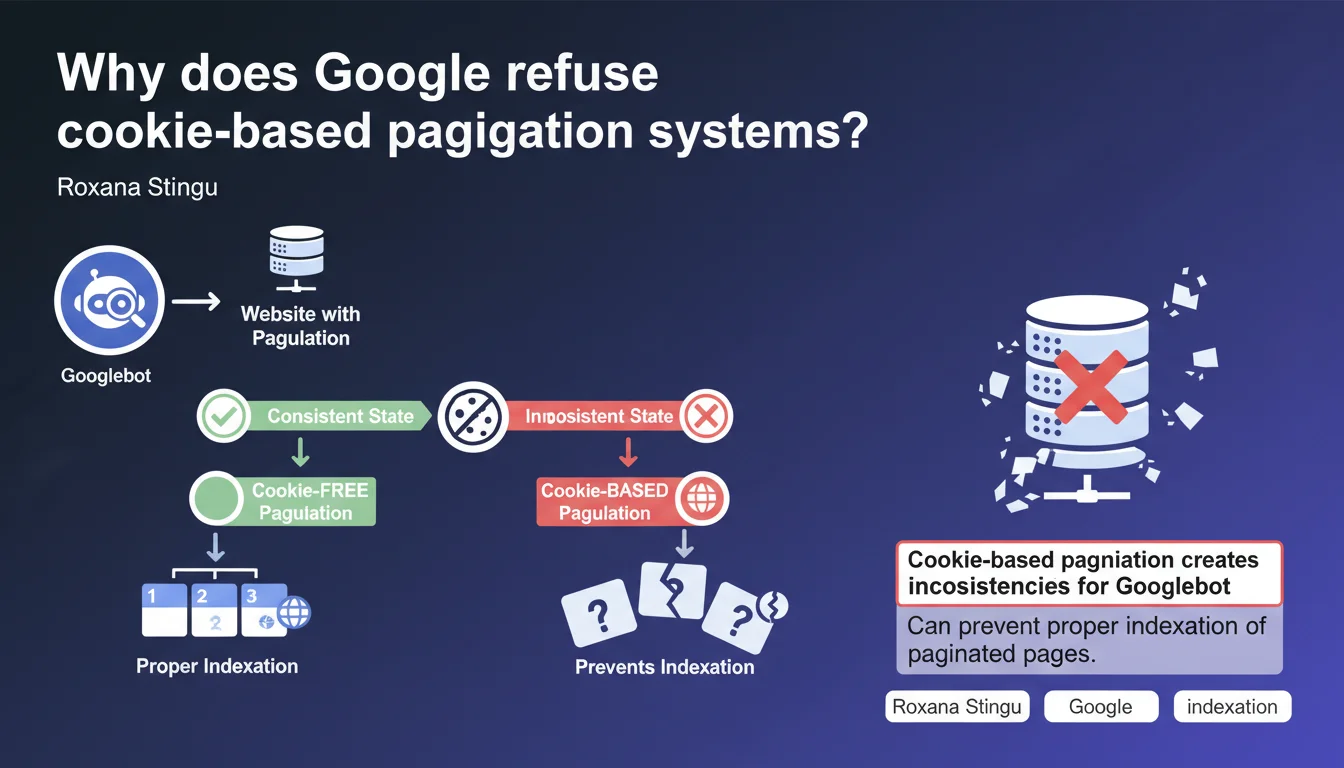
Google states that pagination systems that rely on cookies create inconsistencies for Googlebot and block the indexation of paginated pages. Pagination must work without cookies to guarantee consistent crawling. In short: if your pagination requires a session, Googlebot will probably only see a fraction of your content.
What you need to understand
Why doesn't Googlebot handle cookies like a standard browser?
Googlebot behaves differently from a human user. Unlike a browser that maintains active sessions and stores cookies between pages, Google's bot processes each URL in isolation.
Concretely? When Googlebot visits your page 1, then page 2, it doesn't necessarily "remember" its previous visit. If your pagination relies on a session cookie to display the correct set of results, the bot risks seeing inconsistent content or encountering an error.
What type of pagination causes problems?
Systems that store pagination state in a cookie — for example, to remember applied filters, chosen sorting, or position in an infinite feed — create invisible dependencies for Googlebot.
Imagine an e-commerce site where page 2 of a category only displays correctly if a "filter_state" cookie exists. Googlebot arrives directly on /category?page=2 without this cookie. Result: empty page, 404 error, or worse — random content that has nothing to do with the URL.
What are the concrete consequences on indexation?
If Googlebot can't access paginated pages consistently, your content remains invisible in the index. You might generate a perfect XML sitemap with all your pages, but if the bot encounters inconsistencies on each visit, it eventually gives up.
Crawl budget is exhausted on URLs that return nothing stable. Quality signals become unusable. And ultimately, hundreds or thousands of pages are never indexed — even though they contain relevant content.
- Googlebot does not use persistent cookies between crawls of different URLs
- Pagination systems that depend on client-side stored state create display inconsistencies
- Poorly designed pagination can block indexation of hundreds of pages
- The issue particularly affects dynamic filters, infinite scroll managed in JS, and complex sorting systems
- The solution: expose pagination via explicit URL parameters, not cookies
SEO Expert opinion
Is this statement consistent with field observations?
Absolutely. For years, we've observed that sites implementing "clean" pagination — with distinct URLs and explicit GET parameters — perform much better at indexation than those attempting exotic approaches.
The problem is that many modern frameworks (React, Vue, Next.js poorly configured) generate pagination systems that rely on client-side state by default. The developer doesn't even think about SEO when coding this — and the site ends up with an indexation gap.
In what cases might this rule seem counterintuitive?
Some developers think storing pagination state in a cookie improves user experience — and that's true for a human browsing. But for Googlebot, it's a disaster.
There's also the case of sites using cookies to manage sorting or filtering preferences. The intention is good, but if these preferences modify displayed content without changing the URL, Google only sees one version — often the default version. Other combinations remain invisible.
What nuances should be added to this statement?
Google is not saying cookies are banned on your site. It says that pagination itself must not depend on them to function. You can absolutely use cookies to remember user preferences, analytics tracking, or logged-in sessions — as long as it doesn't affect basic paginated page display.
The golden rule: each pagination page must be directly accessible via its URL, without prerequisites, without dependency on a previous state. If you paste page 5's URL into a private browsing window, you must see exactly the same content as Googlebot.
Practical impact and recommendations
What should you concretely do to fix cookie-based pagination?
First step: audit your current system. Open private browsing, go directly to a page 2, 3, 10 URL. Does the content display correctly? If you encounter an empty page, a redirect, or an error message, your pagination depends on state stored elsewhere — likely a cookie.
Second step: refactor the code so each paginated page has a unique and explicit URL. Standard GET parameters (?page=2, ?offset=20, ?p=3) work perfectly. Avoid systems where the URL doesn't change and only content is reloaded via AJAX without browser history update.
How do you verify that Googlebot can properly access your paginated pages?
Use the URL Inspection tool in Google Search Console. Paste a paginated page URL (e.g., /blog?page=5) and run a live test. Check the HTML rendering and screenshot — you must see exactly the expected content, not an empty page or the default page 1.
Also check coverage reports. If you see pagination URLs marked as "Discovered, currently not indexed" or "Crawled, currently not indexed," it's often a sign that Googlebot can't obtain consistent content.
What technical errors must you absolutely avoid?
- Never redirect Googlebot to page 1 when it tries to access a paginated page without a cookie
- Avoid systems where the URL remains identical and only the DOM changes via JavaScript
- Don't use fragments (#) for pagination — Google generally ignores what follows the #
- Ban CAPTCHAs or error messages that only display when cookies are absent
- Verify that the HTTP status of paginated pages is 200, not 302 or 404
- Test each pagination URL in private browsing and with Search Console's URL inspection tool
- Implement rel="next" and rel="prev" tags if relevant (even though Google no longer officially uses them, it helps other engines)
- Ensure paginated page content is properly server-side rendered or via Googlebot-compatible JS hydration
❓ Frequently Asked Questions
Est-ce que je peux utiliser des cookies pour d'autres fonctionnalités sans affecter le SEO ?
Les paramètres GET dans l'URL nuisent-ils au SEO ou diluent-ils le jus de lien ?
Mon site utilise un scroll infini en JavaScript, est-ce compatible avec cette recommandation ?
Dois-je indexer toutes mes pages paginées ou utiliser des canonicals vers la page 1 ?
Comment tester si Googlebot rencontre des incohérences sur mes pages paginées ?
🎥 From the same video 8
Other SEO insights extracted from this same Google Search Central video · published on 15/11/2022
🎥 Watch the full video on YouTube →
💬 Comments (0)
Be the first to comment.