
Official statement
Other statements from this video 8 ▾
- □ Googlebot stocke-t-il les cookies lors de l'exploration de votre site ?
- □ Le dynamic rendering avec parité de contenu est-il vraiment sans risque pour l'indexation ?
- □ Les crawlers Google se comportent-ils vraiment comme de vrais navigateurs ?
- □ Pourquoi tester votre site avec un émulateur de user agent ne suffit-il pas à détecter les problèmes de crawl ?
- □ Pourquoi tester votre site avec un crawler est-il indispensable pour le SEO ?
- □ Pourquoi Google refuse-t-il la pagination basée sur les cookies ?
- □ Les cookies bloquent-ils vraiment l'accès des bots à votre contenu ?
- □ Les sites qui dépendent des cookies sont-ils invisibles pour Googlebot ?
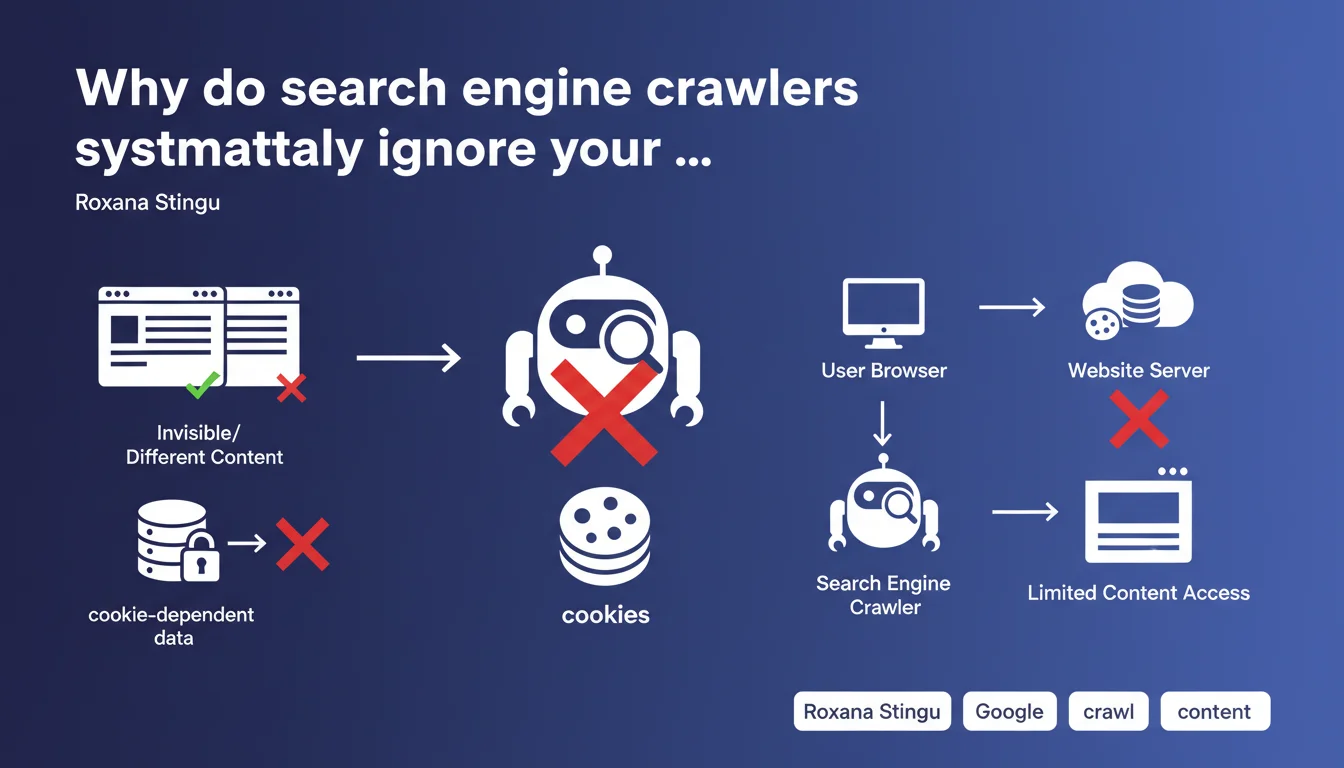
Googlebot and other crawlers store no cookies, which means any content or functionality relying on cookies remains invisible to them. If your site gates strategic content behind cookie requirements, Google will never see it — and will never index it.
What you need to understand
What does this concretely mean for crawling my website?
Googlebot doesn't execute a persistent session. It arrives, crawls, leaves. No cookies are retained between two visits, no user session is simulated. If you hide content behind a consent banner that requires a cookie to disappear, Googlebot will see the banner. Always.
Same logic applies to content unlocked after interaction (infinite scroll conditioned on cookies, modals closed by cookie). If the mechanism relies on a client cookie, the bot doesn't get past that step. It sees the initial state, the one a new visitor discovers without browsing history.
Does this rule apply only to Googlebot?
No. Roxana Stingu makes this clear: all bots in general work this way. Bing, Yandex, SEO crawlers (Screaming Frog, Oncrawl, Botify), social robots (Facebook, Twitter) — none of them store cookies. It's standard behavior, not a Google-specific quirk.
This means your tests with tools like Screaming Frog faithfully reflect what Googlebot sees on this point. No surprises to expect on the crawling side if your SEO crawler validates content accessibility.
What types of functionality are affected?
Any front-end mechanism that stores state via cookie to unlock, hide, or modify content. The most common cases: GDPR banners that mask content until you click, paywalls that allow X articles before blocking (counter cookie), personalized content based on preferences (language, region), cookie-driven A/B tests.
- Consent banners: if they block content display, Googlebot sees the blocking screen
- Progressive paywalls: the free article counter doesn't work, the bot sees the "quota exceeded" state if that's the default
- Conditional content: anything that displays "after first visit" or "after user action" recorded in a cookie disappears for crawlers
- User sessions: login, e-commerce cart, preferences — none of this exists for a bot
- A/B testing: Googlebot will always see the same variant, the one served by default without segmentation cookie
SEO Expert opinion
Does this statement really surprise SEO practitioners?
Let's be honest: no. It's a confirmation of what we observe in the field every year. Bots don't simulate real user sessions, they don't click, don't scroll (except limited JavaScript rendering), don't submit forms. The absence of cookie handling is consistent with this behavior.
But the reminder remains useful. Too many e-commerce and media sites still deploy GDPR banners that mask main content until cookies are accepted. Result: Googlebot indexes… the banner. Not the product, not the article. Then we wonder why the indexation rate has collapsed.
In what cases does this rule cause problems in practice?
The classic pitfall: poorly implemented consent banners. If your GDPR overlay blocks access to HTML content (display:none on the body, z-index 9999 on the modal), Googlebot sees nothing else. Some developers think "it doesn't hurt SEO" because "the content is in the DOM". Wrong if CSS or JS hides it before the bot renders the page.
Another tricky case: paywalls. If you rely on a cookie to allow 3 free articles before blocking, Googlebot will systematically see the blocked state — unless you serve an exception server-side for the Googlebot user-agent. But watch out, Google detects cloaking if the content served to bots differs drastically from what users see. [To verify]: how far can you go in bot/user differentiation without risking a penalty? Google remains vague on the exact boundary.
What nuances should be added to this statement?
Googlebot doesn't use cookies, but it executes JavaScript and can theoretically interact with localStorage or sessionStorage. However, these mechanisms don't persist between distinct crawls either. On the other hand, if your JS reads a UTM parameter, a URL hash, or a server variable to unlock content, Googlebot can access it.
Another nuance: Googlebot respects Set-Cookie headers sent by the server during the same crawl session (a sequence of related requests). But it doesn't store them for its next visit. Concretely, if your server sends a session cookie and Googlebot follows an internal link immediately after, it can return that cookie in the next request — but only within that crawl window.
Practical impact and recommendations
What should you verify immediately on your site?
Run a crawl with Screaming Frog or Oncrawl without cookies enabled. Compare with a standard browser crawl (with cookies). If critical URLs become inaccessible, if content disappears, if banners mask your H1s, you have a problem. That's exactly what Googlebot sees.
Test particularly strategic pages: product sheets, blog articles, landing pages. If they require cookie interaction to display main content, refactor them. Content must be accessible on first HTML load, without conditions.
How do you correctly manage GDPR banners without harming SEO?
The clean solution: display the banner as a non-blocking overlay. Content remains visible underneath, the DOM is fully accessible, and Googlebot indexes normally. Use a z-index to layer the banner on top, but never hide the body or main elements with display:none or visibility:hidden conditioned on a cookie.
If you absolutely must block user interaction (scrolling, clicks), do it via client-side JavaScript — but let HTML and CSS display content normally. Googlebot will render the page, see the content, ignore the JavaScript banner waiting for a click.
- Crawl your site with an SEO bot without cookies to detect masked content
- Verify that GDPR banners don't use display:none on main content
- Test page display in private navigation mode (no cookies): what you see = what Googlebot sees
- If you use a paywall, implement a server-side exception for Googlebot (Article structured data, FirstClick Free) without abusive cloaking
- Audit A/B tests: Googlebot must always see a stable, indexable version (use client-side variants, not server-side)
- Remove any cookie dependency for displaying critical SEO elements (titles, text, images, internal links)
- Document user-agent exceptions if you serve differentiated content to bots (and justify them by legitimate reason, never pure cloaking)
❓ Frequently Asked Questions
Googlebot peut-il quand même lire les cookies envoyés par mon serveur ?
Si j'utilise localStorage au lieu de cookies, Googlebot y a-t-il accès ?
Ma bannière RGPD bloque-t-elle vraiment l'indexation de mon contenu ?
Puis-je servir une version différente de mon site à Googlebot pour contourner ce problème ?
Les autres moteurs de recherche (Bing, Yandex) fonctionnent-ils pareil ?
🎥 From the same video 8
Other SEO insights extracted from this same Google Search Central video · published on 15/11/2022
🎥 Watch the full video on YouTube →
💬 Comments (0)
Be the first to comment.