
Official statement
Other statements from this video 8 ▾
- □ Pourquoi les robots d'exploration ignorent-ils systématiquement vos cookies ?
- □ Le dynamic rendering avec parité de contenu est-il vraiment sans risque pour l'indexation ?
- □ Les crawlers Google se comportent-ils vraiment comme de vrais navigateurs ?
- □ Pourquoi tester votre site avec un émulateur de user agent ne suffit-il pas à détecter les problèmes de crawl ?
- □ Pourquoi tester votre site avec un crawler est-il indispensable pour le SEO ?
- □ Pourquoi Google refuse-t-il la pagination basée sur les cookies ?
- □ Les cookies bloquent-ils vraiment l'accès des bots à votre contenu ?
- □ Les sites qui dépendent des cookies sont-ils invisibles pour Googlebot ?
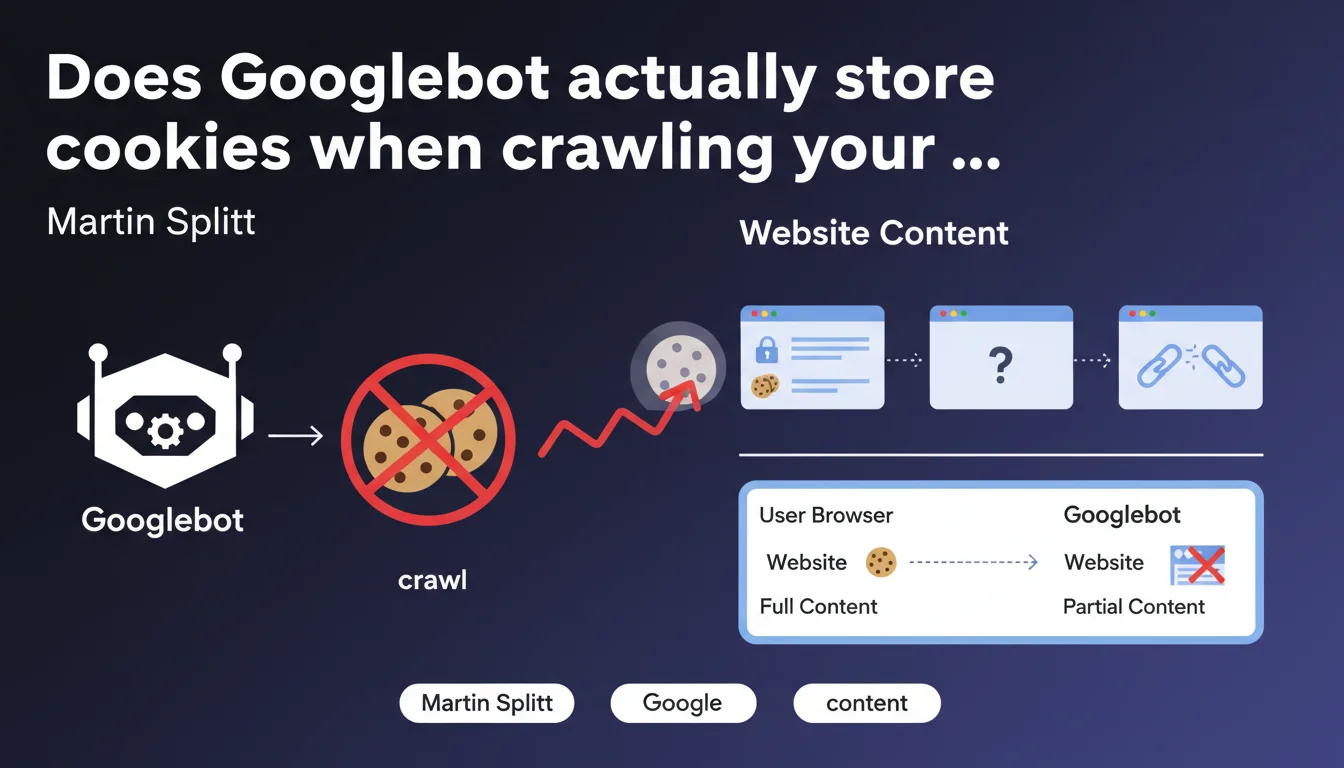
Googlebot does not store any cookies during crawl. Direct consequence: any pagination, personalization, or content management relying on cookies remains invisible to the bot. If your architecture depends on cookie sessions, Google will only see a fraction of your site.
What you need to understand
Why does Googlebot refuse to store cookies?
Google designed its bot to explore the web in a stateless manner — without session memory. Each HTTP request is processed in isolation, as if it were the first visit. This approach simplifies crawling at scale and avoids biases linked to user sessions.
Concretely, if your site uses cookies to manage product display, unlock premium content, or paginate lists, Googlebot will only see the default state — the one accessible without cookies. Everything else simply disappears from its radar.
Which features are affected by this limitation?
E-commerce sites using shopping cart sessions to display recommendations, content platforms managing access via authentication cookies, or CMS systems that condition pagination on storing user preferences — all these mechanisms are blind to Googlebot.
GDPR consent popups that block access to content until a cookie is accepted pose a similar problem. If the main content is hidden behind this wall, Google cannot access it.
Does this statement invalidate certain common practices?
Absolutely. Many developers still believe that Googlebot "simulates" a regular browser and therefore handles cookies like Chrome or Firefox. This is wrong. The bot has never had this capability, and Martin Splitt makes this clear here without ambiguity.
Result: thousands of sites lose indexable content without even knowing it. Tests with Search Console or third-party tools that do store cookies give a misleading picture of what Google actually sees.
- Googlebot = exploration without state — no cookies are retained between requests
- Pagination, personalization, and gating via cookies remain invisible to crawl
- Standard testing tools do not faithfully reproduce this limitation
- Poorly implemented GDPR can block the bot's access to main content
SEO Expert opinion
Does this rule also apply to JavaScript rendering?
Yes, even during the rendering phase with headless Chromium, cookies are not stored. If your JavaScript generates dynamic content based on cookies (sessions, preferences, A/B testing), Googlebot will only see the default version — the one without cookies.
Be aware, however: certain third-party scripts may deposit cookies during rendering, but they will not be reused in subsequent requests. Each page remains isolated in its own ephemeral session.
Can this limitation be worked around with technical solutions?
Technically, yes — but often at the cost of architectural complexity. Replacing cookies with GET parameters for pagination works, as does using URL fragments (#) or well-implemented infinite scroll mechanisms. But these solutions require deep refactoring.
Crawling via prerender or pre-generated HTML snapshots can also compensate, especially for sites with heavy dynamic content. The catch is that these approaches add technical debt — and do not solve the fundamental problem: an architecture dependent on cookies is structurally incompatible with Googlebot. [To verify]: some claim that Google detects and ignores overly artificial workarounds, but no official data supports this claim.
Does this limitation explain unexplained indexation drops?
Probably more often than people think. I've seen e-commerce sites lose 40% of their indexed pages after a CMS migration — simply because the new system managed pagination via cookies instead of URL parameters. Google no longer followed the links, end of story.
Same situation on news sites that condition access to full articles on accepting a cookie banner. If the main content is only visible after clicking "Accept", Googlebot never sees it. And Search Console will report no errors — the bot receives a 200 OK with empty or partial DOM.
Practical impact and recommendations
How to quickly audit if your site depends on cookies?
Open Chrome in private browsing, disable JavaScript and cookies in DevTools (Application tab > Storage > check "Block cookies"), then manually navigate your site. Any pagination, filtering, or content that disappears or becomes inaccessible reveals a problematic dependency.
Then use the URL inspection tool in Search Console to verify actual rendering. Compare the raw HTML with the rendered version — if entire blocks are missing, it's likely related to cookies or JavaScript waiting for an active session.
Which architectural changes should be prioritized?
Replace session cookies with persistent GET parameters for pagination and filters. Example: /products?page=2&sort=price instead of a system that increments a page_offset cookie. Links become crawlable, pages become indexable.
For personalized content, separate client-side logic (user experience) from server-side logic (SEO). Serve a generic cookie-free version to Googlebot, then enrich it client-side for human visitors via JavaScript. It's work, but it's the only sustainable approach.
What if your CMS imposes cookies by default?
Some CMS platforms (notably SaaS solutions) natively manage pagination and sessions via cookies. If you cannot refactor the architecture, several options are available:
- Implement a prerendering system (Prerender.io, Rendertron) that generates HTML snapshots without cookies for Googlebot
- Configure server rules (Apache, Nginx) to serve a stripped-down version to identified bot user-agents
- Use enriched XML sitemaps with all paginated URLs explicitly listed — force crawl even if internal links are broken
- Verify that GDPR banners do not prevent access to main content before cookie acceptance
- Test regularly with the URL inspection tool and manual crawl with cookies disabled
Googlebot's lack of cookie handling is not new, but remains widely underestimated. Entire sections of content disappear from the index without any alert — the bot receives a 200 OK, everything seems fine.
Modern architectures relying on sessions, personalization, and complex gating are particularly exposed. Refactoring these mechanisms requires pointed technical expertise and holistic SEO vision — hence the value of relying on a specialized SEO agency capable of thoroughly auditing these dependencies and proposing solutions tailored to your technical stack. The indexation stakes fully justify this investment.
❓ Frequently Asked Questions
Googlebot accepte-t-il les cookies même sans les stocker ?
Les paramètres UTM dans les URLs sont-ils affectés par cette limitation ?
Un site en JavaScript pur peut-il contourner cette règle ?
Les cookies de consentement RGPD bloquent-ils réellement l'indexation ?
Peut-on forcer Googlebot à accepter des cookies via robots.txt ou des directives serveur ?
🎥 From the same video 8
Other SEO insights extracted from this same Google Search Central video · published on 15/11/2022
🎥 Watch the full video on YouTube →
💬 Comments (0)
Be the first to comment.