
Official statement
Other statements from this video 8 ▾
- □ Does Googlebot actually store cookies when crawling your website?
- □ Why do search engine crawlers systematically ignore your cookies?
- □ Is dynamic rendering with content parity really risk-free for indexation?
- □ Does Google's crawler really behave like a standard browser, even with the same user agent?
- □ Why isn't testing your site with a user agent emulator enough to catch crawl problems?
- □ Why does Google refuse cookie-based pagination systems?
- □ Do cookies really prevent bots from accessing your content?
- □ Are cookie-dependent websites invisible to Googlebot?
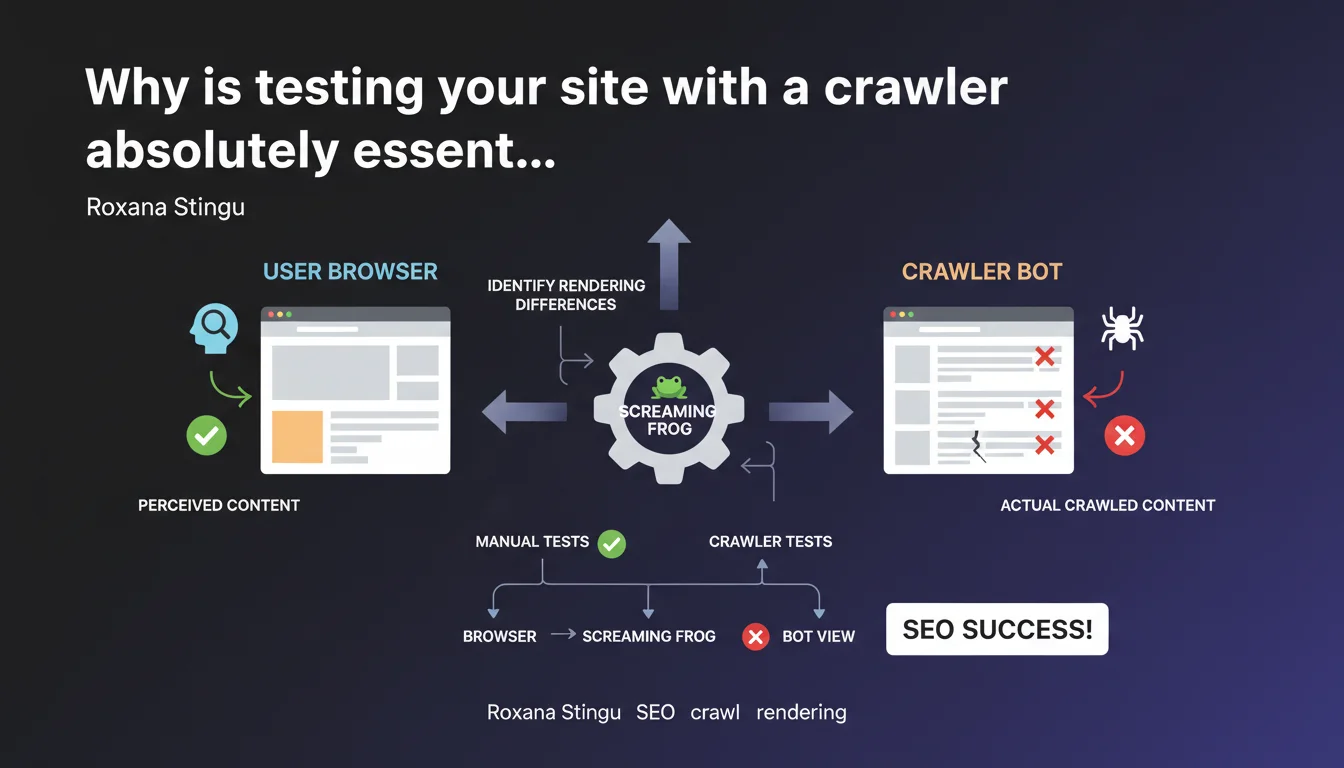
Google emphasizes that manual testing in a browser is not enough. Crawlers like Screaming Frog reveal rendering differences between bots and users — gaps that can directly impact your indexation and rankings.
What you need to understand
Why isn't a browser enough to diagnose SEO issues?
Your browser loads JavaScript, CSS, third-party resources — in short, everything that makes up the final user experience. The problem? Googlebot doesn't behave exactly like Chrome. It has its own timeout rules, parsing behaviors, and JS execution patterns.
Result: what you see when browsing manually doesn't always match what Google crawls and indexes. Some content can be invisible to the bot, others misinterpreted. Testing only with a browser means you're missing a critical part of the diagnosis.
What rendering gaps can slip through without a crawler?
A crawler like Screaming Frog simulates bot behavior: it follows links, analyzes the rendered DOM, detects redirects, HTTP errors, and meta tags. Concretely, it catches what manual testing systematically misses.
Classic cases? Content loaded via AJAX that doesn't appear in the raw HTML, a JavaScript redirect invisible to the bot, resources blocked by robots.txt that break rendering. Without a crawler, you miss these issues — and so does Google, but from the opposite angle.
What testing methodology should you adopt?
The approach isn't just about launching a crawl and waiting. You need to compare: raw HTML, server-side rendering, rendering after JavaScript. Identify where the divergences appear.
- Crawl your site with a tool that simulates Googlebot (Screaming Frog, OnCrawl, Botify)
- Compare bot vs browser rendering — especially for strategic pages
- Test problematic URLs with Google Search Console (URL inspection tool)
- Check for blocked resources that could prevent complete rendering
- Automate these tests in your deployment workflow to avoid regressions
SEO Expert opinion
Is this recommendation actually followed by SEO professionals?
Let's be honest: yes, by the experienced ones. But a large portion of sites — including mid-sized corporate sites — never test with a crawler. They rely on manual tests, HTML validators, or at best Lighthouse.
The problem is that these tools don't reveal the processing differences between bot and user. And that's exactly what Google is pointing out here. Roxana Stingu isn't reinventing the wheel — she's reminding people of a fundamental principle that many still neglect.
What nuances should be added to this statement?
Not all crawlers are created equal. Screaming Frog is excellent for auditing structure, tags, and redirects. But it has limitations on complex JavaScript rendering — where tools like Botify or OnCrawl go further by simulating a full headless browser.
Another nuance: Google itself is evolving. Its JavaScript crawler improves, but remains subject to time and resource constraints. What it indexes today isn't necessarily what it will index tomorrow if your JS becomes too heavy. [Verify] regularly, then — not once every 18 months.
In what cases doesn't this rule apply strictly?
If your site is 100% static, pure HTML, with no client-side JS, bot/browser gaps are almost nonexistent. But how many sites still fit that profile in 2025? Even a basic WordPress loads third-party scripts.
Practical impact and recommendations
What do you need to do concretely to align bot and user?
First, identify strategic pages: those that drive organic traffic, those that convert, those that structure your internal linking. These are the ones you should test first.
Then, compare rendering: run a crawl, extract the raw HTML, compare it with what you see in the browser and what Google Search Console shows in the inspection tool. The gaps tell you where to act.
What mistakes should you avoid during these tests?
First mistake: crawl once, then forget about it. Sites evolve — a deployment, a theme update, a new third-party script, and everything can break on the bot side. Integrate crawling into your QA cycle.
Second mistake: only test in "browser" mode in Screaming Frog. Also use the JavaScript rendering mode to see what Googlebot actually sees after script execution. Both views are complementary.
Third mistake: ignore blocked resources. If your critical CSS or JS is blocked by robots.txt, rendering will break for the bot — even if everything works perfectly for the user.
How do you verify your site is compliant?
- Crawl your site with Screaming Frog (JavaScript rendering mode enabled)
- Compare content extracted by the crawler with what Google Search Console shows (URL inspection)
- Verify that title tags, meta descriptions, H1s are identical bot vs browser
- Test key URLs with the Mobile-Friendly Test tool to see mobile rendering
- Audit blocked resources in robots.txt — nothing critical should be forbidden
- Automate these checks in your CI/CD pipeline to catch regressions before production
- Document acceptable gaps vs those requiring immediate correction
❓ Frequently Asked Questions
Screaming Frog est-il le seul outil capable de détecter les différences bot/utilisateur ?
Google Search Console suffit-il pour diagnostiquer ces problèmes ?
Faut-il crawler son site à chaque modification ?
Les différences de rendu affectent-elles directement le ranking ?
Quels signaux indiquent un problème de rendu bot vs utilisateur ?
🎥 From the same video 8
Other SEO insights extracted from this same Google Search Central video · published on 15/11/2022
🎥 Watch the full video on YouTube →
💬 Comments (0)
Be the first to comment.