
Official statement
Other statements from this video 8 ▾
- □ Does Googlebot actually store cookies when crawling your website?
- □ Why do search engine crawlers systematically ignore your cookies?
- □ Is dynamic rendering with content parity really risk-free for indexation?
- □ Does Google's crawler really behave like a standard browser, even with the same user agent?
- □ Why isn't testing your site with a user agent emulator enough to catch crawl problems?
- □ Why is testing your site with a crawler absolutely essential for SEO success?
- □ Why does Google refuse cookie-based pagination systems?
- □ Do cookies really prevent bots from accessing your content?
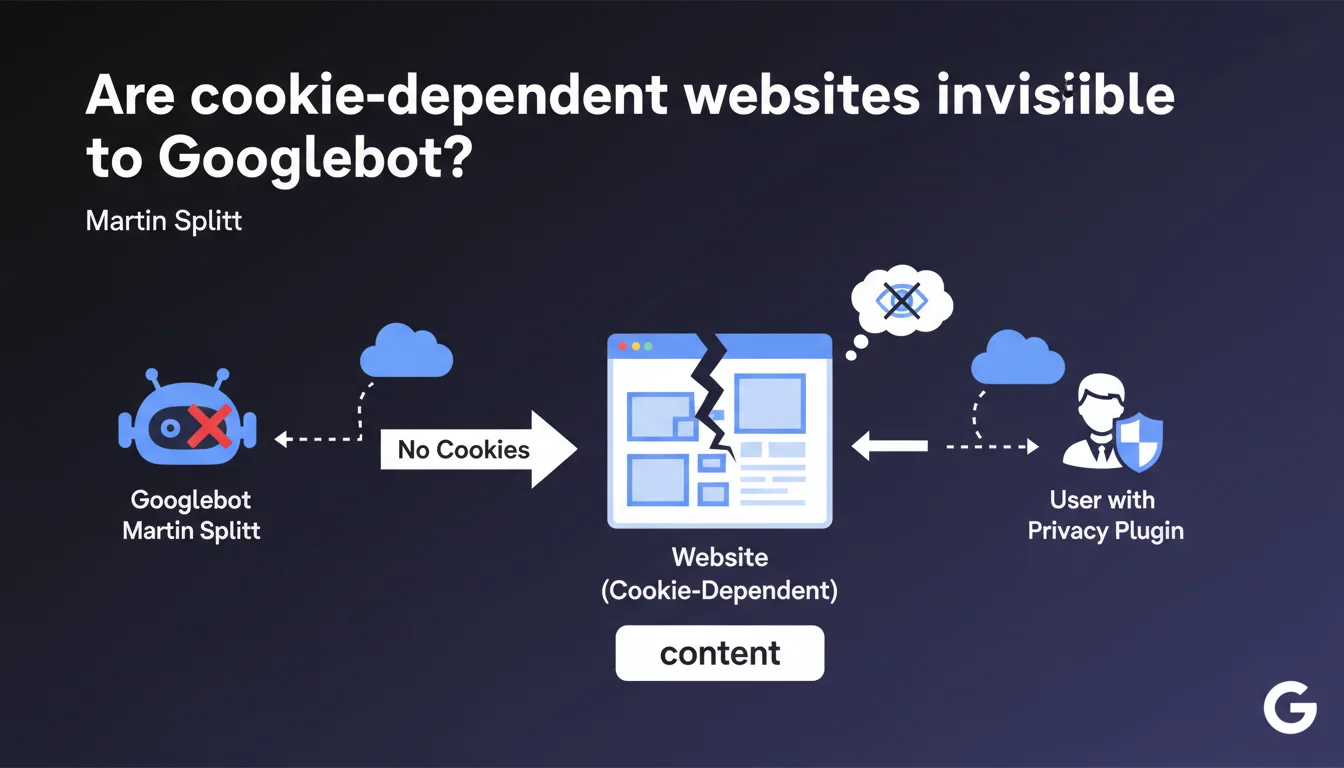
If your website requires cookies to display content, Googlebot won't see it — exactly like a user with a cookie blocker. Google doesn't handle cookies during crawl, so any content conditioned by this data will remain invisible for indexing. Direct consequence: potentially empty or incomplete pages in the SERPs.
What you need to understand
Why doesn't Googlebot handle cookies?
Googlebot is designed to explore the web neutrally, without browsing history or user sessions. It doesn't store cookies, doesn't maintain sessions between requests, and doesn't simulate authenticated user behavior.
This approach guarantees an objective evaluation of publicly accessible content. But it creates problems for websites that condition content display on the presence of cookies — even those unrelated to authentication.
What's the connection to users who block cookies?
Privacy plugins (uBlock Origin, Privacy Badger, Ghostery) block third-party cookies, or even all cookies depending on configuration. These users see exactly what Googlebot sees: content as it displays without cookies.
If your site depends on cookies to load elements (videos, forms, entire sections), these users AND Google will see a degraded version. No cookie = no content.
Which types of websites are affected?
Single Page Applications (SPAs) that store states in cookies, e-commerce sites with personalized content displayed by default, or platforms using cookies to manage regional content display are particularly vulnerable.
Even a simple poorly implemented consent cookie can block critical content if JavaScript waits for a response before displaying anything.
- Googlebot doesn't store or process cookies during crawl
- Users with cookie blockers experience the same thing as the bot
- Any content conditioned by a cookie will remain invisible for indexing
- This limitation applies even to functional cookies unrelated to authentication
- SPA architectures and personalized e-commerce sites are most exposed
SEO Expert opinion
Does this statement match what we observe in the field?
Yes, and it's even a recurring problem that's often misdiagnosed. Many sites lose indexable content without understanding why. The classic mistake: storing application state in a cookie and conditioning display on its reading.
I've seen e-commerce sites where product blocks only displayed if a geolocation cookie was present. Result: empty pages in Search Console, catastrophic bounce rates for visitors under VPN or with blockers.
Is Google consistent on this point with its other recommendations?
Broadly yes. Google has been advocating for server-side rendering (SSR) or displaying static content before JavaScript hydration for years. This statement fits that logic.
But — and here's where it gets tricky — Google has never clearly documented the exhaustive list of headers and mechanisms it ignores. Cookies are obvious, but what about localStorage, sessionStorage, IndexedDB? [To verify]: Does Google treat first-party vs third-party cookies differently during rendering?
In which cases can this rule create problems without simple solutions?
Multi-tenant SaaS platforms serving different content based on a session cookie face a technical dilemma. Displaying all content without authentication exposes data; displaying nothing sacrifices indexability.
Some sites work around this with static prerendering for Googlebot, but that's a gray area. Google tolerates cloaking if content remains equivalent, but the boundary is fuzzy.
Practical impact and recommendations
How do I check if my site is affected?
Open your site in private browsing with all cookies blocked (via Chrome DevTools: Settings > Privacy > Block all cookies). Compare with normal display. Anything that disappears is invisible to Google.
Also use the URL Inspection tool in Search Console and look at the rendering screenshot. If it differs from your actual display, you have a cookies or JavaScript dependency problem.
What if critical content depends on cookies?
Prioritize Server-Side Rendering (SSR) or Static Site Generation (SSG). Content must be present in the initial HTML, before any JavaScript execution or cookie reading.
If you're on a React/Vue/Angular stack, consider Next.js, Nuxt, or an equivalent framework that generates HTML server-side. For WordPress sites, make sure plugins don't inject content via JavaScript conditioned by cookies.
Which mistakes must you absolutely avoid?
Never condition the display of indexable content on the presence of a cookie. Even a well-intentioned consent cookie can block content if poorly managed.
Avoid frameworks that load everything in JavaScript and wait for user state (cookie, localStorage) before rendering content. If you must use cookies, limit them to secondary features: UI preferences, cart, history — never for main content.
- Test your site in private browsing mode with cookies blocked
- Compare actual display with the URL Inspection screenshot (Search Console)
- Identify any content that disappears without cookies
- Migrate to SSR/SSG for critical content
- Reserve cookies for non-indexable features (cart, user preferences)
- Use server-side alternatives for geolocation or personalization
- Document cookie dependencies in your technical stack
- Train dev/marketing teams on these limitations
❓ Frequently Asked Questions
Googlebot peut-il lire les cookies first-party définis côté serveur ?
Un site qui fonctionne bien en navigation privée est-il forcément OK pour Google ?
Les cookies de consentement RGPD peuvent-ils bloquer du contenu pour Googlebot ?
Peut-on servir du contenu différent à Googlebot pour contourner ce problème ?
Les Progressive Web Apps (PWA) sont-elles concernées ?
🎥 From the same video 8
Other SEO insights extracted from this same Google Search Central video · published on 15/11/2022
🎥 Watch the full video on YouTube →
💬 Comments (0)
Be the first to comment.