
Official statement
Other statements from this video 6 ▾
- □ Could Google Search Console be the missing key to unlock your hidden ranking opportunities?
- □ Are your high-visibility pages silently losing clicks in Search Console?
- □ Should you really be reformulating your content based on what users actually search for?
- □ Do you really need to request reindexing every time you update your content?
- □ How can you spot high-potential content opportunities by analyzing growing search demand?
- □ Can Google Search Console Really Shape Your SEO Strategy?
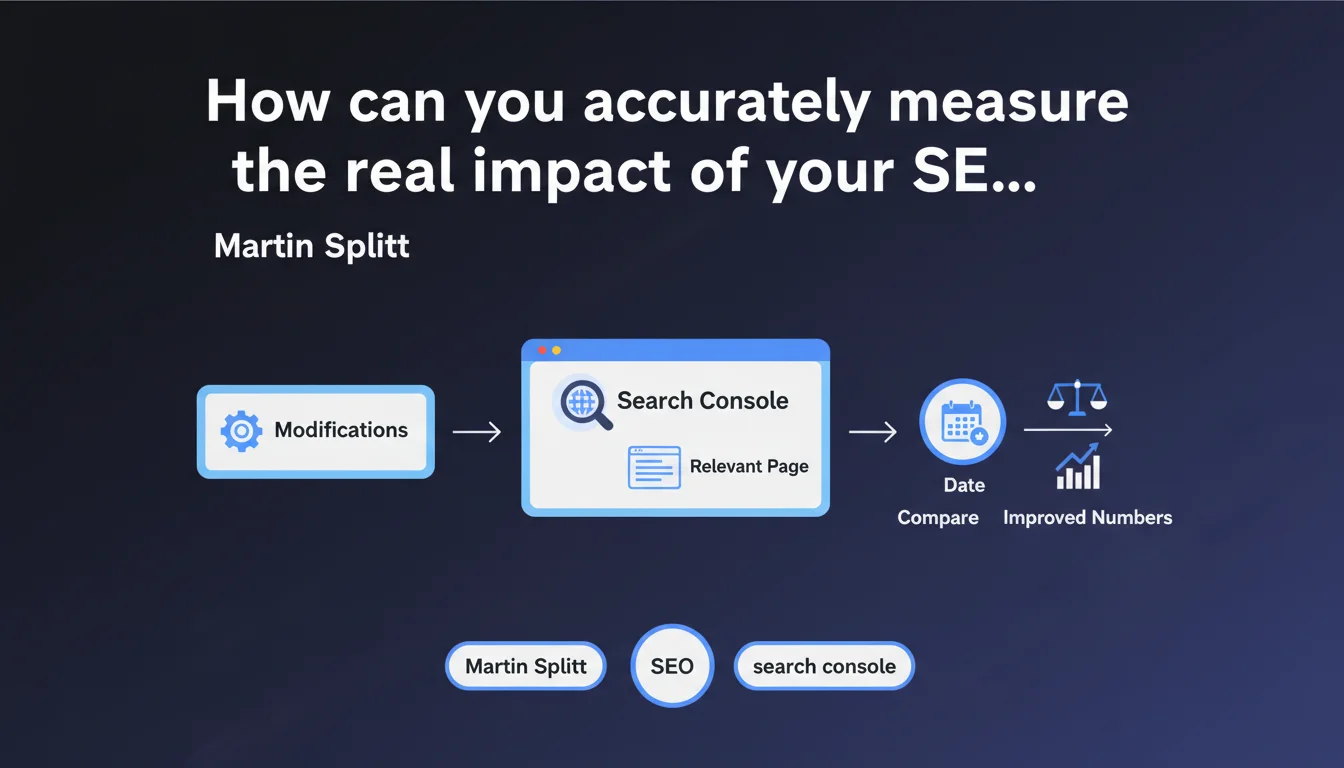
Google recommends using the date comparison feature in Search Console to evaluate the impact of your SEO changes. The method involves selecting a modified page, comparing before/after periods via the Date tab, and observing the evolution of your metrics. It seems simple on the surface, but this approach has methodological limitations that every professional should understand.
What you need to understand
What is Google's recommended method for measuring the impact of SEO modifications?
Google offers a straightforward approach via Search Console: select the page in question, click on the Date tab, then choose "Compare" to visualize the performance evolution before and after your changes. This feature allows you to overlay two time periods and observe variations in clicks, impressions, CTR, and average position.
The objective is to directly correlate an SEO action — title tag modification, content addition, technical optimization — with a measurable variation in search data. Rather than relying on a general impression, you obtain comparative figures.
Why is this approach presented as a best practice?
Because it encourages a data-driven and iterative approach. Too many SEO professionals modify multiple elements simultaneously without ever isolating variables, making clear attribution impossible. Google is pushing here for rigorous monitoring, page by page.
By comparing identical time windows, you partially neutralize seasonality effects. If you compare January to February without accounting for natural search volume variations, your conclusions will be skewed. The comparison function at least allows you to quickly visualize discrepancies.
- Method: Select a modified page, use the "Compare" function in Search Console's Date tab
- Key metrics: Clicks, impressions, CTR, average position — to be observed before/after modification
- Advantage: Data-driven approach that avoids decisions based on unverified intuitions
- Methodological limitation: Does not account for external variations, algorithmic updates, or competitive changes
Is this method sufficient to attribute a performance variation to a specific action?
Not always. The reality of SEO is far more complex than a simple cause-and-effect relationship. An observed improvement may result from an algorithmic update, a drop in competitor performance, or a time lag between your modification and its actual impact.
Google does not specify which comparison duration to choose, nor how to neutralize statistical biases. A traffic spike two weeks after a modification could be linked to a seasonal trend, not your optimization. Attribution remains probabilistic, never certain.
SEO Expert opinion
Is this method truly reliable for isolating the impact of an SEO modification?
Let's be honest: no, not in absolute terms. Google's recommendation is useful for observing variations, but it does not establish causality. Too many external variables influence performance — algorithmic updates, seasonal variations, competitive actions, demand fluctuations.
If you modify a title on Monday and a Core Update rolls out on Thursday, how do you distinguish the effect of your optimization from that of the algorithm? You can't. The Search Console comparison function shows temporal correlations, not causality.
A concrete example: you add 500 words of content to a page and observe +20% clicks three weeks later. Victory? Perhaps. But if a major competitor lost 30 positions on the same keywords during that period, your gain might come from there, not from your content.
What methodological precautions should you take to obtain usable results?
First, test one variable at a time. If you simultaneously modify the title, meta description, internal linking, and add 1000 words, it's impossible to attribute a variation to one of these levers. The scientific approach demands variable isolation.
Next, choose coherent comparison periods — same day of the week, same duration, avoiding periods of high seasonality or holidays that skew data. Comparing a Monday to a Saturday makes no sense.
Finally, cross-reference with other tools. Search Console shows only part of the picture — Google Analytics, server logs, third-party position tracking tools provide complementary angles. If Search Console shows improvement but your logs show a drop in crawl, dig deeper.
In which cases is this approach insufficient?
On high-volume sites with hundreds of thousands of pages, comparing page by page becomes impractical. You then need to segment by templates, by content type, or by semantic cluster — Search Console does not natively offer these aggregated views.
For sites subject to strong seasonality (e-commerce, tourism), natural demand variations mask the real effects of optimizations. A traffic surge in December on an e-commerce site does not necessarily validate your November modifications — it's perhaps just Christmas.
Finally, this method does not capture indirect effects. Improving internal linking on page A may boost performance on pages B and C — the isolated view will show nothing on A, while the overall impact is positive. [To verify] via a holistic analysis of related page clusters.
Practical impact and recommendations
What should you concretely do to take advantage of this feature?
Start by identifying priority pages you have recently modified. Don't spread yourself thin — focus on those already generating traffic or those strategic for your conversions. Pages without impressions will provide no usable data.
In Search Console, select the page in question, click on the Date tab, then click "Compare". Choose two periods of equal duration: for example, 28 days before modification vs. 28 days after. Ensure that the periods are aligned on the same days of the week to avoid bias.
Observe the four key metrics: clicks, impressions, CTR, average position. A CTR increase with stable position suggests a more attractive title/meta. A position increase with stable impressions indicates a relevance gain. An impressions increase with stable position may reveal semantic expansion.
What mistakes should you avoid to not skew the analysis?
Never compare a 7-day period to a 30-day period — the volumes are not comparable. Don't compare a period including a holiday with a normal period. Temporal consistency is paramount.
Avoid drawing conclusions too quickly. A variation visible after one week may fade after a month, or intensify. Allow time for algorithms to stabilize their assessment — plan for at minimum two to four weeks before reaching definitive conclusions.
Don't overlook algorithmic updates. If you observe a sudden drop, first check whether Google deployed a Core Update or targeted update (Helpful Content, Product Reviews, etc.) during your comparison window. Tools like SEMrush Sensor, Mozcast, or Algoroo flag these events.
How can you structure a rigorous testing and optimization approach?
Document each modification in an optimization journal: exact date, nature of the change, affected pages, tested hypothesis. This allows you to cross-reference your actions with variations observed weeks later, when immediate memory fails.
Adopt a progressive testing approach: rather than modifying 100 pages at once, test on 10 pages, measure, then roll out if results are positive. This method limits risks and allows you to adjust your strategy as you go.
- Select priority pages already performing well or strategic in nature
- Modify one variable at a time to isolate impact
- Use Search Console's "Compare" function with coherent periods (same duration, same weekdays)
- Wait at least 2 to 4 weeks before drawing conclusions
- Verify the absence of algorithmic updates during the comparison period
- Cross-reference Search Console data with Analytics, server logs, third-party tools
- Document each action in a dated optimization journal
- Test progressively on a sample before rolling out widely
❓ Frequently Asked Questions
Combien de temps faut-il attendre après une modification pour observer un impact dans Search Console ?
La fonction de comparaison de Search Console suffit-elle pour mesurer l'impact d'une optimisation SEO ?
Quelle durée de comparaison choisir pour obtenir des résultats fiables ?
Comment isoler l'impact d'une modification SEO des variations algorithmiques de Google ?
Peut-on utiliser cette méthode pour mesurer l'impact d'une refonte complète de site ?
🎥 From the same video 6
Other SEO insights extracted from this same Google Search Central video · published on 02/11/2023
🎥 Watch the full video on YouTube →
💬 Comments (0)
Be the first to comment.