
Official statement
Other statements from this video 6 ▾
- □ Could Google Search Console be the missing key to unlock your hidden ranking opportunities?
- □ Are your high-visibility pages silently losing clicks in Search Console?
- □ Should you really be reformulating your content based on what users actually search for?
- □ How can you accurately measure the real impact of your SEO optimizations in Search Console?
- □ How can you spot high-potential content opportunities by analyzing growing search demand?
- □ Can Google Search Console Really Shape Your SEO Strategy?
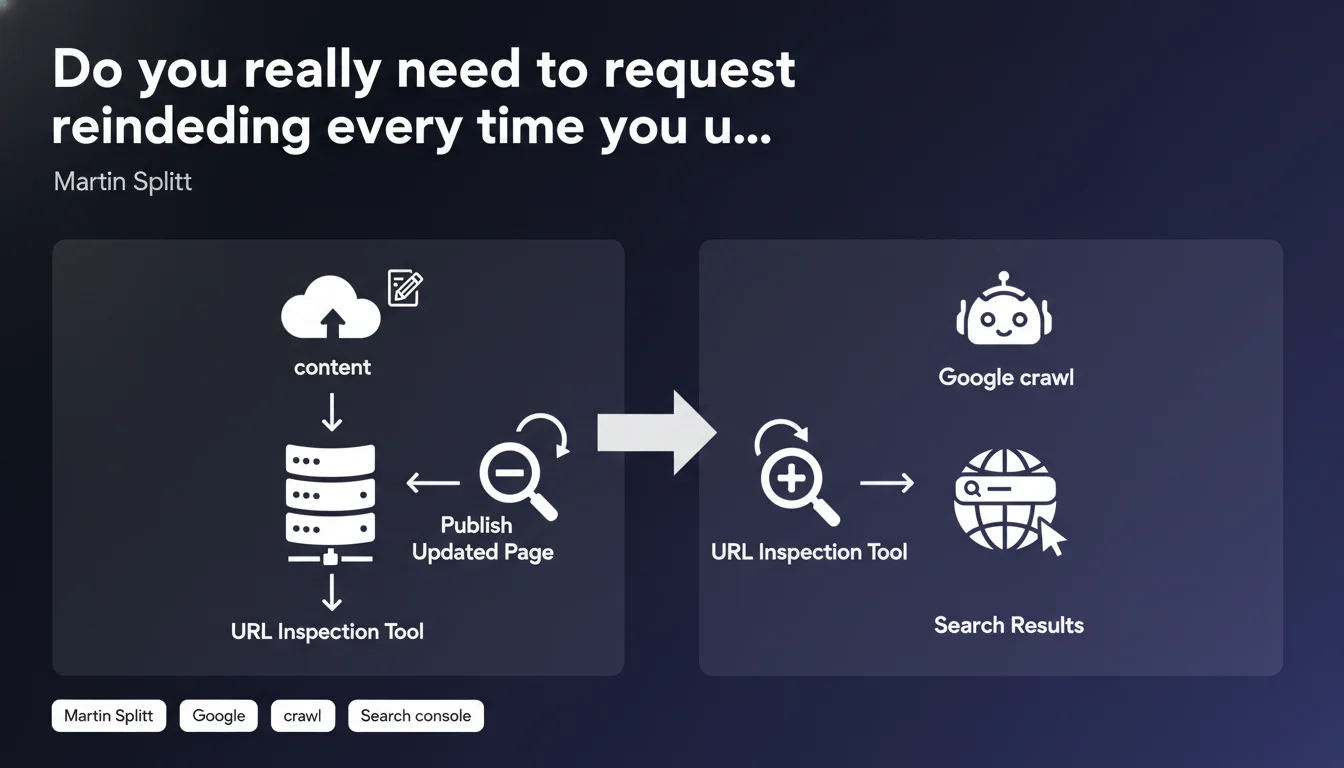
Google recommends using the URL Inspection tool in Search Console to request a fresh crawl after publishing updated content. This practice aims to accelerate how quickly the search engine picks up changes. The question remains whether this step is systematically necessary or just another SEO cargo cult practice.
What you need to understand
Why is Google pushing the URL Inspection tool so hard?
The URL Inspection tool allows you to manually submit a page to Googlebot for a fresh crawl. In practical terms, it sends a signal to Google: "Hey, this page has changed, come take a look."
Without this action, Google will discover the changes during its next natural visit to the page — which could take a few hours, a few days, or sometimes several weeks depending on your site's crawl frequency.
Does this advice apply to all types of changes?
Martin Splitt talks about "updated content" but remains deliberately vague. Are we talking about a complete article overhaul? A simple spelling correction? Adding a new paragraph?
Logic suggests the tool should be reserved for substantial modifications: new editorial content, structural changes, important section additions. Not for every comma moved around.
What's the actual difference between requesting indexing and waiting for natural crawl?
A request via the URL Inspection tool speeds up the process, but it doesn't guarantee anything. Google remains the ultimate decision-maker on whether to index the updated version.
Natural crawl, on the other hand, depends on page popularity, historical update frequency, and the crawl budget allocated to your site. On a dynamic site with good authority, the difference can be minimal.
- The URL Inspection tool doesn't create absolute priority — it merely suggests Google revisit the page
- Google can always choose not to index the new version if it doesn't add value
- On sites with tight crawl budgets, this request can be strategically important
- The tool has submission quotas — you can't use it at industrial scale
SEO Expert opinion
Does this recommendation align with what actually happens in the field?
In reality, many well-crawled sites see their updates indexed within hours without any manual intervention. Pages with good strategic importance and a solid freshness history often don't need this extra push.
Conversely, on low-authority sites or those with thousands of pages, each inspection request can save time. The catch? Search Console quotas severely limit the number of daily requests. [To verify]: Google doesn't officially communicate these quotas, but field reports suggest between 10 and 20 URLs per day depending on the site.
What are the risks of overusing this tool?
First pitfall: believing every minor change deserves an indexation request. That's wasted effort and dilutes the tool's effectiveness for real priorities.
Second trap — and this is where things get tricky: if you massively submit low-quality pages or pages with minimal substantive changes, you risk polluting the signals sent to Google. The engine could eventually ignore your future requests.
In what scenarios does this practice become counterproductive?
On a news site publishing dozens of articles daily, manually submitting everything is impossible. The effort-to-reward ratio doesn't justify it.
Similarly, for minor tweaks (typo fix, secondary internal link addition), waiting for natural crawl remains your best bet. Let's be honest: Google will eventually come back anyway.
Practical impact and recommendations
When should you actually use the URL Inspection tool?
Reserve this tool for strategic modifications: complete article overhaul, substantial chapter additions, corrections of outdated information on high-traffic pages.
If your updated content aims to reclaim a lost ranking or capitalize on breaking news, requesting indexation becomes worthwhile. In all other cases, natural crawl will suffice.
How do you optimize the effectiveness of your reindexation requests?
First rule: only submit pages where the update delivers real value. Google doesn't respond better to a request if the content remains weak.
Next, ensure the page is accessible, fast-loading, and properly marked up. An indexation request on a page with technical errors will be ignored or rejected.
- Verify the page isn't blocked by robots.txt or a noindex tag
- Test loading speed — slow pages hurt indexation
- Check the HTML rendering through the inspection tool to catch any JavaScript issues
- Prioritize high-impact SEO pages (traffic, conversions, strategic rankings)
- Keep a record of submitted URLs to avoid unnecessary duplicates
Should you systematize this approach in your editorial workflow?
For a blog or media site, integrating this step into your publishing workflow can make sense — as long as you stay selective. Not every article deserves this treatment.
On e-commerce sites with thousands of product pages, it's better to optimize your internal linking structure and XML sitemap freshness rather than attempt large-scale manual submissions.
❓ Frequently Asked Questions
Combien de demandes d'indexation peut-on soumettre par jour ?
Une demande d'indexation garantit-elle que la page sera effectivement indexée ?
Faut-il demander une réindexation après chaque modification mineure ?
L'outil d'inspection d'URL remplace-t-il le sitemap XML ?
Peut-on soumettre plusieurs versions d'une même URL si elle continue d'évoluer ?
🎥 From the same video 6
Other SEO insights extracted from this same Google Search Central video · published on 02/11/2023
🎥 Watch the full video on YouTube →
💬 Comments (0)
Be the first to comment.