
Official statement
Other statements from this video 6 ▾
- □ Are your high-visibility pages silently losing clicks in Search Console?
- □ Should you really be reformulating your content based on what users actually search for?
- □ Do you really need to request reindexing every time you update your content?
- □ How can you accurately measure the real impact of your SEO optimizations in Search Console?
- □ How can you spot high-potential content opportunities by analyzing growing search demand?
- □ Can Google Search Console Really Shape Your SEO Strategy?
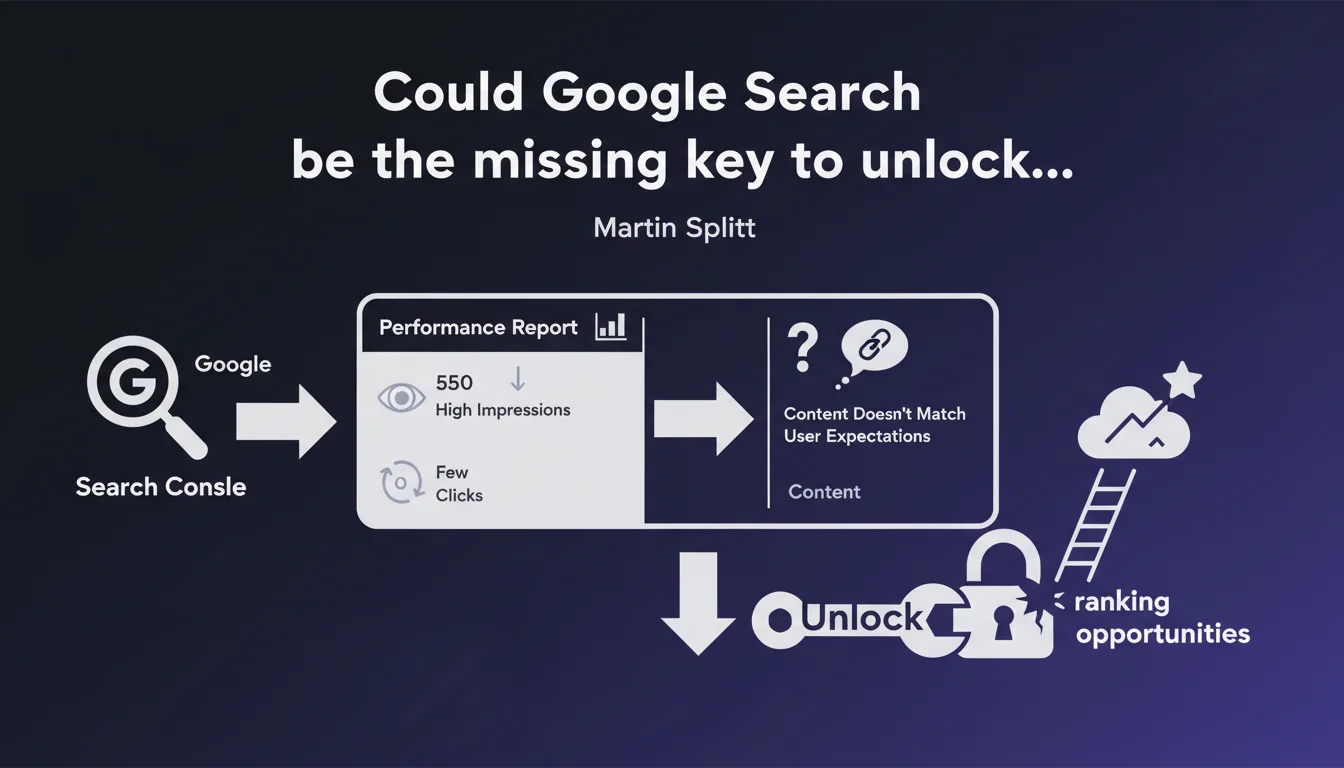
Martin Splitt recommends using the Performance report in Google Search Console to spot pages with high impressions but low click-through rates. This gap signals a mismatch between your content and what users actually expect from those search queries.
What you need to understand
What does a high impression rate with few clicks actually mean in practice?
When a page generates many impressions in search results but gets almost no clicks, it's a clear signal: Google thinks your page is relevant for the query, but users don't find it compelling enough to click. The problem isn't your ranking position, but your value proposition visible in the SERP.
This phenomenon reveals a misalignment between what the user is looking for and what your meta-description, title, or rich snippet promises them. Your content might be excellent — but if no one clicks on it, it's useless.
Why does Google push this report over any other?
The Performance report is one of the rare tools that crosses actual visibility with user behavior. It shows you not what you think you're ranking for, but what Google is actually displaying you for — and how users react to it.
It's a diagnostic tool before it's a dashboard. It lets you identify quick wins: a page already visible, a small title or structure tweak, and your click-through rate can skyrocket without touching the core content.
What's the logic behind this recommendation?
Google is suggesting that many SEO professionals focus on ranking position when the real lever is often snippet attractiveness. If you're already on page 1 with 10,000 impressions but only 50 clicks, you have a catastrophic CTR — and that's where you need to act.
This approach prioritizes optimizing what already exists rather than chasing new content. It's faster, less risky, and often more profitable.
- High impressions + low CTR = presentation problem, not ranking problem
- The Performance report lets you prioritize pages to optimize based on immediate potential
- Optimizing your snippet is often faster than rewriting entire content
- This diagnosis is based on real behavioral data, not intuition
SEO Expert opinion
Is this recommendation really new or original?
Let's be honest: spotting pages with poor CTR is basic SEO. Any organized practitioner has been doing this analysis for years. What's interesting is that Google is formalizing it and reminding people — as if many sites still aren't doing it.
And that's probably true. Many clients show up with dozens of pages ranking in positions 3-7, a 2% CTR, and no one ever paid attention. Splitt's reminder isn't revolutionary, but it highlights a blind spot that's surprisingly common.
What doesn't Google say in this statement?
What's missing is the threshold: how many impressions do you really need before you should worry about low CTR? 100 impressions with 2 clicks isn't statistically significant. 10,000 impressions with 50 clicks? Now that's meaningful. But Google gives no numerical framework. [To verify]
Another blind spot: low CTR can also signal a misunderstood search intent. If your page targets a commercial query when the intent is informational, you'll always have mediocre CTR — and tweaking the title won't change that. Diagnosis needs to go deeper than snippet cosmetics.
When does this logic fall apart?
On branded queries, high CTR is expected. On ultra-competitive queries with 5 Google Ads and 3 featured snippets, even a well-optimized page will have mediocre CTR. SERP context matters enormously.
Similarly, some pages generate impressions that aren't even their real target — noise in your data. Before optimizing, you need to first verify whether the query is strategically relevant to your business.
Practical impact and recommendations
How do you find these pages in Google Search Console?
Open the Performance report, then filter by Pages. Sort pages by impressions in descending order. Then, for each page in your top 20, check the average CTR. Any page with more than 1,000 impressions and a CTR below 2-3% is a priority candidate.
Refine by clicking into each page to see the associated queries. Some queries will have normal CTR, others catastrophic. Identify high-volume queries dragging down your average — those are the ones to fix.
What should you fix first once you've identified these pages?
Start with the title: is it clear, compelling, aligned with search intent? Does it use the main keywords from the query? Does it include a differentiating element (number, date, specific benefit)?
Next, your meta-description. Even though Google often rewrites it, a solid meta remains a powerful lever. It should directly answer the user's question and make them want to click. Avoid jargon, be concrete.
Finally, if you can control rich snippets (FAQ, HowTo, Product…), make sure they're properly implemented and add visible value in the SERP. A rich snippet can double your CTR overnight.
What mistakes should you avoid in this approach?
Don't focus only on pages already ranking well. A page in positions 8-12 with high impressions can, with better CTR, naturally climb — Google uses click-through rate as a relevance signal.
Also avoid changing all your titles at once. Test page by page, measure impact, adjust. An "optimized" title that tanks your CTR happens — especially if you sacrifice clarity for keyword stuffing.
- Filter pages with 1,000+ impressions and CTR < 3%
- Analyze associated queries to understand real intent
- Rewrite the title: clarity, keywords, differentiating element
- Optimize the meta-description: concrete benefit, call-to-action
- Check rich snippet implementation (FAQ, HowTo, etc.)
- Test modifications one at a time and measure impact over 2-3 weeks
- Monitor SERP context (ads, featured snippets) to understand limitations
❓ Frequently Asked Questions
Quel CTR est considéré comme « faible » dans Google Search Console ?
Un CTR faible peut-il impacter directement le positionnement ?
Faut-il optimiser toutes les pages avec un CTR faible ou seulement certaines ?
La meta-description a-t-elle encore un impact sur le CTR si Google la réécrit souvent ?
Combien de temps faut-il pour voir l'impact d'une optimisation de title ou meta-description ?
🎥 From the same video 6
Other SEO insights extracted from this same Google Search Central video · published on 02/11/2023
🎥 Watch the full video on YouTube →
💬 Comments (0)
Be the first to comment.