
Official statement
What you need to understand
Is There Really a Magic Button to Reindex Your Entire Site?
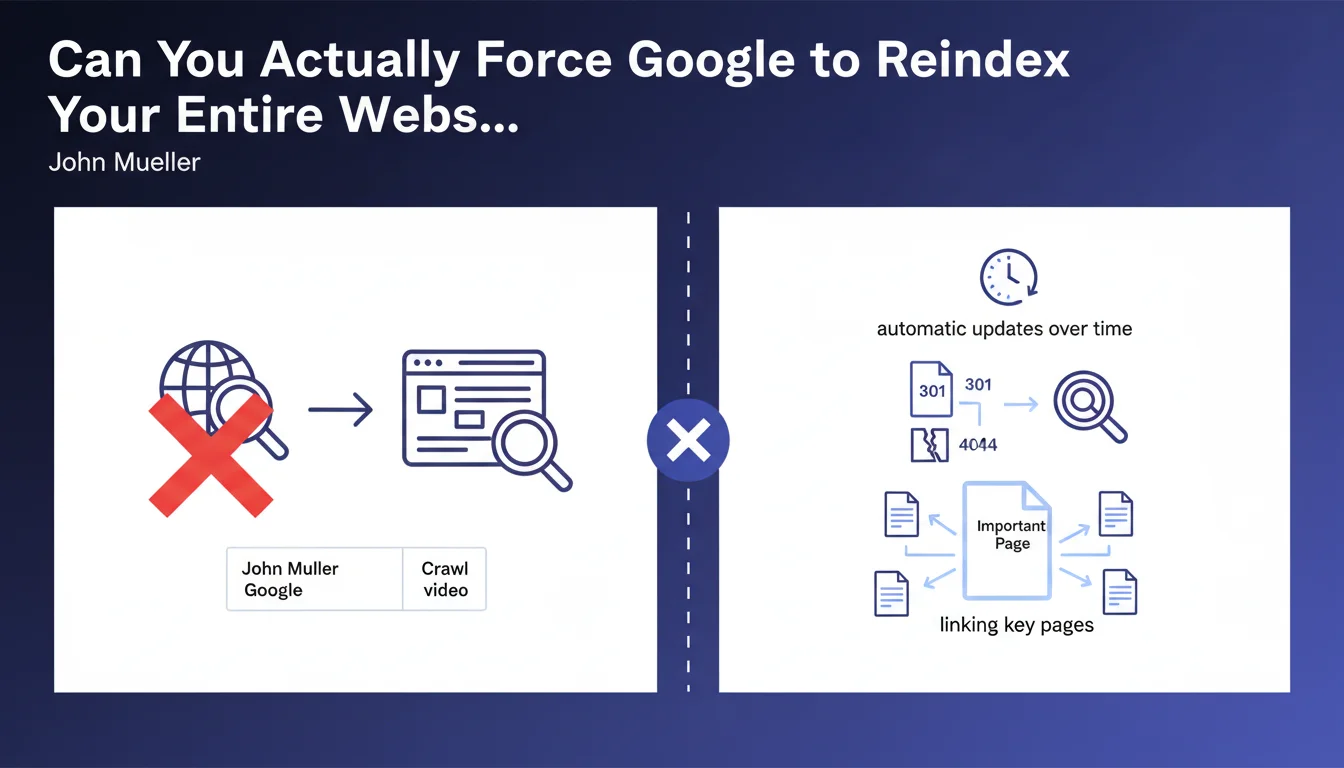
John Mueller's answer is unequivocal: no mechanism allows triggering a complete reindexing of a website in a single action. This limitation is intentional on Google's part.
Search engines apply their own crawl and indexing rhythms, based on numerous criteria such as site popularity, content freshness, and crawl budget. Even with a submitted XML sitemap, each URL will be processed individually according to Google's priorities.
How Does Google Actually Go About Updating a Site Then?
When significant modifications are made to a site, Google detects them progressively during its regular visits. The engine automatically adjusts its crawl rate based on detected activity.
Search Console does allow submitting individual URLs for indexing, but this functionality is deliberately limited to approximately 10 URLs per day. This constraint prevents abuse and forces a more strategic approach.
What Are the Official Recommendations for Speeding Up the Process?
Mueller emphasizes the importance of a solid technical architecture. Appropriate HTTP codes (301 for redirects, 404 for deleted pages) help Google understand the site's structural changes.
Strategic internal linking plays a crucial role: linking key pages from important pages on the site accelerates their discovery and reindexing. Critical information (such as new phone numbers) must be placed on high-authority pages.
- No official method allows instant massive reindexing
- Google applies a gradual and automatic process of updating
- The 10 URLs per day limit via Search Console forces a selective approach
- Correct HTTP codes (301, 404) facilitate understanding of changes
- Internal linking from important pages accelerates discovery
- Critical information must appear on priority pages
SEO Expert opinion
Does This Google Approach Actually Match What We See in the Field?
Absolutely. In my practice, I've observed that sites with a good crawl history and established authority see their modifications detected within a few days, while lower-priority sites may wait several weeks.
The 10 URLs per day limitation via Search Console reflects Google's desire to control server load and avoid massive manipulations. It's also a signal: if you need to manually submit hundreds of URLs, it's probably because your architecture has issues.
What Important Nuances Should We Add to This Statement?
Although Mueller states that no action is necessary, reality is more complex. In practice, strategic actions can significantly accelerate the reindexing process.
Increasing the frequency of quality content publication, improving server response time, or obtaining external links to modified pages are all levers that positively influence crawl budget. Google crawls more frequently what changes regularly and what is popular.
In Which Cases Can This Passive Approach Be Problematic?
For e-commerce sites with thousands of products updated daily, passively waiting can mean obsolete information (prices, inventory) in results for weeks. This is commercially unacceptable.
Similarly, during a site migration, massive correction of technical errors, or a resolved security issue, patience can cost dearly in visibility and revenue. In these critical situations, a proactive approach combining multiple techniques becomes essential.
Practical impact and recommendations
What Should You Actually Do Concretely to Optimize Reindexing?
Focus on crawl budget optimization. Eliminate unnecessary pages (infinite facets, deep pagination pages), block them via robots.txt or noindex tags. The more crawl budget you save on the superfluous, the more Google can focus on your strategic pages.
Use the XML sitemap intelligently: include only your important indexable pages, update modification dates (lastmod) to signal changes, and regularly submit your sitemap via Search Console.
Develop strategic internal linking. Your most crawled pages (typically homepage, main categories) should link to pages you want indexed quickly. This is your most powerful lever.
What Common Mistakes Should You Absolutely Avoid?
Don't overwhelm Search Console with the 10 daily URLs allowed for minor pages. Reserve this quota for truly strategic pages: important new pages, urgent fixes, time-sensitive content.
Avoid massively modifying your site without planning. Brutal redesigns without appropriate redirects or massive URL changes without strategy cause prolonged visibility losses. Google takes time to reindex everything.
Never neglect HTTP status codes. 302s instead of 301s, soft 404s, or complex redirect chains confuse Google and significantly slow down reindexing.
How Can You Effectively Monitor Your Site's Reindexing Status?
Use the coverage report in Search Console to identify excluded or non-indexed pages. Analyze the reasons (insufficient crawl budget, accidental noindex, misconfigured canonical) and systematically correct them.
Monitor crawl statistics to understand the rate at which Google visits your site. A sudden drop may indicate a technical problem (response time, server errors) that needs quick correction.
Create custom alerts to monitor the indexing of your strategic pages via targeted "site:" queries. Verify that displayed titles, descriptions, and content match the latest versions.
- Optimize crawl budget by eliminating unnecessary pages and duplicate content
- Maintain an up-to-date XML sitemap with only strategic indexable pages
- Develop strong internal linking from high-authority pages
- Systematically use 301 redirects for permanent URL changes
- Reserve the Search Console quota (10 URLs/day) for truly priority pages
- Regularly monitor the coverage report and crawl statistics
- Place critical information on the site's most crawled pages
- Improve server speed and fix all technical errors
- Plan massive modifications with a clear migration strategy
💬 Comments (0)
Be the first to comment.