
Official statement
Other statements from this video 8 ▾
- □ Is page speed really a decisive ranking factor for Google?
- □ Are images really the biggest performance bottleneck dragging down your website?
- □ Does Google really consider the srcset attribute on images for SEO?
- □ Are third-party scripts really sabotaging your Core Web Vitals even when they're not visible on screen?
- □ Is Lighthouse really enough to spot all your problematic JavaScript code?
- □ Is lazy loading really safe for your SEO rankings?
- □ Is the loading=lazy attribute really enough to optimize image loading for SEO?
- □ Should you really preload videos with poster images for SEO success?
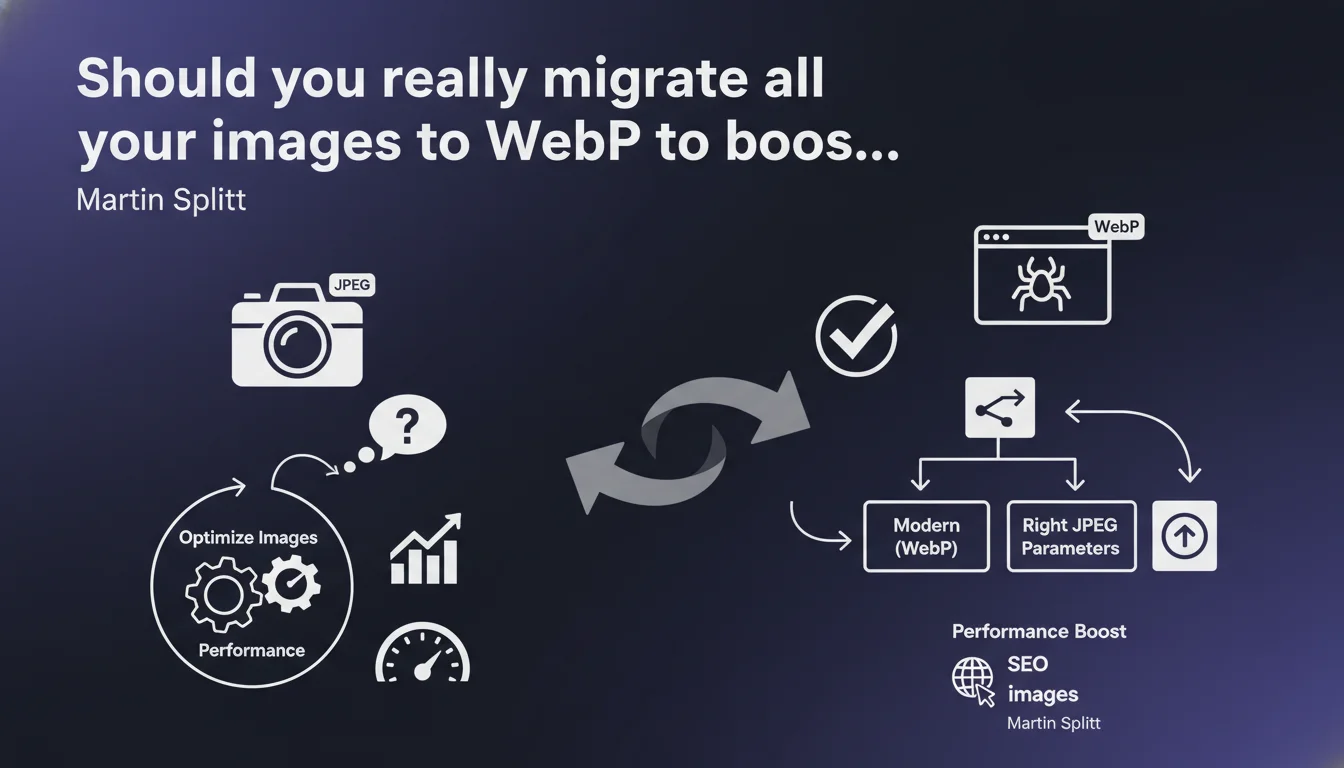
Google recommends using modern image formats like WebP or optimizing JPEG encoding to improve performance. This statement emphasizes the impact of images on loading speed, a factor now integrated into Core Web Vitals. No revolution here, but a reminder that image optimization remains an essential technical lever.
What you need to understand
Why does Google insist on modern image formats?
Images often represent 50 to 70% of the total weight of a web page. An poorly optimized format directly impacts loading time, which degrades user experience and penalizes Core Web Vitals — notably the LCP (Largest Contentful Paint).
WebP offers superior compression compared to traditional formats like JPEG or PNG, reducing file sizes by 25 to 35% without significant visual loss. Google pushes this format because it mechanically improves performance without requiring heavy technical overhauls.
What does "selecting the right parameters for JPEG encoding" actually mean?
Not all JPEGs are created equal. A JPEG exported at 100% quality can weigh three times more than one at 80%, while the human eye rarely detects the difference. Google emphasizes that smart encoding optimization — compression, chroma subsampling, removal of unnecessary metadata — remains effective if WebP isn't an option.
This distinction matters: Google isn't saying "abandon JPEG", but "do it properly". For certain contexts (legacy compatibility, complex production workflows), a well-encoded JPEG remains an acceptable compromise.
Does this recommendation apply to all images on a site?
No, and that's where many go wrong. Decorative images, SVG icons, vector logos have no benefit from WebP conversion. The recommendation targets primarily large photographic images: product visuals, banners, editorial illustrations.
- WebP reduces file size by 25 to 35% compared to equivalent JPEG/PNG files
- The impact is directly measurable on Core Web Vitals, notably LCP and CLS
- JPEG remains viable if encoding is optimized (75-85% quality, metadata removed)
- Vector formats (SVG) or small icons do not require conversion
- Google doesn't say "WebP mandatory", but "optimize your images"
SEO Expert opinion
Is this statement consistent with real-world practices?
Yes, completely. Technical audits consistently show that unoptimized images rank among the top three performance bottlenecks. WebP conversion has been part of the core optimization toolkit since at least 2019, but too many sites still neglect this basic lever.
One rarely mentioned point: WebP isn't magic if your source images are already oversized. I've seen sites convert 3000px-wide JPEGs to WebP, thinking that would solve the problem. The gain exists, but it's negligible compared to intelligent resizing based on display context (responsive images, srcset).
What nuances should be added to this recommendation?
Google remains vague on one critical point: browser support. WebP is now compatible with 97% of browsers (Safari integrated it in 2020), but certain legacy environments (older iOS versions, frozen enterprise browsers) still pose challenges. [To verify] on your own audience via Analytics before a full migration.
Another nuance: the mention of "modern formats" suggests that AVIF could be an option. AVIF offers even better compression than WebP (30-50% additional gain), but its browser support is more fragile and encoding tools are less mature. Google doesn't cite it explicitly — not by accident.
<picture> tags or JPEG fallbacks aren't correctly configured. Test first on a sample of pages before global rollout.In what cases does this rule not apply?
If your site relies on a legacy CMS or constrained technical environment where WebP implementation requires heavy development, prioritize optimizing what you have first: aggressive JPEG compression, lazy loading, CDN with dynamic resizing.
For e-commerce sites with thousands of product images generated by third-party suppliers, WebP conversion can run into workflow issues. In such cases, on-the-fly transformation (via CDN like Cloudflare, Imgix) is often more practical than manual reconversion.
Practical impact and recommendations
What should you concretely do to optimize images according to this recommendation?
Start with an audit of your current images: identify those weighing more than 100 KB that are displayed in the initial viewport (above the fold). These are your absolute priorities for WebP conversion, since they directly impact LCP.
Set up a clean fallback system using the <picture> tag: serve WebP first, with an optimized JPEG as backup. This ensures universal compatibility without sacrificing performance for modern browsers.
If your infrastructure allows, automate the generation of multiple formats on upload. WordPress does this natively since version 5.8, but verify that your theme and plugins actually leverage these optimized versions.
What errors should you avoid during WebP migration?
The classic mistake: converting without resizing. A 2500px-wide WebP is still too heavy for mobile display at 375px. Generate multiple versions (srcset) tailored to your actual design breakpoints.
Don't delete JPEG sources until you've verified the absence of 404 errors over several days. Old image URLs may be referenced in backlinks, archived newsletters, third-party RSS feeds.
Watch out for SEO metadata: some automatic conversions strip alt attributes or useful EXIF data (geolocation for local SEO, photographer credits). Validate that this information is preserved or re-injected after conversion.
How do you verify that your images are correctly optimized?
Use PageSpeed Insights and focus on the "Optimize images" section. The tool precisely identifies which images can be compressed further and estimates the KB savings. A well-optimized site should have no alerts in this section.
Check the LCP via Search Console (Core Web Vitals report). If your hero images aren't optimized, you'll see URLs classified as "Needs Improvement" or "Poor". Cross-reference with actual user data (CrUX) to avoid over-optimizing based solely on lab tests.
Test actual rendering on multiple browsers and devices. A poorly encoded WebP can produce artifacts invisible on desktop but glaringly obvious on mobile. Visual quality always remains the priority — never sacrifice perceived quality to save 10 KB.
- Audit images >100 KB displayed in the initial viewport
- Implement the
<picture>tag with JPEG fallback - Generate multiple responsive versions (srcset) adapted to breakpoints
- Automate WebP conversion on upload via CMS or CDN
- Compress remaining JPEGs to 75-85% quality
- Remove unnecessary EXIF metadata (except geolocation if relevant)
- Enable lazy loading for images outside the viewport
- Validate the absence of 404 errors after migration
- Verify LCP via Search Console and PageSpeed Insights
❓ Frequently Asked Questions
WebP est-il compatible avec tous les navigateurs ?
Faut-il convertir les images PNG en WebP ?
La conversion WebP améliore-t-elle directement le classement Google ?
Peut-on utiliser AVIF au lieu de WebP ?
Comment gérer la conversion WebP sur un site e-commerce avec des milliers d'images ?
🎥 From the same video 8
Other SEO insights extracted from this same Google Search Central video · published on 29/11/2023
🎥 Watch the full video on YouTube →
💬 Comments (0)
Be the first to comment.