
Official statement
Other statements from this video 10 ▾
- □ Does Google really analyze every element of your content during indexation?
- □ Does Google Really Fix Your HTML Errors During Indexing?
- □ How does Google decide which version of a duplicate page to index?
- □ How does Google decide which version to index when you have duplicate content?
- □ How does Google really group pages with similar content together?
- □ How does Google weigh different SEO signals when choosing your canonical page?
- □ How does Google actually choose the canonical page in a duplicate cluster?
- □ Does Google really serve different versions of your pages based on search context?
- □ Does Google really decide which of your pages deserve to be indexed?
- □ What information does Google actually store in its index for canonical pages?
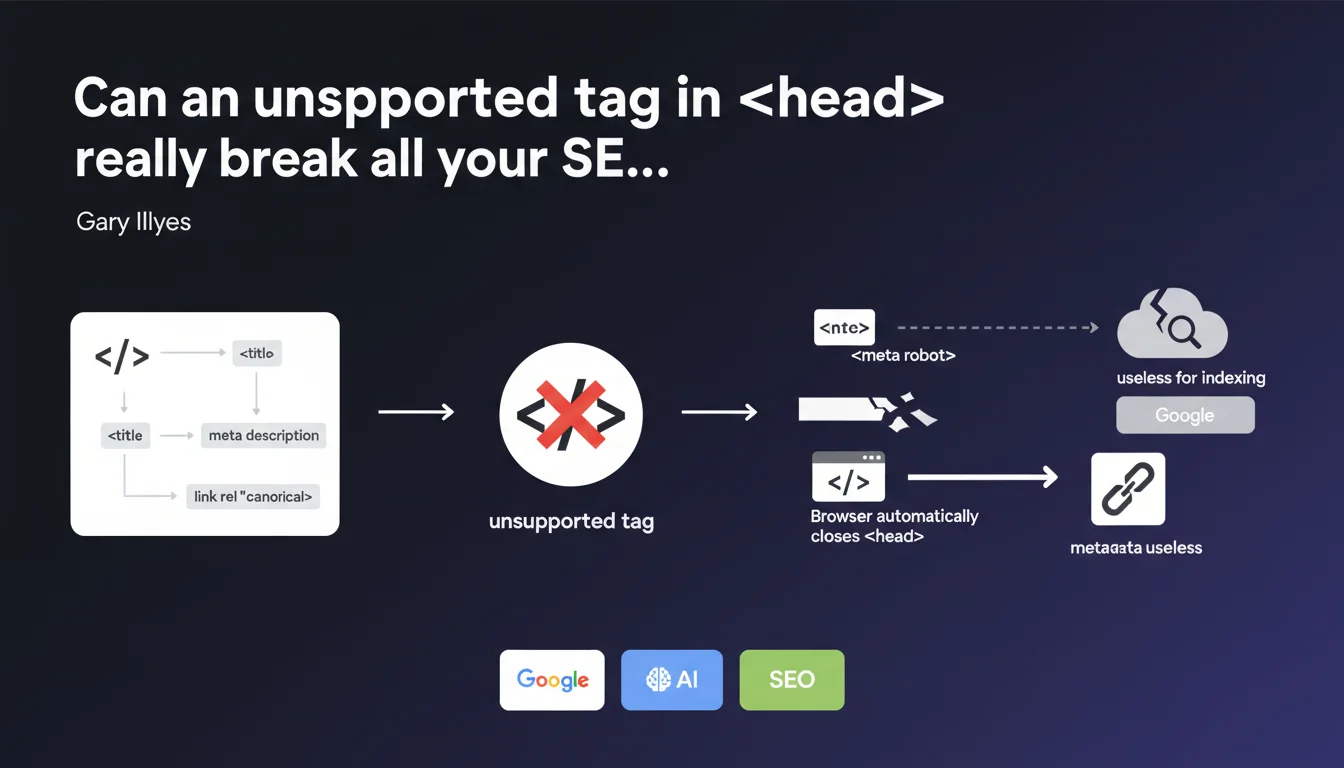
Google automatically closes the <head> element as soon as it encounters an unsupported tag. All metadata positioned after this tag (meta, link, JSON-LD) become invisible for indexing. It's a silent trap that can neutralize your SEO efforts without triggering any visible alert in Search Console.
What you need to understand
Why can a simple invalid tag sabotage your indexation?
Google's HTML parsing mechanism follows strict rules. When the crawler detects an unauthorized tag in the — typically a content element like a
Concretely? Everything that follows this intrusive tag shifts into the . Your canonical tags, your hreflang attributes, your structured JSON-LD — all become useless for indexation if they end up after the error.
Which tags are actually considered unsupported?
The HTML specification defines a restrictive list of elements allowed in : title, meta, link, style, script, base, noscript. Anything else triggers premature closure.
Frequent culprits? Hidden divs inserted by third-party tools, tracking tags positioned incorrectly, HTML comments containing improperly escaped code. Sometimes, a simple space or invisible character is enough to derail everything.
Do modern browsers react the same way?
Yes, and that's precisely the issue — or the consistency, depending on your perspective. Chrome, Firefox, Safari all apply the same error correction logic defined by the HTML standard. Googlebot simply mimics this behavior.
It means that a visual audit via DevTools can reveal the problem: if your canonical tag appears in the DOM outside the , it's been ejected.
- Google automatically closes as soon as an unsupported tag appears
- Following metadata (canonical, hreflang, JSON-LD) becomes invisible for indexation
- The behavior is identical across all modern browsers
- No explicit error is generated in Search Console
- The problem is often caused by third-party scripts or poorly integrated tracking tools
SEO Expert opinion
Is this statement consistent with real-world observations?
Absolutely, and it's a classic blind spot in SEO audits. I've seen sites lose 30% of their organic traffic because a cookie consent script injected a
The trap? It generates no visible error. Search Console reports nothing. The URL indexes normally — but with the wrong metadata or without critical signals. [To verify]: Google doesn't specify whether JSON-LD content moved into the is still partially interpreted.
What nuances should be applied to this rule?
First point — the exact position of the intrusive element matters. If your canonical is on line 5 and a
Second nuance: some CMS or frameworks inject code dynamically. A WordPress theme may look clean in edit mode but generate invalid HTML server-side. You must test the final render, not the template.
In what cases does this rule cause unexpected problems?
Sites with consent management (GDPR) are ultra-exposed. Many tools inject their scripts aggressively, without respecting HTML structure. If the Cookiebot or Didomi script inserts a modal before the charset declaration, you have a problem.
Another sneaky case: conditional comments for Internet Explorer. Technically obsolete, but still present in some legacy templates. If they contain malformed HTML, they can trigger premature closure.
Practical impact and recommendations
How do you verify if your site is affected by this issue?
First step: inspect the rendered DOM in Chrome DevTools. Open a strategic page, press Ctrl+Shift+C, and verify that all your meta, link, and JSON-LD tags are direct children of . If some appear in , you're affected.
Second verification: use Screaming Frog or an equivalent crawler to extract raw source code. Compare with JavaScript rendering enabled. If differences appear in the structure, a script is modifying the DOM problematically.
What errors should you avoid when integrating tags in ?
Never insert content elements (div, span, p, img) into , even if hidden by CSS. It's invalid by definition. If you need to load a tracking pixel, use a tag or position it at the beginning of .
Be wary of asynchronous injections. A poorly configured tag manager can insert code at an unpredictable moment during parsing. Force the placement of SEO-critical scripts (JSON-LD, canonical) hardcoded in the template, not via JavaScript.
What concrete steps should you take to fix the situation?
Audit the complete loading sequence. Temporarily disable third-party scripts one by one to identify the culprit. Once found, either move it or replace it with a compatible solution.
For complex sites with multiple environments (dev, staging, prod), implement an automated test that verifies validity after each deployment. A simple Puppeteer script can detect regressions before they impact indexation.
- Inspect the rendered DOM in Chrome DevTools to verify the actual position of metadata
- Crawl your site with Screaming Frog with JavaScript rendering enabled
- Identify third-party scripts that inject code into
- Move critical tags (canonical, hreflang, JSON-LD) to the beginning of
- Validate HTML with the W3C validator to detect unsupported elements
- Implement automated tests after each deployment
- Document the script insertion order in your technical guidelines
❓ Frequently Asked Questions
Est-ce que Google signale ce problème dans Search Console ?
Les balises JSON-LD déplacées dans le <body> sont-elles quand même interprétées ?
Un simple commentaire HTML peut-il provoquer ce problème ?
Comment tester ce problème avant un déploiement en production ?
Les scripts de consentement cookies sont-ils souvent responsables ?
🎥 From the same video 10
Other SEO insights extracted from this same Google Search Central video · published on 04/04/2024
🎥 Watch the full video on YouTube →
💬 Comments (0)
Be the first to comment.